
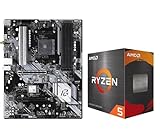
- Top Pick: MICRO CENTER AMD 5500 Processor with ASUS TUF Gaming A520M Plus Motherboard
- Best Value: NEWEGG Motherboard CPU Memory Combo -B550M Motherboard Bundle with Ryzen 5 5500 6-Core 3.6 GHz Socket AM4 65W CPU and 16GB (2 x 8GB) 288-Pin PC RAM DDR4 3200 Desktop Memory
- Premium Choice: Asus ROG Strix B550-F Gaming WiFi II AMD AM4 (3rd Gen Ryzen) ATX Gaming Motherboard (PCIe 4.0,WiFi 6E, 2.5Gb LAN, BIOS Flashback, HDMI 2.1, Addressable Gen 2 RGB Header and Aura Sync)
Best motherboard CPU gaming pairings are decided by the socket you choose, not by the board’s badge. Match the chipset to the processor’s power draw and its upgrade path, and the rest of the spec sheet becomes a comfort question. Here are six combinations that make sense in 2026, from a $109 board upward.
As an Amazon Associate we earn from qualifying purchases at no extra cost to you.



As an Amazon Associate we earn from qualifying purchases at no extra cost to you.
By Ryan Cole
How to Choose the Best Motherboard CPU Gaming Pairing
A gaming build wastes money in two directions: an overbuilt board under a mid-range chip, and a starved VRM under a 16-core part. Finding the best motherboard CPU gaming match comes down to four specifications, none of which require an overclocking background.
Match VRM Capacity to CPU Package Power
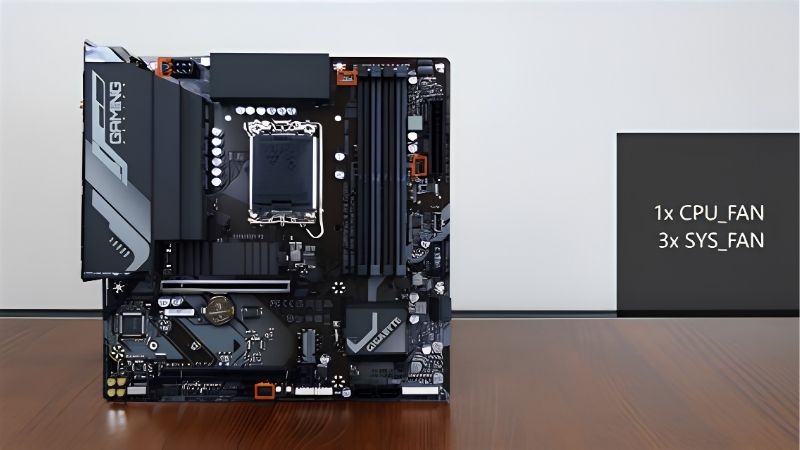
A Ryzen 7 9800X3D peaks around 162W PPT, which a 12+2+2 design with 60A stages absorbs comfortably. A Ryzen 9 9950X3D or a Core Ultra 9 285K pulls considerably more under all-core load, and that is where 80A stages and a proper VRM heatsink stop being marketing.
The failure mode is not a crash. It is a board that quietly drops boost clocks after twenty minutes of sustained load, which shows up as inconsistent frame pacing in CPU-heavy titles rather than as an obvious fault you can point at.
Pick the Chipset for Lanes, Not for Prestige
B850 and B860 both deliver a PCIe 5.0 x16 slot for the GPU and at least one Gen5 M.2 socket, which covers every realistic gaming configuration. X870 and Z890 add USB4 ports, extra Gen5 storage lanes and stronger power delivery for the top CPUs.
Unless you plan to run several Gen5 drives or a Thunderbolt capture chain, the extra chipset tier buys convenience rather than frames. Putting that money into the GPU or the memory kit produces a visible result; a wider chipset generally does not.
Check Memory Support Against Your Actual Kit
Ryzen 9000 parts run best with DDR5-6000 at a 1:1 fabric ratio, and pushing higher usually costs latency rather than gaining it. Intel’s Core Ultra 200 series scales further, so an 8000MT/s rating is worth having on the Intel side but largely decorative on AM5.
Always read the board’s qualified vendor list before buying memory rather than after. Four-DIMM boards running two dual-rank kits are still the most common source of failed EXPO training, regardless of which brand made the motherboard.
Weigh the Upgrade Path Before the Feature List
AM5 accepts new processors through 2029, so an AM5 board bought today can host two more CPUs. Intel’s Nova Lake moves to LGA 1954, which means an LGA 1851 board is the final motherboard for that particular machine.
That does not rule Intel out. It does mean the Intel side should be bought as a complete five-year system at the CPU you actually want, while the AMD side can reasonably start modest and be upgraded later.
What the 2026 Market Changes About These Pairings
Component pricing has shifted enough this year that advice from 2024 no longer holds. Three developments change what the best motherboard CPU gaming budget split looks like, and all three move money away from the board.
AM5 Now Carries a Guaranteed Upgrade Runway
AMD committed at Computex 2026 to supporting socket AM5 with new CPUs through the end of 2029. For a gaming build, that turns a mid-range B850 board into a platform you can grow into rather than a component you replace alongside the processor.
The practical version of that advice is simple. Buy a board with enough VRM for the CPU you might want in 2028, not just the one going in today, because the socket will still accept it and the board will still be under warranty.
No New Silicon Arrives Before CES 2027
RTX 50 Super, Zen 6 and Intel Nova Lake have all slipped to CES in January 2027. If you are asking whether to wait, the honest answer is that waiting means waiting at least six months, and then several more for retail availability and stable firmware.
For anyone building now, that is genuinely good news. Current chipsets have mature BIOS releases, compatibility quirks have been worked out, and nothing launching in the next two quarters will make a B850 or Z890 board obsolete.
Memory Pricing Argues for a Cheaper Board
DRAM contract prices rose again through 2026 and new capacity is not expected before late 2027. A DDR5 kit now takes a larger share of a mid-range build than it did two years ago, and that money has to come from somewhere.
The board is the least painful place to economise. Dropping from a $270 X870 to a $180 B850 costs you USB4 and a Gen5 M.2 slot, not gaming performance, and it covers most of the memory increase you cannot avoid.
Top Picks: Six Best Motherboard CPU Gaming Combinations
Each best motherboard CPU gaming pairing below targets a specific budget and resolution. Board pricing is volatile in the current market, so confirm both the board and the CPU price before committing to a platform.
| Motherboard | Paired CPU | Socket | Power Stages | Target |
|---|---|---|---|---|
| MSI MAG B850 Tomahawk MAX WiFi | Ryzen 7 9800X3D | AM5 | 14+2+1, 80A | 1440p high refresh |
| GIGABYTE B650M Gaming Plus WiFi | Ryzen 5 9600X | AM5 | 8+2+1 | 1080p budget |
| ASUS TUF Gaming B850-Plus WiFi | Ryzen 7 9700X | AM5 | 14+2+1 | 1440p all-round |
| MSI MAG B860 Tomahawk WiFi | Core Ultra 7 265K | LGA 1851 | Mid-tier | 1440p Intel |
| MSI MAG Z890 Tomahawk WiFi | Core Ultra 9 285K | LGA 1851 | 16+1+1+1, 80A | 4K and productivity |
| ASUS ROG Strix X870E-E Gaming | Ryzen 9 9950X3D | AM5 | 18+2+2 | Gaming and streaming |
MSI MAG B850 Tomahawk MAX WiFi + Ryzen 7 9800X3D
This is the default answer for a high-refresh 1440p machine. The 9800X3D’s 3D V-Cache gives it the largest gaming lead of any current part, and the Tomahawk’s 14+2+1 VRM with 80A stages holds its boost without complaint, backed by 5GbE and two Gen5 M.2 slots.
What you give up is USB4, which MSI reserves for X870 at this generation. If you own a Thunderbolt dock or an external Gen4 enclosure, step up a tier. Otherwise this pairing is difficult to improve on without spending disproportionately more.
GIGABYTE B650M Gaming Plus WiFi + Ryzen 5 9600X
At roughly $109 for the board, this is the cheapest credible entry into AM5. The 9600X handles 1080p at high refresh in almost everything, and the board still supplies a PCIe 5.0 GPU slot, 2.5GbE and Wi-Fi 6E for the money.
The 8+2+1 VRM is the limit here. It is comfortable with a six or eight-core chip and will thermally throttle a Ryzen 9, so treat this as a board you upgrade past rather than one you eventually drop a 16-core part into.
ASUS TUF Gaming B850-Plus WiFi + Ryzen 7 9700X
For builds that game and also handle work, the 9700X’s lower power draw and eight full cores make it easier to cool than an X3D part, and the TUF board’s 14+2+1 VRM with Wi-Fi 7 and 2.5GbE gives it a sensible platform.
Two irritations are worth knowing. The board omits a Q-code display, so a failed POST means interpreting LEDs, and its M.2 heatsinks are thinner than the Tomahawk’s. Neither affects performance, but both matter if you open the case often.
MSI MAG B860 Tomahawk WiFi + Core Ultra 7 265K
At around $227 the B860 Tomahawk is the sensible Intel mid-range choice, offering Wi-Fi 7, 5GbE, three M.2 slots including one PCIe 5.0, and two 40Gbps Thunderbolt 4 ports that the equivalent AMD board at this price does not provide.
The 265K trails AMD’s X3D parts in pure gaming, and the platform ends at LGA 1851. Buy this combination for the connectivity and the strong mixed-workload performance, not because you intend to upgrade the processor later.
MSI MAG Z890 Tomahawk WiFi + Core Ultra 9 285K
Around $250, this is the Z890 board most builders should stop at. Its 16+1+1+1 layout with 80A stages runs the 285K at stock without VRM thermal issues, and five M.2 slots plus 5GbE cover 4K gaming alongside heavy content work.
Stock availability has been inconsistent since launch, and MSI’s BIOS is the board’s strongest feature rather than its I/O. The 285K also loses to cheaper AMD chips in games specifically, so this pairing earns its place on mixed workloads.
ASUS ROG Strix X870E-E Gaming WiFi + Ryzen 9 9950X3D
This is the pairing for people who game and stream or render on the same machine. The 9950X3D combines 16 cores with 3D V-Cache, and the Strix X870E-E provides the 18+2+2 power delivery, dual USB4 and full Gen5 provision to feed it.
It is also the least efficient use of money on this list for pure gaming, where a 9800X3D delivers effectively the same frame rates for far less. Choose it only if the extra cores are doing real work outside of games.
Frequently Asked Questions
These questions come up repeatedly once builders start hunting a best motherboard CPU gaming pairing rather than shopping for each part in isolation.
Does a more expensive motherboard increase gaming FPS?
No, not at stock settings. Once the VRM can supply the CPU without throttling, frame rates are identical across price tiers. Extra money buys connectivity, storage lanes, memory tuning headroom and build quality, all of which are real, none of which are frames.
Can I put a Ryzen 9 on a cheap B650 board?
Physically yes, sensibly no. Entry B650 boards with 8+2 power delivery and minimal VRM cooling will limit sustained boost on a 12 or 16-core part. Pair Ryzen 9 chips with a 14+2+2 design or better, which in practice means B850 or X870.
Should I buy AM5 or LGA 1851 for gaming right now?
AM5, for most people. The X3D parts lead in games and the socket accepts new CPUs through 2029. LGA 1851 makes sense if you value Thunderbolt connectivity or run mixed productivity workloads, provided you accept that the platform ends there.
Is DDR5-6000 still the sweet spot for AMD gaming?
Yes on Ryzen 7000 and 9000. DDR5-6000 with CL30 timings keeps the memory controller at a 1:1 ratio, and faster kits usually force a divider that costs more latency than the bandwidth returns. Intel’s Core Ultra 200 series does scale beyond that point.
See More:
- Who makes the best motherboard
- Best budget AM5 CPU for gaming
- What is the best thermal paste pattern
- Best mini ITX computer case
- Best desktop RAM for gaming
Final Thoughts
Choosing the best motherboard CPU gaming combination comes down to three decisions in order: pick the socket for its upgrade path, pick the CPU for your resolution, then pick the cheapest board with enough VRM to feed it. For most 2026 builds that lands on a B850 board with a Ryzen 7, and the money saved belongs in the GPU or the memory kit. Pricing here reflects the market in August 2026 and should be checked before purchase.











Write Your Review
No reviews yet. Be the first to share your experience!