
- Top Pick: Asus ROG Strix B550-F Gaming WiFi II AMD AM4 (3rd Gen Ryzen) ATX Gaming Motherboard (PCIe 4.0,WiFi 6E, 2.5Gb LAN, BIOS Flashback, HDMI 2.1, Addressable Gen 2 RGB Header and Aura Sync)
- Best Value: GIGABYTE B550 Eagle WIFI6 AMD AM4 ATX Motherboard, Supports Ryzen 5000/4000/3000 Processors, DDR4, 10+3 Power Phase, 2X M.2, PCIe 4.0, USB-C, WIFI6, GbE LAN, PCIe EZ-Latch, EZ-Latch, RGB Fusion
- Premium Choice: GIGABYTE B550 AORUS Elite AX V2 AMD AM4 ATX Motherboard, Supports Ryzen 5000/4000/3000 Processors, DDR4, 12+2 Power Phase, 2X M.2, PCIe 4.0, Front USB-C, WIFI6, 2.5 GbE LAN, Q-Flash Plus, RGB Fusion
Best X570 motherboard shopping in 2026 comes down to one question: do you actually need PCIe 4.0 on the chipset lanes, or would B550 cover everything you plan to install? These six boards suit builders who genuinely do, with the chipset fan issue addressed honestly.
As an Amazon Associate we earn from qualifying purchases at no extra cost to you.





As an Amazon Associate we earn from qualifying purchases at no extra cost to you.
By Ryan Cole, PC hardware writer at NVIDIA Review.
How to Choose the Best X570 Motherboard
X570 sits at the top of the AM4 range, and its advantages are specific rather than general. Four checks decide whether the best X570 motherboard is worth its premium over B550 in your particular build.
Understand What X570 Adds Over B550
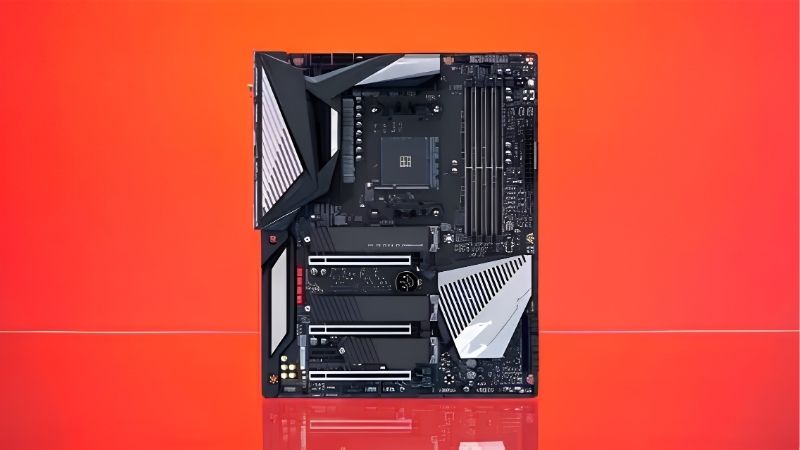
Both give the graphics slot and one M.2 socket PCIe 4.0 directly from the processor. The difference is downstream: X570 runs its chipset lanes at Gen4 as well, while B550 drops those to Gen3.
That matters if you plan two or three Gen4 NVMe drives, a capture card and a fast network adapter simultaneously. For a single graphics card and a boot drive, the practical benefit is close to zero.
Know the Chipset Fan Situation
Original X570 boards use an actively cooled chipset with a small fan, which can become audible as it ages and collects dust. It is not a defect, but it is a real acoustic consideration in a quiet build.
The X570S refresh removed the fan entirely in favour of passive cooling. If noise matters to you, prioritising an X570S model over an original revision is the single most useful filter you can apply.
Model names make this easy to check. The S appears directly in the product name, so an X570S AORUS Elite is passively cooled while the original X570 AORUS Elite is not, despite the otherwise similar branding.
Match VRM Quality to Your Processor
A Ryzen 5 5600 runs comfortably on any X570 board. A 5900X or 5950X under sustained all-core load is a different matter, and boards with thin VRM heatsinking will let power stages run hot enough to affect boost behaviour.
Look for heatsinks covering both power stage banks, ideally joined by a heat pipe. On this platform that single visual check separates boards that hold clocks through long renders from those that quietly pull back.
Fan behaviour under load is the giveaway. If clocks drop after ten minutes of rendering while temperatures on the processor itself look fine, power stage heat is usually the constraint rather than the cooler.
Case airflow contributes here as well. X570 boards run warmer than B550 because the chipset itself consumes more power, so a chassis with a clear front-to-back airflow path helps both the chipset and the power stages.
Weigh the Price Against a Newer Platform
X570 boards command a premium on a retired platform, and stock is inconsistent. If a board approaches the cost of an entry-level AM5 board, the newer platform is worth considering despite requiring DDR5.
The calculation flips if you already own DDR4 and a Ryzen 5000 processor. In that case X570 completes an existing build cheaply, and the platform’s age matters far less than the components you avoid replacing.
Second-hand listings deserve care on this platform. Check socket photographs for bent pins, prefer sellers offering returns, and factor in the absence of a manufacturer warranty when comparing against a new board.
Top Picks: Best X570 Motherboard Options in 2026
The best X570 motherboard for you depends on form factor and whether you need passive chipset cooling, so these six span ATX flagships to Mini-ITX. Specifications come from manufacturer sheets; stock on AM4 varies considerably by retailer.
| Model | Chipset | Form Factor | Chipset Cooling | Wireless |
|---|---|---|---|---|
| Gigabyte X570S AORUS Elite AX | X570S | ATX | Passive | Wi-Fi 6 |
| MSI MAG X570S Tomahawk MAX WiFi | X570S | ATX | Passive | Wi-Fi 6 |
| ASUS ROG Strix X570-E Gaming WiFi II | X570 | ATX | Passive | Wi-Fi 6 |
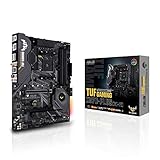
| ASUS TUF Gaming X570-Plus WiFi | X570 | ATX | Active fan | Wi-Fi 5 |
| ASRock X570 Phantom Gaming 4 | X570 | ATX | Active fan | None |
| Gigabyte X570 I AORUS Pro WiFi | X570 | Mini-ITX | Active fan | Wi-Fi 6 |
Gigabyte X570S AORUS Elite AX
This is the default recommendation for a full-size X570 build. The S revision cools the chipset passively, removing the fan noise concern entirely, and pairs that with a robust digital VRM, four DDR4 slots and Wi-Fi 6.
Multiple M.2 sockets running Gen4 are the reason to choose X570 in the first place, and this board delivers them. The drawback is price relative to a strong B550 board, which performs identically in gaming workloads.
MSI MAG X570S Tomahawk MAX WiFi
The Tomahawk name has earned its reputation for balance and the X570S version continues that. Passive chipset cooling, a substantial VRM with proper heatsinks, four DDR4 slots and 2.5 Gb Ethernet with Wi-Fi 6 cover a 5900X comfortably.
Its BIOS is stable and well documented, which matters on a mature platform. The compromise is availability, since X570S boards were produced in smaller volumes and now appear inconsistently across retailers.
ASUS ROG Strix X570-E Gaming WiFi II
The revised Strix E is the enthusiast option, with heavy power delivery suited to a 5950X under sustained load, passive chipset cooling, dual Gen4 M.2 sockets and a strong audio implementation.
It is the board to choose if you run a 16-core chip hard and want maximum headroom. The drawback is cost, which on a retired platform can approach what a mid-range AM5 board and processor would together.
ASUS TUF Gaming X570-Plus WiFi
TUF covers the practical middle of the range and remains widely available. Four DDR4 slots, two M.2 sockets, a competent VRM with heatsinking and integrated wireless make it a straightforward host for a Ryzen 5000 build.
For a 5600X or 5700X it is comfortably more board than required. The limitation is the active chipset fan on this revision, which is audible in a quiet room and collects dust over years of use.
ASRock X570 Phantom Gaming 4
This is the value entry into the chipset, keeping Gen4 chipset lanes while stripping back features elsewhere. Four DDR4 slots, two M.2 sockets and adequate power delivery cover a six or eight-core processor properly.
If the Gen4 storage bandwidth is what you are after, it delivers that cheaply. The compromises are the absence of onboard wireless, a chipset fan, and VRM heatsinking better matched to 65W and 105W chips than a 5950X.
Gigabyte X570 I AORUS Pro WiFi
Mini-ITX builders wanting full Gen4 connectivity are well served here. Two DDR4 slots, dual M.2 sockets with one on the rear of the board, 2.5 Gb Ethernet and Wi-Fi 6 fit onto a 170 x 170 mm layout.
Two DIMM slots often reach higher stable memory frequencies than four-slot designs. The trade-offs are inherent to the format: a chipset fan in a confined space, tight cooler clearance and a price above equivalent ATX boards.
Thermals need planning in a small case. With the chipset fan, VRM heatsink and M.2 heatspreader all clustered together, airflow across the board matters more here than on any full-size X570 model.
Where X570 Sits in the 2026 Market
Two market conditions shape whether this platform still deserves your money, and both concern what the alternative would cost you overall.
AM5 Has a Roadmap That AM4 Does Not
AMD confirmed at Computex 2026 that AM5 will accept new processors through the end of 2029. AM4 receives no further CPU generations, so Ryzen 5000 is the permanent ceiling for any X570 board you buy today.
That makes X570 a completion purchase rather than an investment. It is a perfectly reasonable one if the processor and memory are already yours, but a poor starting point for a build assembled from scratch.
Owning DDR4 Shifts the Calculation
DRAM contract pricing rose sharply through 2026, with further increases forecast into the fourth quarter and no meaningful new manufacturing capacity expected before late 2027. DDR5 kits absorbed most of that increase.
A working 32 GB DDR4 kit is therefore worth more to your budget than it was a year ago. That saving alone frequently covers the price difference between an X570 board and the B550 alternative.
Older Boards Restock Unpredictably
Motherboard sales fell by more than a quarter and manufacturers concentrated production on mid and high-tier current models, with promotional pricing policies withdrawn in February 2026. Retired platforms felt that first.
The practical result is inconsistent pricing rather than uniform increases, particularly on the X570S revisions. Comparing listings over a week or two often reveals a wide spread, so patience is genuinely worth something here.
Frequently Asked Questions
These questions come up most often from people deciding between X570 and B550 for a Ryzen 5000 build.
Is the best X570 motherboard worth it over B550?
Only if you will use Gen4 chipset lanes for multiple fast drives or expansion cards. For a single graphics card and one or two NVMe drives, B550 delivers identical gaming performance for noticeably less money.
How noisy is the X570 chipset fan?
It varies by board and worsens with dust over time. Many users never notice it, while others find it intrusive in a quiet room. X570S revisions cool the chipset passively and remove the question entirely.
Will X570 support Ryzen 5000 out of the box?
Most boards shipped with compatible firmware, but units manufactured early may need an update. Check whether the board has BIOS Flashback if you have no older AM4 processor available to perform that update.
Does X570 improve gaming performance over B550?
No. The graphics slot runs at PCIe 4.0 on both chipsets when paired with a Ryzen 3000 or 5000 processor. The difference is storage and expansion bandwidth, which does not affect frame rates.
See More:
- Best MSI motherboard
- Best motherboard processor combo for gaming
- Best B550 motherboard
- Best CPU for streaming
- What is the best AM4 CPU for gaming
Final Thoughts
The best X570 motherboard is worth buying when you need Gen4 chipset lanes and already own the processor and memory to go with it. X570S models like the AORUS Elite AX and Tomahawk MAX solve the fan noise question, while B550 remains the smarter choice for a straightforward single-drive gaming build.











Write Your Review
No reviews yet. Be the first to share your experience!