
- Top Pick: Gigabyte A520I AC (AMD Ryzen AM4/Mini-ITX/Direct 6 Phases Digital PWM with 55A DrMOS/Gaming GbE LAN/Intel WiFi+Bluetooth/NVMe PCIe 3.0 x4 M.2/3 Display Interfaces/Q-Flash Plus/Motherboard)
- Best Value: ASRock Intel Core Ultra B860 LGA1851 B860I WiFi 6E DDR5 8933 MHz 128GB M.2 Mini ITX Motherboard SATA3 6.0 Gb/s PCIe 5.0
- Premium Choice: ASUS TUF Gaming B850I WiFi NEO AM5 Mini ITX Motherboard, DDR5, DIMM Fit, WiFi 6E, 2.5Gb LAN, PCIe 5.0, 2X M.2, 2X USB-C, AI Cooling II, Pre-Mounted I/O Shield, SFF PC
Mini ITX best motherboard shortlists are shaped by physics rather than preference. A 170mm square has room for two memory slots, one graphics slot and a limited rear panel, so every compact board is a set of deliberate compromises, and the trick is working out which of those compromises you can comfortably live with.
As an Amazon Associate we earn from qualifying purchases at no extra cost to you.
By Ryan Cole, PC hardware writer at NvidiaReview
How to Choose the Mini ITX Best Motherboard
Picking the mini ITX best motherboard for your build means accepting fixed limits and then optimising within them. Three things decide whether a compact board suits you: how it handles memory, how it deals with heat in a confined chassis, and whether the rear panel covers your peripherals.
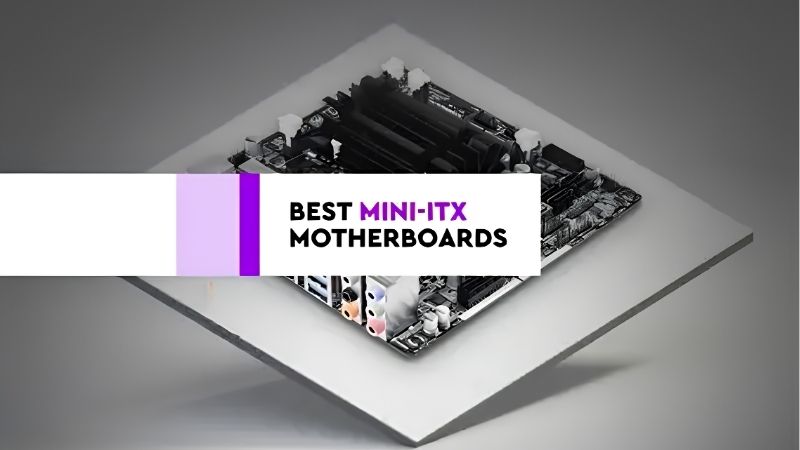
Two DIMM Slots Are a Feature, Not a Limitation
Compact boards carry two memory slots instead of four, which caps capacity at around 96GB depending on the kit. For gaming and most creative work that ceiling is irrelevant, and the shorter signal traces frequently allow higher stable transfer rates than a four-slot board reaches.
That makes a 6000 MT/s EXPO kit with tight timings straightforward on AM5, and it removes the awkward capacity compromises that four-slot boards run into when all slots are populated. Buy the capacity you need in two sticks from the outset rather than planning to add more later.
VRM Heat and Cooler Clearance in a Confined Case
Power delivery arrays on compact boards are physically smaller and sit closer to the socket, so they run hotter than the equivalent full-size design under the same load. In a chassis with limited airflow that difference is real, and it is worth choosing a board with a substantial VRM heatsink.
Cooler clearance around the socket is tighter too. Heatsinks that overhang memory or the rear I/O shroud can be impossible to seat properly, and some low-profile coolers collide with the taller VRM heatsinks these boards use. Check clearance diagrams for the board and cooler together.
Rear I/O, Wi-Fi and M.2 Placement
A small rear panel means fewer USB ports, and compact cases rarely provide much front panel connectivity to compensate. Count the ports you actually use, including keyboard, mouse, headset, capture hardware and external storage, before assuming a board will handle your desk setup.
Storage placement matters as well. Compact boards often stack M.2 slots on the rear of the board or beneath the graphics card, which makes them harder to reach and hotter under sustained transfers. A Gen5 drive in a poorly ventilated slot is a genuine reason to fit a Gen4 one instead.
Top Picks: Mini ITX Best Motherboard Options Right Now
These five candidates for the mini ITX best motherboard cover both AMD AM5 and Intel platforms across a range of budgets. All figures are vendor-published specifications and revisions vary, so confirm the exact model code before ordering. Availability was checked in August 2026 and small form factor stock moves quickly.
| Board | Platform | Memory slots | Networking | Best for |
|---|---|---|---|---|
| ASUS ROG Strix B650E-I Gaming WiFi | AM5 | 2 | 2.5GbE, Wi-Fi 6E | Feature-rich AM5 builds |
| Gigabyte B650I AORUS Ultra | AM5 | 2 | 2.5GbE, Wi-Fi 6E | Storage capacity |
| MSI MPG B650I Edge WiFi | AM5 | 2 | 2.5GbE, Wi-Fi 6E | Balanced value |
| ASRock B850I Lightning WiFi | AM5 | 2 | 2.5GbE, Wi-Fi 7 | Current chipset features |
| ASUS ROG Strix Z890-I Gaming WiFi | Intel LGA1851 | 2 | 2.5GbE, Wi-Fi 7 | Intel small builds |
ASUS ROG Strix B650E-I Gaming WiFi – Best Overall AM5 Option
The B650E chipset delivers PCIe 5.0 for both the graphics slot and primary storage, and ASUS packages it with a strong power stage array, 2.5GbE and Wi-Fi 6E. The bundled audio and USB daughterboard adds connectivity that would otherwise be impossible on a panel this size.
That daughterboard needs somewhere to sit, which complicates routing in the tightest chassis. Wi-Fi 6E rather than Wi-Fi 7 also dates it against newer boards. For a compact build where you want the fullest feature set without moving to a larger format, it remains the reference option.
ASRock B850I Lightning WiFi – Best Current Chipset Choice
This is the newer-generation pick, bringing Wi-Fi 7, 2.5GbE and current B850 chipset features including PCIe 5.0 storage support into the 170mm footprint. ASRock has also given it a substantial VRM heatsink, which matters more in a compact case than the phase count printed on the box.
Rear I/O is functional rather than generous, and ASRock firmware updates tend to arrive a little later than the larger brands. Availability can be patchy too. If you want the latest chipset in a small build without paying flagship prices, this is currently the most sensible route.
Gigabyte B650I AORUS Ultra – Best for Storage
The AORUS Ultra fits dual M.2 slots alongside two DIMM slots, 2.5GbE and Wi-Fi 6E, and its layout keeps the primary storage slot accessible rather than burying it under the graphics card. For a compact machine that doubles as a work system, that storage capacity is genuinely useful.
The second M.2 slot sits on the rear of the board, which means removing the motherboard to change that drive in most chassis. VRM temperatures also climb in poorly ventilated cases. Plan your storage before assembly and it is one of the more practical compact boards available.
MSI MPG B650I Edge WiFi – Best Balanced Value
The Edge covers the essentials cleanly: two DIMM slots reaching high EXPO speeds, dual M.2 support, 2.5GbE and Wi-Fi 6E, with a straightforward BIOS and a layout that keeps front panel headers reachable during assembly. It usually sits below the ROG board on price by a useful margin.
It lacks the extra connectivity daughterboard found on the ASUS option, so the rear panel is what you get. Wi-Fi 6E is a generation behind current. For a small gaming build that does not need every feature, it delivers the important parts and leaves budget for the graphics card.
ASUS ROG Strix Z890-I Gaming WiFi – Best Intel Option
For a compact build on Intel’s LGA1851 platform, this pairs a robust power delivery design with Wi-Fi 7, 2.5GbE, Thunderbolt-class USB-C connectivity and the same familiar ROG BIOS. It is the natural counterpart to the AM5 boards above if your processor choice is already settled.
The platform itself is the caveat: Intel moves to a new socket with its next generation, so the upgrade path is shorter than AM5’s confirmed support through 2029. The board is also expensive. Choose it when you specifically want an Intel processor rather than as a long-term platform bet.
What the 2026 Market Means for Compact Builds
Small form factor machines carry price premiums at almost every step, which makes wider market conditions worth understanding before you commit to the mini ITX best motherboard for your build. Three factors should shape both the board you choose and when you actually buy it.
AM5 Has a Confirmed Path Through 2029
AMD stated at Computex 2026 that socket AM5 will receive new processors until the end of 2029, while Intel’s next generation requires a different socket. In a compact build, where replacing the board means dismantling almost the entire machine, that longevity is worth more than usual.
It is the strongest argument for choosing AM5 over Intel for a small system you intend to keep. Dropping a newer processor into an existing ITX build is a straightforward job; replacing the board in a 12 litre chassis means removing the cooler, the riser cable and often the power supply.
Compact Boards Carry a Structural Premium
ITX boards have always cost more than equivalent ATX ones because of denser layouts and additional layers, and that gap has not narrowed. Motherboard sales have fallen more than 25 percent overall, and vendors have concentrated on mid-range and premium products across every format.
Promotional pricing policies were also withdrawn in February 2026, so the discounts that occasionally brought compact boards close to full-size pricing appear less often. Budget accordingly, and treat the board as one of the fixed costs of building small rather than a place to economise.
Memory Costs Reinforce the Two-Slot Decision
DRAM pricing has risen substantially through 2026 with further increases forecast and little new capacity before late 2027. That makes buying the right memory once, in two sticks, more important than leaving slots free for a future upgrade you may not want to pay for later.
Since compact boards only offer two slots anyway, the platform effectively forces the correct decision. Target a 32GB 6000 MT/s EXPO kit with good timings on AM5, verify it against the board QVL, and treat capacity beyond that as a workstation requirement rather than a gaming one.
Frequently Asked Questions
The questions that come up most when specifying a compact system: whether small boards limit performance in any measurable way, how hot they really run, what the memory ceiling means in practice, and whether the mini ITX best motherboard has to be an expensive premium model.
Do compact boards perform worse than full-size ones?
Not in any way you would measure in games. The same processor performs identically on a compact board, and two-slot memory layouts often reach higher stable speeds. The differences are in expansion, port count and thermal headroom rather than raw performance from the same components.
How hot do these boards actually run?
Warmer than full-size equivalents, because smaller power delivery arrays sit closer to the socket with less heatsink mass. With reasonable case airflow they stay within safe limits, but a sealed chassis with a single intake fan will push VRM temperatures noticeably higher under long loads.
Is 96GB of memory enough long term?
For gaming and most content work, comfortably. Only large virtual machine workloads, heavy simulation and certain professional applications genuinely need more, and those belong on a workstation platform anyway. Most compact builds run 32GB and never come close to the ceiling.
Can I fit a large air cooler on a compact board?
Sometimes, but the chassis usually decides before the board does. Compact cases often cap cooler height between 50 and 70mm, which limits you to low-profile designs. Where the case allows 150mm or more, a full tower cooler fits fine, provided it clears the VRM heatsink and memory.
See More:
- Best thermal compound paste
- Thermal paste at Best Buy
- Graphics card at Best Buy
- Best AM4 CPU for gaming
- Best motherboard for 9800x3d
Final Thoughts
The mini ITX best motherboard for you depends on which compromise stings least. The ROG Strix B650E-I offers the fullest feature set, the ASRock B850I Lightning brings current chipset features at a fairer price, and the MSI Edge covers the essentials for less. Check cooler clearance and rear port count first, because neither is fixable later.
As an Amazon Associate we earn from qualifying purchases at no extra cost to you.














Write Your Review
No reviews yet. Be the first to share your experience!