
- Top Pick: AI Systems Performance Engineering: Optimizing Model Training and Inference Workloads with GPUs, CUDA, and PyTorch
- Best Value: PNY Nvidia RTX A400 4GB GDDR6 Professional Graphics Card, VCNRTXA400-SB, Single Slot, Low Profile, 768 CUDA Cores, PCI Express 4.0, 4x Mini DisplayPort 1.4a, 50W
- Premium Choice: NVIDIA – GeForce RTX 4080 16GB GDDR6X Graphics Card
What is CUDA cores is a question almost every GPU shopper runs into, because the CUDA core count is one of the first numbers printed on an Nvidia graphics card’s spec sheet. In plain language, CUDA cores are the thousands of small processing units inside an Nvidia GPU that handle the parallel math behind every frame you see and every video you render. The more relevant question is not just what they are, but how much that number actually matters for your games and apps. This guide explains what CUDA cores do, how to read the spec sensibly, and how to avoid being misled by the headline figure when you buy.
Understanding What CUDA Cores Actually Are
To use the spec wisely, you first need a clear mental model of the hardware. CUDA cores are the building blocks of Nvidia’s parallel processing power, and understanding how they work explains why a GPU can do things a CPU simply cannot.
As an Amazon Associate we earn from qualifying purchases at no extra cost to you.


How CUDA Cores Power Parallel Processing
A CPU has a handful of powerful cores built to run complex tasks one after another. A GPU flips that design, packing thousands of simpler CUDA cores that all work at once on small pieces of the same problem.
This is perfect for graphics, where millions of pixels need similar calculations every frame. Each CUDA core handles a slice of the work simultaneously, which is why a modern card with 10,000 or more cores can render detailed scenes in real time.
The same parallel strength applies far beyond games. Any task that can be split into many identical small jobs, from physics simulations to video encoding, runs dramatically faster on a sea of CUDA cores than on a CPU’s few cores. That versatility is why GPUs have become essential tools well outside the world of gaming.
What CUDA Actually Stands For
CUDA is short for Compute Unified Device Architecture, Nvidia’s platform for running general-purpose code on the GPU. The cores themselves are the hardware, while CUDA is also the software ecosystem developers use to tap into them.
This dual meaning matters because CUDA support is a major reason creators choose Nvidia. Many professional applications, from video editors to AI tools, are optimized specifically for CUDA, so the cores deliver benefits beyond gaming.
That software ecosystem is a genuine competitive moat. Competing GPUs may offer strong raw hardware, but the depth of CUDA-optimized apps means Nvidia cards often run creative and scientific software faster and with fewer compatibility headaches. For anyone whose work depends on those tools, the cores and the platform behind them are inseparable.
CUDA Cores Across Different GPU Generations
A common trap is comparing core counts across generations as if they were equal. They are not. A CUDA core in the latest architecture does more work per clock than one from several years ago, thanks to design improvements.
So a newer card with 6,000 cores can easily outperform an older card with 8,000. When you compare cards, only treat the CUDA count as directly comparable within the same generation, and lean on real benchmarks across generations.
Architecture improvements also bring new features that a raw count cannot capture, such as better ray tracing support or more efficient power use. Two cards can share a core count yet behave very differently because one belongs to a newer, smarter design. This is the single most common mistake buyers make when they shop by the headline number alone.
How CUDA Cores Affect Real-World Performance
Numbers on a box mean little until they translate into frames and faster exports, so let us connect the core count to what you actually do. The impact varies a lot between gaming and creative work, and knowing the difference helps you buy the right card.
CUDA Cores in Gaming Performance
In games, more CUDA cores generally mean more raw rendering power, which helps most at higher resolutions and detail levels. At 4K with demanding settings, a card’s core count and clock speed largely determine whether you hold a smooth frame rate.
That said, core count is only one factor. Memory bandwidth, VRAM capacity, and architecture features all shape the final frame rate, so two cards with similar core counts can perform quite differently in practice.
For everyday gaming, the practical takeaway is to match the card tier to your resolution rather than chasing the biggest core number. A mid-tier card with a few thousand cores is plenty for 1080p, while 4K rewards the higher-core flagships.
CUDA Cores for Creators and AI Workloads
Outside gaming, CUDA cores shine in creative and AI tasks. Video rendering, 3D modeling, and machine learning all lean heavily on parallel math, so a higher core count can dramatically cut export and processing times.
This is where Nvidia’s ecosystem advantage compounds. Because so many creative apps are tuned for CUDA, those thousands of cores translate into measurable, repeatable time savings on real projects, not just theoretical benchmark wins.
For a working professional, that time adds up to money. A video editor exporting projects all day, or a 3D artist rendering complex scenes, recovers hours each week with a higher-core card. In those cases, paying for more CUDA cores is not vanity spending, it is a direct investment in productivity that pays for itself.
The Pros and Cons of Focusing on CUDA Core Count
Treating the CUDA count as your main buying metric has clear upsides and real risks, so weigh both before you decide.
Pros:
- A quick, easy indicator of a card’s relative power within the same generation.
- Strongly tied to creative and AI performance, where parallel work dominates.
- Higher counts usually signal a higher tier with better all-round specs.
Cons:
- Useless for comparing across generations, where per-core efficiency changes.
- Ignores memory, bandwidth, and features that also drive real frame rates.
- Can tempt buyers into overspending on cores their workload never uses.
The balanced view, then, is to respect the CUDA core count without worshipping it. Used as a quick tier indicator within one generation it is genuinely helpful, but treated as the only metric it becomes a trap. The buyers who get the best value read it as one line on a fuller spec sheet, not as a final verdict on a card’s worth.
How to Use CUDA Core Counts When Buying a GPU
With the theory in place, the goal is to turn the spec into a confident purchase. The trick is to use the core count as one input among several rather than the deciding factor. Here is how to read it the way an experienced buyer would.
Matching CUDA Cores to Your Needs
Start from what you do, not the spec sheet. For 1080p gaming, a card in the lower-to-mid range with a few thousand CUDA cores comfortably handles modern titles. For 1440p, step up a tier, and for 4K or heavy creative work, the high-core flagships earn their price.
This approach prevents the classic mistake of buying far more cores than your monitor or projects can ever use, money that would be better spent on a faster display or more storage.
It also works in the other direction. If you plan to move to a 4K monitor next year, or you are taking on heavier creative projects, buying a slightly higher tier now can save you from an early upgrade later. The goal is to match the core count to where your needs are heading, not only to where they are today.
Reading the Full Spec, Not Just the Cores
Always read the CUDA count alongside the other key numbers. Check the VRAM capacity for your resolution, the memory bandwidth for high-res gaming, and the boost clock for raw speed. Together these tell a far more accurate story than cores alone.
Real benchmarks remain the final word. Once you have shortlisted cards by tier, compare their measured frame rates in the games you actually play before deciding.
A useful habit is to look up two or three independent reviews of any card you are considering and check its performance in your specific games and resolution. Numbers on a spec sheet describe potential, but benchmarks describe reality, and the gap between the two is exactly where smart buyers save money or avoid disappointment.
Finding the Right Nvidia Card for Your Budget
Once you know the tier that fits your resolution and workload, the last step is finding it at a fair price. Within a generation, the CUDA core count cleanly separates the entry, mid, and high tiers, which makes shopping straightforward.
To skip the guesswork, compare current Nvidia models and their verified prices through the links on this page and pick the card whose core count and full spec match your needs. A quick check now helps you secure the right GPU before prices move again.
When you do, focus your shortlist on one or two tiers rather than scanning the whole range. Once you know whether you want a mid-range or high-end card, the CUDA core count makes it easy to confirm you are looking at the right class, and the price comparison tells you which specific model offers the best value at that level today.
See More:
Final Thoughts on CUDA Cores
To wrap up, CUDA cores are the parallel engines that give Nvidia GPUs their power, and the count is a useful, quick gauge of a card’s tier within a single generation. Just remember that what is CUDA cores really comes down to context: the number matters most for creative and AI work, helps in high-resolution gaming, and should always be read alongside VRAM, bandwidth, and benchmarks. Use the core count as one piece of the picture, match the card to your real needs, and you will buy smart rather than overspending on numbers you will never use. Treat the spec sheet as a starting point and real-world reviews as the final check, and the CUDA core figure becomes a helpful ally instead of a marketing trap.
Top-Rated Picks



| Product | Brand | Rating | Reviews | Price |
|---|---|---|---|---|
| ARCTIC MX-4 (4 g) – Premium Performance Thermal Paste… | ARCTIC | ★ 4.8 | 104k | $4.99 |
| ARCTIC MX-4 (incl. Spatula, 4 g) – Premium Performanc… | ARCTIC | ★ 4.8 | 71.9k | $5.49 |
| Crucial 8GB DDR4 RAM 3200MHz (PC4-25600), Downclockab… | Crucial | ★ 4.8 | 62.8k | $74.99 |
| AMD Ryzen 5 5600X 6-core, 12-thread unlocked desktop … | — | ★ 4.8 | 30.2k | $177.60 |
| NVIDIA Shield Remote; Voice Search, Motion-Activated,… | — | ★ 4.7 | 10.6k | $25.99 |
Frequently Asked Questions
What is a CUDA core?
It is Nvidia terminology for the individual arithmetic units inside a streaming multiprocessor that perform the parallel floating point and integer maths behind rendering and compute. Thousands work simultaneously on different pixels, vertices or data elements, which is what makes a graphics card so much faster than a processor for parallel workloads.
Can I compare CUDA core counts across generations?
No, and this is the most common mistake buyers make. Each architecture changes what a core can do per clock, along with cache sizes, scheduling and memory bandwidth. A newer card with fewer CUDA cores routinely outperforms an older card with more. Compare benchmark results in real games instead.
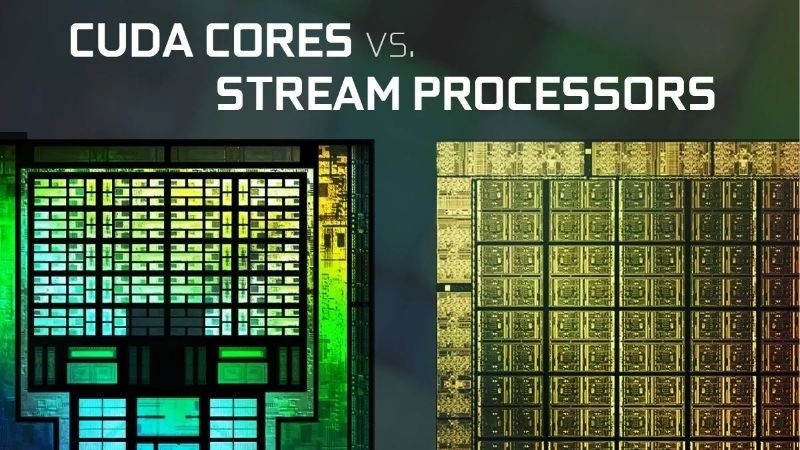
How do CUDA cores compare with AMD stream processors?
They are broadly analogous but not directly comparable. The two vendors organise their compute units differently and count them differently, so a Radeon card with a lower stream processor count can match or beat a GeForce card with more CUDA cores. Only independent benchmarks give a meaningful comparison between brands.
Do CUDA cores matter for non-gaming work?
Very much. Video editing, 3D rendering in Blender, scientific computing and machine learning frameworks all target CUDA, and their throughput scales roughly with core count within a generation. Many professional applications support CUDA far better than the equivalent open standards, which is a real consideration for creative workstations.
How many CUDA cores do I need for gaming?
Do not shop by core count. Decide your resolution and target frame rate, then read benchmarks for the specific games you play and check the VRAM capacity. A card with fewer cores and 16GB of memory will often deliver a better long-term experience than one with more cores and 8GB.










Write Your Review
No reviews yet. Be the first to share your experience!