
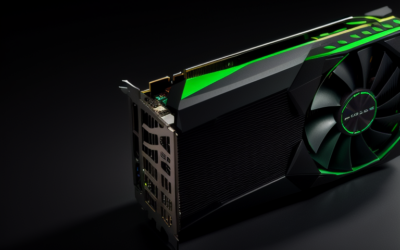
The NVIDIA GeForce GTX 1080 8GB is a Pascal-generation graphics card with 2,560 CUDA cores, 8GB of GDDR5X memory on a 256-bit bus, and a rated board power of about 180W fed by a single eight-pin connector. It fits 1080p at high settings and 1440p at medium-to-high settings in many games, and NVIDIA’s original guidance called for a 500W-class power supply.
Because there are several boards sold under the same name, from the Founders Edition to partner cards with big triple-fan coolers, it pays to know what the numbers actually mean before you buy one or plan an upgrade around it. This guide walks through the memory, cores, power draw, outputs, and the kinds of games and resolutions the card handles as of late 2026.
Core Specifications Explained
The GTX 1080 is built on the GP104 chip with 2,560 CUDA cores and 160 texture units. The reference clocks are a base around 1,607 MHz and a boost around 1,733 MHz, and partner cards frequently run higher out of the box. Theoretical single-precision throughput lands near 9 teraflops, which was impressive when it launched and is now typical of an entry-level modern card.
Pascal supports DirectX 12 and Vulkan, and the card also handles OpenGL and CUDA workloads for compute. What it lacks are RT cores and Tensor cores, which means no hardware ray tracing and no DLSS. Upscalers that run on regular shaders can still help in games that support them.
| Specification | GTX 1080 8GB |
|---|---|
| Architecture | Pascal (GP104) |
| CUDA cores | 2,560 |
| Memory | 8GB GDDR5X |
| Memory bus | 256-bit |
| Memory bandwidth | About 320 GB/s at 10 Gbps; later revisions used faster memory |
| Reference boost clock | About 1,733 MHz |
| Board power | About 180W |
| Power connector | One eight-pin PCIe on most boards |
| Recommended PSU class | 500W or higher |
| Bus interface | PCIe 3.0 x16 |
If you are matching a card to a quote or listing, compare its label to NVIDIA’s official specification page. The memory speed, in particular, differs between revisions.
Memory: Why 8GB of GDDR5X Matters
The memory configuration is the most useful part of the spec for deciding what the card can still do. Eight gigabytes is enough for 1080p high textures in the large majority of games, and for many titles at 1440p. GDDR5X moves more data per pin than regular GDDR5, which gives the 256-bit bus about 320 GB/s of bandwidth at the original speed.
The ceiling shows up in the most demanding recent releases, which can ask for more memory at high texture settings or at 4K. In those cases you see stutter or forced lower texture quality even when raw shader speed would otherwise be adequate. If you play mostly esports titles, older games, and mid-range current releases, 8GB is fine.
Power Draw, Connectors and PSU Planning
Board power for the reference card is around 180W, and typical gaming draw varies with the game and the factory overclock. A single eight-pin PCIe connector is enough on most models, which makes the card easier to fit into older cases and power supplies than the Ti variant with its dual connectors.
For power supply planning, NVIDIA’s original recommendation was 500W, and that is still sensible for a balanced system with a mid-range CPU. Choose a unit from a reputable maker with a proper eight-pin cable rather than adapting from molex or SATA leads, since adapters can be a reliability risk.
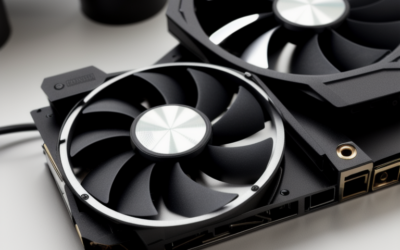
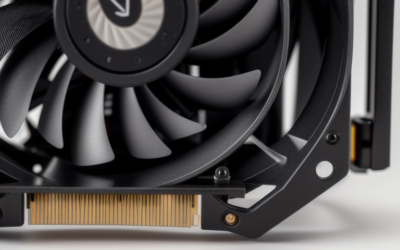
Cooling varies a lot. The Founders Edition uses a blower-style shroud that exhausts air out of the case, which suits small enclosures but can be noisy under load. Partner cards with open-air coolers run quieter, though they dump heat inside the case.
Outputs and Connectivity
The reference card provides three DisplayPort connectors, one HDMI port, and one dual-link DVI connector. The DisplayPort ports follow the 1.4 standard on this generation, and HDMI is version 2.0b. Partner boards sometimes change the mix, so match the exact model against your monitors, especially if you still use a DVI display or want a specific HDMI layout.
For high-refresh gaming, DisplayPort is generally the cleaner path. Multi-monitor setups of up to four displays are possible when the outputs allow it. Video decode support covers the common formats of its era, though newer codecs such as AV1 are not hardware accelerated, which matters for streaming and creative work.
Where the GTX 1080 Fits Today
In practical terms, the GTX 1080 fits three roles. At 1080p it can run most games at high settings, and at 1440p you will likely settle on medium-to-high in recent titles. At 4K it works for older games and esports, but expect to lower settings considerably in current releases.
It also makes a decent secondary-PC card, a home-theater or emulation GPU, and a reasonable stepping stone for a builder who plans to upgrade later. It is a poor fit for ray-tracing-heavy games or workloads that depend on DLSS.
One more thing to plan for is driver support. Pascal has moved to NVIDIA’s legacy track, so review NVIDIA’s legacy driver notes for the current supported branch and security-update horizon.
Cooling, Noise and Case Fit
Specs on paper do not tell you whether a card will fit your case. Reference-style cards are about ten inches long, and partner models range from compact two-slot designs to long triple-fan coolers that occupy nearly three slots. Check the maker’s dimensions, the clearance around your drive cages, and whether your motherboard leaves room for a second expansion card.
Thermal behavior depends on the cooler and the age of the thermal paste. A card with an old paste layer may run hotter than its original rating, and fresh paste and pads can bring temperatures back down. Fan curves also change with the vendor’s BIOS, so noise differs between models even with the same chip.
Who Should Buy or Skip It
The 1440p Budget Gamer
A clean used GTX 1080 can serve 1440p at moderate settings in many games. It makes sense if your power supply and case can handle it and you are comfortable with older-generation features.
The Multi-Monitor and Office-Plus User
With several display outputs and plenty of memory for desktop work, it can be a useful card for productivity setups that also play the occasional game.
The Future-Proof Planner
Skip it. If you want DLSS, hardware ray tracing, AV1 decoding, and long driver support, a current-generation card is a better foundation.
Spec-Check Checklist
- Confirm 8GB of memory and the 2,560-core GP104 chip using a system information tool.
- Check memory type and speed on the specific board model.
- Verify that your power supply offers an eight-pin PCIe connector.
- Match outputs to your monitors and cables.
- Measure card length and slot width against your case.
- Review NVIDIA’s legacy driver notes for support timing.
Frequently Asked Questions
How much power does the GTX 1080 use?
NVIDIA rates the reference card at about 180W. Actual draw depends on the game and the board’s factory overclock.
Does the GTX 1080 have 8GB of VRAM?
Yes, the standard model has 8GB of GDDR5X on a 256-bit bus. Some versions of the family, such as the Ti, offer more memory and are different cards.
What power supply does the GTX 1080 need?
NVIDIA recommended a 500W power supply at launch, with a single eight-pin PCIe connector. Choose a quality unit and avoid adapters where possible.
Can the GTX 1080 handle 4K gaming?
It can manage older and lighter games at 4K, but recent releases need lowered settings. For consistent 4K, a newer and faster card is a better choice.
Related Guides
- GTX 1080 vs RTX 3050 8GB: Which Graphics Card Should You Buy?
- GTX 1080 Review 2026: Is This Used GPU Still Worth It?
- GTX 1080 Ti in 2026: Is This Legend Still Worth Buying?
- GTX 1080 Drivers Review: Keep This Classic GPU Alive in 2026


Write Your Review
No reviews yet. Be the first to share your experience!