
- Top Pick: DIY 240mm Water Cooling Kit, DIY 240mm Cooler CPU/GPU Block Pump Reservoir with LED Fan Heat Sink Computer Water Cooling Connectors Kit, Liquid CPU Cooler Kit
- Best Value: CORSAIR XH505i RX 360 RGB Custom Cooling Kit – XC7 CPU Water Block, XD6 Pump Reservoir, 3X RX120 RGB Fans, XR5 360mm Radiator, System Hub Included – Black
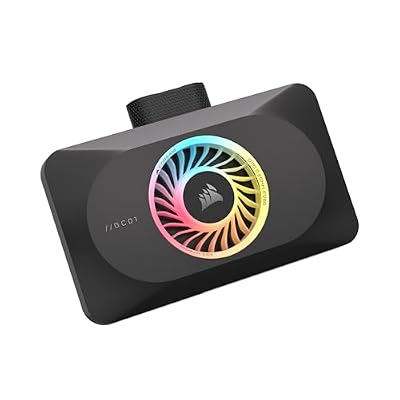
- Premium Choice: CORSAIR XG3 RGB Hybrid GPU Water Block – Hybrid Custom Cooling, Compatible with 5080, 5070 Ti, & 5070 GPUs, 18 Addressable RGB LEDs, iCUE Link Connectivity, Built-in Temperature Sensor – Black



Best Seller
DIY 240mm Cooler CPU/GPU Block Pump Reservoir LED Fan Heat Sink Compputer Water Cooling Kit

GPU water cooling kit shopping starts when air cooling stops being enough: a high-power card that pins its memory junction temperature, throttles in long sessions, or simply runs too loud for the room. A full water loop is the most powerful answer available, often cutting core temperatures by 20°C or more and dropping noise to near silence. It is also the most expensive and demanding route, with real install effort and a small but genuine leak risk. This review weighs the leading kit types against the pattern of owner feedback, explains the specs that matter, and helps you decide whether a custom loop is the right upgrade or overkill for your build.
How a GPU Water Cooling Kit Works and Who It Suits
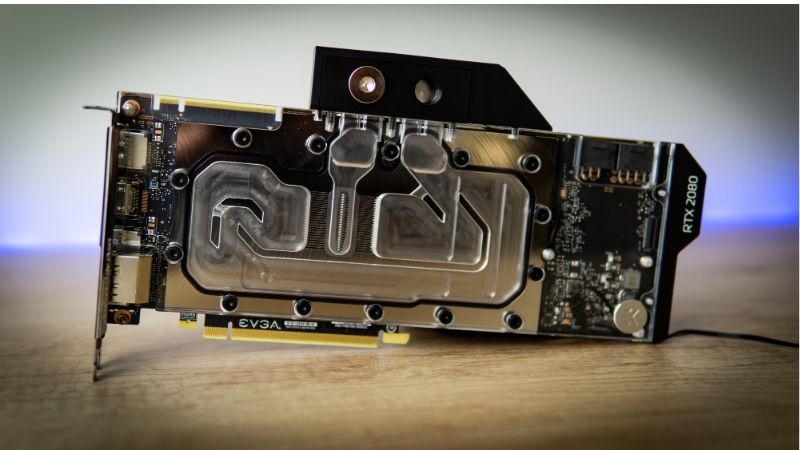
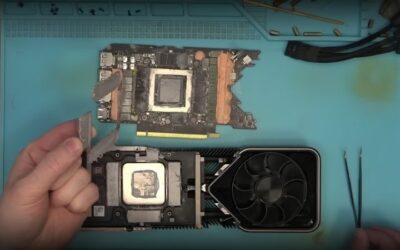
A water cooling kit replaces the card’s air cooler with a full-cover water block that contacts the die, VRAM, and VRM, then moves heat to a radiator through coolant and a pump. The result is far more thermal headroom than air can provide, but it asks more of the builder. This section covers the mechanics and the profile of user it actually fits.
As an Amazon Associate we earn from qualifying purchases at no extra cost to you.

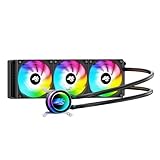


Full-Cover Blocks vs Universal Blocks
Full-cover blocks are machined for a specific card model and cool the die, memory, and power stages in one piece. They deliver the best temperatures and the cleanest look, but you must buy the block that matches your exact GPU, and reviewers stress checking compatibility before ordering.
Universal blocks cool only the die and rely on separate heatsinks for VRAM and VRM. They cost less and fit many cards, but owner reviews frequently note higher memory temperatures than a full-cover solution, since the secondary components are cooled less effectively. For a GDDR6X card running hot memory, that limitation matters.
The practical takeaway is that full-cover blocks suit owners chasing the lowest temperatures on a known card, while universal blocks fit tinkerers prioritizing flexibility and cost over peak memory cooling.
One detail buyers underestimate is the secondary heatsink situation on universal blocks. Because VRAM and VRM rely on small stick-on sinks and whatever case airflow reaches them, memory junction temperatures can sit 15–25°C above what a full-cover block would deliver on the same card. On a GDDR6X model where hot memory is the actual complaint, that gap is the difference between solving the problem and merely cooling the core.
Radiator Size, Pump, and Coolant
Radiator surface area governs how much heat the loop can shed. A 240 mm radiator handles a mid-range card, while a high-power GPU benefits from 360 mm or more, especially if a CPU shares the loop. Reviewers consistently link undersized radiators to disappointing temperatures, so sizing up is the safer choice.
Pump quality and coolant choice round out performance and reliability. A strong, quiet pump keeps flow steady, and a quality non-conductive coolant reduces corrosion and growth over time. Lower-star reviews often trace problems to weak pumps or cheap fluid rather than the block itself.
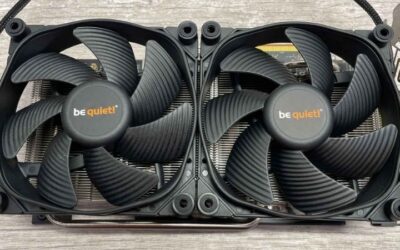
Fan selection on the radiator is easy to overlook but shapes the noise profile. Static-pressure fans rated around 1.5–2.0 mm H2O move air through dense radiator fins far better than airflow-optimized case fans, and pairing a larger radiator with slower-spinning fans is how builders reach near-silent operation. Reviewers who chase quiet, not just cold, consistently size the radiator up specifically so the fans can idle low.
Who Should Choose a Water Loop
The strongest candidates own high-end Nvidia cards that run hot and loud, value near-silent operation, and want to preserve the highest sustained boost clocks. A cooler card holds its boost longer, so a loop can yield a small but real performance gain in extended sessions on top of the temperature drop.
For mid-range cards or users uncomfortable with maintenance, the cost and complexity rarely pay off. Reviewers are candid that a loop is an enthusiast project, not a casual upgrade, and that an AIO or air solution serves most owners better.
There is a forward-looking angle too. Nvidia’s boost algorithm rewards a cool die with higher sustained clocks, so a loop does not only lower temperatures, it also lets a high-power card hold its peak boost across a long session rather than stepping down as it heats. For owners who run demanding titles for hours, that translates into a small but consistent performance margin that air and many AIOs cannot maintain.
GPU Water Cooling Kits Reviewed
Here we summarize how the main kit categories perform based on the weight of owner experience, focusing on cooling, install difficulty, and reliability. The aim is to set realistic expectations before you commit to the most involved cooling upgrade available.
It is worth framing this as a spectrum rather than a single product class. At one end sit complete premium kits engineered to drop in with matched parts; at the other sit piecemeal builds assembled from separate blocks, radiators, pumps, and fittings. The former cost more but reduce the chance of a mismatch, while the latter offer flexibility and savings at the price of research. Knowing where on that spectrum you want to land is the first decision, and it shapes every part choice that follows.
| Kit Type | Typical Cost | Core Temp Drop | Install Difficulty | Best For |
|---|---|---|---|---|
| Premium full-cover kit | $$$ | 20–25°C | High (multi-hour) | Max cooling, clean look |
| Value full-cover kit | $$ | 15–20°C | Medium-high | First custom loop |
| Universal block + heatsinks | $–$$ | 15–20°C core, less on memory | Medium | Flexibility, lower cost |
Best Performance Custom Loop Kits
Premium full-cover kits from established water cooling brands earn the highest marks for raw temperatures and finish quality. Owners report dramatic drops on both core and memory, near-silent operation, and a clean aesthetic that air coolers cannot match.
The recurring criticism is price and install time. These kits represent a significant outlay once block, radiator, pump, fittings, and coolant are totaled, and reviewers note the assembly is a multi-hour job demanding care. For the right card and builder, the results justify it.
Best Value and Beginner-Friendly Kits
More affordable kits, including some from value-focused brands, draw praise for delivering most of the cooling benefit at a lower cost, with simpler parts lists that ease a first build. For owners curious about custom loops without the top-tier spend, these are the common entry point.
Critical reviews flag inconsistent fittings or instructions on cheaper kits, and occasional pump noise. The advice that surfaces repeatedly is to leak-test the loop outside the case before powering the system, a step that prevents the worst-case outcome.
Pros and Cons of a GPU Water Cooling Kit
The advantages are substantial: the lowest temperatures of any cooling method, near-silent running, preserved boost clocks, and a premium look. For a hot, loud high-end card, nothing else competes on thermals.
The disadvantages are equally real: high cost, the most demanding install, ongoing maintenance, and a small leak risk that can damage hardware if ignored. Opening the card to fit a block also affects warranty on many models.
For enthusiasts with a high-power card and the patience to build carefully, the trade is worthwhile. For everyone else, reviewers steer toward a simpler solution that delivers most of the benefit with far less effort.
Buying Guide, 2026 Pricing, and FAQs
A water loop purchase is about matching block compatibility and radiator size to your card, then timing the spend sensibly given current prices. This section turns the review into clear criteria, sets the pricing context, and answers the questions buyers raise most often.
How to Match a Kit to Your Build
Confirm the full-cover block fits your exact card model, then size the radiator generously for a high-power GPU, choosing 360 mm or larger where the case allows. Verify case clearance for the radiator and check that your pump and fittings are quality components, since those are common failure points in critical reviews.
Budget for the complete kit, not just the block, and add a quality non-conductive coolant. Planning the full parts list up front avoids the mid-build surprise of a missing fitting or an undersized radiator.
Leak-testing deserves its own line in the plan. Assemble the loop, run the pump on a bench power source, and watch for 12 to 24 hours before the card ever sees system power. This single precaution is the one reviewers credit most with turning a leak risk that sounds alarming into a non-event, and skipping it is the mistake behind nearly every horror story.
Water Cooling Prices and Supply in 2026
Because a loop is a larger purchase, pricing context carries more weight here. Across late 2025 into 2026, PC component prices trended upward, and that pressure extended to cooling hardware and the parts that surround a build. Waiting for a broad discount is more likely to cost you than reward you in the near term.
There is a modest positive signal worth noting. The steep climb at the end of 2025 has eased, and manufacturers such as Framework reported a stretch of relative stability while cautioning that volatility persists. In plain terms, prices have flattened but not fallen, so a deliberate purchase now is reasonable rather than premature.
Frequently Asked Questions
How much cooler will my card run? A well-sized loop with a full-cover block commonly drops core temperatures by 20°C or more versus a hot air cooler. Is leaking a real risk? It is small with quality parts and proper leak-testing, but never zero, so test outside the case first.
Does a loop void my warranty? Replacing the cooler affects coverage on many cards, so check your manufacturer’s policy before committing.
How much maintenance does a loop need? Plan to check coolant level and clarity periodically and to refresh the fluid every so often, which is more upkeep than a sealed AIO but the price of the best temperatures. Can I add my CPU to the same loop? Yes, but size the radiator up accordingly, since sharing a loop raises the total heat the radiator must shed.
If your high-end card runs hot and loud and you want the best temperatures available, a properly sized water cooling kit is the ultimate upgrade. Match the block to your card, size the radiator generously, and use quality coolant.
See More:
- How to lower GPU temperature
- How to lower GPU hotspot temp
- How to increase GPU performance
- How to enable G-Sync
Conclusion
A GPU water cooling kit delivers the lowest temperatures and quietest operation of any cooling method, making it the standout choice for hot, loud high-end Nvidia cards where preserved boost clocks add a real performance edge. The trade-offs are cost, install effort, maintenance, and a small leak risk, so it suits enthusiasts rather than casual upgraders. With component prices flat rather than falling and supply relief years away, a deliberate purchase now is sensible if a loop fits your build. Match the block and radiator to your card through the links above and enjoy a cool, silent system.






Write Your Review
No reviews yet. Be the first to share your experience!