
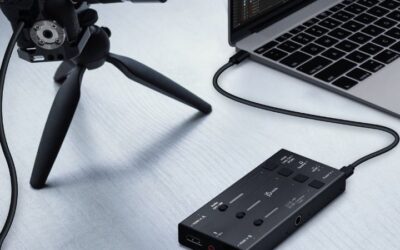
- Top Pick: Capture Card, 4K HDMI Video Capture Card, Game Capture Card, 1080P 60FPS Video Capture Device, HDMI to USB 3.0 Capture Card for Streaming, Work with Camera/Xbox/PS4/PS5/PC/OBS
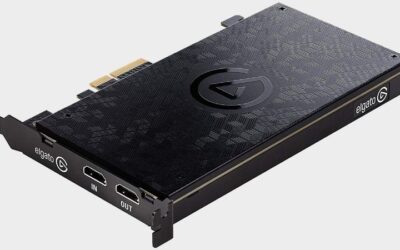
- Best Value: Elgato 4K X Capture Card, HDMI 2.1, 4K144 Ultra-Low Latency
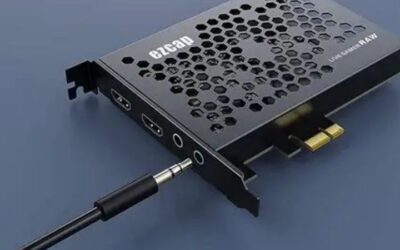
- Premium Choice: XIIXMASK Video Capture Card, Audio Video Capture Card, USB 3.0 Capture Card 4K HDMI Loop-Out, 1080P 60FPS/2K 30FPS Video Game Capture for Streaming Works for PS5/Switch/Camera/PC/OBS(Black)
The best capture card for dual PC streaming sits inside the second machine, not the one running the game. That single detail changes which specifications matter, because the card now handles a live feed from another computer rather than recording its own display. That distinction drives every other decision here.
As an Amazon Associate we earn from qualifying purchases at no extra cost to you.





As an Amazon Associate we earn from qualifying purchases at no extra cost to you.
By Ryan Cole
How to Choose the Best Capture Card for Dual PC Streaming
A two-machine setup moves encoding off the gaming system entirely, which protects frame rate during demanding sessions. Four decisions determine whether that separation works cleanly or introduces problems the single-machine setup never had. Planning the best capture card for dual PC streaming starts with the signal path.
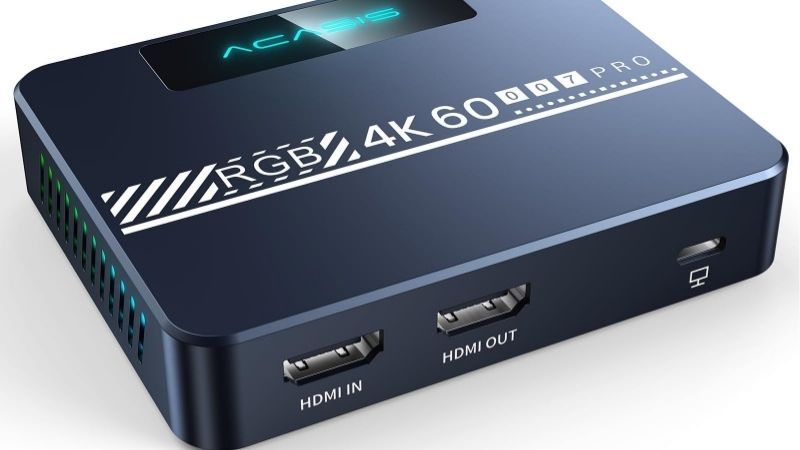
How the signal actually flows
The gaming computer sends video out over HDMI to the capture card in the streaming computer. That card passes the same signal straight back out to your monitor, so what you see on screen is unaffected by any capture or encoding delay. Nothing you see on screen goes through the encoder.
Some builders instead run the monitor from a second output on the graphics card and feed the capture card separately. That avoids relying on passthrough entirely, though it does mean the gaming system drives two displays at once. Two outputs is the simpler route on some builds.
Passthrough refresh rate is the limiting factor
Because your gameplay travels through the card, its passthrough ceiling becomes your effective display ceiling. A card capped at 4K60 will hold back a 144Hz monitor, which is exactly the experience a dual machine setup is meant to protect. Your monitor is only as fast as the passthrough.
Look for passthrough that matches your display and supports variable refresh rate. Capture resolution can sit lower without any real cost, since most streaming platforms limit bitrate well below what 4K genuinely requires anyway. Bitrate caps make 4K capture largely academic.
Audio routing between two machines
Audio is where most dual machine setups become complicated. Game audio travels with the HDMI signal, but microphone and voice chat live on the gaming computer, so you need a route that keeps them separate for the stream mix. Plan this before the video side, not after.
The common solutions are an audio interface or mixer feeding the streaming machine, or software that splits sources across both computers. Plan this before buying the card, because it usually costs more attention than the video side does. Most setups underestimate how fiddly it is.
What the streaming machine actually needs
The second computer only encodes, so a modest processor with a graphics card that has a hardware encoder is enough. Spending heavily on that machine defeats the purpose, since the money belongs in the system running the game. The gaming machine deserves the budget.
What it does need is a free PCIe slot with real lanes available, and enough storage for local recordings. Check the block diagram in the motherboard manual, since secondary slots frequently share bandwidth with an M.2 socket. Lane sharing catches people out here too.
Top Picks: Best Capture Card for Dual PC Streaming
These five suit a two-machine setup, mostly internal cards with one external option for a laptop. Match the passthrough column to your monitor first, since that determines how the game feels. Stock was checked in August 2026. Any of them can be the best capture card for dual PC streaming in the right build.
| Card | Format | Capture | Passthrough |
|---|---|---|---|
| Elgato 4K Pro | PCIe x4 | 4K60 HDR10 | Up to 4K144 with VRR |
| AVerMedia Live Gamer 4K 2.1 | PCIe x4 | 4K60 HDR | Up to 4K144 |
| AVerMedia Live Gamer Duo | PCIe x4 | Two 1080p60 channels | 4K60 |
| Magewell Pro Capture HDMI 4K Plus | PCIe x4 | Up to 4K30 uncompressed | None |
| Elgato Game Capture 4K X | USB 3.2 Gen 2 | 4K60 HDR10 | Up to 4K144 with VRR |
Elgato 4K Pro
This is the standard choice for a dedicated streaming machine, capturing 4K60 with HDR10 while passing through up to 4K144 with variable refresh preserved. For a high refresh gaming setup it removes the usual passthrough compromise entirely. It removes the passthrough compromise entirely.
It is the most expensive card here and physically long enough to need clearance checking in a compact case. Capturing at 4K60 also produces large recordings, so a dedicated drive in the streaming machine becomes sensible. A dedicated recording drive is worth planning.
AVerMedia Live Gamer 4K 2.1
AVerMedia matches the important figures with 4K60 capture and passthrough to 4K144, usually for less money. In a setup where the second machine is deliberately budget-focused, that price gap is worth taking seriously. The price gap matters on a budget second machine.
The bundled software is weaker, so plan on OBS Studio for the actual streaming. Some passthrough modes have proved fussy with particular monitors, which makes checking your specific display compatibility worthwhile before committing. Check your monitor before committing to it.
AVerMedia Live Gamer Duo
Two HDMI inputs let the streaming machine take the game feed and a camera on one card, which is a genuinely useful consolidation when the second computer has only one usable slot with full lanes available. One slot covering two sources is genuinely useful.
Each channel is limited to 1080p60, so 4K capture is off the table. Passthrough also caps at 4K60 without high refresh support, which makes it a poor match for a 120Hz or 144Hz gaming display. High refresh displays are not its market.
Magewell Pro Capture HDMI 4K Plus
Where the stream is part of a production rather than a gaming session, Magewell delivers uncompressed capture with drivers that stay supported for years. In broadcast-adjacent setups that reliability is the reason it gets chosen. Production reliability is what it sells on.
There is no passthrough at all, so the gaming machine must drive its monitor from a second output. Uncompressed capture also demands substantially more from the streaming computer than a consumer card would. A second output is mandatory with this card.
Elgato Game Capture 4K X
If the second machine is a laptop or lacks a usable slot, this external unit provides the same 4K60 capture and 4K144 passthrough over USB 3.2 Gen 2. It is the only option here that does not require an internal slot at all. It is the answer when there is no free slot.
It needs a genuine ten gigabit port to reach those figures, and a shared hub is the usual cause of dropped frames. It also occupies desk space and adds another cable to a setup that already has plenty. Avoid sharing the port with other devices.
What Q4 2026 Means for Dual PC Setups
This quarter has an unusual release calendar, and it affects the availability of the best capture card for dual PC streaming more than it affects pricing. Both affect availability more than price.
Console releases are driving demand
Call of Duty Modern Warfare 4 arrived on 23 October and GTA 6 follows on 19 November as a console title with no confirmed computer version. Previous releases from that studio took well over a year to reach personal computers. That precedent shapes expectations this quarter.
Many streamers will add a console to an existing two-machine setup for those titles, which is straightforward since the capture card already sits in the second computer. That convenience is pushing more people toward this configuration. Adding a console to this setup is trivial.
Capture hardware is priced normally
Capture cards sit outside the memory contract pricing that has kept storage and system memory elevated through 2026, so genuine reductions around 27 November remain plausible. Prices here reflect August 2026 and should be rechecked. Capture parts still discount properly in November.
Storage is the exception, and a streaming machine that records locally consumes it steadily. Buying drive capacity in one purchase is safer than planning to add more later at a price that is still climbing. Recording drives fill faster than people expect.
Build the second machine from parts you have
With no new platform arriving before CES in January 2027, there is no reason to buy new hardware for the encoding computer. An older system with a graphics card that has a hardware encoder handles the job perfectly well. An older machine handles encoding comfortably.
Check that it has a slot with full lanes and a power supply with headroom. Reusing a previous build is the cheapest route into this setup, and it puts the saved money where it belongs, in the gaming machine. Spend the saving on the gaming system instead.
Frequently Asked Questions
Common questions about running two machines, covering whether the setup is worth it, network alternatives, audio and the hardware each computer needs. They come up most from readers weighing the best capture card for dual PC streaming against a single machine.
Is a dual PC setup still worth it?
Less than it once was, since hardware encoders now handle streaming with minimal impact on games. It still helps at very high frame rates, for heavy production overlays, or when the gaming machine is already at its limit. Hardware encoders changed this calculation.
Can I stream over the network instead?
Network protocols such as NDI can carry video between machines without a capture card, which saves hardware. The trade is added latency and network load, and quality is generally lower than a direct HDMI capture path. Latency is the trade you accept over a network.
How do I handle microphone audio?
Route it to the streaming machine through an audio interface or mixer, or use software that splits sources across both computers. Keeping the microphone off the gaming machine simplifies the mix considerably. Keeping the microphone off the game PC helps.
What specification does the streaming PC need?
Modest is fine. A recent mid-range processor and a graphics card with a hardware encoder cover it, alongside a free slot with real lanes and enough fast storage for whatever you record locally during sessions. Encoding is a light load on modern hardware.
See More:
- best CPU cooler for Ryzen 5 5600X
- best small form factor CPU cooler
- best SFF CPU cooler
- best CPU cooler for i9-14900K
- What is the best AIO CPU cooler
Final Thoughts
The best capture card for dual PC streaming is the one whose passthrough matches your gaming monitor, because that is what you look at all session. Sort the video path first, plan the audio routing second, then choose capture resolution last. Passthrough is the specification that decides it.

Write Your Review
No reviews yet. Be the first to share your experience!