
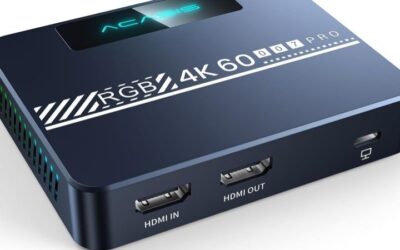
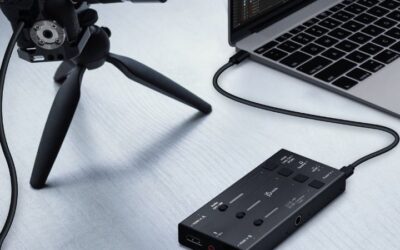
- Top Pick: Capture Card, 4K HDMI Video Capture Card, Game Capture Card, 1080P 60FPS Video Capture Device, HDMI to USB 3.0 Capture Card for Streaming, Work with Camera/Xbox/PS4/PS5/PC/OBS
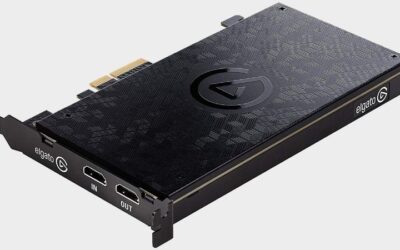
- Best Value: Elgato 4K X Capture Card, HDMI 2.1, 4K144 Ultra-Low Latency
- Premium Choice: Guermok Video Capture Card, 4K USB3.0 HDMI to USB C, 1080P 60FPS & 2K 30FPS
The best external capture card for your setup depends less on headline resolution than on what your display and console can actually output. Passthrough refresh rate, variable refresh support and USB bandwidth decide whether the experience feels native or noticeably compromised. Match the device to your display before you compare capture numbers.
As an Amazon Associate we earn from qualifying purchases at no extra cost to you.






As an Amazon Associate we earn from qualifying purchases at no extra cost to you.
By Ryan Cole
How to Choose the Best External Capture Card
External units trade the raw bandwidth of an internal card for portability and simplicity. Four specifications determine whether that trade costs you anything meaningful in practice, and only one of them is the capture resolution printed on the box. Choosing the best external capture card starts with what your display supports.
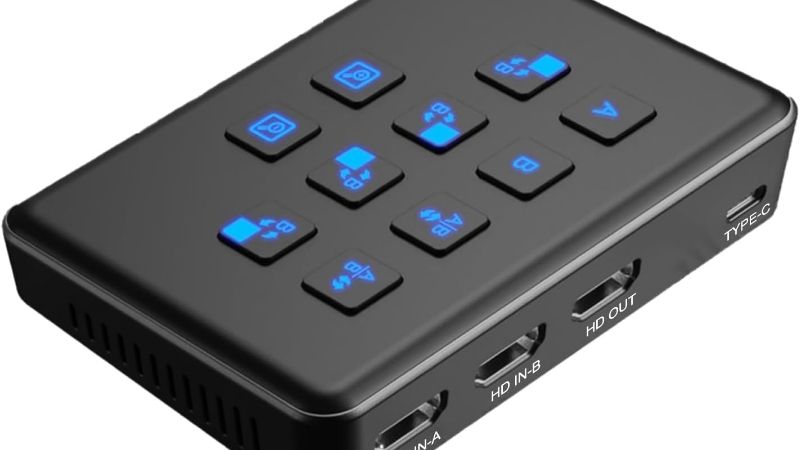
Passthrough refresh rate and VRR
Passthrough is the signal sent straight to your display so you can play without waiting for the capture pipeline. If it caps at 4K60 and your console outputs 4K120, the device forces a compromise between the picture you record and the picture you actually play on.
Variable refresh rate support matters for the same reason. A device that passes VRR through preserves the tear-free experience your console and display negotiate, while one that does not will silently disable it and leave you wondering why the game feels less smooth.
USB bandwidth and connector type
A USB 3.0 connection provides five gigabits per second, which comfortably handles compressed 1080p60 but constrains higher resolutions. USB 3.2 Gen 2 doubles that to ten gigabits, which is what 4K60 capture devices require to work at their rated specification.
Plugging a ten gigabit device into a slower port will not stop it working, but it will limit what it can do. Check that the port on your machine actually supports the required speed, since front panel connectors are frequently slower than the rear ports on the same system.
Class compliance versus manufacturer software
Devices that follow the USB Video Class standard appear as a generic camera to any operating system, which means no drivers and no compatibility surprises after a system update. That reliability is worth a great deal for hardware you depend on during a live broadcast.
Manufacturer software unlocks more capability, including higher resolutions, HDR handling and bundled recording tools. The trade is that each operating system update carries some risk, and support for older devices tends to fade before the hardware itself does.
Latency, encoding and what you are recording
All capture devices introduce delay, which is why passthrough exists. For streaming that delay is invisible to viewers, but for anything requiring you to watch the captured feed while playing, the passthrough path is the only workable option.
Consider the destination too. Streaming at 1080p60 to a platform that caps bitrate makes 4K capture largely pointless, whereas recording footage for later editing benefits from the higher resolution if your storage and processor can keep up with the file sizes.
Top Picks: Best External Capture Card Options in 2026
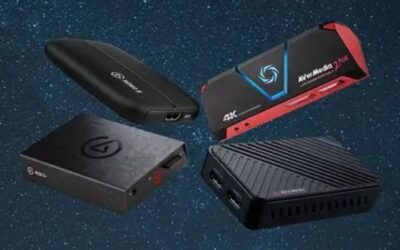
These five span simple camera capture through to 4K60 recording with high refresh passthrough. Match the passthrough column to your display first, because that specification affects your experience far more than capture resolution does. Stock was checked in August 2026 against current listings.
| Device | Capture | Passthrough | Connection |
|---|---|---|---|
| Elgato Game Capture 4K X | 4K60 HDR10 | Up to 4K144 with VRR | USB 3.2 Gen 2 |
| AVerMedia Live Gamer Ultra 2.1 | 4K60 | Up to 4K144 | USB 3.2 Gen 2 |
| Elgato HD60 X | 1080p60, up to 4K30 | 4K60 HDR10 | USB 3.0 |
| Razer Ripsaw HD | 1080p60 | 4K60 | USB 3.0 |
| Elgato Cam Link 4K | Up to 4K30 / 1080p60 | None | USB 3.0, class compliant |
Elgato Game Capture 4K X
This is the flagship external option, capturing 4K60 with HDR10 while passing through up to 4K144 with variable refresh rate support intact. For a current console or a gaming PC feeding a high refresh display, it is the device that compromises least.
It needs a genuine USB 3.2 Gen 2 port to reach those figures, and it is the most expensive unit here by a clear margin. Recording 4K60 also produces very large files, so the storage requirement is a real consideration rather than an afterthought.
AVerMedia Live Gamer Ultra 2.1
AVerMedia’s competitor matches the headline figures closely, offering 4K60 capture with passthrough up to 4K144 over a USB 3.2 Gen 2 connection. It is often priced below the Elgato equivalent, which makes it the value choice at the top of this category.
The bundled software is less polished than Elgato’s, and most users end up in OBS instead. Some users have reported that specific passthrough modes are fussier with particular displays, so checking compatibility with your exact monitor is worthwhile before committing.
Elgato HD60 X
For most streamers the HD60 X remains the sensible purchase, recording 1080p60 while passing 4K60 HDR to the television. Since most platforms cap streaming quality well below 4K anyway, the higher capture resolution of pricier devices often goes unused.
It connects over USB 3.0, which limits its ceiling, and capture at 4K is restricted to 30 frames per second. The unit runs warm during long sessions, and it depends on manufacturer software rather than working as a class-compliant device.
Razer Ripsaw HD
The Ripsaw HD covers the fundamentals competently, capturing 1080p60 with 4K60 passthrough over USB 3.0. It includes dedicated audio inputs for a headset and microphone, which simplifies console streaming where audio routing is otherwise awkward.
It is an older design and lacks HDR passthrough or any high refresh support, so it suits 60Hz setups rather than modern high refresh displays. Software support has also received less attention than the Elgato and AVerMedia alternatives over recent years.
Elgato Cam Link 4K
The Cam Link is the specialist option for turning a camera into a webcam, working as a class-compliant device that any operating system recognises without drivers. For video calls and camera feeds in OBS it is the most reliable device in this list.
There is no passthrough at all, which makes it unsuitable for gaming where you need to see the feed live. Capture is limited to 4K30 or 1080p60, and the stick form factor can block neighbouring ports on a hub or a laptop with closely spaced connectors.
What Q4 2026 Means for Capture Hardware
Demand in this category is unusually seasonal, and this particular quarter has a release schedule that pushes more people toward buying a capture device than a typical year would. Both affect availability of the best external capture card models more than they affect price.
A console-driven release calendar
Call of Duty Modern Warfare 4 launched on 23 October and GTA 6 follows on 19 November as a console title with no confirmed computer version. Previous releases from the same studio took well over a year to reach personal computers after their console debut.
The practical result is that computer gamers who buy a console for those titles need a capture device to stream from their existing setup. That drives demand for exactly the devices listed here, particularly in the weeks immediately surrounding those launch dates.
Availability matters more than price
Capture hardware is not tied to the memory contract pricing that has kept storage and system memory elevated through 2026, so genuine discounts around 27 November are plausible in this category. Figures quoted here reflect August 2026 and are worth rechecking.
The risk is stock rather than cost. If one specific device suits your display and console combination, buying before the seasonal rush is safer than waiting for a discount on a model that may be unavailable when you finally decide to order it.
Buy for the sources you already own
With no new hardware generation arriving before CES in January 2027, a capture device bought now will stay current for some time. That makes it sensible to match the purchase to your existing console and display rather than to specifications you might use later.
Paying for 4K144 passthrough when your television caps at 4K60 buys nothing at all. The money is usually better spent on a reliable high speed HDMI cable and additional storage for the recordings you actually intend to keep. Cables and storage are where the remaining budget usually does more good.
Frequently Asked Questions
The questions readers ask most about external capture hardware, covering internal alternatives, laptops, audio and streaming quality. They come up most from readers buying the best external capture card for a console rather than a computer.
Is an internal card better than an external one?
Internal cards have more bandwidth available and free up a USB port, but they require a desktop with a spare slot. For consoles, laptops and anyone who moves equipment between locations, the best external capture card is the more practical choice by a wide margin.
Will these work with a laptop?
Yes, provided the port supports the required speed. A 4K60 device needs USB 3.2 Gen 2, and connecting through a hub shared with other high bandwidth peripherals is the most common cause of dropped frames during capture. Sharing bandwidth with external storage is the usual cause of dropped frames.
Do I need separate audio inputs?
Only for console setups where routing chat and game audio separately is otherwise awkward. On a computer, streaming software handles audio sources directly, so the dedicated inputs on some devices go unused in most single-machine configurations.
Should I capture in 4K if I stream at 1080p?
Not usually. Streaming platforms cap bitrate well below what 4K needs, so the extra resolution is discarded. Recording locally in 4K makes sense only if you plan to edit the footage or produce video content at that resolution afterwards.
See More:
- best CPU cooler for Ryzen 5 5600X
- best small form factor CPU cooler
- best SFF CPU cooler
- best CPU cooler for i9-14900K
- What is the best AIO CPU cooler
Final Thoughts
The best external capture card is the one whose passthrough matches your display and whose connection matches your port, not the one with the highest capture number. Check both before you buy, then match capture resolution to where the footage is actually going.

Write Your Review
No reviews yet. Be the first to share your experience!