
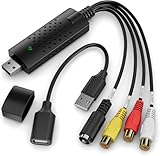
- Top Pick: Guermok Video Capture Card, 4K USB3.0 HDMI to USB C, 1080P 60FPS & 2K 30FPS
- Best Value: Capture Card, 4K HDMI Video Capture Card, Game Capture Card, 1080P 60FPS Video Capture Device, HDMI to USB 3.0 Capture Card for Streaming, Work with Camera/Xbox/PS4/PS5/PC/OBS
- Premium Choice: Capture Card 4K HDMI Video Streaming to USB 3.0 1080P 60FPS Capture Device
Choosing the best video capture card Mac systems can actually use starts with one hard constraint: modern Macs have no internal expansion slots, so every option is an external device connected over USB or Thunderbolt. That narrows the field considerably before performance even enters the conversation. Driver support decides most of it.
As an Amazon Associate we earn from qualifying purchases at no extra cost to you.






As an Amazon Associate we earn from qualifying purchases at no extra cost to you.
By Ryan Cole
How to Choose the Best Video Capture Card Mac Systems Support
Capture hardware behaves differently on macOS than on Windows, and the differences are mostly about drivers rather than raw performance. These four factors decide whether a device works the moment you plug it in or becomes a support ticket. The best video capture card Mac users buy is usually the simplest one.
External only, and why that matters
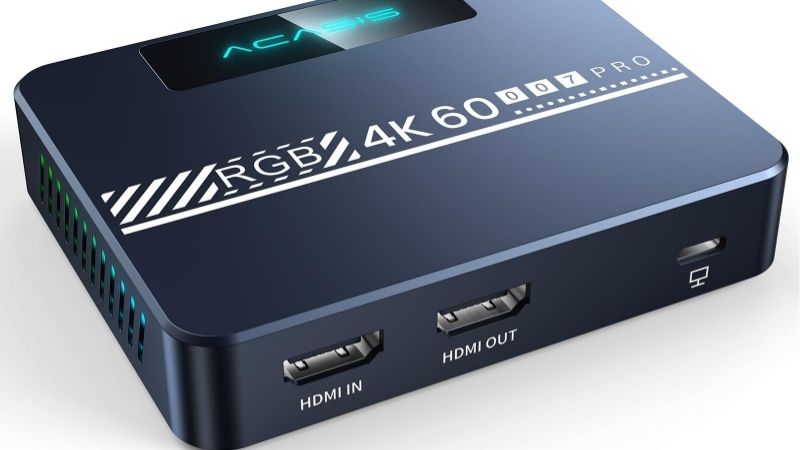
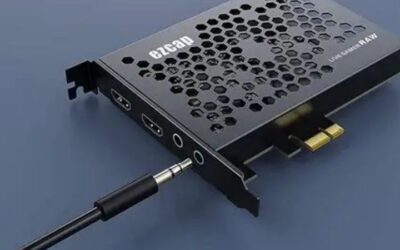
Internal PCIe capture cards are not an option on any current Mac, since the machines have no expansion slots and no supported enclosure path for this class of device. Every practical choice connects externally, which caps available bandwidth at whatever the port provides.
That is less limiting than it sounds. A USB 3.2 Gen 2 connection carries ten gigabits per second, which is enough for compressed 4K60 capture, and Thunderbolt provides considerably more for anyone working with uncompressed video or multiple simultaneous sources.
Driver support and Apple silicon
Devices that follow the USB Video Class standard appear to macOS as a camera and need no driver at all, which means they keep working across operating system updates and across both Intel and Apple silicon machines without any intervention from you.
Devices that require a manufacturer driver are more capable but more fragile, since each major macOS release can break compatibility until an update arrives. Check that the manufacturer explicitly lists current macOS versions and Apple silicon support before buying anything.
Capture resolution versus passthrough
Two numbers appear on every product page and they are not the same thing. Capture resolution is what the device records or streams, while passthrough is what it sends onward to your monitor or television with minimal delay so that gameplay stays responsive.
A device that captures 1080p60 while passing through 4K60 is a sensible combination for console work, since it keeps the local picture sharp without demanding enormous bandwidth or storage. Matching passthrough to your display refresh rate matters more than chasing capture resolution.
Software you will actually use
Most Mac capture workflows run through OBS Studio, which supports both standard class devices and most manufacturer drivers. QuickTime handles simple recording from class-compliant hardware, which is often enough for archiving footage without any additional installation.
If the footage is heading into Final Cut Pro or DaVinci Resolve, check the codec the device delivers. Some units output a format that requires transcoding before editing, which adds an unnecessary step to what should be a straightforward import and edit process.
Top Picks: Best Video Capture Card Mac Options That Work
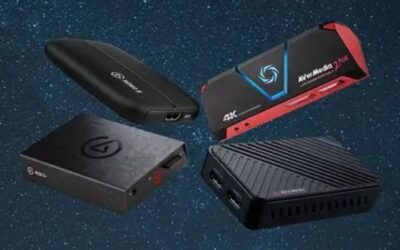
These five cover simple plug-and-play recording, console capture with passthrough, and professional Thunderbolt input. Check the connector on your Mac first, since several of these need a USB-C port with sufficient bandwidth to run properly. Stock was checked in August 2026 against current listings.
| Device | Capture | Passthrough | Connection |
|---|---|---|---|
| Elgato Cam Link 4K | Up to 4K30 / 1080p60 | None | USB 3.0, class compliant |
| Elgato HD60 X | 1080p60, up to 4K30 | 4K60 HDR10 | USB 3.0 |
| AVerMedia Live Streamer CAP 4K | Up to 4K30 | 4K60 | USB-C, class compliant |
| Blackmagic UltraStudio Recorder 3G | Up to 1080p60 | None | Thunderbolt 3 |
| Blackmagic ATEM Mini | 1080p output as webcam | HDMI out | USB-C, class compliant |
Elgato Cam Link 4K
The Cam Link is a class-compliant device, which means macOS recognises it as a camera the moment it is connected and no driver installation is required. That makes it the most reliable option for anyone who mainly wants a camera or console feed inside a video call or OBS.
There is no passthrough at all, so it suits camera sources far better than gaming, where you would be watching the delayed feed on screen. Capture tops out at 4K30 or 1080p60, and the compact stick design can block adjacent ports on a crowded hub.
Elgato HD60 X
The HD60 X is the sensible choice for console capture on a Mac, recording 1080p60 while passing 4K60 HDR through to your television so that the picture you play on stays sharp. Elgato supports macOS directly through its own capture software as well as OBS.
It relies on manufacturer software rather than class compliance, so it is worth checking current macOS support before buying. Capture is limited to 4K30 if you want the higher resolution recorded, and the device runs noticeably warm during long sessions.
AVerMedia Live Streamer CAP 4K
This unit combines class-compliant operation with genuine passthrough, which is an unusual and useful pairing on macOS. It captures up to 4K30 and passes 4K60 onward, connecting over USB-C without any driver installation or manufacturer software.
Capture frame rate at 4K is the compromise, since 4K60 recording is outside its capability. Build quality is functional rather than premium, and the bundled cable is short enough that a longer HDMI lead is usually needed for a console setup across a room.
Blackmagic UltraStudio Recorder 3G
For video work rather than gaming, this Thunderbolt device is the professional option, accepting both HDMI and SDI input at up to 1080p60. It integrates cleanly with DaVinci Resolve, which makes it a common choice in Mac-based editing setups.
It requires Blackmagic’s driver package, so macOS compatibility depends on the company keeping that current. There is no passthrough and no gaming focus at all, and the SDI input is irrelevant to most home users who will never connect professional video equipment.
Blackmagic ATEM Mini
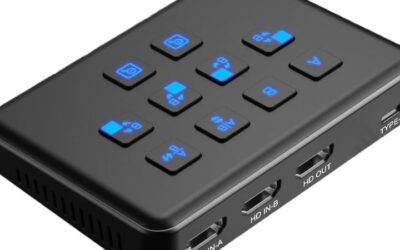
The ATEM Mini takes four HDMI inputs and presents the switched output to your Mac as a standard webcam, needing no drivers. For anyone running a console alongside a camera, or switching between sources live, it replaces both a capture device and a mixer.
Output is limited to 1080p, and the hardware is considerably more expensive than a simple capture stick. It is also physically large with an external power supply, which makes it a poor fit for a desk that is already crowded with equipment.
What Q4 2026 Means for Mac Capture Setups
Two things this quarter make capture hardware more relevant than usual, and both affect how you should time a purchase rather than which device you eventually choose. Both matter more for availability of the best video capture card Mac buyers want than for price.
A console-heavy release schedule
Call of Duty Modern Warfare 4 arrives on 23 October and GTA 6 follows on 19 November as a console release with no confirmed PC version. Precedent suggests a long wait for a port, since previous titles from the same studio took over a year to reach computers.
For anyone who wants to record or stream those titles from a Mac, a capture device is the only route. That has already increased interest in this category, and popular models tend to become harder to find in the weeks around a major console release.
Timing a purchase this year
Capture hardware sits outside the memory pricing problem that has affected storage and system memory through 2026, so genuine discounts around 27 November remain plausible for this category. Prices quoted here reflect August 2026 and should be checked before ordering.
The counterweight is availability. If a specific model is the only one that fits your workflow, buying before the November rush is safer than waiting for a discount that may coincide with the device being out of stock everywhere. A discount is worth nothing on a device that has sold out everywhere before you order it.
Nothing new is due before CES 2027
No major platform launches are scheduled before CES in January 2027, so there is no imminent hardware generation that would make current capture devices look dated. What you buy now will remain current for the foreseeable future. What you buy today will still be the current generation well into next year.
That also means the sensible approach is to buy for the sources you have today. Paying extra for 4K144 passthrough makes no sense if your console and display top out well below that, and the money is better spent on cabling and storage.
Frequently Asked Questions
Common questions from readers setting up capture on a Mac, covering internal cards, latency, Apple silicon and recording without extra software. They come up most from readers setting up the best video capture card Mac workflow for the first time.
Can I use an internal capture card on a Mac?
No. Current Macs have no expansion slots and no supported route for this class of card, so every practical option connects externally over USB or Thunderbolt. That is the single biggest difference from setting up capture on a desktop computer.
Do these work with Apple silicon?
Class-compliant devices work without any driver, which makes them the safest choice across both Intel and Apple silicon machines. Devices needing manufacturer software require a compatible version, so check the support page for your macOS release before buying.
Why is there a delay on the captured image?
Encoding and transferring the video takes time, so the feed shown on your computer always lags slightly behind. This is exactly why passthrough exists, since it sends the signal straight to your display without waiting for the capture pipeline to process it.
Can I record without installing anything?
With a class-compliant device you can record directly in QuickTime, which is enough for straightforward archiving. OBS Studio gives far more control over bitrate, scenes and audio routing, and it is free. That combination is why the best video capture card Mac owners choose is usually class compliant.
See More:
- best CPU cooler for Ryzen 5 5600X
- best small form factor CPU cooler
- best SFF CPU cooler
- best CPU cooler for i9-14900K
- What is the best AIO CPU cooler
Final Thoughts
The best video capture card Mac users can buy is an external device that matches their sources and needs no fragile driver. Prioritise class-compliant hardware, match passthrough to your display, and check macOS support before spending anything.

Write Your Review
No reviews yet. Be the first to share your experience!