
- Top Pick: CPU Thermal Compound Conductive Paste Grease – 1.5g Syringe – 3 Yr Mfg Warranty – for GPU, CPU, Heat Sink, VGA, PC – 701662
- Best Value: NIMO 15.6" FHD IPS Light Gaming Laptop, AMD Ryzen 7 Computer (Up to 4.75 GHz, Beat i7-12650H) with 16GB DDR5 RAM 512GB SSD Radeon 680M GPU 2-Yr Warranty 180° View Portable for Business Creator Student
- Premium Choice: 4 Pieces Grey Silicone Thermal Pad, 100x100mm Sliced into 100Pcs
GPU warranty transfer is the detail most buyers and sellers overlook until a card dies and nobody is covered. If you are buying or selling a used GPU, you want to know fast whether the warranty follows the card or stays with the first owner, because it directly changes both your risk and the price. This review breaks down the brand patterns, the paperwork that decides everything, and how to protect yourself on either side of the sale.
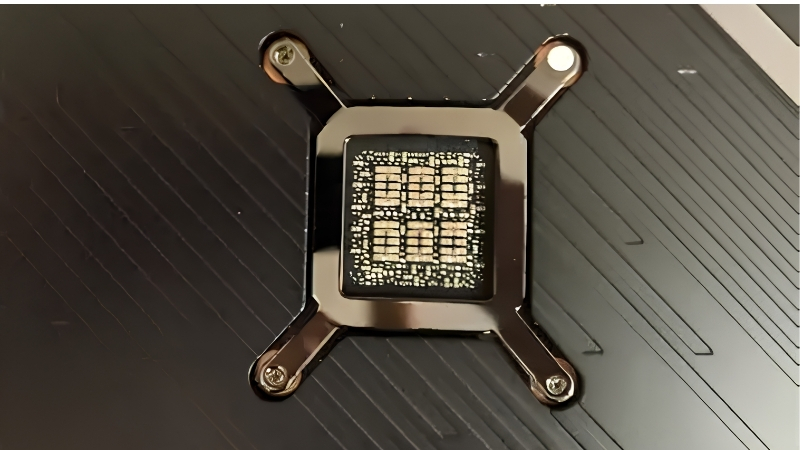
How GPU Warranty Transfer Works
Short answer: some GPU brands let the warranty follow the card to a second owner, many tie it to the original purchaser, and almost all of them hinge on the receipt. Policies vary by brand and region and they do change over time, so the single most reliable move is to confirm the current terms with the manufacturer before money changes hands. Still, understanding the common patterns lets you ask the right questions and price a used card correctly. The aim here is not to memorize every brand’s fine print, which shifts over time, but to know what to confirm and how much a confirmed answer is worth. Armed with that, you can read any listing or policy page and quickly judge whether the warranty is an asset you are paying for or a footnote you should ignore.
As an Amazon Associate we earn from qualifying purchases at no extra cost to you.


Warranty Tied to the Card vs the Buyer
There are two broad models. In a card-based warranty, coverage is linked to the product and its purchase date, so it can effectively follow the card to a new owner within the remaining term.
In a purchaser-based warranty, coverage is tied to the original buyer or their proof of purchase and is not formally transferable, even if time remains on the term.
Which model applies decides everything about a used purchase. A transferable, card-based warranty is a genuine asset; a non-transferable one means you are buying with no manufacturer safety net. The distinction also explains why two identical-looking used cards can fairly sell for different prices. One carries inheritable protection and one does not, and a smart buyer pays accordingly rather than treating them as equal.
Brand-by-Brand Warranty Transfer Table
Use this table as a starting map, then verify the exact current policy for your model and region before buying. It summarizes the common stance buyers tend to encounter from major board partners.
| Brand | Typical Transfer Stance | What to Confirm |
|---|---|---|
| ASUS | Often follows the card via purchase date | Whether original invoice is required |
| MSI | Commonly tied to original proof of purchase | If second-owner claims are accepted |
| Gigabyte | Varies by region; receipt-dependent | Regional policy and registration |
| Zotac | Registration-based; transfer may need re-registration | Registration window and rules |
| PNY | Generally tied to original purchaser | Whether any transfer path exists |
Notice the pattern: in almost every case the policy depends on the receipt and the brand’s registration system, not on the card alone. That is why the next section matters so much.
Why the Receipt Is Everything
Across nearly every brand, the original proof of purchase is the document that activates and dates the warranty. Without it, even a transferable policy becomes hard or impossible to claim.
For buyers, this means a used card without a receipt should be treated as effectively out of warranty, regardless of how much time technically remains.
For sellers, keeping and passing along the invoice is the single cheapest way to raise both buyer confidence and your price. A card with paperwork simply sells for more. If you are the original owner, dig up that receipt before you list, because reproducing it later is often impossible. A few minutes locating documentation can add a noticeable amount to your final sale price.
Warranty Transfer and Resale Value
Warranty transfer is not just a support question; it is a pricing lever. In a market where used cards are in demand, whether coverage follows the card can swing the value of a sale by a meaningful margin. Both sides of a transaction should understand this, because the same fact that protects a buyer also justifies a higher asking price for a seller. Treating the warranty as part of the deal, rather than an afterthought, is what separates a fair sale from a regretted one.
What a Transferable Warranty Is Worth
A used GPU with remaining, transferable coverage commands a premium because the buyer inherits protection against early failure. That peace of mind has a real dollar value.
That value is amplified right now. With new-card prices holding firm and broader component costs still trending upward through 2026, demand for good used cards is healthy, and a transferable warranty is exactly the kind of reassurance cautious buyers will pay extra for.
Conversely, a card with no transferable coverage should be priced lower to reflect the added risk the buyer is accepting. Pricing honestly here prevents disputes later. As a buyer, treat the difference as a negotiating lever: an out-of-warranty card should cost meaningfully less than one with documented, transferable coverage. Naming that gap politely during a negotiation is both fair and often effective.
Pros and Cons of Relying on a Transferred Warranty
Before you treat a transferred warranty as a guarantee, weigh what it does and does not cover with this quick breakdown.
- Pros: it protects a used buyer against early hardware failure, raises resale value for sellers, and signals that the card has documented, legitimate history.
- Cons: it depends entirely on the receipt and brand policy, may exclude certain claims or require re-registration, and can be shorter than buyers assume by the time they purchase.
Used carefully, a transferable warranty is a strong safety net, but only when you have confirmed the policy in writing rather than assuming it applies.
What Buyers and Sellers Report
Real-world feedback shows the gap between assumption and policy is where problems happen. Buyers who confirmed transfer terms upfront report smooth claims; those who assumed coverage often discover too late that it was purchaser-bound.
Sellers consistently note that listings including the original invoice and clear warranty status sell faster and at higher prices than bare cards.
The shared lesson is that documentation, not optimism, determines outcomes. The paperwork is what turns a claimed warranty into a usable one.
How to Protect Yourself in a GPU Warranty Transfer
Whether you are buying or selling, a short routine removes almost all of the warranty-transfer risk. The mistakes that cause problems are almost always assumptions made without confirmation, and confirmation is cheap. This section gives both sides a clear checklist and answers the questions that come up most, so the warranty is settled before money moves rather than after something breaks.
Checklist Before You Buy a Used Card
Run through these confirmations before paying, since each one directly protects your ability to claim later.
Get the original proof of purchase, then verify the brand’s current transfer policy for your region and model. Check how much time remains on the term and whether re-registration is required.
If the seller cannot provide a receipt or the brand does not allow transfer, factor that into your offer and treat the card as out of warranty for safety. It is far better to assume no coverage and be pleasantly surprised than to pay a warranty premium for protection you cannot actually claim. When in doubt, price the card on its hardware alone and view any successful warranty claim as a bonus rather than a guarantee.
Steps for Sellers to Make Transfer Smooth
Sellers who prepare paperwork close faster and at better prices. Locate the original invoice and note the purchase date and remaining term in your listing.
Where the brand supports it, complete any re-registration or ownership-update step before the sale so the buyer inherits a clean record.
Being upfront about exactly what transfers, and what does not, builds trust and heads off the disputes that sink otherwise good sales. Stating the warranty status plainly in your listing also pre-qualifies buyers, so the people who contact you already accept the terms. That transparency tends to speed up the sale rather than slow it down, because confident buyers move faster.
FAQ on GPU Warranty Transfer
Fast answers to the questions buyers and sellers ask most, so you can act with confidence.
Does registration transfer the warranty automatically? Not always; some brands require the new owner to re-register or provide the original invoice, so confirm the specific brand’s process. Registration and transfer are separate ideas, and assuming one covers the other is a common and costly mistake. The only reliable answer comes from the brand’s current policy page or support team for your exact model and region.
Is a card without a receipt worthless on warranty? For claim purposes, usually yes, so price and buy it as an out-of-warranty card even if time technically remains. A few brands offer limited recourse through serial-number lookups, but you should never count on that path, since it is inconsistent and often region-dependent. Treat the receipt as the warranty itself and you will rarely be caught out.
See More:
Conclusion
Getting a GPU warranty transfer right comes down to two things: knowing your brand’s policy and holding the original receipt. Some brands let coverage follow the card and some do not, but in nearly every case the paperwork decides whether a warranty is real or theoretical. In a 2026 market where used cards are in demand, a confirmed transferable warranty adds genuine resale value, so verify the terms in writing before you buy or sell. The recurring theme across every section is the same: documentation turns a theoretical warranty into a usable one, and assumptions are what cause disputes. Settle the paperwork first and the rest of the transaction becomes straightforward. When you are ready to shop a used or new card with coverage you can trust, use the links in this guide to compare current Amazon options and buy with confidence.
Top-Rated Picks




Save $200.00

| Product | Brand | Rating | Reviews | Price |
|---|---|---|---|---|
| ARCTIC MX-4 (4 g) – Premium Performance Thermal Paste… | ARCTIC | ★ 4.8 | 104k | $4.99 |
| ARCTIC MX-4 (incl. Spatula, 4 g) – Premium Performanc… | ARCTIC | ★ 4.8 | 71.9k | $5.49 |
| Crucial 8GB DDR4 RAM 3200MHz (PC4-25600), Downclockab… | Crucial | ★ 4.8 | 62.8k | $74.99 |
| AMD Ryzen 5 5600X 6-core, 12-thread unlocked desktop … | — | ★ 4.8 | 30.2k | $177.60 |
| NVIDIA Shield Remote; Voice Search, Motion-Activated,… | — | ★ 4.7 | 10.6k | $25.99 |
Frequently Asked Questions
Does a GPU warranty transfer to a second owner?
In most cases it does not transfer cleanly. The major brands tie coverage to the original purchase and require the original dated invoice for any claim, and registration-based extended terms are typically stated as non-transferable to a subsequent owner. Some regions grant statutory rights that follow the product, so local consumer law can override brand policy.
Why does the original invoice matter so much?
It establishes the purchase date, which is what determines whether the card is still inside its coverage window. Without it, manufacturers commonly fall back on the manufacturing date printed on the card, which is earlier than the sale date and therefore shortens or eliminates any remaining coverage you might have claimed.
What should I ask a seller before buying used?
Ask for a photograph of the original invoice, the exact model number and serial, whether the card was registered with the manufacturer, whether the cooler or thermal pads have been changed, and whether the card ran continuous mining or AI workloads. Opened or modified cards often void coverage outright regardless of ownership.
Does replacing the thermal paste or cooler void the warranty?
It frequently does, because most brands apply a void-if-removed sticker to a mounting screw or the shroud. Some manufacturers are more lenient in practice, but you should assume any teardown ends coverage. If a used card shows signs of disassembly, price it as if it has no warranty at all.
What happens if the original brand no longer sells GPUs?
Support becomes unreliable. EVGA, long the brand best known for a transferable and generous warranty, exited the graphics card business, which is a reminder that a warranty is only as durable as the company behind it. Weigh brand stability and regional service presence alongside the headline coverage length.











Write Your Review
No reviews yet. Be the first to share your experience!