
There are two different RTX 3050 graphics cards: an 8GB model built on the GA106 chip with 2,560 CUDA cores, and a 6GB model built on a smaller chip with 2,304 CUDA cores and a much lower 70-watt power rating. Both are sold under the same name, which is why a search for “RTX 3050 specs” returns confusing results.
- 8GB vs 6GB: Two Cards Under One Name
- Spec Comparison Table
- Cores and Features
- Memory Capacity: What 6GB and 8GB Mean in Practice
- Board Power, Connectors and PSU Requirements
- Outputs and PCIe Details
- Where Each Card Fits Today
- Reading Partner Model Listings
- Who Should Buy or Skip It
- Spec Check Before You Buy
- Frequently Asked Questions
- Related Guides
This guide separates the two versions and covers memory, cores, board power, connectors, outputs and PCIe details for each. It also explains how partner cards, such as the MSI Ventus line of 8GB models, fit into the picture, and what resolution and settings class each card suits. Treat the numbers as reference specifications from NVIDIA and confirm the details of any specific card on its product page, since partner models may differ in clocks and cooler design.
8GB vs 6GB: Two Cards Under One Name
The 8GB RTX 3050 launched in January 2022. It has 8GB of GDDR6 on a 128-bit memory bus, giving roughly 224 GB/s of memory bandwidth. The 6GB RTX 3050 followed in 2024 with 6GB of GDDR6 on a 96-bit bus and about 168 GB/s of bandwidth. The gap is bigger than the memory sizes suggest, because the narrower bus limits how quickly the card can feed its shaders.
When you search for a product such as the NVIDIA GeForce RTX 3050 6GB graphics card or a model like the MSI Ventus GeForce RTX 3050 8GB, the memory size in the name tells you which of these two designs you are getting. If a listing does not state the memory size, ask or look it up before buying.
Spec Comparison Table
| Specification | RTX 3050 8GB | RTX 3050 6GB |
|---|---|---|
| GPU chip | GA106 (Ampere) | GA107 (Ampere) |
| CUDA cores | 2,560 | 2,304 |
| Tensor cores | 80 | 72 |
| RT cores | 20 | 18 |
| Video memory | 8GB GDDR6 | 6GB GDDR6 |
| Memory bus | 128-bit | 96-bit |
| Memory bandwidth | About 224 GB/s | About 168 GB/s |
| Reference board power | About 130W | About 70W |
| Power connector | Typically one 8-pin on partner cards | Often none, powered by the slot |
| PCIe link | PCIe 4.0 x16 | PCIe 4.0, reduced lane width (check the spec sheet) |
Cores and Features
Both cards belong to NVIDIA’s Ampere architecture, which means second-generation ray tracing cores and third-generation Tensor cores. That gives them DLSS upscaling support, NVIDIA Broadcast features and hardware video encoding suitable for streaming. They do not support the frame generation introduced on the 40-series cards.
The core counts above show the 6GB model has about ten percent fewer CUDA cores. Combined with its lower memory bandwidth and lower power ceiling, the real performance difference between the two cards is larger than the core count alone suggests. Clock speeds also differ between versions and between partner models, so check the boost clock on the specific product page.
Ray tracing is available on both, but with only 18 to 20 ray tracing cores it is a heavy load. Most buyers will enable it only in lighter games or alongside DLSS upscaling.
Memory Capacity: What 6GB and 8GB Mean in Practice
Memory is the first limit you will hit on an entry-level card. Eight gigabytes is enough for 1080p play with medium to high textures in most games. Six gigabytes works for esports titles, older games and lower texture settings, but newer games can fill it quickly and cause stutter. When a card runs out of VRAM, the game spills into system memory, and frame times become uneven even if the average frame rate looks acceptable.
If you plan to use upscaling and ray tracing, the 8GB card gives noticeably more breathing room, since both features consume extra memory.
Board Power, Connectors and PSU Requirements
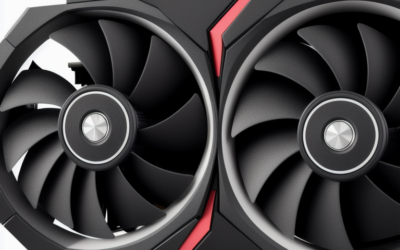
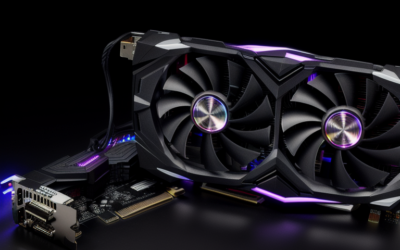
The 8GB model has a reference board power of around 130 watts, and NVIDIA’s suggested power supply class has been in the 550W range for a typical system. Most partner cards, including common dual-fan and triple-fan designs, use a single 8-pin PCIe power connector. Check that your power supply has a spare 8-pin cable. If you only have 6-pin cables available, look for a model with a 6-pin connector or use a PSU upgrade.
The 6GB model’s low board power is its main selling point. Many versions require no external connector, which allows installation in budget prebuilt desktops with a small PSU. Even so, confirm that the specific card you buy has no auxiliary power socket, since some partner models still include one.
Always check cooler dimensions. Compact single-fan 6GB cards fit small cases, while some 8GB models with dual or triple fans can be long and thick.
Outputs and PCIe Details
Typical outputs include one HDMI port and one to three DisplayPort connectors, depending on the model. The reference design includes HDMI 2.1 and DisplayPort 1.4, which supports modern monitors at high refresh rates. Some budget 6GB boards offer fewer ports or older DVI outputs, so match your monitor cable to the card before ordering.
The 8GB model uses a full x16 PCIe 4.0 link. The 6GB model uses a narrower link on its spec sheet, which can matter if you install it in an older motherboard with PCIe 3.0 only. In that case the available bandwidth is lower, and some games may show a small impact when memory runs short. Confirm the interface on NVIDIA’s specification page if you plan to pair the card with an older platform.
Where Each Card Fits Today
As of late 2026 the 8GB RTX 3050 is a 1080p card for medium to high settings in many games and high settings in esports titles. The 6GB card is a low-power esports and everyday gaming option. Neither is a good match for 1440p or 4K gaming in new releases.
- Esports at 1080p: both cards, with the 8GB model giving more headroom.
- Newer single-player games: the 8GB model at medium settings with DLSS; the 6GB model may need low textures.
- Small or low-power builds: the 6GB model, if its connectors fit your system.
- Creator tasks: light video editing and streaming encodes, limited by memory.
Reading Partner Model Listings
Product names such as an MSI Ventus RTX 3050 8GB follow a pattern: brand, product line, GPU name and memory size. The product line tells you about the cooler and the target market, with budget lines usually offering dual-fan boards at or near reference clocks. Always read the specification table on the product page for the exact boost clock, card length and connector layout, because two boards with the same GPU can differ in those details.
Who Should Buy or Skip It
The Prebuilt Desktop Owner
If your system has a small PSU with no free cable, the 6GB low-power card may be the only practical choice. Check the PSU label and card connectors first.
The Entry-Level 1080p Gamer
If you play popular online games and want RTX features, the 8GB card gives the best balance in this family. Compare it with current entry-level cards before buying.
The Demanding Gamer or Creator
If you want high settings in new releases or work with large files, skip the 3050 and look at a card with more memory and performance.
Spec Check Before You Buy
- Confirm 8GB or 6GB in the exact listing title.
- Check the power connector on the specific partner model.
- Match the card’s outputs to your monitor cables.
- Measure card length and thickness against your case.
- Check the PCIe version of your motherboard if you choose the 6GB model.
- Read the partner model’s boost clock and warranty terms on the product page.
Frequently Asked Questions
How much VRAM does the RTX 3050 have?
The original model has 8GB of GDDR6 on a 128-bit bus. A later model has 6GB on a 96-bit bus.
Does the RTX 3050 need a power connector?
The 8GB model usually needs an 8-pin connector, while many 6GB models run from the PCIe slot alone. Check the specific partner card.
Is the 6GB RTX 3050 as fast as the 8GB version?
No, it has fewer cores, a narrower memory bus and less memory. It trades speed for lower power draw.
Does the RTX 3050 support DLSS and ray tracing?
Yes, both versions support DLSS upscaling and hardware ray tracing. Ray tracing is demanding at this performance tier.
Related Guides
- NVIDIA GeForce RTX 3050 Review: Is It Still Worth Buying Now?
- NVIDIA RTX 3050 Review: Is It Still Worth Buying in 2026?
- RTX 5050 vs 3050: Is the Upgrade Worth It in 2026?
- RTX 3050 Drivers 2026: Best Setup, Fixes and Performance

Write Your Review
No reviews yet. Be the first to share your experience!