
The GeForce GTX 670 is a Kepler-era graphics card from May 2012, with 1344 CUDA cores, 2GB of GDDR5 memory on a 256-bit bus and a board power in the 170-watt class. It was one of the strongest cards of its generation, sitting just below the GTX 680, and it was popular with enthusiasts who wanted most of the flagship’s speed in a cooler, shorter board. Today it is a legacy part, useful for retro builds and light work but not a sensible base for a current gaming PC.
This guide covers what the card is, how it performs now, its driver status, and which newer cards make better use of your money and your power supply as of late 2026. The aim is to help you decide whether to keep a GTX 670, buy one for a period build or move on.
GTX 670 Specs at a Glance
| Item | Detail |
|---|---|
| Architecture | Kepler (GK104) |
| Launch | May 2012 |
| CUDA cores | 1344 |
| Memory | 2GB GDDR5 (4GB on some partner models) |
| Memory bus | 256-bit |
| Board power | About 170 watts |
| Power connectors | Two six-pin on the reference design |
| Interface | PCIe 3.0 x16 |
| API support | DirectX 11, OpenGL 4.x |
| Direct successor | GTX 770 (2013) and later Maxwell cards |
Partner designs varied in clocks, coolers and memory capacity, so check the exact model you are looking at. Four-gigabyte versions existed and were aimed at multi-monitor and high-resolution users.
Why the GTX 670 Was Popular
The 670 was positioned directly beneath the GTX 680 and used the same GK104 chip with one block of shaders disabled. In many games the performance gap to the 680 was small, which made the 670 a favorite for buyers who wanted flagship-class speed at a lower tier. The reference board was also notably short compared with other high-end cards of its time, and many partner designs used compact or quiet coolers.
It replaced the GTX 570 in NVIDIA’s lineup and was followed by the GTX 770 in 2013, which was based on a similar chip. Because those cards are close relatives, listings sometimes mix their names, so verify the exact model before you buy.
Performance Today
The GTX 670 can still run games from the early to mid-2010s at 1080p with good settings, and it can drive multiple displays. Its limits show up quickly in modern titles. Two gigabytes of VRAM is below what many current games demand, even at medium settings, and its architecture lacks features such as hardware ray tracing and DLSS. Many recent games will refuse to start because of missing API features or driver support.
Efficiency is the other issue. A 170-watt class draw buys you performance that a modern entry-level card can match or beat at a fraction of the power. If you leave a 670 running for gaming sessions regularly, the electricity cost and heat output are real factors, even if the purchase price was low.
For retro gaming, though, the card is a good fit. It handles DirectX 9, 10 and 11 titles from the Windows 7 era with ease, and its drivers from that period are mature. Collectors often like the short reference board and its reputation for solid build quality.
Power, Heat and Case Fit
With a board power in the 170-watt class and two six-pin connectors, the GTX 670 is easy to power by modern standards, but older power supplies deserve a closer look. Units from the same era may have weakened over time, and a supply that was fine in 2012 can struggle with sustained loads today. If you are building a retro PC with original parts, a quality replacement supply with the same connectors is a sensible safety measure.
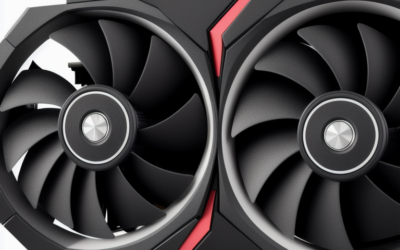
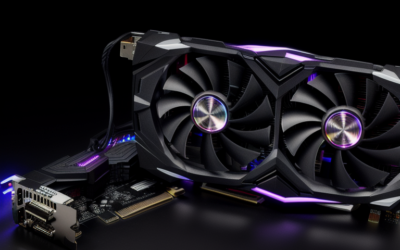
The reference board is shorter than many high-end cards, which helps in compact cases, but partner designs vary a lot. Some use tall dual-fan coolers that need clearance, and some are longer than the reference. Measure the space in your case and look at photos of the exact model.
Thermals depend on the cooler and its age. After years of use, dried thermal paste and dust are the usual culprits when a 670 runs loud or hot. Cleaning the heatsink and renewing the paste is a common maintenance step, and it is worth doing before you judge the card.
Driver and Legacy Status
NVIDIA has moved Kepler-based GeForce 600 and 700 series cards to legacy status. They no longer receive new Game Ready drivers, and the last supported branch may not cover the newest operating system releases. Check NVIDIA’s legacy driver notes for the final version and compatibility details before you commit to a build.
For older Windows installs, download the last official driver from NVIDIA’s site and use a clean install. On Linux, the legacy proprietary driver may work with certain kernels, while the open-source driver supports basic use. Avoid third-party driver bundles, which can carry unwanted software.
What to Buy Instead
If you want a drop-in upgrade for an old PC
A used GTX 1060, GTX 1070 or GTX 1650 fits many older systems and uses less power than the 670 while offering much more performance. Confirm that your power supply provides the needed connector and that your CPU will not bottleneck it.
If you want current features
An entry-level or mid-range RTX card from a recent generation brings DLSS, ray tracing, a modern video engine and current driver support. Plan on checking your power supply and case clearance, and consider whether your platform needs an upgrade too.
If you only need display output
Integrated graphics from a recent processor or a basic low-power card can do the job for office and media work at much lower power draw.
Who Should Buy / Skip It
The retro PC builder
A GTX 670 is a good centerpiece for a 2012-era gaming build. Look for a clean card with a healthy fan and a seller who shows it working.
The budget gamer with an old PC
Consider whether an efficient used card from the GTX 10 or 16 series gives better results for similar outlay. Lower power draw and newer drivers are worth something.
The current-games player
Skip it. Limited VRAM and legacy drivers make it a poor fit for modern titles.
Buying Checklist
- Verify it is a GTX 670 and not a GTX 770 or 660 Ti.
- Confirm 2GB or 4GB of memory and the power connectors needed.
- Check fans and heatsink condition, as many have run for a decade.
- Look up NVIDIA’s legacy driver notes for your operating system.
- Compare against a more efficient used card before you buy.
Frequently Asked Questions
How much memory does the GTX 670 have?
The reference version has 2GB of GDDR5 on a 256-bit bus. Some partner models offer 4GB.
Is the GTX 670 still supported?
It is a legacy Kepler card and no longer receives new Game Ready drivers. Check NVIDIA’s legacy driver notes for the last compatible branch.
Can the GTX 670 play modern games?
Only in a limited way, and many current titles will not run on it. It is better suited to older games and retro builds.
What is a better card than the GTX 670 today?
Almost any recent entry-level card outperforms it with lower power use. Options range from used GTX 10 and 16 series cards to new RTX models.
Related Guides
- GTX 1630 Review: Low-Profile Budget GPU Worth Buying?
- GTX 1070 Review 2026: Still a Great Budget Used GPU?
- GTX 1080 Review 2026: Is This Used GPU Still Worth It?
- GTX 1650 Review: Is It Still the Best Budget GPU in 2026?

Write Your Review
No reviews yet. Be the first to share your experience!