
Best motherboard for AMD Ryzen 9 9950X3D comes down to power delivery and VRM cooling, because this is a 16-core chip with a 170W TDP and stacked cache that dislikes heat. These six AM5 boards cover flagship X870E down to a sensible B850 option, with real drawbacks noted.
As an Amazon Associate we earn from qualifying purchases at no extra cost to you.


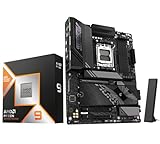


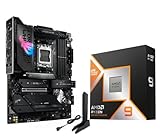


As an Amazon Associate we earn from qualifying purchases at no extra cost to you.
By Ryan Cole, PC hardware writer at NVIDIA Review.
How to Choose the Best Motherboard for AMD Ryzen 9 9950X3D
The 9950X3D runs 16 cores and 32 threads with 128 MB of L3 cache, boosting to 5.7 GHz within a 170W TDP. Picking the best motherboard for AMD Ryzen 9 9950X3D means meeting demands a six or eight-core chip never creates.
VRM Headroom Is the First Requirement
At 170W with PPT headroom above that, the power stages carry real current during sustained all-core work. A 14+2+1 arrangement using 80A stages handles it comfortably; entry boards with 45A or 50A stages will run hot and pull back boost clocks.
Heatsink mass matters as much as phase count. Boards with thick finned VRM heatsinks connected by a heatpipe keep power stage temperatures far lower during long renders than boards using a thin plate, and that directly affects sustained clock behaviour.
Decide Whether You Actually Need X870E
X870 and X870E both mandate USB4 at 40 Gbps and a PCIe 5.0 x4 M.2 socket fed by the CPU. X870E adds a second chipset for more downstream lanes, which supports additional Gen5 slots and a larger complement of high-speed rear ports.
For a single graphics card and three drives, plain X870 or even B850 covers everything. X870E earns its price only if you are running a capture card, a 10 Gb network card and several NVMe drives at the same time.
Plan Memory and EXPO Behaviour
The 9950X3D uses two core complexes, so memory latency affects it more than it does a single-CCD chip. A 6000 MT/s DDR5 kit with a tight EXPO profile remains the practical sweet spot, and pushing far beyond that often forces a less favourable memory controller ratio.
Four-slot boards are more flexible for capacity, but two populated slots run more reliably at high speeds. If you intend 64 GB, buying it as two 32 GB modules is generally more stable than filling all four slots with smaller sticks.
Check M.2 Placement and Cooling
Gen5 NVMe drives generate meaningful heat, so the position of the primary M.2 socket matters. A slot sitting between the CPU and graphics card receives less airflow, and an included heatsink of decent thickness is worth more than an extra slot you will not use.
Count how many sockets sit under the graphics card too. Boards that place two or three M.2 slots beneath a triple-slot GPU make future drive changes awkward, which is where a tool-free quick-release latch on the PCIe slot pays for itself.
Top Picks: Best Motherboard for AMD Ryzen 9 9950X3D
The best motherboard for AMD Ryzen 9 9950X3D depends on how much I/O you actually use, so these six span X870E flagship down to a well-equipped B850. Specifications are from manufacturer spec sheets; pricing shifts constantly, so treat tier labels as guidance.
| Model | Chipset | Form Factor | USB4 | Wireless |
|---|---|---|---|---|
| ASUS ROG Strix X870E-E Gaming WiFi | X870E | ATX | Yes | Wi-Fi 7 |
| MSI MAG X870 Tomahawk WiFi | X870 | ATX | Yes | Wi-Fi 7 |
| Gigabyte X870 AORUS Elite WiFi7 | X870 | ATX | Yes | Wi-Fi 7 |
| ASRock X870 Steel Legend WiFi | X870 | ATX | Yes | Wi-Fi 7 |
| MSI MPG X870E Carbon WiFi | X870E | ATX | Yes | Wi-Fi 7 |
| ASUS ROG Strix B850-F Gaming WiFi | B850 | ATX | No | Wi-Fi 7 |
ASUS ROG Strix X870E-E Gaming WiFi
This is the board for a system that uses every lane available. An 18+2+2 power stage layout, dual-chipset X870E lane allocation, multiple heatsinked M.2 sockets including a CPU-connected Gen5 slot, USB4 and Wi-Fi 7 cover any expansion plan.
VRM cooling is generous enough that the 9950X3D holds sustained boost without drama. The obvious drawback is cost, and much of what you pay for is downstream I/O rather than performance, so a single-GPU gaming build will never touch most of it.
MSI MAG X870 Tomahawk WiFi
For most 9950X3D builds this is the sensible landing spot. A 14+2+1 layout with 80A power stages, four DDR5 slots, a PCIe 5.0 graphics slot, a Gen5 M.2 socket, USB4 at 40 Gbps and Wi-Fi 7 cover everything a workstation-gaming hybrid needs.
Tool-free M.2 clips and the quick-release PCIe latch make maintenance genuinely easier. The compromise is rear I/O count compared with X870E boards, and the third M.2 socket sits under the graphics card where airflow is limited.
Gigabyte X870 AORUS Elite WiFi7
Gigabyte’s mid-tier X870 board leans on a 16+2+2 digital VRM with thick heatsinks, which suits a 16-core chip well. Four DDR5 slots, multiple M.2 sockets with heatspreaders, USB4 and Wi-Fi 7 round out the specification.
Its EZ-Latch tool-free system for both M.2 drives and the graphics card is among the better implementations. The drawback is BIOS presentation, which some builders find less intuitive than MSI or ASUS when tuning EXPO profiles manually.
ASRock X870 Steel Legend WiFi
Steel Legend has become the value entry into X870. A 14+2+1 power stage design, four DDR5 slots, a CPU-connected Gen5 M.2 socket, USB4 and Wi-Fi 7 arrive at a lower price than most competitors with similar core specifications.
It handles the 9950X3D within spec and the white finish suits lighter builds. The trade-offs are thinner rear I/O and an audio implementation a step below the Strix boards, which only matters if you drive headphones from the board directly.
MSI MPG X870E Carbon WiFi
The Carbon sits between the Tomahawk and the ASUS flagship. An 18+2+1 power stage layout with substantial heatsinking, four DDR5 slots, several M.2 sockets including a CPU-fed Gen5 slot, USB4 and Wi-Fi 7 give a 16-core chip plenty of room.
MSI’s tool-free M.2 and PCIe release mechanisms are among the easiest to live with. The drawback is that X870E pricing puts it close to competing flagships, so it only makes sense if you genuinely use the extra downstream lanes.
ASUS ROG Strix B850-F Gaming WiFi
B850 is a legitimate choice here, which surprises people. This board pairs a 14+2+1 80A power stage layout with four DDR5 slots, a PCIe 5.0 graphics slot, a Gen5 M.2 socket and Wi-Fi 7, delivering identical CPU performance to X870.
The saving comes from dropping the mandatory USB4 controller and some rear ports. That is the honest limitation: if you rely on 40 Gbps external storage or a Thunderbolt-class dock, this board cannot provide it and X870 becomes necessary.
What the 2026 Market Means for This Build
Two developments affect anyone specifying the best motherboard for AMD Ryzen 9 9950X3D right now. Neither argues for rushing, but both change what waiting actually costs you.
AM5 Support Runs Through 2029
AMD confirmed at Computex 2026 that AM5 will accept new processors until the end of 2029. A board bought for a 9950X3D today can therefore host a later chip with only a firmware update, keeping memory and cooler mounting in place.
That makes spending on a stronger VRM easier to justify than it would be on a dead-end platform. Intel’s next generation moves to LGA 1954, so the equivalent Intel upgrade would require replacing the board as well as the processor.
Nothing New Arrives Before CES 2027
Zen 6 desktop parts have moved to CES in January 2027, so the 9950X3D remains AMD’s top consumer chip for the foreseeable future. Waiting for a successor means a long delay with nothing launching in between.
It also means no competition-driven price correction is scheduled. If you need the machine now, building now is defensible; holding off several months on the assumption that prices will drop is not supported by the current roadmap.
Budget DDR5 as a Real Line Item
DRAM contract pricing climbed sharply through 2026 with further increases forecast into the fourth quarter, and no significant new capacity is expected before late 2027. A 64 GB DDR5 kit is a much larger share of the build than it was a year ago.
The practical response is to price memory at the same time as the CPU and board rather than treating it as an add-on. For a machine that games and renders, 32 GB is workable and 64 GB is the comfortable target if the budget allows.
Frequently Asked Questions
These questions come up most often when people specify a board for a 16-core X3D processor.
Does the 9950X3D need an X870 board specifically?
No. B850 boards with a 14+2+1 power stage design run the chip at full speed. X870 adds mandatory USB4 and extra downstream lanes, which are convenience and expansion features rather than requirements for CPU performance.
What cooler does a 9950X3D need?
A large dual-tower air cooler or a 280 mm to 360 mm AIO is the sensible range for a 170W chip under sustained load. Smaller coolers will work but will hit thermal limits during long all-core sessions, reducing boost clocks.
Will a BIOS update be needed before it posts?
Possibly, on boards manufactured before the chip launched. BIOS Flashback lets you update firmware from a USB drive with no CPU installed, which is the safest way to handle it if you have no other AM5 processor available.
Is 6000 MT/s memory still the right target?
For most builds, yes. That speed pairs well with the memory controller without forcing a less favourable ratio. Faster kits can work but the gains in games are small, and stability tuning becomes more time-consuming.
See More:
- Best MSI motherboard
- Best motherboard processor combo for gaming
- Best B550 motherboard
- Best CPU for streaming
- What is the best AM4 CPU for gaming
Final Thoughts
The best motherboard for AMD Ryzen 9 9950X3D is the one with enough VRM headroom and heatsink mass to hold sustained clocks, not necessarily the most expensive chipset. The MAG X870 Tomahawk covers most builds, the Strix X870E-E suits heavy expansion, and a B850 Strix is a legitimate saving if you do not need USB4.











Write Your Review
No reviews yet. Be the first to share your experience!