
- Top Pick: ASUS Dual GeForce RTX 3050 6GB GDDR6 OC Edition Gaming Graphics Card
- Best Value: msi Gaming RTX 3050 Ventus 2X 6G OC Graphics Card (NVIDIA RTX 3050, 96-Bit, Boost Clock: 1492 MHz, 6GB GDDR6 14 Gbps, HDMI/DP, Ampere Architecture)
- Premium Choice: maxsun GeForce RTX 3050 6GB Graphics Cards GDDR6 Video Graphics Card GPU for Gaming PC Mini Small Form Factor SSF Slim Low Profile Design PCI Express 4.0, HDMI 2.1, DisplayPort 1.4a


Prime
Limited Time
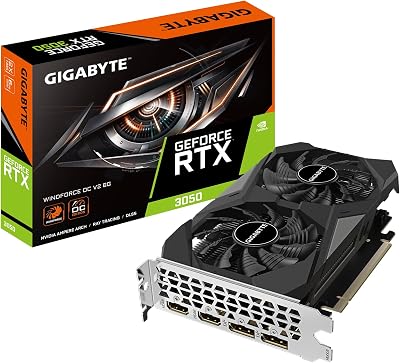
GIGABYTE GeForce RTX 3050 WINDFORCE OC V2 6G Graphics Card, 2X WINDFORCE Fans, 6GB GDDR6 96-bit GDDR6, GV-N3050WF2OCV2-6GD Graphics Card


Radeon 780M vs RTX 3050 is not really a GPU comparison. You cannot buy either one — you buy a laptop or a mini PC that contains one, and that machine comes with a chassis, a cooling system, a RAM configuration and a power budget that will change the answer by 40% or more. This is the part every spec-sheet comparison misses and it is why the numbers you have seen elsewhere contradict each other. Both cards are real, both numbers were measured honestly, and they were measured on machines that are barely comparable. Here is how to actually decide.
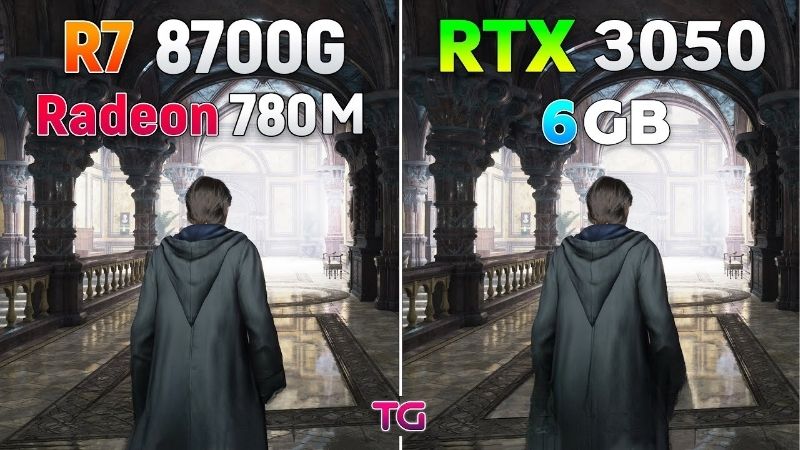
The Quick Verdict: Radeon 780M vs RTX 3050 in One Minute
The RTX 3050 wins — usually. It is roughly 25-60% faster depending entirely on how much power the laptop maker gave it, it has DLSS the 780M has no real answer to, and it has dedicated VRAM instead of borrowing from system memory. But the 780M wins on things that matter for a laptop you carry: battery life, thermals, weight, silence, and often price for the whole machine. If you game seriously and plug in, buy the 3050 machine — but check its TGP first, because a 35W 3050 is a different product from a 95W one. If you game occasionally on the move, the 780M is genuinely enough and the machine around it will be better.
As an Amazon Associate we earn from qualifying purchases at no extra cost to you.


The TGP Trap That Decides Everything
This is the single most important thing on this page and almost no laptop listing tells you.
“RTX 3050 Laptop GPU” describes a range, not a product. Manufacturers configure it anywhere from roughly 35W to 95W, and the performance difference between the two ends is around 40-45%. A 35W 3050 in a thin ultrabook is barely faster than a 780M. A 95W 3050 in a proper gaming chassis is comfortably ahead of it.
Both machines say “RTX 3050” on the box. Neither says the TGP. You have to find it in a review or in the manufacturer’s detailed specs, and if you cannot find it, assume the worst — thin-and-light machines are almost always at the bottom of the range.
If you take one thing away: never buy an RTX 3050 laptop without knowing its TGP. The number on the box tells you almost nothing.
The RAM Trap on the 780M Side
The 780M has its own version of this problem and it is just as decisive.
An integrated GPU has no VRAM. It borrows system memory, which means your RAM configuration is your graphics memory bandwidth. A 780M paired with LPDDR5X-7500 in dual channel is a substantially different GPU from the same 780M paired with DDR5-4800 — expect 20-30% between them, from a component people never think about when buying a laptop.
Worse: single-channel configurations exist in cheap machines and they halve your bandwidth. A single-stick 16GB laptop will run the 780M at roughly two-thirds of what a dual-channel 2x8GB machine achieves. Check that the machine has two channels populated.
So the honest framing: the 780M’s performance is a property of the laptop, not the chip. Same silicon, wildly different outcomes.
Specs and What Each Actually Delivers
The table below compares the silicon. Read it knowing that the machine around it will move these numbers considerably in either direction.
Core Specifications Compared
| Specification | Radeon 780M | RTX 3050 Laptop |
|---|---|---|
| Type | Integrated (iGPU) | Discrete (dGPU) |
| Architecture | RDNA 3 | Ampere (GA107) |
| Compute units / cores | 12 CU (768 shaders) | 2,048-2,560 CUDA |
| Graphics memory | Shared system RAM | 4GB or 6GB GDDR6 |
| Memory bandwidth | Depends on your RAM | ~192 GB/s (6GB models) |
| Tensor cores (DLSS) | None | Yes |
| Power | ~15-30W (part of CPU) | 35-95W (varies!) |
| Found in | Ryzen 7040/8040 series | Gaming laptops, some thin |
Two rows carry the whole comparison. The graphics memory row — dedicated versus borrowed — and the power row, which is bolded because it is a range rather than a number.
Note the VRAM detail on the 3050 side: 4GB variants exist and they are a genuine problem in 2026. If you are buying a 3050 laptop, get the 6GB version. A 4GB dGPU in 2026 will hit its buffer in modern titles, which undercuts the main reason you paid for a discrete card.
1080p Frame Rates, With the TGP Range Shown
This is the table that does not exist anywhere else, and it is the one you need. 1080p Low-Medium — realistic settings for both.
| Game (1080p Low-Med) | 780M (fast RAM) | 3050 @ 35W | 3050 @ 95W |
|---|---|---|---|
| Counter-Strike 2 | ~85 FPS | ~105 FPS | ~150 FPS |
| Valorant | ~120 FPS | ~145 FPS | ~205 FPS |
| Fortnite (Performance) | ~70 FPS | ~85 FPS | ~120 FPS |
| GTA V Enhanced | ~58 FPS | ~68 FPS | ~95 FPS |
| Elden Ring | ~32 FPS | ~38 FPS | ~50 FPS |
| Cyberpunk 2077 | ~28 FPS | ~34 FPS | ~46 FPS |
Look at the middle column against the left one. A 35W RTX 3050 is roughly 18-20% ahead of a well-fed 780M. That is a real gap but it is not a category difference — and you are paying for a discrete GPU, a bigger chassis and worse battery life to get it.
Now look at the right column. A 95W 3050 is 55-75% ahead. That is a category difference and it is worth the trade-offs. Same GPU name, two entirely different purchases.
And note the 780M column assumes fast dual-channel RAM. On a single-channel machine, subtract roughly a third and it loses to the 35W 3050 decisively.
Battery, Heat and the Rest of the Machine
The numbers above are all plugged in. Unplugged, the comparison inverts and it is not close.
A 780M machine typically runs 8-12 hours of light use and stays quiet and cool because the whole chip is drawing 15-30W. A 3050 laptop typically manages 5-7 hours, and gaming on battery drops the dGPU’s power so far that it frequently performs worse than a 780M would. Many 3050 machines simply refuse to run the dGPU at full power unplugged at all.
Weight and size follow the same logic. 780M machines are commonly 1.2-1.4kg with no dedicated GPU cooling. 3050 laptops are usually 1.8-2.3kg with more fans and more noise.
So the real question is not “which GPU is faster”. It is: do you game plugged in at a desk, or on a train? That answer decides this more than any benchmark.
Deep Dive: Where Each One Actually Wins
Three axes separate these, and only one of them is on any spec sheet.
DLSS and the FP8 Catch
The 3050 has tensor cores; the 780M has none. DLSS is not slow on the 780M, it is unavailable — permanently, in every title. FSR is the alternative and it works on the 780M, but FSR 4 is an RDNA 4 feature and the 780M is RDNA 3, so it is stuck on FSR 3.1.
In practice, a 3050 running DLSS Quality gains roughly 30%, which pushes a 35W model from 34 to around 44 FPS in Cyberpunk — from unplayable to borderline. That matters most on the weakest configurations, which is where it is needed.
One caveat worth knowing before you buy for this reason. DLSS 4.5’s newer models — M and L — rely on native FP8, which Ampere does not have. Nvidia’s guidance is that RTX 30 series owners should generally stay on Model K, the DLSS 4.0 model. So the 3050 gets DLSS, just not the current version at full benefit.
What the 780M Does That No dGPU Can
It disappears when you are not gaming. There is no second chip to power, no separate cooling loop, no switching logic to misbehave. A 780M laptop at idle is drawing a few watts and running silent.
This produces second-order benefits people underrate. No Optimus or Advanced Optimus problems — no games launching on the wrong GPU, no external monitor routing confusion, no driver conflicts between two vendors. Anyone who has spent an evening working out why a game runs at 15 FPS because Windows routed it to the iGPU will appreciate a machine that has only one.
And for a mini PC — a 780M box on a desk — the whole machine is often smaller than a 3050 laptop’s power brick.
Pros and Cons of Each Choice
| Radeon 780M machine | RTX 3050 machine | |
|---|---|---|
| Pros | 8-12h battery; 1.2-1.4kg; silent and cool; no Optimus problems; cheaper whole machine; good enough for esports at 1080p; great in mini PCs | 18-20% faster at 35W, 55-75% at 95W; DLSS access; dedicated VRAM instead of borrowed; better in modern AAA; NVENC for recording; CUDA for coursework |
| Cons | Performance depends entirely on your RAM speed and channels; no DLSS ever; no FSR 4 (RDNA 3); struggles past 30 FPS in modern AAA; single-channel machines lose a third | TGP is a hidden 40% variable; 4GB variants are a trap; 5-7h battery; 1.8-2.3kg; noisy under load; worse or equal on battery; pricier whole machine |
Notice both cons columns lead with the same kind of problem: a hidden variable in the machine that the product name does not reveal. That is the honest theme of this comparison.
The Laptop Market Reality in 2026
This is a whole-machine purchase, which makes the market picture more directly relevant here than in any desktop GPU comparison — because the thing you are buying is made almost entirely of the components that have repriced.
Why Laptop Prices Are the Real Story Here
Laptop and component prices have continued trending upward rather than settling back, and memory has been among the sharpest movers. That hits this specific comparison twice over, in a way it does not hit a desktop GPU decision.
First, directly: you are buying a whole machine, and RAM is a meaningful share of its cost. Second, and more interestingly — the 780M uses system RAM as graphics memory. The configuration that makes it good, fast dual-channel LPDDR5X, is exactly the configuration that has become more expensive to specify. So manufacturers under cost pressure quietly ship slower RAM or single-channel configurations, and the 780M gets worse without anything on the spec sheet changing.
The practical consequence: a cheap 780M laptop in 2026 is more likely to be cheap in the way that matters. Check the RAM speed and channel count in the detailed specs, not the marketing page. It is doing more work than the GPU name.
Prices Flattened, But Relief Is Years Away
The good news is real and deserves precision rather than optimism. The steep climb of late 2025 has eased. Framework, which publishes unusually candid component pricing updates, has described a stretch of relative stability while still warning that volatility persists. That is stabilisation, not a decline.
New supply is genuinely opening. OEMs can now source DDR5 from Chinese manufacturers such as CXMT, and Micron is building two fabs in Idaho. Both add capacity to a market that badly needs it. But those fabs do not run until 2027-2028, which is two laptop generations away.
So if your plan is to wait for laptop prices to correct, the evidence says there is no date attached to that plan. Buy the machine you need at today’s prices, and spend your effort on getting the configuration right rather than on timing.
The Alternative: What to Look At Instead
If the 780M feels light but a 3050 machine is too big or too expensive, two options sit between. The Radeon 890M in Ryzen AI 300 series chips is a meaningful step up from the 780M and keeps every battery and thermal advantage. And an RTX 4050 laptop is typically only slightly more than a 3050 machine while adding Frame Generation, which the 3050 will never have.
For a mini PC specifically, the 780M is frequently the right answer regardless — a 3050 in a small box is rare, hot and expensive. Compare current whole-machine pricing across 780M, 890M, 3050 and 4050 laptops before you commit, and check the RAM speed and TGP in the detailed specs rather than the headline — those two numbers move the outcome more than the GPU name does.
See More:
- GTX 1650 vs RTX 3050
- Nvidia DIGITS
- Nvidia cuDNN
- Radeon RX 9070 XT vs RTX 5090
- PNY GeForce RTX 5080 review
Final Verdict: Radeon 780M vs RTX 3050
The radeon 780m vs rtx 3050 decision cannot be made from a spec sheet, and anyone giving you a single number is guessing. Two hidden variables decide it: the 3050’s TGP, which swings performance by 40-45% between a 35W and a 95W configuration, and the 780M’s RAM speed and channel count, which swings it by 20-30%. Find both numbers before you compare anything else.
Buy the RTX 3050 machine if you game plugged in at a desk, if you play modern titles, and if you can confirm the TGP is 75W or higher and the VRAM is 6GB rather than 4GB. That configuration is genuinely 55-75% faster and it is worth the weight and the battery. Buy the 780M machine if you game occasionally, if you carry it, or if you want a mini PC — 8-12 hours, silence, and no Optimus headaches are real advantages, and for esports at 1080p it is honestly enough. With laptop prices flat rather than falling, the machine in front of you at a sane price is the right one; just check the two numbers that matter first.
Frequently Asked Questions
How much slower is the 780M than a laptop RTX 3050?
The Radeon 780M lands close to an entry level discrete card, typically 10 to 25 percent behind a 45W to 60W mobile RTX 3050 in rasterised games at 1080p low to medium. At the lowest 3050 power configurations, around 35W, the gap narrows to near parity, which is why wattage matters more than the model name.
Does system RAM speed really affect the 780M?
Enormously. The 780M has no dedicated memory and shares bandwidth with the CPU, so dual-channel LPDDR5X-7500 can be 30 to 50 percent faster than single-channel DDR5-4800 in games. A laptop with one SODIMM populated will underperform badly, and this is the single most important spec to check before buying.
Which is better for battery life and thermals?
The 780M wins clearly. With no discrete GPU to power there is no MUX switching, less heat and often a thinner chassis with longer unplugged runtime. A 3050 laptop will usually throttle the dGPU heavily on battery, sometimes dropping below integrated graphics performance until you plug the charger back in.
What about ray tracing, DLSS and video encoding?
The RTX 3050 has dedicated RT cores, DLSS upscaling and NVENC, which matter for streaming, video export in Premiere and Resolve, and any game where DLSS quality mode is available. The 780M supports FSR and has AMD hardware encoders, but its ray tracing performance is not really usable in demanding titles.
Which should I buy in 2026?
Buy the 780M machine for portability, price and light gaming at 1080p medium, especially for esports titles where it comfortably exceeds 60fps. Buy the RTX 3050 laptop if you want ray tracing, DLSS, CUDA for creative or machine learning work, or plan to play newer AAA releases at medium settings.






Write Your Review
No reviews yet. Be the first to share your experience!