
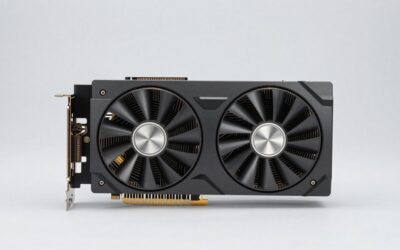
- Top Pick: GIGABYTE Radeon RX 9060 XT Gaming OC 8G Graphics Card, PCIe 5.0, 8GB GDDR6, GV-R9060XTGAMING OC-8GD Video Card
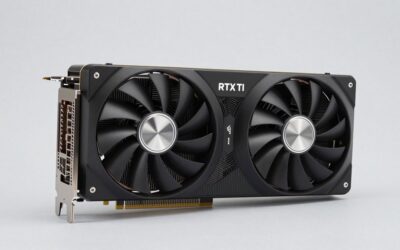
- Best Value: ASRock Radeon RX 9060 XT Challenger 16GB OC, RDNA 4, 3290MHz Boost, 16GB GDDR6 128-bit, PCIe 5.0, Dual Fans, 0dB Silent, LED Indicator, DisplayPort 2.1a, HDMI 2.1b
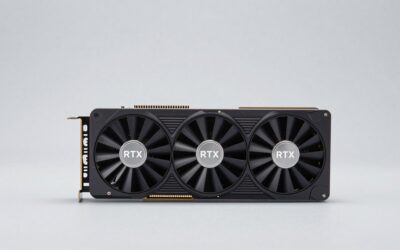
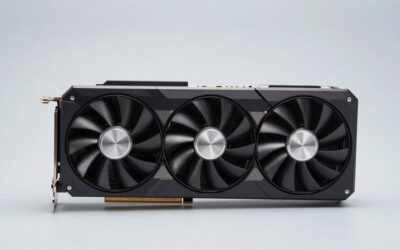
- Premium Choice: XFX Swift AMD Radeon RX 9060 XT OC Triple Fan Gaming Edition with 16GB GDDR6 HDMI 2xDP, RDNA 4 RX-96TS316B7, Graphics Card, Compatible with Desktop PCs


Prime
Editor's Pick
XFX Swift AMD Radeon RX 9060 XT OC White Triple Fan Gaming Edition 16GB RX 9060XT RX-96TS316W7


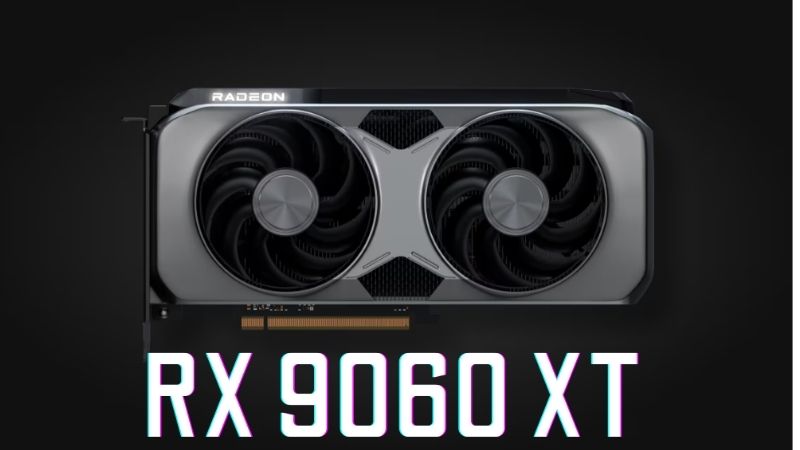
amd radeon rx 9060 xt vs rtx 5060 is the decision most first-time builders land on, and the noise around it is worse than the decision itself. You will be told that DLSS is better than FSR, that AMD drivers are bad, that 8 GB is fine, that 8 GB is a scandal. Most of it is a decade out of date. The actual difference between these two cards comes down to one fact that nobody leads with: the RTX 5060 is 8 GB only — there is no 16 GB version — while the RX 9060 XT offers one. Everything else is close. Here is FSR and DLSS explained without jargon, the full spec table, and a clear recommendation.
The Quick Verdict on AMD Radeon RX 9060 XT vs RTX 5060
Buy the RX 9060 XT 16GB. Not because AMD beats Nvidia — the 5060 is roughly 5% to 12% faster and has better upscaling — but because 8 GB is the wall this whole tier hits, and only one of these two cards offers a way around it. If you are certain you will stay at 1080p with moderate settings for the life of the card, the RTX 5060 is a fine choice and the faster one.
As an Amazon Associate we earn from qualifying purchases at no extra cost to you.


Buy the RTX 5060 If
Choose the 5060 if you game at 1080p and nothing else. It is faster, its GDDR7 delivers roughly 448 GB/s against the 9060 XT’s 322 GB/s, and DLSS has broader game support than FSR.
Choose it if you stream or record. The ninth-generation NVENC encoder with dual AV1 is genuinely better than AMD’s, and if that is part of your plan it is not a small difference.
And choose it if you might ever touch Blender, DaVinci Resolve, or local AI tools. Those need CUDA, which is Nvidia-only. If a piece of software says “CUDA required,” that is a wall, not an inconvenience.
Buy the Radeon RX 9060 XT 16GB If
Choose the 9060 XT 16GB if you have a 1440p monitor, or if you think you might get one within three years. 16 GB removes the memory wall that 8 GB hits, and no amount of speed compensates for running out of VRAM.
Choose it if you want the card to last. This is the practical argument: a slightly slower card with double the memory ages better than a slightly faster one that stutters.
One warning: the 9060 XT also comes in an 8 GB version at a lower price. That variant is not the one this recommendation refers to. Check the box.
AMD Radeon RX 9060 XT vs RTX 5060 Spec Comparison Table
Both run a 128-bit bus, so this is a fair like-for-like read. The VRAM row is the one that decides it.
| Specification | RX 9060 XT 8GB | RX 9060 XT 16GB | RTX 5060 |
|---|---|---|---|
| Architecture | RDNA 4 | RDNA 4 | Blackwell |
| Shader Units | 2,048 SPs (32 CUs) | 2,048 SPs (32 CUs) | 3,840 CUDA cores |
| VRAM | 8 GB GDDR6 | 16 GB GDDR6 | 8 GB GDDR7 — no 16GB option |
| Memory Bus | 128-bit | 128-bit | 128-bit |
| Bandwidth | ~322 GB/s | ~322 GB/s | ~448 GB/s |
| Board Power | ~150W | ~160W | 145W |
| Power Connector | 1x 8-pin | 1x 8-pin | 1x 8-pin |
| Recommended PSU | 500W | 550W | 550W |
| Upscaling | FSR 4 | FSR 4 | DLSS 4 + Multi Frame Gen |
| Encoder | AMD VCN, AV1 | AMD VCN, AV1 | NVENC 9th gen |
| CUDA support | No | No | Yes |
| Launch MSRP | $299 | $349 | $299 |
All three use one standard 8-pin connector and want a 500W to 550W supply. Physically these are interchangeable, which means your build supports whichever you choose and the decision is purely about the card.
FSR vs DLSS, Explained Properly
This is the part videos rush through, and it is the part a first-time builder actually needs. Both technologies do the same job. Understanding how takes about two minutes and makes the rest of the comparison obvious.
What Upscaling Actually Does
Your monitor is 1440p. Rendering every frame at full 1440p is expensive. Upscaling renders the frame at a lower resolution — say 960p — then uses a trained model to reconstruct it up to 1440p, filling in detail using information from previous frames.
The result is a frame that looks close to native 1440p but costs far less to produce. That is it. DLSS is Nvidia’s version, FSR is AMD’s, and both have Quality, Balanced, and Performance presets that control how aggressively they cut the internal resolution.
You will use this. At this performance tier, upscaling is not optional in modern titles — it is how these cards reach playable frame rates at 1440p. So the quality of the upscaler is a real, daily consideration rather than a spec-sheet bullet.
The Honest Difference in 2026
The old advice was that DLSS was clearly better because it used machine learning and FSR did not. That was true. It is no longer true. FSR 4 moved to a machine-learning model running on RDNA 4’s AI accelerators, and the image quality gap at Quality preset is now subtle enough that most people cannot identify it in motion.
DLSS retains two genuine advantages. Broader game support — more titles ship with DLSS than with FSR 4. And Nvidia’s driver-level DLSS Override, which forces newer models into older games without the developer doing anything. There is no AMD equivalent yet.
Multi Frame Generation is the 5060’s other card. It generates up to three additional frames per rendered frame. It raises the frame counter substantially and adds some input latency — many people love it, some cannot stand it. It is a preference, not an objective win, and you should not let a spec sheet decide it for you.
Why This Matters Less Than the VRAM
Here is the point that reframes the whole comparison. Upscaling reduces how much work the GPU does per frame. It does not reduce how much memory the textures occupy. Texture data sits in VRAM at full resolution regardless of what your upscaler is doing.
So DLSS does not rescue an 8 GB card from running out of memory. When a game exceeds 8 GB, the card stutters — frame times spike from 12 ms to 60 ms as textures swap over PCIe — and the average frame rate barely moves while the experience falls apart. No upscaler prevents this.
That is why the recommendation lands where it does. The 5060 wins the upscaling argument and loses the argument that matters more, because it has no 16 GB variant to offer.
Pros, Cons and What to Check in Your Build
Here is the plain ledger for both, plus the practical checks a first-time builder should run before ordering anything.
RTX 5060: Pros and Cons
Pros: Roughly 5% to 12% faster. GDDR7 delivers ~448 GB/s, a 39% bandwidth advantage. Full DLSS 4 with Multi Frame Generation. Ninth-generation NVENC with dual AV1 — the pick if you stream. CUDA access for Blender, Resolve, and local AI. 145W is the lowest here. Single 8-pin, 550W PSU. Broader upscaling support across game libraries.
Cons: 8 GB only — no 16 GB version exists, and this is the defining limitation. 128-bit bus. Not a comfortable 1440p card for the long term. Ray tracing is present but not usable in demanding titles at this tier. You are buying a memory ceiling on day one with no upgrade path within the model.
Radeon RX 9060 XT 16GB: Pros and Cons
Pros: 16 GB of VRAM at a price where 8 GB is standard — the only card here that solves the actual problem. FSR 4’s ML model is close to DLSS at Quality preset. Standard 8-pin, 550W PSU. ~160W. AV1 encode present. Compact designs for small cases. Ages far better at 1440p. Current architecture with years of driver priority.
Cons: 5% to 12% slower. ~322 GB/s against 448. No Multi Frame Generation. Encoder is competent but trails NVENC. No CUDA — a hard stop for some software. The 8 GB variant shares the same name, which creates real buying confusion. Costs roughly $50 more than the 8 GB models.
Practical Checks Before You Order
Three things, and they take five minutes. First, the box. Both the 9060 XT 8GB and 16GB share a model name and often a cooler design — the listing may bury the capacity in a spec table. Read it twice. This is the single most common mistake at this tier and it is entirely avoidable.
Second, your power supply. All three cards want 500W to 550W and one 8-pin PCIe connector. If you are building fresh, budget for a quality 550W or 650W 80+ Bronze unit — not the one bundled with a cheap case. The instant-reboot-under-load fault that new builders blame on a defective GPU is almost always the power supply tripping on transient spikes, and it is worth pricing a proper unit into the build from the start rather than diagnosing it later.
Third, case clearance. These are compact cards — roughly 200 to 250 mm, dual slot — so this is rarely a problem. Measure anyway. Twenty seconds now beats a return week later.
Why 8GB Keeps Appearing at This Price
You are not imagining it, and it is not laziness. Three market forces explain why the tier you are shopping in keeps shipping 8 GB.
Memory Cost Is the Whole Story
The broad direction for laptops and PC components remains upward, and memory is the driver. AI infrastructure is consuming DRAM and GDDR at a scale consumer graphics cannot outbid, and that cost lands directly in every board partner’s bill of materials.
Mainstream cards absorb it worst. On a $999 card a memory cost increase disappears into margin. On a $299 card it is a large share of the price — so manufacturers ship 8 GB at the attractive number rather than raising the price and losing the shelf position. The RTX 5060 having no 16 GB variant at all is that logic taken to its conclusion.
Read it backwards and it becomes advice. The 9060 XT 16GB is the card that would be most expensive to build today. That kind of value leaves the market rather than improving.
The Good News Is Real, But Weak and Distant
Prices have at least stopped climbing at the pace they set through late 2025. Framework, which publishes unusually candid supply commentary, has reported a stretch of relative stability while still warning that volatility has not ended. The steep climb flattened. Nothing reversed.
For a first build that is useful: you are not being penalised for buying this month. It also means waiting a quarter is unlikely to reward you with a lower price — only with thinner stock of the 16 GB variant that people are already prioritising.
New Memory Supply Arrives in 2027 at the Earliest
Fresh capacity is genuinely opening up. OEMs can increasingly source DDR5 from Chinese suppliers such as CXMT, and Micron is building two fabs in Idaho. Both are real and both are large. Neither runs before 2027 or 2028.
So relief exists, but it is weak and years away. Waiting for 16 GB to become standard at $299 means waiting through two more product generations.
Which makes the timing easy. Buy the memory while it is attached to a card you can afford, because at this tier the trend is toward less of it, not more.
See More:
Final Verdict and Recommendation
The amd radeon rx 9060 xt vs rtx 5060 answer is not the one the brand argument predicts. The RTX 5060 is the faster card, has the better encoder, has CUDA, and has the more mature upscaler — and you should still probably buy the Radeon RX 9060 XT 16GB, because the 5060 is 8 GB only and no version of it exists that is not. Upscaling does not fix a memory ceiling; textures occupy VRAM at full resolution no matter what DLSS is doing. A slightly slower card with double the memory ages better than a slightly faster card that stutters.
Buy the RTX 5060 instead in three clear cases: you are certain you will stay at 1080p with moderate settings, you stream and want NVENC, or you need CUDA for Blender, Resolve, or AI work. Any of those makes it the right card and the extra bandwidth is a bonus. And ignore the FSR-versus-DLSS argument as a tiebreaker — FSR 4 runs a machine-learning model now and the gap at Quality preset is subtle. Whatever you choose, read the capacity on the box twice, because the 9060 XT 8GB shares its name with the 16GB and that ambiguity is not accidental. Price a proper 550W or 650W power supply into the build rather than trusting a bundled unit. With prices flat but high and no memory relief before 2027, check today’s listing for the 16 GB variant, confirm your PSU has a spare 8-pin, and buy it.
Frequently Asked Questions
Is the RX 9060 XT 16GB better than the 8GB RTX 5060 at 1440p?
For texture-heavy games, yes. The 16GB model carries double the memory on the same 128-bit bus, so it avoids the texture pop-in and frame-time spikes an 8GB RTX 5060 shows in titles like Hogwarts Legacy, Indiana Jones and Cyberpunk 2077 with ray tracing enabled. The RTX 5060 still leads in heavy ray-traced scenes, but it hits its VRAM ceiling first.
Is FSR 4 or DLSS 4 easier for a beginner?
DLSS 4 is simpler day one. The NVIDIA app lets you force the newer transformer upscaling model and frame generation per game with a single toggle, and it ships in far more titles. FSR 4 requires an RDNA 4 card plus a driver-level override in AMD Software, and older games may still fall back to FSR 3.1 image quality.
What power supply do these cards need?
Both are modest. A quality 550W unit covers the RTX 5060 at roughly 145W board power with one 8-pin connector, while 600W is sensible for the RX 9060 XT at 150-182W depending on the partner model. Neither card uses the 12V-2×6 connector, so an older ATX 2.x supply with native PCIe cables works fine.
Do they work in an older PCIe 3.0 motherboard?
They run, but both cards use only eight PCIe lanes rather than sixteen. On a PCIe 3.0 board like B450 or Z390 you lose a few percent, and the 8GB RTX 5060 loses considerably more once it overflows VRAM and starts streaming assets across the slower bus. On older platforms the 16GB Radeon is the safer choice.
Which one is the better value?
At equal street prices the 16GB RX 9060 XT ages better because raw memory capacity solves the problem newer games actually create. The RTX 5060 justifies a small premium if you want stronger ray tracing, DLSS multi frame generation, NVENC encoding for streaming, or CUDA acceleration in creative apps. Always compare real retail pricing rather than MSRP.
Ready to decide? Our #1 pick for 2026 is the Architecture.
Live price & availability on Amazon.



Write Your Review
No reviews yet. Be the first to share your experience!