
- Top Pick: ROG NUC 16 Gaming Mini PC, Core Ultra 7 270HX+, RTX 5060, 16GB RAM, 1TB SSD
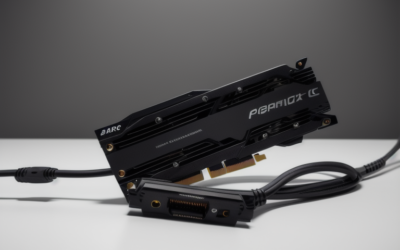
- Best Value: ASUS ROG XG Mobile (2025) External Graphics Card, NVIDIA® GeForce RTX™ 5090, GC34X-053, Thunderbolt™ 5, PCI Express, Compatible with Desktop, Laptop
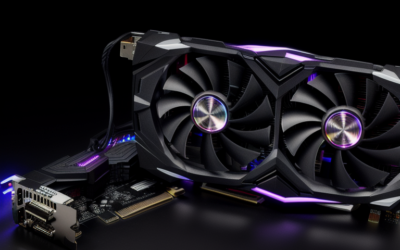
- Premium Choice: ASUS Prime GeForce RTX 5060 Ti 16GB GDDR7 Gaming Graphics Card
- RTX 5060 Mobile Performance and Specs
- Features, Efficiency and Real-World Use
- Value, Pricing and Alternatives
- Final Verdict: Is the RTX 5060 Mobile Worth It?
- How to Read the TGP Number Before You Buy
- RTX 5060 Mobile Spec Comparison: What Changes Between Laptops
- Compatibility and Sizing Checklist
- Setup and Care After Unboxing
- Who Should Skip an RTX 5060 Mobile Laptop
- Common Mistakes Buyers Make
- Buyer Questions Answered
- More Picks Worth Considering
- Related Guides
- Frequently Asked Questions
- Related Articles

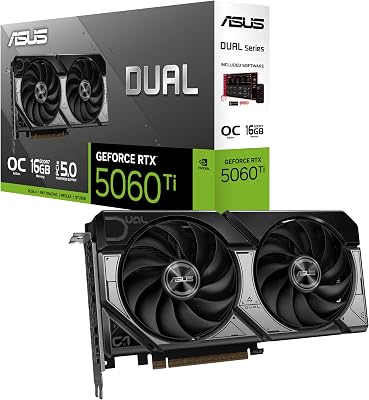

RTX 5060 mobile is quickly becoming the default graphics chip in mainstream gaming laptops, and for many buyers it will be the deciding factor in which machine they choose. It promises modern Blackwell performance, DLSS 4 and strong efficiency in a portable form, but laptop GPUs come with catches that desktop cards do not. This review takes an objective look at how the RTX 5060 mobile really performs, why the laptop it lives in matters so much, and whether it is the right pick for your next gaming laptop. The honest headline is that this is a very good chip whose real-world quality depends heavily on the machine you put it in.
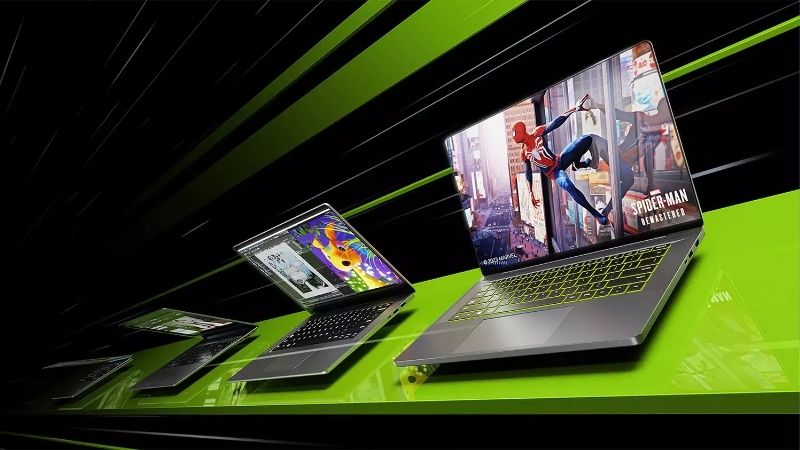
RTX 5060 Mobile Performance and Specs
Understanding this GPU means understanding that it is not a fixed quantity. Its specs set the baseline, but the laptop wrapped around it shapes the experience more than with any desktop card.
As an Amazon Associate we earn from qualifying purchases at no extra cost to you.


What the RTX 5060 Mobile Is
The RTX 5060 mobile, or laptop GPU, is Nvidia’s Blackwell-generation mainstream chip built for portable machines. It pairs 8GB of GDDR7 memory with full support for DLSS 4 Multi Frame Generation, bringing the newest upscaling features to affordable gaming laptops. That combination of modern memory and current-generation features is what lets it punch above its modest power budget in supported games.
It is important to know that the mobile version is not identical to the desktop RTX 5060. It runs at lower power to fit inside a laptop, so while it shares the family name and features, its raw output is tuned for portability rather than maximum performance. Expecting desktop-level frame rates from it is the most common mistake buyers make, so it helps to set realistic expectations upfront.
That design goal makes it a natural fit for 1080p and light 1440p gaming on the go. For most laptop buyers, that target resolution matches exactly what their built-in screen will use. Because the GPU and the display are matched so neatly, you rarely waste performance you have paid for on a typical machine. This tidy pairing is a big part of why the chip feels so well suited to mainstream laptops.
1080p and 1440p Laptop Gaming
At 1080p, the resolution of most gaming laptop screens, the RTX 5060 mobile delivers smooth, high frame rates across esports and mainstream titles, and handles modern AAA games well at high settings. For the majority of laptop gamers, this is exactly the sweet spot. Whether you play fast shooters or slower story-driven games, 1080p is where this chip feels most comfortable and consistent.
At 1440p, which some premium laptops now offer, the card is still capable but works harder, often leaning on DLSS 4 to keep demanding games smooth. It is comfortable rather than effortless at that resolution, so expect to use upscaling in heavier titles. On a 1440p laptop screen, treating DLSS 4 as a standard setting rather than a last resort keeps the experience smooth.
Across both resolutions, DLSS 4 is a genuine game-changer for a mobile chip, lifting frame rates well beyond the raw output in supported games. It is central to how good the everyday experience feels on this GPU.
Why TGP and Cooling Matter So Much
Here is the single most important thing to understand: two laptops with the same RTX 5060 mobile can perform very differently. The reason is TGP, or total graphics power, which manufacturers set anywhere from around 65W to 115W depending on the laptop. That range is wide enough to separate a sluggish machine from a genuinely fast one, even though both carry the same GPU name.
A thin, light laptop often runs the chip at a lower power limit to stay cool and quiet, which reduces performance. A thicker gaming laptop with better cooling can push the same chip harder, delivering noticeably more frames from identical silicon. In practice, the difference between a low and high TGP configuration can be the gap between merely playable and comfortably smooth.
This means you are not just buying a GPU; you are buying a GPU plus a cooling system. Before choosing a laptop, check its TGP and cooling design, because they matter as much as the chip name on the box. A quick look at reviews of the specific model, rather than the GPU in general, is the best way to avoid a disappointing purchase.
Features, Efficiency and Real-World Use
Beyond frame rates, a laptop GPU has to balance performance with heat, noise and battery life. Here is how the RTX 5060 mobile handles the realities of portable gaming.
DLSS 4 and Ray Tracing
DLSS 4 Multi Frame Generation is the RTX 5060 mobile’s standout feature, and it is especially valuable on a power-limited laptop chip. By generating additional frames, it lets modest hardware produce smooth, high frame rates in supported games. For a power-limited laptop chip, that boost is often the difference between a game feeling choppy and feeling fluid.
The card can also enable ray tracing, and with DLSS 4 assisting, lighter ray-traced effects are usable at 1080p. Heavier ray tracing pushes a mobile chip hard, so it is best treated as an occasional highlight rather than an always-on setting.
Because these features are built into the current Blackwell platform, the RTX 5060 mobile will benefit from ongoing driver improvements and support. That gives it a forward-looking edge over older laptop GPUs still on the market.
Battery, Thermals and Laptop Design
Efficiency is one of the chip’s real strengths, and its modern architecture helps laptops balance performance with reasonable battery life for non-gaming tasks. For everyday use away from a charger, that efficiency is welcome. It means the same laptop can serve as a portable work machine during the day and a capable gaming device in the evening.
Under gaming load, though, heat is unavoidable, and this is where the laptop’s design decides your experience. A well-cooled chassis stays quieter and sustains performance, while a thin machine may throttle and grow loud during long sessions. Sustained performance over a long gaming session, not just peak frame rates, is what separates a good gaming laptop from a merely adequate one.
The takeaway is to weigh the whole laptop, not just the GPU. A good cooling system, comfortable keyboard and quality screen turn the RTX 5060 mobile into a great package, while a poorly cooled shell holds it back.
What Owners Say: The 4-5 Star and 2-3 Star Verdicts
Owner feedback on RTX 5060 mobile laptops is broadly positive, with a familiar set of caveats. Reading the praise and the criticism together gives a realistic sense of what to expect.
In the 4-5 star camp, buyers highlight excellent 1080p gaming, the big boost from DLSS 4, quiet operation on well-cooled models, and strong value for the price of the laptop. Many call it the ideal chip for mainstream portable gaming. A recurring note in positive reviews is how much value the combination of solid performance and DLSS 4 delivers for the price.
The 2-3 star reviews cluster around three themes: the 8GB of memory feeling tight in the newest games, performance varying between laptops due to TGP, and thermal throttling in thinner designs. These complaints are less about the chip itself and more about the laptop it is placed in.
Value, Pricing and Alternatives
Whether an RTX 5060 mobile laptop is worth it depends on price and the machine around the chip. Here is an honest look at the trade-offs, current pricing, and the alternatives worth weighing.
Pros and Cons of the RTX 5060 Mobile
Here is the honest ledger for the RTX 5060 mobile, based on how it performs inside real gaming laptops.
Pros: strong 1080p gaming, full DLSS 4 Multi Frame Generation, excellent efficiency, modern Blackwell features, and good value in mainstream laptops. Cons: only 8GB of VRAM, performance varies significantly by laptop TGP, and thin designs can throttle under sustained load.
In short, the chip itself is very good for its class, and most of its weaknesses depend on which laptop you buy. Choosing a well-cooled machine turns the cons from real problems into minor footnotes. That is why researching the specific laptop model matters far more here than it does when buying a desktop graphics card.
Laptop Pricing Today
Pricing is a real factor in 2026, because laptop and component prices have been trending upward rather than falling. Memory in particular has grown more expensive as the industry competes for tight supply, and that pressure feeds into laptop prices. As a result, waiting for laptop prices to fall sharply is unlikely to pay off, since the underlying component costs remain elevated.
For buyers, this means an RTX 5060 mobile laptop may cost more than similar machines did a year ago. It makes comparing current prices carefully more important than ever, since value shifts as the market moves.
The practical rule is to judge the whole laptop against its price rather than fixating on the GPU alone. A fair price today is a reasonable price, given that broad relief is unlikely in the near term.
Alternatives Worth Considering
If an RTX 5060 mobile laptop does not fit your budget or needs, there are options. Stepping up to a higher-tier mobile GPU buys more performance and sometimes more memory, which suits 1440p-focused buyers or those chasing higher frame rates. For pure 1080p gamers, though, that extra spend often buys headroom they will rarely use, making the 5060 the more sensible value.
There is faint good news on pricing overall, but it is weak and far off, with real relief from new memory supply not expected until around 2027 to 2028. Waiting for a big drop is therefore not a dependable plan.
The goal is to match the laptop, not just the chip, to how you play. For many mainstream gamers the RTX 5060 mobile in a well-cooled machine remains the sensible, balanced choice.
See more:
- Nvidia gear store
- Nvidia number of employees
- Nvidia Jetson Xavier Developer Kit
- GeForce graphics driver
Final Verdict: Is the RTX 5060 Mobile Worth It?
The RTX 5060 mobile is an excellent chip for mainstream portable gaming, delivering strong 1080p performance and full DLSS 4 support with impressive efficiency. Its real caveats, an 8GB memory buffer and performance that swings with each laptop’s TGP and cooling, mean the machine you choose matters as much as the GPU itself. Pick a well-cooled laptop at a fair price and the RTX 5060 mobile is a smart, capable choice for years of 1080p gaming; settle for a poorly cooled, overpriced shell and much of its potential is wasted. Check current prices and cooling reviews on RTX 5060 mobile laptops through the link below to find the best-value, best-cooled machine for you.
How to Read the TGP Number Before You Buy
The original review makes the central point well: two laptops carrying the same RTX 5060 Mobile name can perform very differently. What it does not give you is a practical way to use that fact while shopping. The number to look for is TGP, short for total graphics power. It is the wattage budget the manufacturer gives the graphics chip, and it decides how fast the chip is allowed to run before heat and power limits hold it back.
Shipping laptops with this GPU range from low power settings near 55 watts up to a full 115 watts, with Dynamic Boost able to add headroom on top when the processor has spare capacity. A full power machine can deliver a clearly smoother experience in demanding games than a thin machine running the same chip at a low setting, even though both boxes carry the same GPU name. That gap is the single biggest reason a buyer can feel disappointed after choosing by brand name alone.
Finding the figure takes a little digging, because many retail listings bury it. Check the manufacturer specification page first, looking for terms such as graphics power, GPU power, maximum TGP, or Dynamic Boost. If the maker does not publish it, search for a review of the exact model number, not the GPU name, since reviewers often measure or report the power limit. Treat a listing that hides the figure as a warning sign rather than a detail to ignore. When two machines look similar on paper, the one with the higher published TGP and the thicker cooling design is usually the faster gaming machine.
RTX 5060 Mobile Spec Comparison: What Changes Between Laptops
The chip itself stays the same across machines, so the differences that matter live in the laptop around it. The table below shows which parts of a listing change the experience and which parts are mostly marketing noise.
| Laptop feature | Low power thin model | Full power gaming model | Why it matters |
|---|---|---|---|
| GPU power limit | Near 55 to 80 watts | Near 100 to 115 watts | Higher limits sustain higher clock speeds in long sessions |
| Cooling design | Slim chassis, shared heat pipes | Thicker chassis, dual fans, larger vents | Better cooling delays throttling and keeps fan noise lower |
| Display | 1080p at 60Hz | 1080p or 1440p at 144Hz or faster | A faster screen shows the extra frames a full power GPU produces |
| System memory | 8GB soldered | 16GB or more, often upgradeable | More memory keeps modern games and background apps running smoothly |
| Storage | 512GB single drive | 1TB drive, often with a spare slot | Large modern games fill a small drive quickly |
| Display switching | No MUX switch | MUX switch or Advanced Optimus | Direct GPU output avoids lost performance through integrated graphics |
| Battery size | Small battery, short gaming time | Larger battery, still short while gaming | No gaming laptop plays demanding titles for long away from a charger |
Use this table as a filter. If a laptop pairs the RTX 5060 Mobile with a low power limit, a 60Hz screen, and 8GB of memory, its gaming ceiling is set by the chassis, not the chip. If it pairs the same chip with a high power limit, a fast screen, and 16GB of memory, you are getting far more of what the silicon can do.
Compatibility and Sizing Checklist
Before ordering, run through this checklist against the exact model number, not the product family name. Laptop families reuse names across configurations that differ in GPU power, screen, memory, and storage.
- Confirm the GPU power figure on the manufacturer specification page, and confirm whether Dynamic Boost is included.
- Confirm the screen resolution and refresh rate. A 1080p screen at 144Hz or faster matches this GPU well, while a 1440p screen leans harder on upscaling.
- Confirm system memory is 16GB or more, and check whether it can be upgraded later. Memory soldered to the board cannot be changed.
- Confirm storage size and whether a second drive slot exists. Check the drive type as well, since a fast solid state drive shortens loading times.
- Measure your bag and desk space. A 16 inch gaming laptop with its charger is a bulky daily carry, and a 15 inch model may suit travel better.
- Check the ports you need: full size HDMI for a television or monitor, enough USB ports for a mouse and headset, and a wired network port if you play online at a desk.
- Check the charger wattage and size. High power gaming laptops ship with large power bricks that add real weight to a bag.
- Confirm the operating system edition and whether your games, school software, or work tools are supported on it.
- Confirm the warranty length and whether accidental damage cover is available, since a laptop GPU cannot be swapped later if it fails.
- Confirm the return window. A short return period leaves little time to check thermals, fan noise, and screen quality at home.
Setup and Care After Unboxing
Good setup habits protect performance from day one. Start by updating the graphics driver from the official NVIDIA driver page and the laptop maker support page, since early drivers for a new GPU generation often improve stability in recent games. Install Windows updates at the same time, then restart the machine before launching a game.
Next, open the maker control software and choose the performance mode for gaming sessions and a quiet or balanced mode for everyday use. A performance mode lets the fans spin up earlier and holds higher clock speeds, while a quiet mode trades frames for silence. Set the display refresh rate to its maximum in Windows display settings, since some laptops ship with a lower default that wastes a fast panel.
For in-game settings, start at 1080p with high presets and DLSS set to Quality, then raise settings only if frame rates stay smooth. Turn ray tracing on only in lighter titles, and treat it as an optional effect rather than a default. Keep the laptop on a hard flat surface with the rear vents clear, and avoid gaming on soft bedding that blocks airflow. A simple laptop stand that lifts the rear edge can improve airflow and lower temperatures during long sessions.
For care, clean the vents with short bursts of compressed air every few months, keeping the can upright and the fans held still. Keep liquids away from the keyboard, and store the machine in a padded sleeve when travelling. Battery care matters too: avoid leaving the laptop plugged in at full charge in a hot room for weeks at a time, and use the maker battery care setting if one limits charging to a lower ceiling for daily use.
Who Should Skip an RTX 5060 Mobile Laptop
This GPU is a strong mainstream choice, but it is not the right pick for everyone. Skip it if you mainly play at 1440p with maximum texture settings and heavy ray tracing, since the 8GB memory buffer becomes the limiting factor there. A higher tier mobile GPU with more memory suits that goal better, provided its power limit is also high.
Skip it if you want a silent ultraportable for lectures or meetings and only game occasionally. A full power gaming laptop is heavier, louder under load, and shorter lived on battery than a thin general purpose machine, and a lower power configuration of this GPU gives up much of the gaming advantage. Skip it as well if you already own a recent RTX 4060 or 4070 laptop that runs your games well, since the step up is modest in raw rendering and comes mostly from newer upscaling features.
Creators who edit long 4K video timelines or run large local AI models should also look higher, since memory capacity matters more than clock speed for those workloads. Finally, skip a specific model, rather than the GPU itself, if its power limit is unpublished, its screen is limited to 60Hz, or its memory cannot be upgraded. Those three signs point to a machine that will age faster than the chip inside it.
Common Mistakes Buyers Make
The most common mistake is comparing laptop prices by GPU name alone. A low power RTX 5060 laptop can cost nearly as much as a full power one while delivering far less in games, so the cheaper sticker can be the worse value. A related mistake is assuming a 5070 laptop is always faster. A low power 5070 can trail a full power 5060, which is why the power figure matters more than the tier number on the box.
Another mistake is buying for a screen the GPU cannot feed. A 4K laptop panel looks sharp on the desktop but forces this GPU to work far harder in games, and most buyers end up running games below native resolution anyway. A fast 1080p panel is the better match, with 1440p as a workable second choice when upscaling is enabled.
Buyers also overlook memory and storage. A machine with 8GB of system memory will struggle with modern games plus a browser and chat apps open in the background, and a 512GB drive fills quickly once a few large titles are installed. Checking upgrade options before purchase avoids a costly surprise later.
Finally, many buyers judge a laptop by short benchmark clips rather than sustained performance. A machine can post strong numbers in a brief run and then throttle after ten minutes of heat buildup. Look for reviews that report temperatures and frame rates after extended play, and favour thicker designs with proven cooling when sustained performance matters to you.
Buyer Questions Answered
How long will an RTX 5060 Mobile laptop stay useful. For 1080p gaming at high settings, it should serve well for several years, helped by DLSS 4 support in new titles. Its main limit over time will be the 8GB memory buffer in the most demanding new releases, so keeping texture settings at high rather than maximum extends its useful life.
Does DLSS 4 make up for the 8GB memory limit. It helps frame rates a great deal, but it does not add memory. Upscaling lets the GPU render fewer pixels and still produce a smooth image, yet texture data still has to fit in memory. Use DLSS Quality mode as the default and treat higher texture packs with care.
Should you play on battery power. Short sessions are possible, but performance drops sharply away from a charger and battery life falls fast under gaming load. Plan to play plugged in, and treat battery use as a backup for light tasks and travel rather than a gaming mode.
Is a desktop with the same GPU a better buy. A desktop delivers more performance per machine because it has far more room for cooling and power, but it cannot travel. Buy the laptop when portability matters and the desktop when raw performance and future upgrades matter more.
What should you check on arrival. Run your most demanding game for at least half an hour, listen for unusual fan noise, check for excessive heat on the keyboard, and inspect the screen for dead pixels and uneven backlighting. Confirm the installed memory, storage, and GPU power figures match the listing, and return the machine promptly if they do not.
More Picks Worth Considering
ASUS ROG Strix G16 (2025) Gaming Laptop, Intel Core i7-14650HX, NVIDIA GeForce RTX 5060, 16 Inch FHD Plus 165Hz Display, 16GB DDR5, 1TB SSD

This is the full power showcase for this GPU, running it at a 115 watt ceiling with a fast 165Hz screen that can actually show the frames it produces. The 16 core Intel processor, 16GB of DDR5 memory, and 1TB solid state drive give it headroom for modern games alongside streaming, chat, and background apps. It fits buyers who want the strongest version of the RTX 5060 Mobile in a proven gaming chassis with Wi-Fi 7 and solid cooling. It does not fit travellers who need a light machine, since it is a bulky 16 inch laptop with a large charger, and it does not fit buyers chasing 1440p maximum settings, where the 8GB memory buffer still sets the ceiling.
ASUS TUF Gaming F16 Laptop, Intel Core i7-14650HX, NVIDIA GeForce RTX 5060, 16 Inch FHD Plus 165Hz Display, 32GB DDR5, 1TB SSD
This TUF model pairs the same full power RTX 5060 Mobile with 32GB of DDR5 memory, which suits buyers who keep many apps open while gaming or who also edit video and run creative tools. The durable TUF chassis, 165Hz anti-glare display, and 1TB drive make it a practical daily driver for study, work, and play in one machine. It fits buyers who value memory headroom and toughness over a slim profile. It does not fit buyers who want an OLED screen or a quiet ultraportable, since the display is a standard IPS panel and the fans are audible under gaming load, and it does not fit minimalists who want the lightest possible bag.
Lenovo LOQ 15 Gaming Laptop, AMD Ryzen 7 250, NVIDIA GeForce RTX 5060, 15.6 Inch FHD 144Hz Display, 16GB DDR5, 1TB SSD

This LOQ model is the value route into RTX 5060 Mobile gaming, pairing the GPU with an eight core AMD Ryzen processor, 16GB of DDR5 memory, and a 1TB drive. The 144Hz screen matches the GPU well at 1080p, and the 15.6 inch body is easier to carry than larger gaming laptops. It fits students and first time gaming laptop buyers who want strong 1080p performance without paying for premium extras. It does not fit buyers who want a high refresh 1440p panel or a top tier cooling system, since this is a budget chassis with a simpler screen, and it does not fit buyers who need the very highest power configuration for demanding ray traced titles.
Frequently Asked Questions
What performance should I expect from an RTX 5060 laptop GPU?
It targets 1080p and 1440p gaming on laptop panels, comfortably clearing 60fps in most current titles at high settings with DLSS enabled. Ray tracing pushes it hard, which is where DLSS 4 multi frame generation helps keep a 144Hz or faster laptop display fed with smooth motion.
Why do two laptops with this GPU perform differently?
Because manufacturers configure total graphics power across a wide range, often from around 45 watts up to 115 watts, plus Dynamic Boost. A thick gaming chassis running near the ceiling can be twenty percent or more faster than a thin ultraportable with the same GPU name on the box.
How much VRAM does it have?
Eight gigabytes of GDDR7 on a 128-bit bus. That is workable at 1080p but becomes a constraint at 1440p with high texture settings or ray tracing. Since laptop memory cannot be upgraded, consider a 5070 Ti or 5080 class machine if you want more headroom over a long ownership period.
Does it hurt battery life?
Not directly during light use, because the system runs on the integrated graphics when the discrete GPU is idle. Under gaming load the laptop will drain quickly and often throttle on battery power, so plan to play plugged in. Advanced Optimus support avoids the performance cost of routing through the iGPU.
Is a 5060 laptop better value than a 5070 laptop?
Often yes, because the price gap between configurations frequently buys you a better screen, more RAM, or a bigger SSD instead. Compare the configured TGP figures and the rest of the specification rather than just the GPU tier, since a well cooled 5060 can beat a power limited 5070.

Write Your Review
No reviews yet. Be the first to share your experience!