
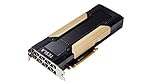
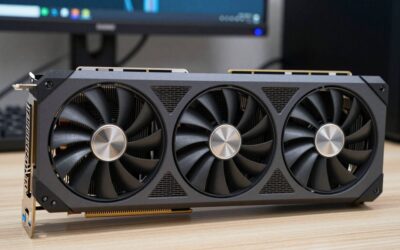
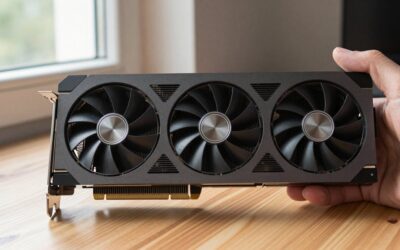
- Top Pick: HPE NVIDIA Tesla V100 32GB HBM2 PCIe 3.0 x16 Passive GPU Computational Accelerator for AI Machine Learning HPC Deep Learning 699-2G500-0216-400 (Renewed)
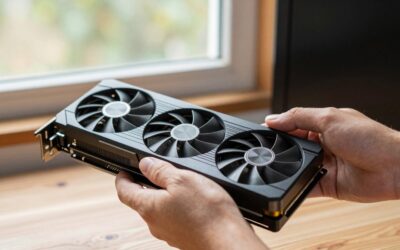
- Best Value: PNY Nvidia Tesla v100 16GB
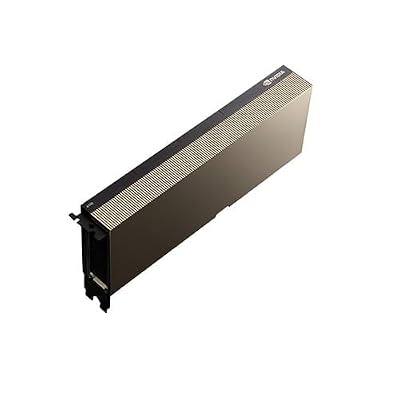
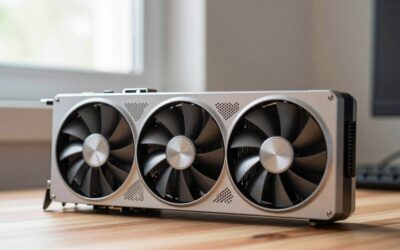
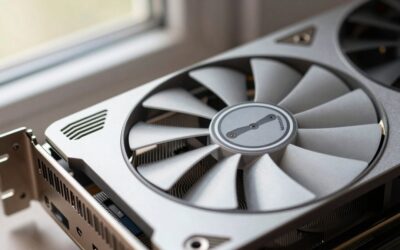
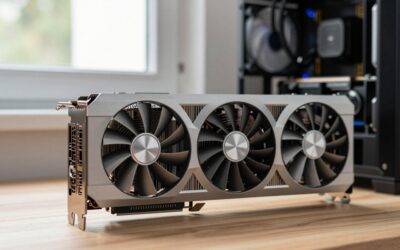
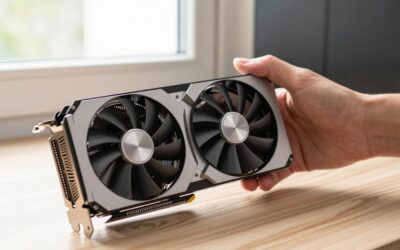
- Premium Choice: NVIDIA Tesla A100 Ampere 40 GB Graphics Processor Accelerator – PCIe 4.0 x16 – Dual Slot
V100 vs A100 is still one of the most searched data-center GPU matchups in 2026, because both cards flood the second-hand and cloud-rental markets at prices that finally look tempting. If you are a researcher renting compute, a startup building a first training rig, or an engineer optimizing cost per experiment, the right choice here can halve your bill. This comparison gives you the quick verdict first, then the spec table and a feature-by-feature breakdown so you can decide with data, not nostalgia.
As an Amazon Associate we earn from qualifying purchases at no extra cost to you.



V100 vs A100: The Quick Verdict
For almost every modern AI workload, the A100 is the better buy – it is faster, holds far more memory, and supports data types and partitioning the V100 simply lacks. The V100 only wins on one axis: absolute upfront price. Below is who should pick which, so impatient readers get an answer immediately.
Who Should Pick the A100
Choose the A100 if you train or fine-tune models above a few billion parameters, need TF32 or structural sparsity, or want to slice one GPU into isolated instances. Its 40 GB or 80 GB of HBM2e removes the memory ceiling that constantly bottlenecks the V100 on today’s models.
The analytical case is straightforward: on tensor-heavy training the A100 delivers several times the effective throughput of a V100, so even at a higher price it often costs less per finished job. For anyone measuring cost per experiment rather than cost per card, that is the number that matters.
There is also a longevity argument. Because the A100 supports the numeric formats and partitioning that modern frameworks assume, it stays useful across more software generations than the V100, stretching the return on a higher purchase price. If this hardware has to earn its keep for three or four years, that durability is part of the value.
Who Should Stick With the V100
The V100 remains a rational pick for smaller models, classical deep-learning coursework, inference on modest networks, and budget rigs where the card price dominates the decision. On the used market it is cheap and abundant, and for a lab that mostly runs experiments fitting inside 16 GB or 32 GB, it delivers real value.
Just go in clear-eyed. You are buying a 2017-era Volta architecture, so you forgo the newer tensor formats and the memory headroom that make large-model work practical. It is a cost play, not a performance play.
Teaching labs and hobby clusters are the clearest fit. If a room full of students each needs a capable GPU for coursework and small projects, buying several inexpensive V100s can deliver more total hands-on capacity per dollar than one expensive modern card, and the older toolchain is often perfectly adequate for the assignments involved.
Comparison Table at a Glance
Here are the core specifications side by side, the numbers most buyers pull into a budget spreadsheet before deciding.
| Specification | Nvidia V100 (SXM2) | Nvidia A100 (SXM4) |
|---|---|---|
| Architecture | Volta (2017) | Ampere (2020) |
| CUDA cores | 5,120 | 6,912 |
| Tensor cores | 640 (1st gen) | 432 (3rd gen) |
| Memory | 16 / 32 GB HBM2 | 40 / 80 GB HBM2e |
| Memory bandwidth | ~900 GB/s | Up to ~2,039 GB/s |
| NVLink bandwidth | 300 GB/s | 600 GB/s |
| MIG partitioning | No | Yes (up to 7) |
| TDP | 300 W | 400 W |
V100 vs A100 Deep Dive: Feature Face-Off
The headline verdict is clear, but the reasons behind it decide whether the A100 premium is worth it for your specific workload. This section compares the two cards on the axes that actually move training and inference numbers.
Architecture and Tensor Cores
The V100 introduced the world to tensor cores, but its first-generation units support only FP16 accumulation. The A100’s third-generation tensor cores add TF32, BF16, and structural sparsity, which together can multiply effective throughput on transformer workloads without code changes.
That generational gap is why raw CUDA-core counts mislead here. The A100 has more general compute, but the real separation comes from smarter tensor cores and new numeric formats built for the deep-learning era that arrived after Volta shipped.
If you write custom kernels, the V100’s simpler tensor cores can be easier to reason about, but for the vast majority of users running standard frameworks, the A100’s automatic use of TF32 and structural sparsity is free performance you gain without touching your code. That “no code change” speedup is exactly why upgrade-minded teams favor Ampere.
Memory Capacity and Bandwidth
Memory is the most practical dividing line. A 32 GB V100 constantly forces gradient checkpointing, smaller batches, or model sharding on modern networks, while an 80 GB A100 lets the same model train in one clean pass. More capacity plus more than double the bandwidth compounds into a large real-world speedup.
For inference, the A100’s memory also lets you serve bigger models or batch more requests per card, improving throughput per dollar. If your models are small and static, though, this advantage goes partly unused – a genuine point in the V100’s favor for narrow use cases.
Bandwidth also shapes how well each card scales inside a multi-GPU node. The A100’s faster NVLink at 600 GB/s versus 300 GB/s means less time lost to cross-GPU communication during distributed training, which compounds the memory advantage when you move from one card to eight and keeps larger jobs from becoming interconnect-bound.
Performance per Watt and Real Workloads
On paper the A100 draws more power, at 400 W versus 300 W, but it finishes tensor-heavy jobs so much faster that its energy per completed task is usually lower. For a rig running around the clock, that efficiency shows up directly on the electricity bill.
The experimental angle is MIG. The A100 can be partitioned into up to seven isolated instances, so a single card can serve multiple small jobs or users at once – a flexibility the V100 cannot match and a genuinely useful feature for shared research clusters.
For cloud renters, this efficiency translates directly into hourly cost. An A100 instance often costs more per hour but completes the same job in far less wall-clock time, so the total rental bill for a training run can end up lower than the cheaper-looking V100 instance. Always compare cost to finish the job, not cost per hour.
Value, Alternatives, Pros and Cons
Neither card is new, so the smart question is not just “which is better” but “which delivers the best value at today’s prices, and is there a third option that beats both?” Here is the honest financial and practical picture.
The Alternative: When to Skip Both for an L40S or A40
If your priority is inference or mixed graphics-plus-compute work rather than large-scale training, a newer card such as the L40S or A40 can outclass both the V100 and A100 on efficiency and modern feature support. They bring newer architectures, large memory, and better power efficiency, often at competitive used prices.
Consider this route when you want current driver support and longevity rather than the lowest possible sticker price. For pure training budgets, though, the A100 usually remains the value leader.
Weigh driver lifespan too. Older cards eventually drop out of the newest software support windows, and a slightly newer alternative buys you more years before that cliff. If you expect to keep the hardware running through several framework upgrades, that extra runway can matter more than a small price difference today.
V100 vs A100 Pros and Cons
The trade-offs that recur across buyer feedback, distilled.
A100 pros: huge memory (up to 80 GB); modern tensor cores with TF32 and sparsity; MIG partitioning; strong performance per completed job. A100 cons: higher upfront price; higher TDP; overkill for small models.
V100 pros: very cheap on the used market; abundant supply; solid for small models and learning. V100 cons: limited memory; no modern numeric formats; older driver roadmap; poor fit for today’s large models.
The consistent thread across user feedback is telling: A100 complaints are almost always about price, while V100 complaints are about hitting a wall on memory or features. Decide which kind of regret you would rather avoid, because that single question usually settles the decision faster than any spec sheet.
Pricing and Availability in 2026
Both cards are now firmly in the second-hand and refurbished channel, where prices are the most attractive they have ever been. That abundance is exactly why this matchup keeps trending – buyers can finally afford data-center silicon.
Availability is strong for both, but condition and warranty vary widely by seller, so buy from reputable listings with clear return terms. A slightly higher price from a trusted source is cheaper than a dead card with no recourse.
One buying tip that recurs in feedback: match the SXM or PCIe form factor to the server you already own, because a great price on the wrong form factor is no bargain. Confirm socket, cooling, and power compatibility before you check out, and verify the memory capacity in the listing rather than trusting the model name alone.
See More:
Final Verdict and Recommendation on V100 vs A100
The V100 vs A100 decision comes down to one question: are you optimizing for the lowest card price, or the lowest cost per finished job? Buy the A100 if you train or fine-tune modern models, need large memory and MIG, and measure value by throughput – it is the better machine and usually the better deal over a project’s life. Buy the V100 only if your models are small, your budget is tight, and the upfront number is the constraint that rules everything.
Whichever way you lean, prices on both cards are unusually buyer-friendly right now. Compare current listings, memory configurations, and seller ratings through the link below, and lock in the option that fits your workload before availability shifts.
Top-Rated Picks


Best Seller
NVIDIA Tesla A100 Ampere 40 GB Graphics Processor Accelerator – PCIe 4.0 x16 – Dual Slot

| Product | Brand | Rating | Reviews | Price |
|---|---|---|---|---|
| ARCTIC MX-4 (4 g) – Premium Performance Thermal Paste… | ARCTIC | ★ 4.8 | 104k | $4.99 |
| ARCTIC MX-4 (incl. Spatula, 4 g) – Premium Performanc… | ARCTIC | ★ 4.8 | 71.9k | under $10 |
| Crucial 8GB DDR4 RAM 3200MHz (PC4-25600), Downclockab… | Crucial | ★ 4.8 | 62.8k | under $80 |
| AMD Ryzen 5 5600X 6-core, 12-thread unlocked desktop … | — | ★ 4.8 | 30.2k | under $200 |
| NVIDIA Shield Remote; Voice Search, Motion-Activated,… | — | ★ 4.7 | 10.6k | under $30 |
Frequently Asked Questions
Is the V100 still usable for modern AI frameworks?
It runs, but with growing friction. The Volta architecture lacks BF16, TF32 and structured sparsity support, so many recent training recipes fall back to slower FP32 or FP16 paths that need careful loss scaling. Newer libraries increasingly require compute capability 8.0 or higher, meaning some optimised kernels such as modern FlashAttention builds simply will not compile for it.
How big is the raw performance gap?
The A100 delivers roughly two to three times the V100’s tensor throughput at FP16, and considerably more when TF32 or sparsity is exploited. Memory bandwidth rises from about 900 GB/s on the V100 to around 1.6-2 TB/s on the A100, which matters most for large batch training and any memory-bound inference workload.
Does the memory difference matter in practice?
Substantially. V100 cards ship with 16GB or 32GB of HBM2 while the A100 offers 40GB or 80GB, letting you train larger batches and longer sequences without gradient checkpointing or model sharding. The extra headroom often produces bigger real-world speedups than the raw compute figures suggest.
What about power draw and cooling?
SXM2 V100 modules draw around 300W and PCIe versions 250W, while SXM4 A100s reach 400-500W and PCIe A100s sit near 250-300W. Per unit of work delivered, the A100 is dramatically more efficient, so a rack of V100s costs far more in electricity for the same output over a multi-year deployment.
Is a cheap used V100 a good buy in 2026?
Only for learning CUDA, running classic vision models, or occasional batch jobs where speed is unimportant. Given how far used A100 40GB pricing has fallen and how many new kernels skip Volta support, the small saving rarely justifies the software headaches and the higher energy cost per result.
Ready to decide? Our #1 pick for 2026 is the Architecture.
Live price & availability on Amazon.

Write Your Review
No reviews yet. Be the first to share your experience!