
- Top Pick: reComputer J3011 – Edge AI Computer with NVIDIA Jetson Orin Nano 8GB (Support Super Mode
- Best Value: reComputer Robotics – Intelligent Edge AI Computer with NVIDIA Jetson Orin Nano Super (J3011 Orin Nano, 8GB)
- Premium Choice: seeed studio NVIDIA Jetson Orin Nano 4GB Edge AI Device (Support Super Mode – reComputer J3010B, 4xUSB 3.2, M.2 Key E & Key M Slot, pre-Built Jetpack 5.1.1(Super with JP6.2)
NVIDIA Studio Drivers are the quiet difference between a workstation that crashes halfway through a four-hour render and one that just works, day after day. If your GeForce or RTX card spends its time in Premiere, DaVinci Resolve, Blender, or a 3D suite rather than in games, the driver you run matters more than most creators realize. This review explains what Studio Drivers actually do, how they differ from Game Ready Drivers, which applications benefit, and, because a capable workstation is more than a driver, how today’s component pricing should shape the hardware you build around them.
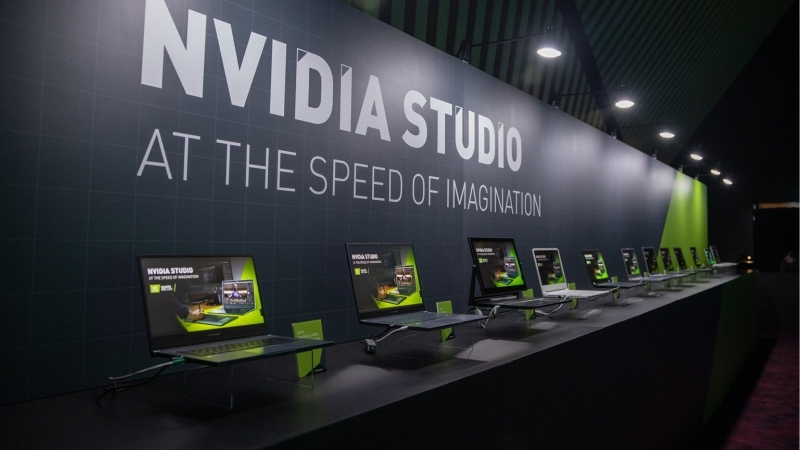
What NVIDIA Studio Drivers Are and Who Needs Them
Studio Drivers are a separate driver branch from NVIDIA, tuned and certified specifically for creative and professional applications rather than the latest games. Their priority is stability and reliability over day-one game optimization, which is exactly the trade a working creator wants. Both driver branches use the same hardware; the difference is what they are validated and optimized for. Understanding that distinction is the first step to choosing correctly, so here is what Studio Drivers are and who genuinely benefits from them.
As an Amazon Associate we earn from qualifying purchases at no extra cost to you.


Studio vs Game Ready Drivers
Game Ready Drivers are optimized and released rapidly to match new game launches, prioritizing performance and features on release day. They update frequently and are the right choice for gamers who want the newest titles running their best immediately.
Studio Drivers update less often and undergo extended testing against major creative applications, prioritizing rock-solid stability across long, demanding workloads. They are the same underlying driver family but validated for a different goal: not crashing during a render, not a few extra frames in a new game.
The core distinction is cadence and focus. Game Ready chases the newest games fast; Studio moves deliberately and certifies against professional software. Neither is better in the abstract; the right one depends entirely on what you do with the card.
Which Creative Apps Benefit
Studio Drivers are validated against the software creators actually use: Adobe Premiere Pro, Photoshop, and After Effects, DaVinci Resolve, Blender, Autodesk applications, and other 3D and video tools. In these, the drivers are tested to ensure GPU acceleration works reliably without crashes or visual glitches.
The benefit is most pronounced in workloads that hammer the GPU for long stretches, video exports, complex renders, GPU-accelerated effects, where an unstable driver can waste hours of work. Certification against these apps is the whole point.
If your work lives in these programs, Studio Drivers reduce the risk of the mid-project crash that every creator dreads, which is worth far more than the marginal game performance you give up.
How to Switch to Studio Drivers
Switching is straightforward. In the NVIDIA App, under the driver section, you can choose the Studio Driver branch instead of Game Ready when selecting which driver to install. The app then keeps you on that branch for future updates.
You do not need different hardware; any GeForce or RTX card can run either branch. A clean install when switching is wise, so old driver settings do not carry over and cause conflicts.
You can switch back to Game Ready anytime if your needs change, though most creators pick one branch and stay on it for consistency, which is the sensible approach for a stable workflow.
Studio Drivers in Real Creative Workflows
The value of Studio Drivers shows up not in benchmarks but in reliability across the long, punishing tasks that define creative work, and in the hardware they run on. A stable driver on an underpowered or under-provisioned workstation still bottlenecks. This section covers the real-world stability payoff and, crucially, how to build the machine around the driver in a market where component prices have been anything but predictable. Here is what matters in practice.
Stability and Reliability for Long Renders
The defining benefit of Studio Drivers is stability under sustained load. A render or export that runs for hours pushes the GPU continuously, and a driver not validated for that can crash, corrupt output, or produce visual errors, losing work and time. Studio Drivers are tested precisely to avoid that.
For professionals, that reliability is the entire value proposition. A gamer can shrug off a rare driver hiccup; a creator who loses a four-hour render or has a client deliverable corrupt cannot. The extended certification is insurance against exactly those failures.
This is why the marginal game performance Studio Drivers trade away is irrelevant to the target user. Consistency across demanding, time-sensitive work is worth far more than a benchmark number to someone whose livelihood depends on the machine finishing the job.
Building the Right Workstation: GPU, VRAM, and RAM in Today’s Market
A driver is only as good as the hardware beneath it, and for creative work that means plenty of VRAM and system memory, both of which sit at the center of a pricing story every creator building a workstation right now needs to understand. Component prices have been trending upward, and while the steepest increases of late 2025 have eased, the market has stabilized rather than fallen. If you have been waiting for prices to drop before building or upgrading a workstation, the honest picture is that meaningful relief is not close.
Memory is the sharpest example, and it matters directly to creators because video editing, 3D rendering, and compositing are memory-hungry, both in system RAM and GPU VRAM. Prices rose steeply, and although new supply is coming, DDR5 sourcing from manufacturers like CXMT and Micron’s two new plants under construction in Idaho, those facilities are not expected to be running until 2027 to 2028. Added capacity is real, but it is years away, not months.
There are genuinely positive signs, they are simply modest and further out than buyers would like. Prices have stopped climbing at the pace they did through late 2025, and some manufacturers have reported a stretch of relative stability while cautioning that further swings remain possible. For a creator, the practical conclusion is clear: if your workflow needs more RAM or a higher-VRAM card, buying when you need it is more sensible than holding out for a price collapse that is structurally delayed until new fabrication capacity comes online. Waiting costs you productivity now in exchange for savings that may not materialize for years.
The takeaway for building around Studio Drivers is to size memory generously for your work, since it is the component most likely to bottleneck creative applications and the one least likely to get cheaper soon. Prioritize sufficient system RAM and a card with enough VRAM for your project sizes, and treat the current market as a reason to buy deliberately rather than to postpone indefinitely.
Pros and Cons Users Report
Since Studio Drivers are free and simply an alternative branch, the honest question is whether the stability trade fits your work. Weighing what creators praise against what they note gives a clear picture.
What users like: markedly better stability across long renders and exports, certification against the major creative apps they rely on, fewer mid-project crashes, and confidence that GPU acceleration will behave. Professionals consistently credit them for reliability that Game Ready did not always provide.
What users note: less frequent updates mean newer game optimizations arrive later, and there is no benefit for pure gaming, so a creator who also games heavily may feel torn. For a dedicated workstation, though, these are non-issues rather than real drawbacks.
Getting the Most from Studio Drivers
Choosing Studio Drivers is the easy part; getting the full benefit means matching the driver to how you actually work and building a machine that lets the GPU perform. This final section covers aligning your driver choice with your workflow, the hardware that maximizes creative performance alongside the driver, and the bottom line on whether Studio Drivers are the right call for you.
Matching Driver Choice to Your Work
If your card is primarily a work tool, choose Studio Drivers and stay on the branch for consistency. The stability is worth far more than the occasional day-one game gain you forgo, and a predictable driver is a foundation you stop having to think about.
If you split time evenly between demanding creative work and playing the newest games at launch, the decision is closer, and some users switch branches based on their current priority. But for anyone whose income or serious projects depend on the machine, stability wins.
The simplest rule: work-first machines run Studio, play-first machines run Game Ready, and the rare true hybrid picks whichever matches this month’s heaviest use.
One habit smooths the hybrid case: when you do switch branches, run a clean install and reboot before starting serious work, so no leftover settings from the other branch linger. It takes a few minutes and prevents the confusing situation where an app misbehaves simply because two driver profiles collided. For a pure workstation you set this once and forget it, which is exactly the low-maintenance stability Studio Drivers are meant to provide.
Hardware That Maximizes Creative Performance
Studio Drivers deliver their best on hardware suited to creative work: a card with ample VRAM for large projects, generous system memory, and fast storage for scratch files and media. The driver ensures stability, but the components determine how fast the work actually goes.
For rendering and video, VRAM and RAM capacity are the usual bottlenecks, and a strong RTX card with a capable encoder accelerates exports dramatically. Pairing Studio Drivers with well-chosen hardware is what turns a stable system into a fast, stable one.
If you are building or upgrading a creative workstation, compare current prices and specs on high-VRAM RTX graphics cards, system memory, and fast storage through the links on this page to build around your drivers wisely.
See More:
- NVIDIA Broadcast vs OBS
- RTX HDR settings
- NVIDIA App download
- NVIDIA RTX Video Super Resolution
- GeForce Experience alternative
Final Verdict
Studio Drivers are the right choice for any creator whose GeForce or RTX card is a working tool, because the stability they provide across long, demanding renders is worth immeasurably more than the marginal game performance they trade away. For a dedicated workstation, it is close to a no-brainer.
Switch to the Studio branch, keep it for consistency, and build your machine with generous memory in a market where that memory is not getting cheaper soon. Do that, and you have a reliable foundation for the work that pays the bills.
In the end, NVIDIA Studio Drivers are the professional’s choice for stability in creative applications, trading fast game-day updates for the reliability that keeps long renders and exports from failing. Choose the Studio branch if your card earns its keep in creative software, and build around it with the VRAM and RAM your work demands, buying deliberately in a market where prices have stabilized but not fallen. Compare the recommended RTX workstation cards, memory, and storage through the links here to assemble a system as dependable as your drivers.
Top-Rated Picks


| Product | Brand | Rating | Reviews | Price |
|---|---|---|---|---|
| ARCTIC MX-4 (4 g) – Premium Performance Thermal Paste… | ARCTIC | ★ 4.8 | 104k | $4.99 |
| ARCTIC MX-4 (incl. Spatula, 4 g) – Premium Performanc… | ARCTIC | ★ 4.8 | 71.9k | $5.49 |
| Crucial 8GB DDR4 RAM 3200MHz (PC4-25600), Downclockab… | Crucial | ★ 4.8 | 62.8k | $74.99 |
| AMD Ryzen 5 5600X 6-core, 12-thread unlocked desktop … | — | ★ 4.8 | 30.2k | $177.60 |
| NVIDIA Shield Remote; Voice Search, Motion-Activated,… | — | ★ 4.7 | 10.6k | $25.99 |
Frequently Asked Questions
Do Studio drivers make creative apps faster?
They rarely raise raw render speed, because that comes from CUDA, OptiX and NVENC performance shared by both branches. What they deliver is stability: fewer crashes, correct colour output, and validated behaviour in applications like Resolve, After Effects and Blender across long renders where an unstable driver costs hours of work.
Which GPUs support them?
Any modern GeForce RTX or GTX 16-series card, plus RTX professional cards, can install Studio drivers. The Studio branding on laptops additionally implies validated colour-accurate panels and preinstalled creative software, but the driver itself is not restricted to those machines.
How often are they released?
Roughly monthly, versus near-weekly Game Ready releases tied to game launches. Each Studio release typically corresponds to a Game Ready build that has had extra validation time, which is exactly why professionals favour it when a stable pipeline matters more than day-one game support.
Do I still get NVENC and AV1 encoding?
Yes. Encoder support is a hardware capability exposed by both branches, so dual NVENC on RTX 40 and 50 cards and AV1 encoding work identically. Editors exporting long timelines gain far more from having a card with two encoders than from the choice of driver branch.
Can I use Studio drivers if I also game?
Absolutely, and many creators do. The only real trade-off arrives with brand-new game launches, where optimisation and bug fixes reach Game Ready first. If a new title runs badly, you can install the current Game Ready driver temporarily and return to Studio afterwards.











Write Your Review
No reviews yet. Be the first to share your experience!