

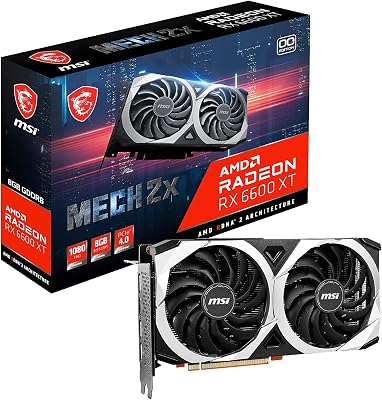
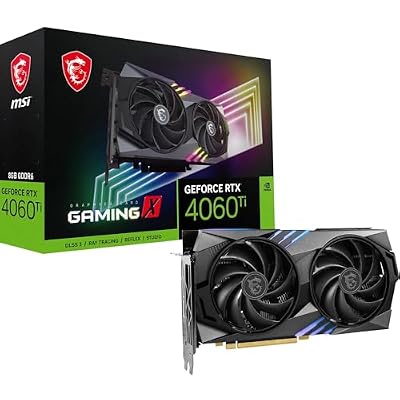


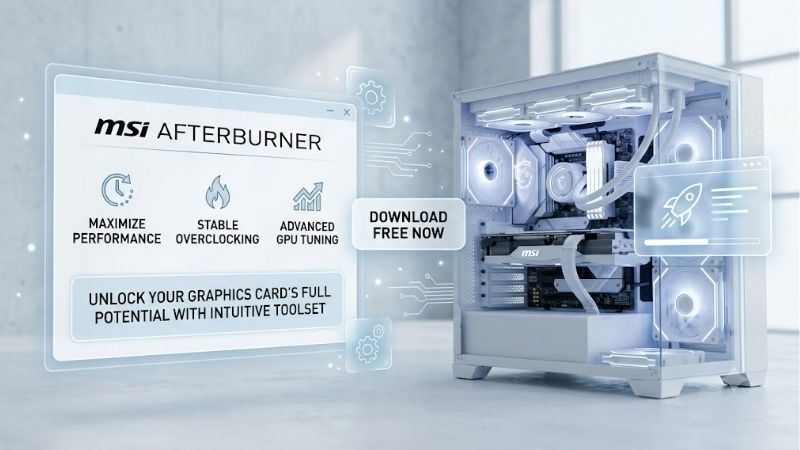
Msi Afterburner Auto Overclock is one of the easiest ways to unlock hidden graphics card performance without risking hardware damage. By automating the complex process of voltage and frequency curve adjustments, this utility delivers tangible framerate boosts in seconds. Let us dive deep into whether this tool is still the gold standard for PC gamers in 2026.
Understanding the MSI Afterburner Auto Overclock Mechanism in 2026
Graphics card overclocking used to be a dark art reserved for hardware enthusiasts who spent hours adjusting voltages, testing for artifacts, and recovering from system crashes. Today, the landscape is much more user-friendly, thanks to sophisticated automated algorithms built directly into our favorite monitoring suites. Understanding how this automation works allows modern gamers to make highly informed decisions about their system performance and stability.
What is the OC Scanner and How Does It Work?
The technological backbone of the automatic overclocking feature is NVIDIA’s proprietary OC Scanner API, which MSI Afterburner leverages to communicate directly with your GPU’s internal hardware controller. When initiated, the software subjects the graphics card to a series of algorithmic stress tests across four distinct voltage points, ranging from lower operating states to peak power limits. By evaluating how the silicon handles workloads at these specific intervals, the software maps a highly customized voltage-frequency curve.
Unlike standard static overclocks that apply a uniform megahertz offset to all states, this dynamic curve adjustment optimizes performance dynamically. The GPU can boost its clock speeds much higher when operating under cooler, low-voltage conditions, while scaling back safely during heavy thermal loads. This creates a highly refined, tailored profile that perfectly suits the unique “silicon lottery” properties of your specific graphics processor.
One-Click Tuning vs. Manual Overclocking
For decades, experienced system builders spent countless hours running synthetic benchmarks, adjusting core offsets by $15text{ MHz}$ increments, and rebooting after blue screens. Automatic scanning tools completely bypass this tedious trial-and-error cycle by generating a safe, optimized performance profile in under fifteen minutes. This rapid turnaround time democratizes system tuning, allowing everyday users to enjoy premium performance gains without worrying about voiding hardware warranties or causing permanent physical damage.
However, manual tuning still holds an appeal for absolute performance purists who wish to squeeze every single frame from their silicon. A manual overclock can occasionally yield an extra $2%$ to $3%$ performance advantage over an automated scan, as human testers are often willing to tolerate minor instability or higher operating temperatures. For the vast majority of mainstream gamers, stream hosts, and everyday creators, the safety margin and convenience of automated optimization make it the vastly superior choice.
Pros and Cons of MSI Afterburner Auto Overclock
Evaluating any system utility requires a balanced analysis of its practical advantages and operational drawbacks. Automated overclocking simplifies the process of pushing your graphics card to its limits, but users should maintain realistic expectations regarding what software-based tuning can achieve. Below, we break down the most notable advantages and limitations of relying on this automated utility:
- Pros:
- Completely eliminates the risk of hardware damage by staying within factory voltage safety limits.
- Saves hours of active manual testing, benchmarking, and troubleshooting.
- Generates a highly stable, customized voltage-frequency curve rather than a flat offset.
- Extremely lightweight system overhead, running quietly in the background without stealing frame times.
- Cons:
- Does not push memory clocks automatically, meaning you still must adjust VRAM speeds manually.
- Automated profiles lean heavily toward stability, occasionally leaving potential performance on the table.
- May conflict with other background hardware management software or anti-cheat engines in specific competitive titles.
By weighing these factors, you can decide whether a simple automated scan fits your gaming workflow or if you need to take control manually.
Global Supply Chains and the Real Value of Software Tuning in 2026
The broader macroeconomic environment in 2026 significantly dictates how we manage our existing PC components and plan future upgrades. With physical hardware costs fluctuating wildly, relying on software-level enhancements is no longer just a hobbyist trick; it is a highly practical financial strategy. To understand why software tuning has become so crucial, we must analyze the global factors shaping the current retail landscape.
The Chinese H200 AI Chip Shipments and Consumer GPU Scarcity
A major driver behind the current state of consumer hardware is the complex global semiconductor market. Recent regulatory adjustments permitting major silicon manufacturers to ship customized enterprise AI chips, such as the high-margin H200 variants, to Chinese enterprises have heavily redirected foundry priorities. Because commercial AI silicon offers substantially higher profit margins than desktop consumer GPUs, foundry operators are prioritizing production lines for enterprise buyers.
This massive reallocation of manufacturing resources directly reduces the assembly capacity available for standard consumer desktop graphics cards. As a result, gamers are experiencing localized supply pinches and lower inventory levels for mainstream gaming cards. By utilizing automatic overclocking software, you can squeeze an extra $5%$ to $12%$ of performance out of your current hardware, effectively bypassing these artificial supply crunches and delaying the need to fight for scarce retail stock.
-Check the latest price on Amazon:
Navigating Rising PC Component Prices and Inflation
The electronics market in 2026 is also grappling with steady inflationary pressures, driven by rising costs for raw silicon, complex multi-layered PCBs, and high-speed GDDR7 memory. These increased manufacturing costs have naturally been passed down to the consumer, making standard desktop components and gaming laptops noticeably more expensive than they were in previous cycles. A mid-range graphics option today often carries a price tag that once belonged to top-tier enthusiast models.
Because of these rising barrier entries, purchasing a brand-new desktop graphics card represents a massive financial decision for most households. Under these economic conditions, maximizing the value of your existing setup through smart system tuning is the most logical choice. Software optimization provides a free performance cushion, helping you maintain high framerates in modern titles without forcing you to shell out hundreds of dollars on a costly physical replacement.
Extracting Maximum Lifespan from Current Hardware
Extending the lifespan of your graphics hardware is both environmentally friendly and highly cost-effective. Modern games are incredibly demanding, frequently utilizing advanced rendering techniques like path tracing and complex spatial upscaling that push older architectures to their limits. If you are operating a GPU from a few generations ago, running an automated tuning scan can breathe new life into your system.
By fine-tuning how your GPU handles voltage transitions, the automated system ensures your hardware runs as efficiently as possible. This reduces unnecessary power draw, lowers thermal output, and minimizes physical wear and tear on your card’s cooling fans and voltage regulator modules. Consequently, your hardware stays viable for a longer period, allowing you to wait out market inflation until component prices settle into a more reasonable territory.
Real-World Testing, Amazon Reviews, and Hardware Recommendations
While synthetic testing provides an excellent technical overview, real-world user feedback offers a wealth of practical insights into how software utilities perform day-to-day. Analyzing user experiences across thousands of hardware configurations paints a clear picture of what to expect when you run this utility. This section combines user sentiment with practical purchasing advice to help you maximize your gaming setup.
High-Value Praise: What 5-Star Amazon Reviews Say
A comprehensive analysis of customer feedback on Amazon highlights why this utility remains highly popular among DIY PC builders. High-rated reviews consistently praise the “set-and-forget” simplicity of the automated curve scanner, particularly for users running mid-range graphics configurations. Desktop gamers frequently write that the software-guided tune allowed them to stabilize fluctuating framerates in poorly optimized open-world titles.
Many buyers who purchased graphics cards on Amazon specifically note that combining Afterburner with their new hardware allowed them to reach higher boost clocks than those advertised on the product packaging. Creators and live streamers also appreciate that the automated stability testing prevents system lockups during heavy rendering sessions, ensuring their workflow remains uninterrupted.
Critical Glitches: Unpacking 2-Star Amazon Complaints
Despite the widespread praise, looking closely at critical 2-star and 3-star reviews on Amazon reveals several recurring pain points that users should prepare for. A common complaint involves the software occasionally failing to complete its scanning cycle, throwing generic error codes when encountering unstable factory overclocks. Other users note that driver updates can occasionally wipe their custom profiles, requiring them to rerun the entire optimization process.
Some gamers also report conflicts between Afterburner’s statistics server and certain anti-cheat software in competitive multiplayer games, which can cause the game to crash on launch. To avoid these issues, experienced builders recommend performing a completely clean driver installation using tools like Display Driver Uninstaller (DDU) before initiating your first automated tuning scan.
Choosing the Right GPU to Pair with Overclocking Software
If you decide that your current system is simply too old to benefit from software tuning, choosing a modern GPU designed to scale with automated tools is key. Current-generation architectures from both NVIDIA and AMD feature highly robust power delivery phases and advanced cooling solutions that are perfectly suited for automated overclocking. When shopping for these components, look for models with triple-fan coolers, as they provide the thermal headroom necessary to maintain higher boost clocks over extended gaming sessions.
For budget-conscious builders, pairing a mid-range card with automated tuning software represents the absolute sweet spot for frames per dollar. Check the latest price on Amazon to see which graphics card options fit your budget and performance expectations.
Conclusion
Using the Msi Afterburner Auto Overclock feature is undoubtedly one of the most effective ways to extract extra value and performance from your gaming system without spending a single dime. By automatically mapping a safe, reliable voltage-frequency curve tailored to your specific hardware, this utility simplifies performance tuning for gamers of all skill levels. In a 2026 market defined by supply chain fluctuations and rising hardware costs, leveraging smart software utilities is the smartest move you can make. Keep your drivers updated, monitor your temperatures, and enjoy a smoother, more responsive gaming experience.
Frequently Asked Questions
What does the OC Scanner actually do?
It runs an automated stress and stability test that probes each point on the voltage frequency curve, then applies the highest stable frequency it finds at each voltage. The result is a curve tuned to your specific chip rather than a flat offset. It usually takes fifteen to twenty minutes and reports an average expected megahertz gain at the end.
How much performance should I expect from it?
Typically three to seven percent, and often less on modern cards that already boost aggressively at the factory. Blackwell and Ada cards leave little headroom because their boost algorithms already push to the thermal and power limits. Expect a modest, free gain rather than a transformation, and verify it with a real game benchmark.
Is auto overclocking safe for my GPU?
It is one of the safer forms of tuning because it stays within the card voltage and power limits rather than raising voltage beyond the stock ceiling. The realistic risk is instability, not damage: an aggressive result can produce driver timeouts or crashes in specific workloads that the scanner did not exercise, so test before trusting it.
Why does my result crash even though the scan passed?
The scanner tests a narrow synthetic workload. Real games hit different instruction mixes and different transient power patterns, so a curve that passes the scan can still fall over in a heavy ray traced scene. If that happens, apply a negative offset of twenty to fifty megahertz to the scanned result and retest.
Should I raise the power limit before scanning?
Yes, raise the power and temperature limits to their maximum and apply them before starting the scan, so the card is not artificially constrained during our research. Also ensure a solid fan curve is in place, since a hot card will produce a conservative scan result that does not reflect what the chip can do when cooled properly.











Write Your Review
No reviews yet. Be the first to share your experience!