
Gtx 1060 drivers are still downloaded by the thousands every month, which says everything about this budget legend from 2016. If you own a GTX 1060, you’re likely here because a game stutters, a fresh title just launched, or you simply want to be sure you’re running the best driver for smooth 1080p play. This review gives you exactly that. Built from the patterns in real owner feedback — the loyal 4 and 5-star reviews and the honest 2 and 3-star gripes — it covers which driver version to install, why your VRAM variant matters, how to install cleanly, and how to know when this hard-working Pascal card has finally earned its retirement.


Editor's Pick
ASUS GeForce GTX 1060 6GB Dual-Fan OC Edition VR Ready Dual HDMI DP 1.4 Gaming Graphics Card (DUAL-GTX1060-O6G) (Renewed)

Choosing the Right GTX 1060 Drivers in 2026
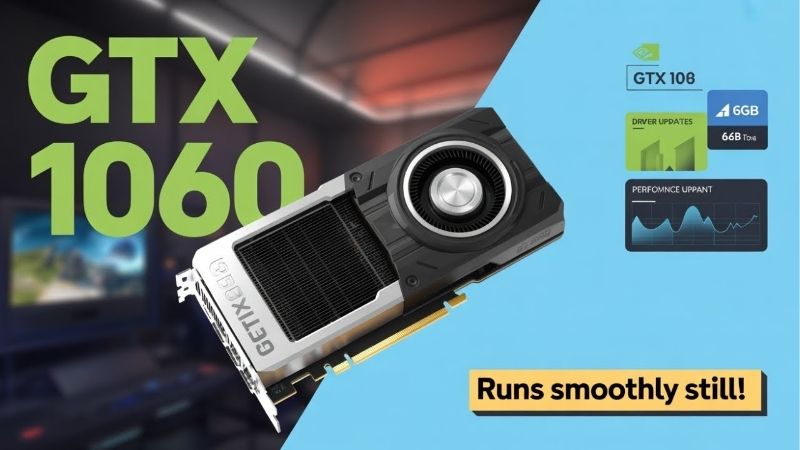
The GTX 1060 is a Pascal card that shipped in two main flavors, a 3GB and a 6GB model, and picking the correct driver and installing it cleanly is the fastest way to stop the stutters people wrongly blame on the aging silicon. It has no ray tracing or DLSS hardware, but with the right driver it remains a perfectly capable 1080p workhorse for esports and older AAA titles.
As an Amazon Associate we earn from qualifying purchases at no extra cost to you.






3GB vs 6GB: Why Your VRAM Version Matters
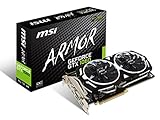
The 1060 came in 3GB and 6GB versions, and while they use the same driver package, the amount of video memory shapes your real-world experience far more than the driver ever could. The 6GB card handles modern textures noticeably better, while the 3GB model hits memory limits sooner in newer games.
Knowing which one you own matters for setting expectations. If your card stutters in a recent title, a 3GB buffer may simply be full, and no driver update can add memory that isn’t there.
Check your variant in the Nvidia Control Panel or a system-info tool before you troubleshoot. It tells you whether a problem is a driver issue you can fix or a hardware ceiling you need to work around with settings. This one detail explains why two people with a “1060” can have completely different experiences in the same game, and why blanket advice online can be misleading if it ignores which version you actually own.
Game Ready vs Studio for the 1060
Nvidia still offers both Game Ready and Studio drivers for the 1060. Game Ready updates arrive frequently with day-one game support, making them the natural pick for anyone using the card to play.
Studio drivers update less often and prioritize stability in creative apps, which suits the small group of owners doing light editing or 3D work on the card. They trade fresh optimizations for fewer surprises.
For the vast majority of 1060 owners, Game Ready is the right choice, and you can switch to Studio with a clean install if your needs ever change. Match the branch to how you actually use the card rather than defaulting blindly.
Downloading Safely and Checking Your Version
Always pull your 1060 driver from Nvidia’s official source or through the Nvidia App, never from third-party driver-pack sites that bundle unwanted extras. The official route guarantees a clean, signed package every time.
Before installing, note your current driver version so you have a reference point if something goes wrong. On Windows, the Nvidia Control Panel lists the number under System Information in seconds.
This small habit is the backbone of easy troubleshooting. Owners who record their version can roll back to a known-good driver in minutes instead of guessing which release caused a problem. Over the life of a long-serving card like the 1060, that simple note can save you from repeating the same trial-and-error every time a new driver misbehaves.
What GTX 1060 Owners Say About Their Drivers
To judge the current state of gtx 1060 drivers honestly, it helps to weigh the enthusiastic long-term reviews against the frustrated ones. For a card approaching a decade old, the feedback is remarkably positive, with the complaints pointing at age-related limits rather than the drivers themselves.
The 4-5 Star Reviews: The Budget Legend Lives On
Loyal owners celebrate the 1060’s staying power. With current drivers, many still enjoy smooth 1080p gaming in esports titles and well-optimized AAA games, and they credit Nvidia’s long driver support for keeping the card viable year after year.
The value angle comes up constantly. Owners love that a card they bought years ago keeps running modern games at all, treating every additional year of driver support as a bonus that stretches their original investment further.
For these users, the takeaway is simple: a clean, current driver plus sensible settings keeps a healthy 1060 genuinely useful, which is why it remained one of the most popular gaming GPUs in the world for so long. It sat at the top of community hardware surveys for years, and that huge install base means driver optimizations and community fixes for the card are still easy to find whenever you need them.
The 2-3 Star Complaints: Age and VRAM Limits
The critical reviews cluster around the card’s age. The most common complaint is that the newest, most demanding games run poorly regardless of driver, which is an expectation issue more than a driver flaw.
The 3GB variant draws extra frustration, as its limited memory causes stutter in modern titles that the 6GB model handles better. Again, this is a hardware ceiling that no driver update can lift.
The occasional post-update crash also appears, and as with any GPU, it usually traces back to updating over an old driver rather than doing a clean install. That specific problem is preventable, which is genuinely good news.
Pros and Cons of Sticking With the GTX 1060
Here’s an honest, balanced view of what running gtx 1060 drivers delivers on this budget veteran in 2026.
| Pros | Cons |
|---|---|
| Still smooth for 1080p esports and older AAA games | No DLSS or ray tracing (Pascal limitation) |
| Mature, stable drivers after years of tuning | 3GB variant struggles with modern textures |
| Zero upgrade cost if it still meets your needs | Driver support is trending toward legacy cadence |
| Low power draw and easy to run | Falls behind badly in the newest demanding titles |
The verdict is realistic: the 1060 remains a genuinely usable 1080p card for lighter and older games when its drivers are current, but it can’t keep pace with the most demanding modern releases. Whether that’s acceptable depends entirely on what you play.
Optimizing and Maintaining Your GTX 1060
Even a card this mature has a little more to give, and a clean install plus smart settings is usually all it takes to unlock it. Keeping your gtx 1060 drivers current and your hardware healthy is the recipe for smooth, dependable 1080p performance.
Doing a Clean Install for Stability
A clean install removes every trace of the previous driver before adding the new one, and on a card that has carried years of updates, that fresh start eliminates the leftover conflicts behind most crashes and stutters.
The reliable method is to run Display Driver Uninstaller in Safe Mode, then install your freshly downloaded package. The Nvidia installer’s own “clean installation” checkbox is a lighter option that solves many issues without the full routine.
Owners who clean-install after a rough update overwhelmingly report their problems disappear. It’s the cheapest fix in troubleshooting, costing nothing but a few minutes of your time. Because the 1060 has likely been carried through several Windows versions and dozens of driver revisions, it’s exactly the kind of card that accumulates the leftover files a clean install is designed to sweep away.
Settings and Tuning for Smooth 1080p
At 1080p, the winning approach on a 1060 is to target high rather than ultra settings and to prioritize a stable frame rate over maximum eye candy. Shadows, volumetric effects, and ultra textures are the first things to dial back.
On the 3GB card especially, keeping textures at medium or high frees enough memory to eliminate stutter with little visible difference. It’s the single most effective tweak for that variant.
A modest overclock and a good fan curve can also recover a bit of performance, and because the 1060 is so well documented, safe community settings are easy to find and apply in minutes. Combined with a current driver, these tweaks can be the difference between a game that stutters and one that holds a steady, playable frame rate at 1080p.
See More:
- AMD graphics driver download
- Is Nvidia American
- Nvidia 1080 Ti drivers
- Radeon graphics driver update
- Nvidia RTX 3060 drivers
Knowing When to Upgrade From the 1060
There’s a point where no driver can close the gap. If the games you want to play stutter even at low settings, or you keep hitting the 3GB memory wall, the card is telling you it’s time to move on.
A modern upgrade also unlocks features the 1060 simply lacks, like DLSS upscaling that can dramatically boost frame rates in supported games. That AI-driven headroom is something Pascal can never provide, no matter how current its drivers are. Even a modest current-generation card typically delivers a large jump over the 1060 while adding ray tracing and upscaling, so an upgrade tends to feel transformative rather than incremental.
If you’re leaning that way, you can compare current budget and mid-range GPUs through the links on this page to find a card that fits your resolution and budget without overspending.
Ultimately, gtx 1060 drivers continue to do an impressive job of keeping this budget legend relevant nearly a decade after launch, and a clean install plus basic maintenance fixes the vast majority of issues owners report. Keep your driver current, tune your settings for smooth 1080p, and be honest about when the card can no longer keep up. When that day arrives, explore the recommended graphics cards linked here to step up to modern performance and features on your own terms.
Frequently Asked Questions
Does the GTX 1060 still get new drivers?
Pascal has moved to legacy support, meaning no new Game Ready feature drivers after the final supported branch, with security updates continuing for a limited window. The card keeps working with its installed driver, but you should not expect optimisation for newly released games going forward.
Which driver version is best for a GTX 1060?
Install the latest release that still lists the GeForce 10 Series on the Nvidia download page. If a particular game becomes unstable, roll back to the previous branch through the driver archive. There is no benefit to chasing versions that have already dropped Pascal support.
Does the 3GB model behave differently from the 6GB?
Yes, and not only in memory. The 3GB card has fewer CUDA cores as well as less VRAM, so it is meaningfully slower, not merely more memory constrained. Modern titles at 1080p frequently exceed 3GB even at medium settings, which causes stutter that the 6GB card avoids.
Can a GTX 1060 use DLSS or frame generation?
No. Both require hardware the Pascal architecture lacks, namely Tensor cores for DLSS and optical flow acceleration for frame generation. FSR and XeSS in their generic compute paths do work and are the practical way to recover frame rate on this card in supported games.
How do I fix crashes or driver installation failures?
Run Display Driver Uninstaller in Safe Mode, then install the driver with the clean installation option. Check that the 6-pin power connector is properly seated on models that use one, and confirm the card is not thermally throttling, since dust-clogged coolers on eight-year-old cards are a very common cause.











Write Your Review
No reviews yet. Be the first to share your experience!