
- Top Pick: GIGABYTE GeForce RTX 5070 Gaming OC 12G Graphics Card, 12GB 192-bit GDDR7, PCIe 5.0, WINDFORCE Cooling System, GV-N5070GAMING OC-12GD Video Card
- Best Value: XFX Swift AMD Radeon RX 9070XT Triple Fan Gaming Edition with 16GB GDDR6 HDMI 3xDP, AMD RDNA 4 RX-97TSWF3BA
- Premium Choice: msi Gaming RTX 5080 16G Ventus 3X OC Black Graphics Card (16GB GDDR7, 256-bit, Extreme Clock 2640 MHz, DisplayPort x 3 2.1a, HDMI 2.1b, NVIDIA Blackwell Architecture)
Best GPU for Battlefield 6 is the search every player runs before jumping into this large-scale, effects-heavy shooter, because the graphics card decides whether your matches feel smooth or stuttery when the action peaks. The right pick depends on your monitor and budget, not a single “best” card, and it is shaped by a market where prices are climbing again. This guide gives you clear quick picks by resolution and budget, a comparison table, honest detailed reviews, a practical buying guide, and answers to the questions that keep sending you back to search.
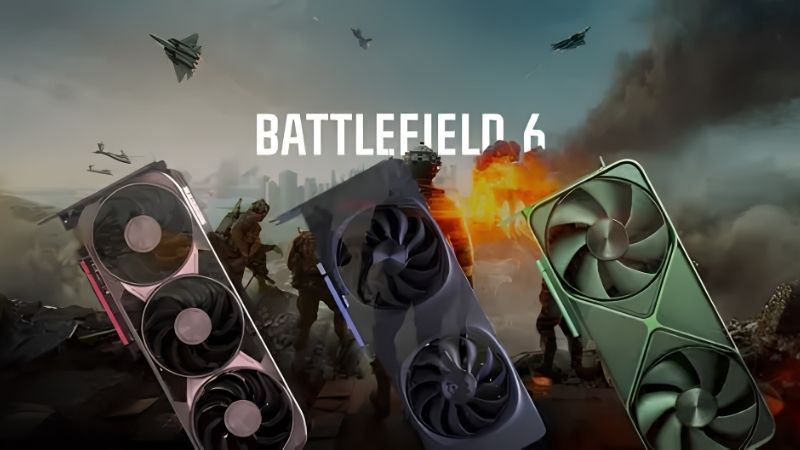
Best GPU for Battlefield 6: Quick Picks and Comparison
If you only have a minute, the picks below map to the three players who cover almost every setup for this game: the value builder at 1080p, the mainstream gamer targeting 1440p, and the enthusiast chasing 4K. Beneath them sits a comparison table and the criteria that actually decide which card keeps Battlefield 6 smooth when the map fills with players and explosions.
As an Amazon Associate we earn from qualifying purchases at no extra cost to you.
Quick Picks by Resolution and Budget
These three cover the overwhelming majority of Battlefield 6 rigs without paying for performance your monitor cannot show.
| Category | Pick | Why |
|---|---|---|
| Best Value (1080p) | RTX 4060 | Smooth high-refresh 1080p with DLSS for less |
| Best Overall (1440p) | RTX 5070 | The sweet spot of power, features, and price |
| Best for 4K | RTX 5080 | High-refresh 4K headroom for the biggest fights |
If you want one recommendation, the RTX 5070 is the best all-round card for Battlefield 6, since 1440p high-refresh is where most players get the smoothest experience for the money. Step down to the RTX 4060 for value 1080p builds, and up to the RTX 5080 when a 4K monitor is your reality.
All three quick picks are NVIDIA cards, chosen for their efficiency and broad DLSS support, but capable AMD alternatives such as the RX 9070 XT exist at similar tiers if you prefer that ecosystem. The category matters more than the exact model: decide which resolution you play Battlefield 6 at first, then confirm the live price of the card that fits, since the best value can move from week to week.
Full Battlefield 6 GPU Comparison Table
The table below lines up the core numbers so you can match a card to your resolution, case, and budget at a glance.
| Card | Target | VRAM | Power | Price tier |
|---|---|---|---|---|
| RTX 4060 | 1080p | 8GB | 115W | Budget |
| RTX 5070 | 1440p | 12GB | ~250W | Mid-range |
| RTX 5080 | 4K | 16GB | ~360W | Premium |
Notice how power and price climb with the resolution target. Buying more card than your monitor can use is the most common way players overspend, so anchor the choice to your display and your target frame rate first.
Use the table as a shortlist rather than a final verdict. Once you have narrowed to one or two cards, check live prices for the specific models on sale, because a temporary discount or a bundle can easily make the runner-up the smarter buy on a given day. In this market, the number on the price tag at checkout matters more than the label on the box.
Battlefield 6 FPS by GPU tier (sourced)
Frame rates in Battlefield 6 vary a lot by preset, map and whether DLSS Multi Frame Generation is on, so the tables below keep each source separate and label every number. Native means no upscaling or frame generation.
| GPU | 1080p native, Overkill (Wccftech) | 1440p native, Overkill (Wccftech) | 4K native, Overkill (Wccftech) | Price tier |
|---|---|---|---|---|
| RTX 5090 | 276 fps | 190 fps | 124 fps | Premium (flagship) |
| RX 9070 XT | 140 fps | 96 fps | 64 fps | Mid-range |
| RTX 5070 | 116 fps | 80 fps | 53 fps | Mid-range |
| RX 9060 XT 16GB | 70 fps | 48 fps | 32 fps | Budget to mid-range |
| RTX 5060 | 64 fps | 44 fps | 30 fps | Budget |
Wccftech used a Core i9-13900K and the most demanding Overkill preset. The Ultra preset, one step down, is much lighter, which is why MSI’s Ultra numbers below are higher.
| GPU | 1080p Ultra: native / DLSS on (MSI) | 1440p Ultra: native / DLSS on (MSI) | 4K Ultra: native / DLSS on (MSI) |
|---|---|---|---|
| RTX 5080 | 233 / 430 fps | 169 / 346 fps | 99 / 246 fps |
| RTX 5070 Ti | 204 / 377 fps | 151 / 300 fps | 85 / 210 fps |
| RTX 5070 | 174 / 335 fps | 123 / 252 fps | 68 / 172 fps |
| RTX 5060 Ti 16GB | Not published | Not published | 49 / 127 fps |
MSI’s “DLSS on” figures combine DLSS Super Resolution at Ultra Performance with 4x Multi Frame Generation, so most of those frames are generated. They show displayed smoothness, not responsiveness.
| Other sourced data points | Result | Source |
|---|---|---|
| RTX 5060 Ti 16GB vs RX 9060 XT 16GB, 1440p native Ultra | 89 fps vs 81 fps | TechSpot |
| Same cards, 1440p native Low | 118 fps vs 108 fps | TechSpot |
| RTX 5070, 1440p and 4K, DLSS off vs DLSS Quality with 4x frame generation | 82 to 269 fps at 1440p; 55 to 216 fps at 4K | Tom’s Guide |
| RX 9070 vs RTX 5070, upscaled 1440p | RX 9070 about 13% faster | ComputerBase, via Hardware Times |
| Open beta: RTX 5070 at native 4K max settings | 81 fps; VRAM described as a non-issue | TechPowerUp |
The takeaway: native 1440p above 100 fps needs an RTX 5070 or RX 9070 XT class card on Ultra, and native 4K above 60 fps needs an RTX 5070 Ti, RX 9070 XT or better on Ultra. If your card falls short of those lines, the Ultra preset with DLSS or FSR 4 Quality is a better trade than dropping to Low.
What Makes a Great Battlefield 6 Graphics Card
Battlefield 6 is a large-scale, effects-heavy shooter, so the most important trait is a stable frame-rate floor rather than a high peak. When a match fills with players, smoke, and destruction, the card that holds its frames through the chaos delivers a better and more competitive experience than one that spikes high in quiet moments and dips in busy ones.
VRAM and upscaling come next. Large maps and dense effects lean on memory, so 8GB is a sensible floor at 1080p, with more helping at higher resolutions, and shortfalls often show up as stutter rather than a lower average. DLSS and FSR are the modern shortcuts to smoothness, lifting frame rates with little visual cost and effectively lowering the hardware bar for your target, which matters more the longer you keep the card.
Finally, remember the rest of the platform. This is a CPU-heavy multiplayer game, so a strong processor, a capable power supply, and good case airflow all help the GPU perform as intended. Balance across the build beats pouring everything into the graphics card alone.
It is also worth thinking about how long you want the card to last. Live-service shooters like this receive frequent updates that can raise system demands over time, so a little extra headroom now, whether in raw power or VRAM, can keep the experience smooth for longer. Buying slightly above your current target, without overspending on a resolution you will not use, is often the sweet spot for a game you expect to play for years.
The Best Battlefield 6 GPUs Reviewed in Detail
Each card below follows the same structure so you can compare them fairly: what it is, who it suits, and the honest trade-offs that show up in owner reviews. None is a bad choice; they simply target different resolutions and budgets for this game.
Best Value for 1080p: RTX 4060
The RTX 4060 pairs NVIDIA’s efficient AD107 GPU with 8GB of GDDR6 and a low 115W board power, delivering smooth high-refresh 1080p that suits Battlefield 6’s fast pace. For competitive players on a 1080p monitor, it hits the recommended tier and keeps frames high with the help of DLSS in demanding scenes.
Owners praise how easily it drops into existing systems, often without a power-supply change, along with its quiet operation. The recurring criticism is that 8GB can feel tight at maximum textures in the newest titles, though at 1080p with sensible settings that limit rarely bites in a game like this.
For Battlefield 6 specifically, the RTX 4060 pairs well with a high-refresh 1080p monitor, letting competitive players feel the responsiveness that matters in fast firefights. Enable DLSS in the heaviest scenes and it holds a smooth floor even as the map fills with players and destruction, which is exactly where a 1080p card needs to stay composed.
Choose it when your monitor is 1080p and value matters most. Check its current price before deciding, as pricing shifts week to week in this market.
Best Overall for 1440p: RTX 5070
The RTX 5070 is the all-round pick because 1440p high-refresh is where most Battlefield 6 players get the best balance of clarity and smoothness. Built on Blackwell with 12GB of GDDR7 and around 250W of power, it handles the game’s big fights at 1440p with room to spare, and DLSS 4 keeps it fluid even when effects pile up.
Its standout strengths are strong ray-tracing performance and Frame Generation, which stretch its useful life across future updates and titles. The main trade-off in owner feedback is the 12GB buffer, ample for 1440p today but leaving less headroom than some rivals for the most memory-hungry future scenarios.
It is the forward-looking, feature-rich choice for the mainstream enthusiast. If 1440p is your target for Battlefield 6, this is the card to check pricing and stock on first.
In practice, the RTX 5070 hits the balance that suits the widest range of players: enough power for smooth 1440p in big fights today, modern features to extend its life across future updates, and a price that leaves room for a good monitor and power supply. That balance, rather than a single headline number, is why it earns the all-round recommendation for this game.
Best for 4K: RTX 5080
The RTX 5080 is the pick for players running a 4K monitor who want the biggest fights to stay smooth. With 16GB of GDDR7, a wide bus, and roughly 360W of power, it drives high-refresh 4K in demanding scenes, with DLSS 4 doing the heavy lifting when destruction and player counts spike.
In owner feedback, the praise centers on how comfortably it handles 4K and ray tracing, turning settings that would cripple lesser cards into playable, fluid experiences. The criticism is predictable at this tier: it is expensive, draws real power, and needs a capable power supply and good airflow to perform at its best.
It is the no-compromise option, betting on the highest fidelity and the longest 4K lifespan. If your monitor is 4K and your budget stretches, it earns its place in a Battlefield 6 rig.
Pair it with the platform it deserves, though. A 4K card of this class benefits from a strong CPU, an 850W-class power supply, and a case with genuine airflow, so factor those into the plan rather than bolting a flagship-tier GPU onto a starved system. Matched properly, it delivers the smooth, high-fidelity 4K that makes the biggest fights feel effortless.
GIGABYTE GeForce RTX 5070 Gaming OC 12G

This is a specific, well-cooled version of the article’s “Best Overall for 1440p” pick. GIGABYTE’s Gaming OC uses the standard RTX 5070 configuration: 6,144 CUDA cores on Blackwell GB205, 12GB of GDDR7 on a 192-bit bus, PCIe 5.0 and a board power around 250W, with a triple-fan WINDFORCE cooler and a factory overclock. Power comes through a 12V-2×6 connector.
In MSI’s published Battlefield 6 results the RTX 5070 averaged about 174 fps at native 1080p Ultra, 123 fps at 1440p and 68 fps at 4K. On the heavier Overkill preset, Wccftech measured 116, 80 and 53 fps. That makes it a comfortable 1440p 144Hz card on Ultra, and DLSS 4.5’s second-generation transformer upscaler can push it toward 240Hz without much loss in clarity. Multi Frame Generation is available too, though in a competitive shooter a high native frame rate matters more than generated frames.
Strengths: excellent 1440p performance in this game, full DLSS 4.5 support with Reflex, efficient for its tier, quiet triple-fan cooler.
Drawbacks: 12GB of VRAM is enough for Battlefield 6 multiplayer but leaves less headroom than the 16GB AMD cards for campaign max settings and future games, and in Wccftech’s Overkill data the RX 9070 XT is around 20% faster.
How it compares: a big step over the RTX 4060 value pick, roughly double its 1440p frame rate. Pair it with a 750W power supply.
XFX Swift Radeon RX 9070 XT Triple Fan Gaming Edition

Battlefield 6 is a strong game for AMD’s RDNA 4 flagship. XFX’s Swift version uses 64 compute units, 16GB of GDDR6 on a 256-bit bus, PCIe 5.0 and standard 8-pin power, with a triple-fan cooler and AMD’s 304W reference board power.
Wccftech measured the RX 9070 XT at 140 fps at native 1080p Overkill, 96 fps at 1440p and 64 fps at 4K, clearly ahead of the RTX 5070 at every resolution. That puts it in RTX 5070 Ti territory for this game, and its 16GB of memory gives more room for high texture settings in the campaign. FSR 4 is AMD’s machine-learning upscaler for RX 9000 cards and is a substantial image-quality step up over FSR 3.
Strengths: very strong native performance in Battlefield 6, 16GB VRAM, FSR 4, conventional power connectors.
Drawbacks: higher power draw than the RTX 5070, no equivalent to NVIDIA Reflex latency tuning in every title, and only 2x frame generation.
How it compares: the best-performing AMD alternative mentioned in the quick picks. Choose it over the RTX 5070 if you want more native frames and memory for a similar tier.
MSI Gaming RTX 5080 16G Ventus 3X OC

A no-frills version of the article’s “Best for 4K” pick. MSI’s Ventus 3X OC carries the full RTX 5080 configuration: 10,752 CUDA cores, 16GB of GDDR7 on a 256-bit bus, a 360W board power and a 12V-2×6 connector, with a listed 2,640 MHz extreme boost clock, three DisplayPort 2.1a outputs and HDMI 2.1b.
MSI’s own Battlefield 6 data shows the RTX 5080 at about 233 fps at native 1080p Ultra, 169 fps at 1440p and 99 fps at 4K. That makes it the card for players with a 4K 120Hz-plus monitor or a 1440p 240Hz display who want to stay native. With DLSS Quality, 4K above 120 fps is realistic in most matches.
Strengths: high native frame rates at 1440p and 4K, 16GB VRAM, full DLSS 4.5 support.
Drawbacks: premium tier, large triple-fan card, needs an 850W power supply, and at 1080p the CPU often becomes the limit.
How it compares: about 15% ahead of the RTX 5070 Ti in MSI’s 4K figures. Only worth it over the 5070 Ti for 4K or 240Hz 1440p.
PNY GeForce RTX 5070 Ti OC Triple-Fan

The RTX 5070 Ti fills the gap between the RTX 5070 and RTX 5080 picks. PNY’s OC Triple-Fan version has 8,960 CUDA cores, 16GB of GDDR7 on a 256-bit bus, a roughly 300W board power and a 12V-2×6 connector.
MSI measured the RTX 5070 Ti at about 204 fps at native 1080p Ultra, 151 fps at 1440p and 85 fps at 4K in Battlefield 6. That covers 1440p at 165Hz natively and makes native 4K above 60 fps comfortable on Ultra.
Strengths: 16GB VRAM, strong 1440p and 4K performance, DLSS 4.5 with Reflex.
Drawbacks: sits a tier above the RTX 5070 and RX 9070 XT, and PNY’s support network is smaller than some rivals’.
How it compares: roughly 20-25% faster than the RTX 5070 in MSI’s data, with 4GB more memory. A good choice for 1440p 240Hz on High settings.
ASRock Radeon RX 9060 XT Challenger 16GB OC

A budget card with enough memory for Battlefield 6 at 1440p. ASRock’s Challenger OC runs a 3,290 MHz boost clock with 16GB of GDDR6 on a 128-bit bus, PCIe 5.0 and a dual-fan cooler with 0dB idle mode, at a board power around 160W.
TechSpot measured the RX 9060 XT 16GB at 81 fps at native 1440p Ultra and 108 fps on Low, a little behind the RTX 5060 Ti 16GB, while ComputerBase found it ahead of the 5060 Ti in its upscaled 1440p scene. On the much heavier Overkill preset, Wccftech recorded 70 fps at 1080p. In practice that means 1080p high refresh or 1440p at 60-100 fps on Ultra or High.
Strengths: 16GB VRAM in the budget tier, FSR 4, low power, quiet.
Drawbacks: not built for 4K, and the 128-bit bus limits headroom on the heaviest presets.
How it compares: faster than the RTX 4060 value pick and with double the memory. Buy the 16GB version, not the 8GB one.
Buying a Battlefield 6 GPU in Today’s Market
Choosing the right card is only half the job. When you buy, and what you pair it with, can matter as much as which model you pick, particularly with the current pricing pressure across the component market. This section closes those loops.
How Rising Prices and the Memory Crunch Affect Timing
Component and laptop prices have been trending upward, and graphics-card memory has been under particular pressure. That pushes street prices above the original list figures for nearly every card here, so the best-value pick can shift week to week and you should always confirm the live price before buying rather than trusting a launch MSRP.
There is a modestly positive signal worth weighing against the gloom. The steep climbs of late 2025 have eased into a stretch of relative stability, though suppliers still warn the situation remains volatile and could move again. The frantic buying pressure has cooled, but no one is promising a broad drop soon.
Relief through new supply is coming, just slowly: additional DDR5 vendors are entering the market and Micron is building two new plants in Idaho, but those are not expected to run until roughly 2027 to 2028. For a Battlefield 6 player, the honest conclusion is that waiting many months for a large crash is a gamble against a supply timeline that is years out, so a fairly priced card from this list today is a sound, low-risk choice that lets you enjoy the game now.
Pros and Cons of Buying Now
The summary below frames the trade-offs of buying a Battlefield 6 GPU in the current market so your expectations match reality.
| Pros | Cons |
|---|---|
| Strong choice at every resolution and budget | Street prices sit above launch figures |
| DLSS and FSR keep frames smooth in big fights | 8GB cards may feel tight in the newest scenes |
| Buying now avoids further price movement | Meaningful price relief is still years away |
On balance, the value equation favors buying a well-matched card now rather than holding out indefinitely for a discount the supply timeline does not support, especially if your current card is holding back your Battlefield 6 experience.
How we compared
We did not bench-test these cards in Battlefield 6. Rankings combine independent results published by Wccftech, TechSpot, TechPowerUp, ComputerBase and Tom’s Guide, MSI’s published RTX 50 results, manufacturer specifications, and owner reports about stutter, noise and driver issues. Because each outlet used different scenes, presets and test systems, we never mix numbers from different sources in one comparison, and we report frame-generated results separately from native ones.
Battlefield 6 GPU setup tips
- Prioritize native frames for multiplayer. Use DLSS or FSR 4 Quality to raise the base frame rate; add frame generation only if your base is already above about 60 fps.
- Turn on NVIDIA Reflex or AMD Anti-Lag. Both cut input latency, which matters more than an extra 20 fps in close-quarters fights.
- Use Ultra, not Overkill, for competitive play. Wccftech’s Overkill results are far below MSI’s Ultra results for the same cards, and the visual gain is small during fast matches.
- Watch the CPU. TechPowerUp found Battlefield 6 heavily favors 3D V-Cache CPUs such as the Ryzen 7 9800X3D. A fast GPU on an older CPU will not hold steady frame times in 64-player matches.
- Keep drivers current. Both NVIDIA and AMD released Battlefield 6 optimized drivers around launch and later seasons.
More Battlefield 6 GPU questions
Is the RX 9070 XT or RTX 5070 better for Battlefield 6?
In Wccftech’s native Overkill data the RX 9070 XT is about 20% faster than the RTX 5070 at every resolution and has 16GB of memory. The RTX 5070 is the choice if you want DLSS 4.5 and Multi Frame Generation.
Can an RTX 5060 run Battlefield 6 at 1440p?
Yes, with sensible settings. Wccftech measured 44 fps at 1440p on the heaviest Overkill preset; dropping to High or Ultra and enabling DLSS Quality gets it well above 60 fps.
Does frame generation help in Battlefield 6?
It raises displayed smoothness dramatically, as MSI’s and Tom’s Guide’s numbers show, but it does not reduce input latency. It works best for players on high-refresh monitors who already have a solid base frame rate.
Frequently Asked Questions About Battlefield 6 GPUs
These are the questions that most often send Battlefield 6 players back to search, answered quickly so you can stay and decide.
Which resolution should decide my GPU? Your monitor should. Match the card to 1080p, 1440p, or 4K first, then fit it to your budget rather than the other way around.
Is 8GB of VRAM enough for Battlefield 6? At 1080p, yes for most players with sensible settings and upscaling. For 1440p, 4K, and long-term comfort, more VRAM helps.
Will DLSS or FSR really help? Yes. Upscaling can lift a borderline card into smooth territory with little visual cost, which is one of the easiest wins for a game this demanding.
Do I need a strong CPU too? Yes, to an extent. Battlefield 6 is CPU-heavy, so a very old processor can bottleneck even a capable GPU in crowded matches. If your CPU is several generations old, budget for a possible platform upgrade so the graphics card is not held back.
See More:
- NVIDIA
- NVIDIA DeepStream
- NVIDIA GPU driver update
- NVIDIA GeForce NOW download
- NVIDIA RTX A2000 12GB driver
Final Word on the Best GPU for Battlefield 6
The best GPU for Battlefield 6 comes down to matching the card to your monitor and budget: the RTX 4060 for value 1080p play, the RTX 5070 as the all-round 1440p sweet spot, and the RTX 5080 for high-refresh 4K. Each is efficient, feature-rich, and well suited to keeping the game smooth when the action peaks, and each is a clear upgrade for anyone on an older card. With prices edging upward and real relief still years away, waiting for a dramatic discount is a gamble the supply timeline does not support, so a fairly priced pick from this list today is a smart, low-risk buy. Compare current pricing and stock on your preferred model, balance it with a suitable power supply, a capable CPU, and a monitor that matches your target, and you will have a rig ready for the biggest fights this game throws at you. The key is to buy for the resolution and frame rate you actually want rather than chasing headline numbers, then act when the price is fair instead of waiting on relief the supply timeline does not support — check availability before you commit, since the best deals move quickly.
Ready to decide? Our #1 pick for 2026 is the (1080p).
Live price & availability on Amazon.











Write Your Review
No reviews yet. Be the first to share your experience!