
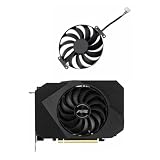
- Top Pick: 95MM 6PIN T129215SU CF1010U12D for RTX3050 RTX3060 Phoenix GPU Fans ITX for ASUS Phoenix RTX 3050 3060 Graphics Card Replacement Cooling Fan
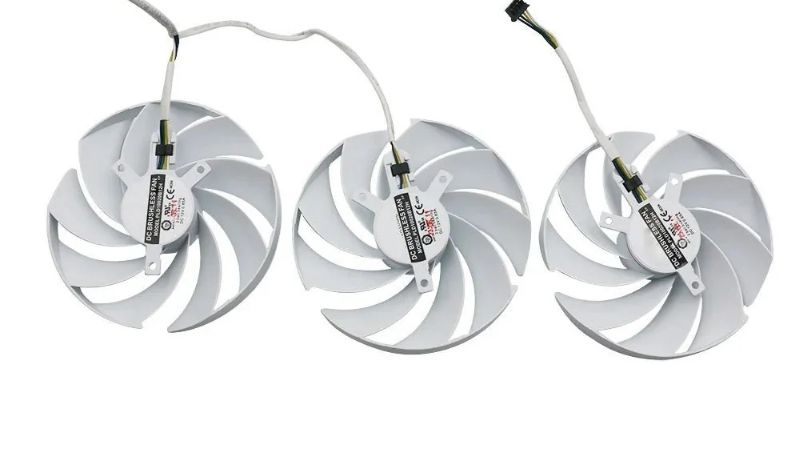
- Best Value: 87MM PLD09220S12H for RTX3080 RTX3070 Graphics Card Fan Replacement for EVGA GeForce RTX 3070 3080 TI 3090 FTW3 Cooler Fan (Black 3-Fan)
- Premium Choice: inRobert PLD09220S12H Graphics Card Fan Replacement for EVGA RTX 3070 3080 TI 3090 FTW3 Ultra GPU Cooling Fan (Fan-Full Set)
GPU fan replacement is the fix when a card develops a grinding rattle, a fan that stops spinning, or noise loud enough to drown out a game. It is also one of the most affordable GPU repairs, often costing far less than a workshop visit and taking under an hour with the right part. The challenge is not the install but the sourcing: matching the exact fan size, connector, and blade direction to your card. This review breaks down how to identify the correct replacement, what owner feedback reveals about aftermarket fans, and how to swap one cleanly so your card runs quiet and cool again.
How to Identify the Right GPU Replacement Fan
The hardest part of a fan replacement is buying the correct part, not fitting it. Cards use specific fan diameters, connector types, and blade rotation directions, and getting any of these wrong means a fan that does not fit, does not plug in, or pushes air the wrong way. This section covers the measurements that matter so you order once and order right.
As an Amazon Associate we earn from qualifying purchases at no extra cost to you.


Fan Size, Connector, and Blade Direction
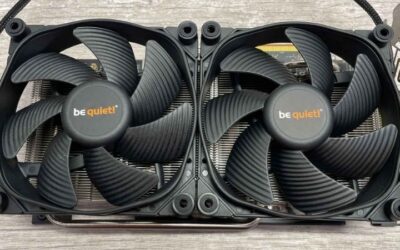
Fan diameter is measured across the blades in millimeters, with common sizes around 75 mm, 85 mm, 90 mm, and 100 mm. The mounting hole spacing matters as much as the overall size, so reviewers stress measuring both before buying. A fan that is the right diameter but the wrong hole pattern will not mount.
Connector type is the next trap. GPU fans use small 2-pin, 3-pin, or 4-pin headers, and the replacement must match for the card to read and control it. A 4-pin PWM fan plugged where the card expects a different type may run at full speed or not spin at all, a complaint that appears often in lower-star reviews of mismatched parts.
Blade direction completes the checklist. Many cards use a mix of clockwise and counter-clockwise fans, and fitting the wrong rotation disrupts airflow. Matching the original markings or part number is the reliable way to get all three details right.
It is worth knowing why mismatches misbehave rather than simply fail. A fan with the wrong connector may default to full speed because the card cannot read its tachometer, producing constant noise; a wrong-rotation blade can fight its neighbors and create turbulence that actually raises temperatures. Neither problem is obvious at a glance, which is exactly why measuring all four parameters beats eyeballing a fan that looks close enough.
Finding Your Exact Fan by Model
The most reliable sourcing method is the fan’s own part number, usually printed on the sticker beneath the blades. Searching that number finds an exact match, and reviewers consistently report the smoothest experience when buying by part number rather than by eye.
Where the exact part is unavailable, a compatible fan matched on diameter, hole spacing, connector, and direction will work. Owner feedback favors sellers who list these specs clearly, since vague listings are the main source of returns.
When to Replace Versus Service a Fan
Not every noisy fan needs replacing. A rattle from dust or a fan that has slipped on its mount can sometimes be fixed with cleaning and reseating, which costs nothing. Reviewers recommend ruling these out first before ordering a part.
A fan with a failed bearing, cracked blade, or one that no longer spins at all is beyond service and needs replacing. Persistent grinding after cleaning is the clearest sign the bearing has worn, the most common reason owners reach for a new fan.
Bearing type also predicts how long the replacement will last. Sleeve-bearing fans are cheapest but tend to wear faster, while dual ball-bearing and fluid-dynamic bearing fans hold up better under the heat and continuous duty inside a GPU shroud. Reviewers who choose a better bearing report quieter operation that stays quiet, whereas the cheapest sleeve fans are over-represented in complaints about noise returning within a year.
GPU Replacement Fans Reviewed
Here we summarize how aftermarket replacement fans perform based on the pattern of owner experience, focusing on fit accuracy, noise, and durability. The aim is to set realistic expectations and steer you toward parts that match cleanly and last.
The clearest pattern across reviews is that satisfaction tracks sourcing accuracy far more than brand. A correctly matched fan, whether an exact part or a well-specified compatible one, almost always earns a positive review, while the negatives cluster around mismatched connectors and hole patterns rather than poor build quality. In other words, the buying decision matters more than the product tier, which is why this review emphasizes identification over hunting for a premium label.
Best Exact-Match Replacement Fans
Fans sold by part number for specific cards earn the strongest reviews, because they drop in without compatibility guesswork. Owners report quiet operation, correct fit, and a card restored to normal temperatures, which is exactly the outcome a replacement should deliver.
The criticism is availability and price for less common cards, where an exact part can be scarce or cost more than expected. Reviewers still favor paying for the correct part over gambling on a near-match that may not fit.
Best Universal and Compatible Fans
Compatible fans matched on specifications rather than part number draw praise for filling the gap when an exact match is unavailable, often at a lower price. For common fan sizes and connectors, owners report good results when the listing specs are accurate.
The recurring complaint is mismatched details, usually connector or hole spacing, leading to a fan that will not mount or control properly. Measuring carefully and reading specs closely is the safeguard that surfaces repeatedly in critical reviews.
Pros and Cons of a DIY Fan Replacement
The advantages are strong: very low cost, a quick install, an immediate end to noise, and restored cooling, all without replacing the whole card. For a card that is otherwise healthy, it is the cheapest way to add years of quiet service.
The disadvantages center on sourcing and care. Matching size, connector, and direction takes attention, an exact part can be hard to find for rare cards, and the swap involves opening the shroud with the usual static and warranty considerations.
Time and risk are both low once the part is right. Most fan swaps involve a handful of tiny screws and a single connector, and the work happens on the cooler shroud rather than near the die, so there is no paste to manage unless you choose to refresh it. For a healthy card with one failing fan, this is among the lowest-risk repairs an owner can perform at home.
For an out-of-warranty card with a noisy or dead fan, reviewers find the replacement clearly worthwhile. The effort is in buying the right part, not in fitting it.
Buying Guide, 2026 Pricing, and FAQs
A fan replacement is about identifying the correct part precisely, then buying at a sensible time. This section turns the review into a clear sourcing checklist, frames the current pricing context, and answers the questions owners ask most.
How to Buy the Correct Fan
Read the part number off the fan sticker and search for an exact match first. If unavailable, record the diameter, mounting hole spacing, connector type, and blade direction, then buy a compatible fan that matches all four. Favor listings that state these specs clearly over vague ones.
Order a small precision screwdriver set if you do not have one, since the shroud and fan screws are tiny. Confirming every spec before purchase is what turns this into a 30-minute fix rather than a return-and-reorder cycle.
If your exact fan is scarce, buying a matched pair or full set can be smarter than chasing a single unit. Replacing all the fans at once keeps noise and airflow uniform and spares you a second teardown when the next original fan wears out, which on an aging card is usually only months behind the first. Many owners find the small extra outlay cheaper in the long run than repeating the job.
Replacement Fan Prices and Supply in 2026
Pricing context is useful even for a small part. Through late 2025 into 2026, PC component and accessory prices trended upward, so replacement fans are more likely to edge up than down in the near term. For a needed repair, waiting tends to cost rather than save.
The encouraging signal is modest. The sharp increases at the end of 2025 have eased, and manufacturers such as Framework reported a stretch of relative stability while warning that volatility persists. Prices have flattened without falling, and with new supply from sources like CXMT and Micron’s Idaho plants not arriving until 2027–2028, broad relief is years away. A low-cost fan to fix a noisy card is sensible to buy now.
Frequently Asked Questions
How do I know which fan I need? Read the part number on the fan sticker for an exact match, or measure diameter, hole spacing, connector, and blade direction for a compatible one. Can I replace just one fan? Yes, though matching the replacement to the surviving fans keeps noise and airflow consistent.
Is a rattling fan always a replacement job? Not always; clean and reseat it first, since dust or a loose mount can cause a rattle that does not require a new part.
Will a new fan fix high temperatures? If a stopped or failing fan caused the heat, yes; if temperatures were high with the fans working, the cause is more likely paste, pads, or airflow. Can I run the card while a fan is dead? Briefly and at low load, but sustained gaming with a non-spinning fan risks throttling and added wear, so replace it promptly.
If your card is grinding, whining, or running a dead fan, a correct replacement restores quiet, cool operation for very little money. Identify the exact part, match every spec, and swap it in under an hour.
See More:
- How to lower GPU temperature
- How to lower GPU hotspot temp
- How to increase GPU performance
- How to enable G-Sync
Conclusion
A GPU fan replacement is one of the cheapest and most satisfying GPU repairs, ending rattles and noise and restoring cooling for a fraction of a workshop fee. Success hinges on sourcing: match the fan size, mounting holes, connector, and blade direction precisely, ideally by part number. With prices flat rather than falling and real supply relief not due until 2027–2028, a low-cost fan to fix a noisy card is a smart buy today. Identify the right part through the links above and bring your card back to quiet, reliable service.
Top-Rated Picks


| Product | Brand | Rating | Reviews | Price |
|---|---|---|---|---|
| EZDIY-FAB RTX 3000 Series 12 Pin to Dual 8 Pin PCIe S… | EZDIY-FAB | ★ 4.6 | 428 | $15.59 |
| 87MM PLD09220S12H RTX3080 RTX3070 Graphics Card Fan R… | LTANDBR | ★ 4.6 | 61 | $29.98 |
| Compatible with GIGABYTE GeForce RTX 5060/5050 OC Low… | NIVXE | ★ 3.9 | 12 | $29.92 |
| Hilitand GPU Backplate Radiator, Aluminum Alloy Graph… | Hilitand | ★ 3.9 | 8 | $26.81 |
| NVIDIA GX Spark – Founders Edition, W129251900 | — | ★ 1.0 | 1 | $10,309.00 |




Write Your Review
No reviews yet. Be the first to share your experience!