
- Top Pick: GPERHUAN ARGB GPU Support Bracket, Universal GPU Bracket with Temperature Display, Graphics Video Card Brace with Height Adjustable
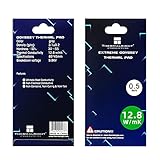
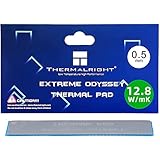
- Best Value: Thermalright Odyssey Thermal Pad 12.8 W/mK Non-Conductive 85x45x0.5mm
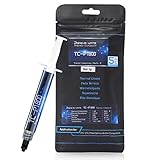
- Premium Choice: NINJA GREASE 【Ninja 060】 Silicone-Free Thermal Paste for CPU & GPU,Laptop & Console, High Thermal Conductivity, Non-Conductive, Copper-Safe, Made in Japan,(1.5g)
Max safe GPU temperature is the number that decides whether you should relax or take action when your card runs hot. The short answer is that most modern graphics cards are rated to run far hotter than people expect, with core temperatures into the mid-80s still safe and memory able to tolerate even higher readings. But the safe limit depends on which sensor you are reading, and treating the hottest number as your core temperature causes needless worry. This guide lays out the real safe ranges for core, hotspot, and memory, explains where throttling and damage thresholds sit, and shows how to keep your card comfortably below its limit for a long, reliable life.
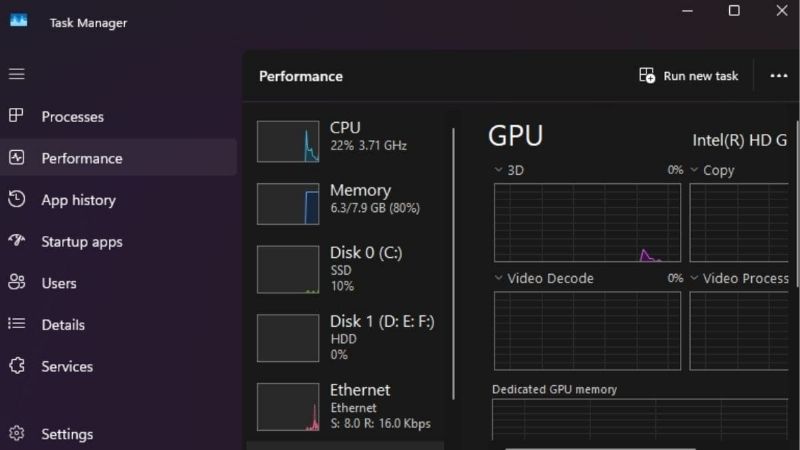
Quick Answer — Max Safe GPU Temperature
As an Amazon Associate we earn from qualifying purchases at no extra cost to you.




Core: safe up to mid-80s, throttles low-to-mid 80s depending on model • Hotspot: 80–95°C normal • Memory junction: rated past 100°C, throttles ~105°C • Damage risk: effectively zero during normal use — the card throttles or shuts down long before damage.
What Is the Max Safe GPU Temperature?
There is no single number, because a graphics card reports several temperatures and each has its own ceiling. Manufacturers design these limits with a wide safety margin, so the figure that feels alarming is often well within spec. This section sets out the safe ranges for each sensor and the points where the card starts protecting itself, so you can read your own numbers with confidence.
Safe Limits for Core, Hotspot, and Memory
The core, or edge, temperature is the figure most monitoring tools show by default. Under a gaming load it normally sits in the 60–80°C range, and readings into the low-to-mid 80s remain safe on the vast majority of cards. This is the number the phrase max safe GPU temperature usually refers to.
The hotspot is the single hottest point on the die and naturally reads higher, often 10–15°C above the core. A hotspot in the high 80s or low 90s is routine on many cards under load and is not a cause for concern by itself.
Memory junction temperature, common on higher-end cards with GDDR6X, runs hottest of all and is rated for it. Readings in the 90s and even past 100°C can sit within spec, which surprises owners seeing that sensor for the first time.
Where Throttling and Damage Thresholds Sit
Long before any damage risk, a card throttles to protect itself. For the core this typically begins somewhere in the low-to-mid 80s depending on the model, where clocks step down to hold temperatures steady. Hitting that wall is a performance signal, not a failure.
Memory has its own protective ceiling, usually around 105°C, where the card cuts back to keep the modules safe. The actual damage thresholds sit higher still, which is why a card can run at temperatures that look high to a newcomer yet remain entirely within its design envelope.
The practical takeaway is that throttling is your real-world ceiling. If the card is not throttling, it is operating safely, even at numbers that seem warm.
How Nvidia Cards Protect Themselves
Nvidia GPUs use a boost algorithm that constantly balances clock speed against temperature and power. As the card warms, boost clocks ease down in small steps well before any hard limit, which is the design working rather than a fault.
This layered protection means you rarely need to intervene to prevent damage; the card will throttle or, in extreme cases, shut down to stay safe. Your goal is not to avoid catastrophe but to keep temperatures low enough that the card holds higher clocks and runs quietly.
It helps to think in three tiers. The first is the everyday safe zone, where the card runs cool and holds peak clocks. The second is the throttle zone, where it is still safe but trading performance for heat. The third is the protective shutdown that only triggers in a genuine fault. Almost every owner operates in the first two tiers, nowhere near actual risk.
What Pushes a GPU Toward Its Limit
Two identical cards can sit ten degrees apart based on the system around them, so understanding the variables helps you judge whether your reading is reasonable. It also points you to the cheapest effective fix if the number is higher than you would like. The factors below move temperatures the most.
Airflow, Dust, and Ambient Temperature
Airflow is the biggest lever owners overlook. A case short on intake, clogged with dust, or tangled with cables can trap heat and add 5–15°C with no other fault. Good front-to-back airflow keeps the card fed with cool air and is often the single largest improvement available.
Ambient room temperature feeds straight into the result. A card that reads 74°C in winter can read 82°C in a warm summer room, which is expected physics rather than degradation. Factor the season and room into your judgment before assuming something is wrong.
Aging Thermal Paste and Pads
Heat transfer from the die and memory to the cooler depends on the thermal interface materials, and these degrade over time. After three to five years, dried paste and hardened pads lose efficiency, and temperatures creep up even though nothing else changed.
This is why an older card running near its limit often responds dramatically to fresh paste and new pads, frequently dropping core temperatures by several degrees and memory junction temperatures by far more. It is the lowest-cost upgrade with the highest thermal return on an aging card.
The pattern is consistent across high-power cards. A GPU that left the factory comfortably below its limits can drift toward them after a few years purely because the thermal materials have aged, not because anything has failed. Recognizing that drift for what it is keeps owners from assuming the worst when a simple refresh would restore the original temperatures.
Pros and Cons of Running Near the Safe Limit
Running close to the safe limit is not dangerous, and there are upsides: you can leave fans quieter and accept the higher numbers, which suits owners who prioritize a silent system over the lowest possible temperatures.
The downsides are reduced performance headroom and faster long-term wear. A hotter card throttles sooner and holds lower sustained clocks, and consistent heat shortens component life over years, even within safe limits.
For most owners the sweet spot is keeping the core in the 60s to mid-70s under load, where the card is quiet, long-lived, and performing near its peak. Anything within the safe range that stays quiet is a perfectly acceptable outcome.
How to Stay Safely Below the Limit
If your readings sit higher than you would like, the path is to measure first, then act on the cheapest effective fixes. Guessing wastes time and money, while a few minutes of monitoring tells you exactly which temperature is high and how the card behaves under load. The steps below cover diagnosis and the fixes that work.
Monitor the Right Temperature
Free utilities such as GPU-Z, HWiNFO, and MSI Afterburner display core, hotspot, and memory junction temperatures in real time, along with fan speed and clocks. An on-screen overlay during gameplay shows peak temperatures in the exact scenarios that matter, not just a synthetic benchmark.
Log a full session rather than reading a single moment. Sustained load reveals whether temperatures plateau safely or keep climbing toward a throttle point, which is the data you need to decide on next steps.
Watch the relationship between sensors as you log. If the core sits comfortably but the memory junction climbs toward its ceiling, the two readings are telling different stories and call for different fixes. Reading them together, rather than fixating on the single highest number, is what turns raw data into a clear decision about what to do next.
Quick Fixes That Lower Temperatures
Start with the free wins. Clean dust from the card and case, improve cable management, add or rebalance case fans, and set a more aggressive fan curve so the card ramps earlier. These alone often drop temperatures by several degrees.
Undervolting is another effective, no-cost route on most Nvidia cards, lowering power and heat with little or no performance loss. On an older card, refreshing paste and pads delivers the biggest paid improvement by restoring lost heat transfer.
When to Upgrade Cooling Hardware
If you have cleaned, improved airflow, undervolted, and refreshed the interface materials and the card still throttles, the cooling solution itself may be the limit. Better case airflow, a stronger cooler, or an aftermarket solution can move you back into comfortable territory.
Watch the memory junction temperature specifically on high-end cards, since it often reaches its ceiling before the core does. If that sensor is pinned near throttle while the core looks fine, new thermal pads are usually the targeted fix.
The order of escalation matters for cost. Free fixes like cleaning, fan curves, and undervolting come first; cheap upgrades like case fans and fresh paste come next; and a new cooler is the last resort only when everything else has been exhausted. Working up that ladder means most owners stay safely below the limit without ever buying expensive hardware.
Knowing your safe limit is only useful if you act when a reading climbs too high. If your card sits near its ceiling, a fresh tube of quality thermal paste, new pads, or a few good case fans can transform its behavior.
See More:
- How to lower GPU temperature
- How to lower GPU hotspot temp
- How to increase GPU performance
- How to enable G-Sync
Conclusion
The max safe GPU temperature is higher than most owners think, with the core safe into the mid-80s, hotspot routinely higher, and memory junction tolerating readings past 100°C before throttling near 105°C. Once you know which sensor you are reading, most worry disappears, and any genuinely high number usually traces back to airflow, dust, room temperature, or aging thermal materials. Monitor first, apply the free fixes, and reach for fresh paste, new pads, or better cooling when the numbers justify it. Keep your card comfortably below its limit through the gear linked above for a quiet, fast, and long-lived system.
Top-Rated Picks


| Product | Brand | Rating | Reviews | Price |
|---|---|---|---|---|
| ARCTIC MX-4 (4 g) – Premium Performance Thermal Paste… | ARCTIC | ★ 4.8 | 104k | $4.99 |
| ARCTIC MX-4 (incl. Spatula, 4 g) – Premium Performanc… | ARCTIC | ★ 4.8 | 71.9k | $5.49 |
| Crucial 8GB DDR4 RAM 3200MHz (PC4-25600), Downclockab… | Crucial | ★ 4.8 | 62.8k | $74.99 |
| AMD Ryzen 5 5600X 6-core, 12-thread unlocked desktop … | — | ★ 4.8 | 30.2k | $177.60 |
| NVIDIA Shield Remote; Voice Search, Motion-Activated,… | — | ★ 4.7 | 10.6k | $25.99 |
Frequently Asked Questions
What is the maximum safe temperature for a graphics card?
Most modern NVIDIA cards specify a maximum core operating temperature around 90 degrees Celsius, with hotspot allowed to reach 105 to 110 degrees and memory junction similar. The card enforces these limits itself by reducing clocks, so exceeding them is effectively impossible under normal operation. Design your cooling to stay comfortably below rather than at the ceiling.
Is 80 degrees too hot while gaming?
No, 80 degrees under sustained load is entirely normal and well within specification. Many compact and blower-style designs deliberately run in the high seventies to keep noise down. The number to watch is whether temperature is stable or still climbing after twenty minutes, since a steadily rising curve indicates inadequate case exhaust.
Does running hot shorten the card’s life?
Operating within specification does not meaningfully shorten silicon life, but sustained high temperatures do accelerate wear on fan bearings, thermal pads and capacitors. A card that averages 65 degrees will likely have quieter fans in year four than one that averages 85. Cooling is more about longevity of the parts around the die than the die itself.
Which temperature should I actually monitor?
Hotspot and memory junction are more informative than the core reading, because throttling decisions are made on those values. Log all three during a real gaming session with HWiNFO64 rather than reading instantaneous values, and pay attention to the gap between core and hotspot as an indicator of cooler mounting health.
What is the quickest way to lower temperatures?
Clean the dust filters and fin stack, add a front intake fan, and set an earlier fan curve so the fans respond before heat accumulates. After that, undervolting is the highest-value change because it reduces the heat being produced rather than trying to remove it more efficiently after the fact.





Write Your Review
No reviews yet. Be the first to share your experience!