
GPU vs CPU rendering is the decision that shapes every 3D artist’s, animator’s, and video editor’s workflow, because it determines how fast your projects finish and how much hardware you need to buy. The short version is that GPUs render most scenes dramatically faster and cheaper per frame, while CPUs still win on raw memory capacity and certain complex, accuracy-critical workloads. This 2026 comparison gives you the quick verdict, a side-by-side table, and a detailed face-off so you can pick the right approach for your work.
As an Amazon Associate we earn from qualifying purchases at no extra cost to you.


The Quick Verdict and Core Differences
If you only read one section, read this one. For the vast majority of artists, GPU rendering is the better choice today because it is far faster and more cost-effective for typical scenes, while CPU rendering remains valuable for enormous scenes that exceed graphics memory or for specific renderers and effects. Neither is universally superior; they are tools suited to different jobs, and many professionals keep both available. The right question is not which is better in the abstract, but which finishes your particular scenes faster and more reliably for the money you have to spend.
The Quick Verdict for Busy Readers
Choose GPU rendering if you want the fastest results for the lowest cost in most modern 3D and motion-graphics work, since a capable graphics card can finish frames many times faster than a CPU at a similar price. Choose CPU rendering when your scenes are so large and memory-hungry that they overflow a GPU’s VRAM, or when your renderer or a particular effect runs better on the processor.
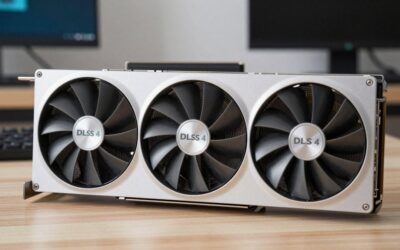
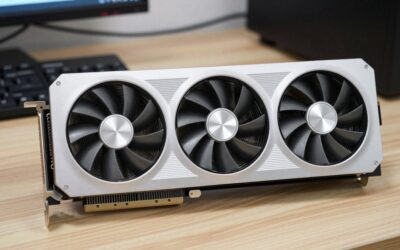
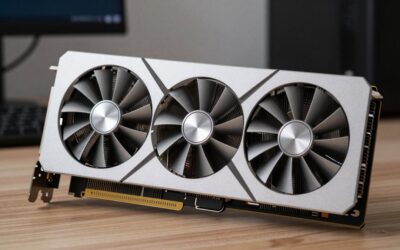
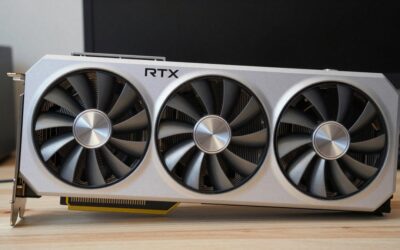
For most people building or upgrading a workstation, the practical move is to invest in a strong, high-memory GPU, because that single component delivers the biggest speed improvement for the money. It is well worth comparing current high-VRAM graphics cards before committing, since the card you pick sets the ceiling on your render speed.
Comparison Table: GPU vs CPU Rendering at a Glance
Here are the core differences distilled to what actually affects your workflow:
- Raw speed — GPU: usually many times faster per frame. CPU: slower, but steady and predictable.
- Cost per performance — GPU: far better value for typical scenes. CPU: more expensive for the same render speed.
- Memory ceiling — GPU: limited to its VRAM, for example 12 to 24 GB. CPU: can use vast system RAM, 64 GB and beyond.
- Huge or complex scenes — GPU: can run out of memory. CPU: handles the largest scenes comfortably.
- Software support — GPU: excellent in most modern engines. CPU: universal, sometimes the only option for certain features.
- Best for — GPU: most artists and studios. CPU: memory-extreme or specialised pipelines.
Why the Two Approaches Differ
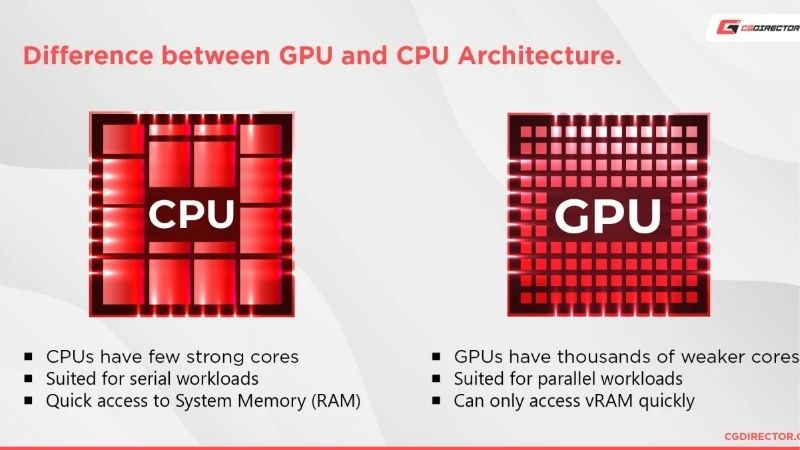
The difference comes down to architecture. A CPU has a handful of very powerful, flexible cores designed to handle complex, varied tasks one after another, which makes it accurate and versatile but comparatively slow at the massively repetitive math that rendering demands.
A GPU, by contrast, has thousands of smaller cores built to do the same simple calculation across enormous numbers of pixels and rays simultaneously. Rendering is exactly this kind of parallel work, so a GPU’s design lets it chew through frames far faster than a CPU of similar cost, which is the root cause of the speed gap. Because rendering breaks a frame into millions of independent calculations, the GPU’s army of small cores can attack them all at once while the CPU works through them in far smaller batches.
That same architecture is why Nvidia’s specialised hardware, including its ray tracing and AI acceleration, gives GPU rendering an extra edge in many modern engines, an advantage that continues to widen as those features mature. Each new generation of dedicated ray tracing and AI hardware tends to benefit GPU rendering more than CPU rendering, so the speed gap in supported engines has been growing rather than shrinking.
Deep Dive Face-Off: Speed, Quality, and Cost
Beyond the headline trade-off, GPU and CPU rendering diverge across the specific criteria that matter day to day: how fast frames finish, how large a scene each can handle, and what it all costs. This section compares them where it counts rather than in the abstract.
Rendering Speed Face-Off
For sheer speed, GPU rendering is the clear winner in most projects. On typical scenes a strong graphics card can complete frames several times faster than a high-end processor, turning overnight renders into ones that finish during a coffee break and making interactive, near-real-time preview rendering practical.
CPU rendering is slower but utterly consistent, never throttled by memory limits and never surprised by an unsupported feature. For artists who value a predictable, set-and-forget render queue over raw speed, that reliability has its own appeal, even if the wall-clock time is longer. For final, unattended overnight renders where correctness matters more than speed, some studios still trust the CPU’s consistency for exactly this reason.
Memory, Scene Complexity, and Stability Face-Off
This is where CPUs hold their ground. A GPU can only render a scene that fits inside its video memory, so an extremely detailed environment with massive textures and geometry can simply run out of VRAM and fail or fall back to slower memory. A CPU can tap into far larger system RAM, letting it handle the biggest, most complex scenes without complaint.
That said, modern GPUs increasingly mitigate this with larger memory pools and smarter out-of-core techniques, narrowing the gap. For most artists whose scenes fit comfortably in a card with ample VRAM, the GPU’s memory limit is rarely an obstacle, while only those working at the extreme high end of complexity routinely bump into it. For the average artist, a card with a generous memory pool comfortably holds a detailed scene, and the dreaded out-of-memory error is something they rarely if ever encounter.
The Alternative: Hybrid and Cloud Rendering
Sometimes the best answer is not choosing one at all. Many renderers now support hybrid rendering, using the GPU and CPU together so you get the GPU’s speed plus extra help from the processor, which is ideal if you already own a capable chip of each kind.
Cloud and render-farm services are another alternative, letting you rent enormous amounts of GPU or CPU power by the hour for occasional heavy jobs rather than buying it outright. For an artist whose local hardware is the bottleneck, though, the most direct fix remains upgrading the GPU, so it is worth comparing current high-memory graphics cards if your renders are holding you back. Renting cloud power makes sense for the occasional huge job, but if you render regularly, owning a strong GPU usually pays for itself in saved time surprisingly quickly.
Final Verdict and Recommendation
The GPU vs CPU rendering debate has a clear answer for most people once you frame it around your scenes and budget: GPU rendering wins on speed and value for typical work, while CPU rendering remains the safety net for memory-extreme or specialised jobs. The smartest setups keep both in mind rather than treating it as a strict either-or.
Who Should Use GPU Rendering
Choose GPU rendering if you do most kinds of 3D, animation, product visualisation, or motion graphics and want the fastest turnaround for your money. It is the right pick for the overwhelming majority of artists, especially those who benefit from fast, interactive previews while they work.
It is also the better long-term investment for anyone whose scenes fit within a generous VRAM budget, since the speed advantage compounds across every project. Pairing your software with a high-memory Nvidia card unlocks both raw speed and the engine-specific acceleration that keeps widening the gap.
Freelancers and small studios feel this benefit most acutely, because faster turnaround means more revisions, more client work, and less time waiting in a single day. For anyone whose income depends on how many frames they can finish, the speed of GPU rendering translates fairly directly into capacity, which is hard to ignore.
Who Should Use CPU Rendering
Choose CPU rendering if you routinely build scenes so large that they exceed graphics memory, if your renderer or a specific effect only runs well on the processor, or if you prize a perfectly predictable render queue over raw speed. These are real but comparatively narrow use cases.
Many in this group ultimately land on a hybrid setup, using a strong CPU for the heaviest memory-bound jobs and a capable GPU for everything else, capturing the best of both. Whichever side fits you, the component that limits your speed is usually the one worth upgrading first.
See More:
The Bottom Line and Your Next Move
For most artists, GPU rendering is the faster, more cost-effective default, with CPU rendering reserved for the memory-extreme and specialised cases where it still shines. Matching the approach to your actual scenes, rather than to a rule of thumb, is what produces the best results and the best value.
If your render times are the thing slowing your work, a strong, high-VRAM graphics card is the single most impactful upgrade you can make, since it raises both speed and the memory ceiling at once. It is worth comparing the recommended high-memory GPUs linked below before you decide on your next workstation build.
In the end, the GPU vs CPU rendering choice is less about which is universally better and more about matching the tool to your scenes and budget: GPU for speed and value, CPU for memory-extreme and specialised work, and a hybrid setup when you can have both. Use the guide above to decide, and explore the recommended high-VRAM graphics cards linked below to get the most from your render pipeline.
Top-Rated Picks

Best Seller
AMD Ryzen 5 5600X 6-core, 12-thread unlocked desktop processor with Wraith Stealth cooler

Editor's Pick
Intel® Core™ i5-11400 Desktop Processor 6 Cores up to 4.4 GHz LGA1200 (Intel® 500 Series & Select 400 Series chipset) 65W


Top Rated
intel Core i7-4770 Quad-Core Desktop Processor 3.4 GHZ LGA 1150 8 MB Cache BX80646I74770 (Renewed)
| Product | Brand | Rating | Reviews | Price |
|---|---|---|---|---|
| AMD Ryzen 5 5600X 6-core, 12-thread unlocked desktop … | — | ★ 4.8 | 30.2k | under $200 |
| Intel® Core™ i5-11400 Desktop Processor 6 Cores up to… | — | ★ 4.8 | 1.4k | — |
| intel Core i7-4790 Processor – BX80646I74790 (Renewed) | Amazon Renewed | ★ 4.6 | 289 | under $60 |
| intel Core i7-4770 Quad-Core Desktop Processor 3.4 GH… | Amazon Renewed | ★ 4.4 | 279 | under $60 |
Frequently Asked Questions
Which is faster for 3D rendering?
GPU rendering is typically five to twenty times faster for ray-traced production work in Blender Cycles, Redshift or OctaneRender, because thousands of shader cores handle rays in parallel. CPU rendering remains valuable for scenes that exceed video memory or need features some GPU engines still lack.
How much VRAM do I need for GPU rendering?
Twelve gigabytes handles most product and archviz scenes, sixteen to twenty-four is comfortable for detailed environments with 4K textures, and heavy production scenes want thirty-two or more. Out-of-core rendering can spill to system memory, but the performance penalty is severe enough to negate the GPU advantage.
Do I need CUDA specifically, or will AMD work?
Most professional renderers were built on CUDA and OptiX, so Nvidia has the deepest support and the fastest ray tracing through RT cores. AMD HIP support in Blender has matured considerably, and Apple Metal works on Mac, but plugin and third-party engine coverage still favours Nvidia heavily.
What power supply do rendering workstations need?
Rendering holds cards at full board power for hours, unlike gaming’s variable load, so size generously. A single 450W class card wants at least 1000W, and dual-GPU rigs need 1300W or more with separate native cables per card and excellent case exhaust to prevent heat soak.
Can I use both CPU and GPU together?
Blender Cycles and several other engines support hybrid rendering, though the gain is often modest because the CPU is far slower per tile and can hold up the final buckets. Many artists get better throughput by leaving the CPU free for viewport work, simulation and denoising.
Ready to decide? Our #1 pick for 2026 is the AMD Ryzen 5 5600X 6-core, 12-thread unlocked desktop ….
Live price & availability on Amazon.

Write Your Review
No reviews yet. Be the first to share your experience!