
Nvidia Code 43 is the Device Manager message that stops a graphics card in its tracks: Windows reports that it has halted the device because it reported problems. The error is frustrating because it can come from a simple driver conflict or from genuinely failing hardware, and the two demand very different responses. This guide separates the causes, walks through the fixes in a sensible order, and flags the signs that point to a dying card, based on patterns reported across many systems and Nvidia GPUs.
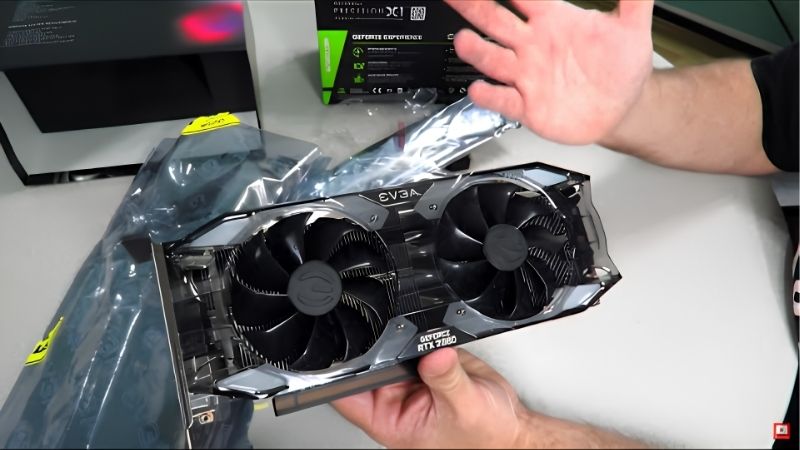
Approach it step by step and most Nvidia Code 43 errors resolve in software, though a stubborn few do indicate hardware failure.
As an Amazon Associate we earn from qualifying purchases at no extra cost to you.


What Causes the Nvidia Code 43 Error
Code 43 is a general “this device has problems” flag rather than a specific fault, which is why it has several possible causes. Driver issues, power and seating problems, and hardware faults all trigger it. Narrowing down which applies is the first step before changing anything.
Driver Conflicts and Corruption
The most common cause is a driver problem. A corrupted installation, a conflict between old and new files, or a recent Windows update that disagrees with the current driver can all produce Code 43 on an otherwise healthy card.
This is especially common when a driver update is interrupted or installed over the top of an old one. Users frequently report the error appearing immediately after a driver change or a major Windows update, which points firmly at software.
Because this is the most likely cause, a clean driver reinstall is usually the first and most effective step.
Windows automatic driver updates can complicate this. The system sometimes reinstalls a generic or older driver after you have installed the correct one, reintroducing Code 43. If the error keeps returning after a clean install, it is worth checking whether Windows is overwriting your driver and adjusting the update settings accordingly.
Power and Seating Problems
Code 43 can also stem from the card not receiving stable power or not being fully seated. A loose PCIe power connector, a partially seated card, or a marginal power supply can leave the GPU unable to initialize correctly.
These issues are easy to overlook because the card may appear installed and even spin its fans while still failing to communicate properly with the system. Reseating the card and firmly reconnecting every power lead rules this out quickly.
It is a free check that resolves a meaningful share of cases, so it belongs early in the process.
Riser cables and adapters deserve attention too. Systems that mount the card on a riser, common in compact cases, can develop Code 43 from a marginal riser connection rather than the card itself. Connecting the card directly to the slot temporarily is a quick way to rule the riser in or out.
Overheating and Hardware Faults
Finally, Code 43 can be the system’s response to a genuine hardware problem. Overheating, degraded components, or a failing card can all cause Windows to halt the device for safety.
When the error persists across clean drivers, solid power, and good temperatures, the likelihood of a hardware fault rises sharply. This is the most serious cause and the one this guide works toward confirming or ruling out.
Distinguishing a hardware fault from a software conflict is the central task, since one is fixable at home and the other usually is not.
It helps to note when the error first appeared. Code 43 that begins after a driver or Windows update leans heavily toward software, while an error that arrives out of nowhere on an aging card, with no recent changes, is more suspicious of hardware. That history shapes how aggressively you pursue each cause.
How to Fix Nvidia Code 43
With the causes in mind, the fixes follow a clear order from free software steps to physical checks. Most Code 43 errors are resolved well before the hardware-failure stage, so work through these in sequence.
Clean Reinstall or Roll Back Drivers
Start with the drivers. Boot into safe mode, remove the existing Nvidia driver completely with a dedicated uninstaller, then install the latest version fresh. This clears the corrupted or conflicting files behind most Code 43 cases.
If the error appeared right after a driver or Windows update, rolling back to a previously stable driver can be just as effective as updating forward. Not every new release suits every card, and reverting is a quick, reversible test.
Between a clean install and a rollback, you cover the large majority of software-driven Code 43 errors.
Doing the reinstall in safe mode is what makes it reliable. In normal mode the system can hold onto fragments of the old driver that reintroduce the conflict, whereas safe mode prevents those files from loading so the uninstaller can clear everything. Skipping that detail is why some clean installs fail to stick.
Reseat the Card and Check Power
If drivers do not resolve it, open the case and reseat the graphics card firmly in its slot until the retention clip clicks. Disconnect and firmly reconnect each PCIe power cable, and confirm the power supply has adequate headroom for the card.
While inside, check that the slot and contacts are free of dust, and that the card’s fans spin on power-up. A card that will not initialize despite solid power and seating is edging toward a hardware diagnosis.
These physical checks are free and resolve cases that no amount of driver work would fix.
While you are in the BIOS, confirm the card is detected and that the primary display output is set to the dedicated GPU rather than integrated graphics. A misconfigured display priority can leave a perfectly healthy card sidelined, and correcting it sometimes clears the error without any further work.
Pros and Cons of Software vs Hardware Fixes
Deciding how far to push before suspecting the hardware saves time. Here is the honest balance sheet for tackling Code 43.
Pros of the software-first approach
- Driver reinstalls and rollbacks are free and fix most cases.
- Reseating and power checks cost nothing and are quick.
- Confirming the cause prevents a needless GPU purchase.
Cons
- If the card is failing, software fixes only confirm it.
- Power-supply issues may require a spare unit to verify.
- Intermittent Code 43 errors can be slow to pin down.
When Code 43 Means a Failing GPU
If clean drivers, a firmly seated card, stable power, and good temperatures still produce Code 43, the card itself may be failing. Recognizing that lets you plan a replacement rather than chasing fixes that cannot help. Here is how to confirm it and proceed.
Confirming Hardware Failure
The most reliable test is to install the card in a second, known-good computer. If Code 43 follows the card to another system with a clean driver install, the fault is almost certainly the hardware.
Equally telling is a card that triggers the error immediately on every fresh driver install, regardless of Windows version or system. At that point, further software troubleshooting will not help.
This test removes the guesswork and confirms whether replacement is genuinely necessary.
If a second computer is not available, watch for a pattern instead. A card that triggers Code 43 only intermittently, recovering after a reboot, often has a marginal connection or an aging fault, whereas one that throws the error on every boot regardless of driver is closer to fully failed. The consistency of the error is itself a useful signal.
Choosing a Replacement GPU
When the card is confirmed faulty, replacement is the fix. Match the new GPU to your resolution, power supply, and case clearance rather than simply buying the most powerful option you can find.
Keep in mind that GPU prices remain elevated because AI demand keeps consumer supply tight, and meaningful relief is still years away, so waiting for a steep drop rarely pays. Buying a sensible card at a fair price usually beats holding out for a discount that may never arrive.
Choose the tier that fits your needs, then check the current price and replace the failing card.
Preventing Code 43 in Future
Most preventable Code 43 cases come down to clean driver practice and stable power. Always reinstall drivers cleanly when you update, rather than layering a new version over old files, to avoid the conflicts that trigger the error.
Use a quality power supply with genuine headroom, and reseat the card carefully after any work inside the case. These habits remove the most common non-hardware causes of the error.
A little care during updates and maintenance makes a recurrence far less likely.
Keeping the motherboard BIOS reasonably current also helps, particularly on systems running a newer card than the board originally shipped with. Firmware updates often improve device initialization and compatibility, which can prevent the kind of handshake failures that occasionally surface as Code 43.
See More:
- GPU for Valorant 240fps
- GPU for Fortnite 240fps
- GPU for CS2 high fps
- GPU for Apex Legends
- RTX 4070 Cyberpunk FPS
Conclusion
The Nvidia Code 43 error is most often a driver conflict, a power or seating issue, or, less commonly, a sign of failing hardware, and the timing usually offers the first clue. Reinstall or roll back drivers cleanly, reseat the card, and verify power before suspecting the GPU itself. If Code 43 follows the card to a second known-good system, the hardware has failed and needs replacing. Keep your driver installs clean and your power stable to prevent a repeat, and if a new GPU is the answer, check the current price and choose one that fits your system and your games. In the meantime, keeping your drivers clean and current remains the single best defense against the error returning.
Top-Rated Picks


| Product | Brand | Rating | Reviews | Price |
|---|---|---|---|---|
| ARCTIC MX-4 (4 g) – Premium Performance Thermal Paste… | ARCTIC | ★ 4.8 | 104k | $4.99 |
| ARCTIC MX-4 (incl. Spatula, 4 g) – Premium Performanc… | ARCTIC | ★ 4.8 | 71.9k | $5.49 |
| Crucial 8GB DDR4 RAM 3200MHz (PC4-25600), Downclockab… | Crucial | ★ 4.8 | 62.8k | $74.99 |
| AMD Ryzen 5 5600X 6-core, 12-thread unlocked desktop … | — | ★ 4.8 | 30.2k | $177.60 |
| NVIDIA Shield Remote; Voice Search, Motion-Activated,… | — | ★ 4.7 | 10.6k | $25.99 |
Frequently Asked Questions
What does Code 43 in Device Manager mean?
Windows reports Code 43 when the driver tells the operating system the device has failed. It is a generic message covering driver corruption, incomplete power delivery, PCIe communication faults, and genuine hardware failure, so it needs systematic elimination rather than a single fix.
Which software fixes should I try first?
Run Display Driver Uninstaller in Safe Mode to remove every Nvidia component, reboot, then install the current driver from Nvidia’s site with the clean installation option. Also check Windows Update history for a conflicting OEM driver, and update the motherboard chipset drivers and BIOS while you are there.
Can power connectors trigger Code 43?
Yes. A partially seated 8-pin or 12VHPWR connector leaves the card without full power and it reports a failure. Reseat every connector until it clicks, use native PCIe cables from your own PSU, and avoid daisy-chaining on cards drawing more than about 250 watts.
Is Code 43 common on laptops?
It is, usually from switchable graphics conflicts or vendor power management software. Update the laptop manufacturer’s own graphics driver rather than a generic one, set the discrete GPU mode in the vendor utility, and disable aggressive power saving. Laptop OEM drivers frequently contain platform-specific fixes the generic package lacks.
When does Code 43 mean the card is dead?
When it persists across a clean Windows install, a different PSU, a different PCIe slot, and a second computer. At that point the GPU core, VRM, or memory has failed. Inspect the card for burnt components or a scorched power connector, and pursue warranty replacement if it is still covered.



Write Your Review
No reviews yet. Be the first to share your experience!