
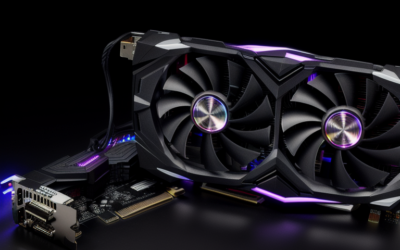
The NVIDIA RTX PRO 6000 Blackwell Workstation Edition is the flagship of NVIDIA’s professional desktop graphics line, a dual-slot, actively cooled card with 96GB of GDDR7 memory and a 600W-class power budget. It is built for people whose work simply does not fit on anything smaller: very large AI models, enormous render scenes, big simulation datasets and shared GPU workloads.
The name carries a few variants that are easy to mix up, so this guide starts by separating them, then walks through the memory, power and platform requirements, and ends with a plain assessment of who actually needs the card. Where a figure could vary by vendor or revision, it points you to NVIDIA’s official specification page instead of guessing.
Workstation Edition, Max-Q and Server Edition
NVIDIA introduced the RTX PRO Blackwell family in 2025, and the 6000 tier arrived as three related products built on the same GPU. They differ in power, cooling and intended chassis rather than in the amount of memory:
- Workstation Edition: the full-power version for desktop towers, actively cooled, with the highest board power of the three.
- Max-Q Workstation Edition: a lower-power version, in the 300W class, designed for multi-GPU towers and tighter thermal envelopes at some cost in peak performance.
- Server Edition: a passively cooled version for data center servers with their own airflow, not meant for desktop cases.
The Workstation Edition is the one most people mean when they search for the card by name. It is the choice for a single-GPU tower with a strong power supply and good airflow. If you plan to install two or more cards, the Max-Q version is usually the more practical option.
Core Specifications
The table lists the characteristics that define the Workstation Edition. Core counts, clock speeds and exact connector layouts should be confirmed on NVIDIA’s page, since they are best taken from the primary source.
| Item | RTX PRO 6000 Blackwell Workstation Edition |
|---|---|
| Architecture | Blackwell professional desktop |
| Memory | 96GB GDDR7 with ECC support |
| Memory bus | Wide bus, with bandwidth far above smaller RTX PRO cards; see the datasheet |
| Board power | 600W class |
| Power connector | Single 16-pin class connector; check the datasheet and supplied adapters |
| Interface | PCIe 5.0 x16 |
| Cooling and size | Dual-slot, actively cooled, full-length card |
| Outputs | Four DisplayPort connectors |
| GPU partitioning | Multi-Instance GPU support; check the datasheet for the instance count |
| Predecessor | RTX 6000 Ada Generation |
The headline is memory. At 96GB, the card holds roughly twice the capacity of the previous RTX 6000 Ada Generation board, and far more than any consumer GeForce card, so workloads that used to demand a multi-GPU split can often live on a single card.
What 96GB of Memory Enables
Large memory is not a luxury for certain jobs. It decides whether the job runs at all. Typical beneficiaries include:
- Local AI inference and fine-tuning: larger language models, longer context windows and higher-precision weights that exceed the memory of smaller cards.
- Generative media pipelines: running several large image or video models together without swapping.
- Final-frame GPU rendering: scenes with huge texture libraries, heavy geometry and many instances.
- Scientific and engineering simulation: large meshes, volumes and fields kept resident on the GPU.
- Virtualized and shared GPU use: partitioning a single card between users or workloads, where supported by the platform and licensing.
- Data analytics: large datasets processed on the GPU without chunking.
Memory also gives headroom for the future. Model sizes and scene complexity keep growing, so a card that is comfortable today may remain useful longer than a tight fit would be. That said, buying capacity you will not use is the most common way to overspend in this tier.
Power, Cooling and Platform Needs
A 600W-class card changes the build. A quality power supply with ample capacity for the whole system is required, and a 1000W-class unit or larger is a sensible planning floor for a single-card tower, with more for high-end CPUs or extra drives. Use a supply that offers the native 16-pin connector or follow NVIDIA’s guidance on adapters, and seat the connector fully, since poorly seated high-power connectors are a known source of problems on all high-wattage cards.
Cooling is just as important. The Workstation Edition moves a lot of heat, so the chassis needs real airflow, and the case should have the space for a full-length, dual-slot card. Check the card’s length against the case, and leave room around the connector so cables are not bent sharply.
The card uses PCIe 5.0 and works in older slots, with a possible bandwidth difference. For software, install the professional driver branch listed for the RTX PRO series on NVIDIA’s drivers page, and confirm that your applications, CUDA toolkit and frameworks support the Blackwell generation. As of late 2026, most current frameworks do, but older certified application releases may not.
Comparing It With the 5000 Tier and With GeForce
The RTX PRO 5000 Blackwell, including its larger memory configuration, is the closest sibling. It costs less to run and cool, and it suits users whose models and scenes fit in its pool. The 6000 is for cases that exceed that, or for consolidation, where one big card replaces several smaller ones.
Against a flagship GeForce card, the 6000 offers far more memory, ECC support, professional drivers and validated configurations, while the GeForce card tends to offer more gaming-oriented value. For users who want to see how the card behaves in games, the dedicated gaming articles on this site cover that question, though it is not what the product is built for.
Multi-Card and Shared-GPU Considerations
Adding a second card changes the planning more than doubling the numbers suggests. Two Workstation Edition cards need a very large power supply, strong case airflow and enough physical space between slots, and many towers cannot support it. That is the situation the Max-Q version is designed for, since its lower power draw and cooling layout make multi-card builds more practical. Check the motherboard’s slot spacing and PCIe lane allocation before planning more than one card.
For teams, the card’s partitioning support lets one physical GPU be split into several isolated instances, which can serve multiple users or services. Availability of that feature depends on the platform, drivers and licensing, so confirm the current requirements in NVIDIA’s documentation before building a plan around it.
Who Should Buy or Skip It
AI teams and researchers with large models
If your models, contexts or batch sizes exceed what smaller cards hold, the 96GB pool can simplify your setup and avoid splitting models across devices. Confirm your framework’s support and plan power and cooling first.
High-end rendering and simulation studios
If scenes or datasets routinely exhaust smaller memory and cause crashes or slow fallbacks, the card removes that ceiling. Pair it with plenty of system memory and fast storage so the rest of the workflow keeps up.
Gamers and general creators
If gaming or everyday creative work is your focus, skip it. The cost, power draw and size are far beyond what those tasks need, and a GeForce card or a lower RTX PRO tier is a better fit.
Pre-Purchase Checklist
- Decide between Workstation Edition, Max-Q and Server Edition based on your chassis and card count.
- Check that the power supply capacity and connector suit a 600W-class card.
- Measure case length, slot clearance and airflow.
- Confirm framework and application support for the Blackwell generation.
- Estimate real memory needs so you do not pay for unused capacity.
- Buy through a vendor that offers clear warranty and return terms for professional hardware.
Frequently Asked Questions
How much memory does the RTX PRO 6000 Blackwell Workstation Edition have?
NVIDIA lists 96GB of GDDR7 with ECC support. That is the highest memory capacity in the professional desktop lineup, and confirm any variant details on the official specification page.
What is the difference between Workstation Edition and Max-Q?
Both use the same GPU and memory, but the Max-Q version runs at a lower power level in the 300W class, which suits multi-GPU towers. The Workstation Edition runs at a higher power for the best single-card performance.
What power supply does it need?
Plan for a high-capacity supply with a proper 16-pin connector, with a 1000W-class unit or more as a sensible starting point for a single-card system. Check NVIDIA’s guidance and your whole system’s draw.
Is it good for gaming?
It can run games, but it is not built or valued for gaming. The memory capacity brings little benefit for games, so a GeForce card is the better choice.
Related Guides
- Nvidia RTX PRO 6000 Blackwell Review: Is It Worth the Cost?
- Nvidia RTX Pro 6000 Blackwell Gaming: Overkill or Genius?
- RTX Pro 6000 Blackwell Gaming Performance: Ultimate Review
- Nvidia RTX 6000 Pro Review: Ultimate Workstation Powerhouse

Write Your Review
No reviews yet. Be the first to share your experience!