
The GTX 950 is a second-generation Maxwell card released in August 2015 with 2 GB of GDDR5 on a 128-bit bus, aimed at 1080p esports and light gaming. As of late 2026 it remains a usable low-power card for older titles and basic desktops, but it is not worth chasing for new builds, because its memory is small and its driver support has moved to a legacy track.
- Where the GTX 950 Sits in NVIDIA’s Lineup
- Key Specifications
- Features Worth Knowing
- What It Can Still Run
- Driver Support and Operating Systems
- How It Compares With the GTX 960 and Neighbors
- Power and Case Friendliness
- Getting the Best Out of a 2 GB Card
- Who Should Use It, Skip It or Replace It
- Buying or Keeping Checklist
- Frequently Asked Questions
- Related Guides
Searches for “GTX 950” come from several kinds of readers: owners of old prebuilts wondering whether to keep the card, buyers looking at secondhand listings, and people who just need to identify the card in a spare computer. This guide explains what the card is, what it still handles, where it struggles, and what to look for if you are deciding whether to use or replace it.
Where the GTX 950 Sits in NVIDIA’s Lineup
The GTX 950 was the entry point to NVIDIA’s GeForce 900 series, positioned below the GTX 960. It uses the same GM206 silicon family as the GTX 960, with fewer shader units enabled. It arrived at a time when popular multiplayer games were more important to many buyers than demanding single-player titles, and NVIDIA marketed it for that crowd.
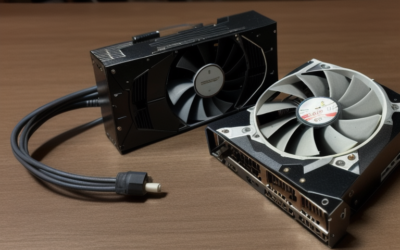
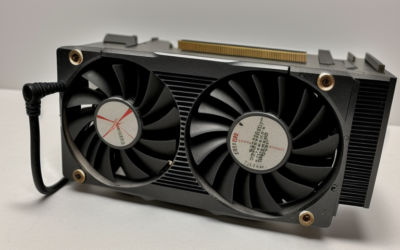
Partner cards came in several forms. Standard models used a single six-pin power connector. A group of low-power variants, aimed at small cases and weaker power supplies, ran from the PCIe slot alone with reduced clocks. Because of that split, two cards with the same name may differ in performance and wiring, so look at the board before assuming anything.
Key Specifications
| Item | GTX 950 |
|---|---|
| Architecture | Maxwell (second generation, GM206) |
| Launch | August 2015 |
| CUDA cores | 768 |
| Video memory | 2 GB GDDR5 (some partner cards offer 4 GB) |
| Memory bus | 128-bit |
| Board power | Around 90 W for standard models; low-power versions are lower |
| Power connector | Usually one 6-pin; none on slot-powered versions |
| Suggested system supply | Around 350 W |
| Outputs | Varies; commonly DVI, HDMI 2.0 and DisplayPort |
For exact clocks and connector layouts, check the specification sheet of your specific model.
Features Worth Knowing
Second-generation Maxwell brought features that older Kepler cards lack. The card supports HDMI 2.0, which allows 4K output at 60 Hz on a compatible television. It includes hardware support for decoding the HEVC video format, which makes it a more capable media playback card than earlier budget choices. It supports DirectX 12 and Vulkan at modern feature levels, within driver limits, and NVIDIA features of the era such as Dynamic Super Resolution.
What it does not have is anything introduced afterward: no ray tracing cores, no tensor cores and no DLSS. Modern upscaling and frame generation are not options, which matters when newer games lean on them.
What It Can Still Run
With 2 GB of memory and a 128-bit bus, the card suits older and lightweight titles at 1080p with moderate settings. Games built for the Xbox One and PlayStation 4 generation often work if you reduce textures and effects. Competitive shooters and MOBAs with scalable graphics can run at low settings, provided the current version still supports the hardware.
- Esports and older games: Reasonable at 1080p low to medium.
- Modern AAA releases: Many exceed 2 GB of memory and may not launch.
- Media playback: Capable, including HEVC decode.
- Multi-monitor office use: Fine, depending on the outputs of your model.
The 2 GB limit is the most common reason a modern game stutters or refuses to start. If a game lists 4 GB of video memory as its minimum, this card will not satisfy it.
Driver Support and Operating Systems
NVIDIA moved the Maxwell family to a legacy track, so game-specific optimizations are no longer being added. Current Windows 10 and Windows 11 packages exist, but check NVIDIA’s legacy driver notes to see how long security updates continue and what the last full release is. On Linux, you will use a legacy branch, and the open-source Nouveau driver is an alternative for basic desktop work.
How It Compares With the GTX 960 and Neighbors
The GTX 960 above it used the same GM206 chip with more cores enabled, so the two share features and differ mainly in speed and power. The 960 was the better choice for buyers who wanted a margin of performance, while the 950 appealed to those who prioritized low power and a smaller budget. Below it, the GTX 750 Ti was a step down in features, lacking HEVC decode and HDMI 2.0, even though it drew less power.
Looking at newer cards, the GTX 1050 and GTX 1050 Ti took over the same slot with better efficiency, and the GTX 1650 later gave entry buyers more modern video features and a longer driver future. For a buyer today, those are the obvious comparisons, and they usually win on memory and support.
Power and Case Friendliness
One of the card’s best traits is modest power draw. Many boards are short enough for small cases, and slot-powered versions can upgrade a prebuilt with a weak supply without touching the rest of the system. That convenience is the main reason people still look for them. When shopping used, verify which variant you are getting, because a six-pin card will not work in a system lacking that connector.
Getting the Best Out of a 2 GB Card
If you are staying with the 950, a few habits help it last. Lower texture quality first, since memory is the tightest resource, and turn off high-cost options such as heavy shadow and ambient occlusion settings before reducing resolution. Close browsers and overlay software while gaming, because they take video memory too. Keep the case ventilated, as compact boards with small fans can run warm in a dusty cabinet. Finally, pick a single stable driver and leave it alone, since the card will not receive new features and frequent changes only add risk.
Who Should Use It, Skip It or Replace It
The Prebuilt Upgrader on a Tight Supply
A slot-powered 950 can lift an integrated-graphics office PC to light gaming without a new power supply. It is a stopgap, but a workable one for older and lighter games.
The Used-Market Shopper
Be selective. If the price is not very low, compare with newer entry cards like the GTX 1650 or the used GTX 1070, which provide more memory and longer practical life.
The Owner of a Working Card
Keep it for light duty, and replace it when a game you care about demands more memory or newer features. Do not buy a second card to double up; adding another weak card is poor value compared with one newer card.
Buying or Keeping Checklist
- Identify the exact variant and whether it needs a six-pin connector.
- Confirm 2 GB or 4 GB of memory.
- Check that outputs match your monitor.
- Inspect fans and heatsink for wear.
- Read NVIDIA’s legacy driver notes for your operating system.
- Compare with newer used cards before paying for a 950.
Frequently Asked Questions
Does the GTX 950 need an extra power cable?
Standard models use a single six-pin connector, while low-power variants run from the PCIe slot alone. Check the board or the model listing.
Can it output 4K video?
It has HDMI 2.0 on many boards, which supports 4K at 60 Hz for video and desktop use. Gaming at that resolution is far beyond what the card can handle.
Is 2 GB of memory enough?
For older and esports titles, yes. For most recent releases it is below the stated minimum.
Is the GTX 950 still getting drivers?
It has moved to legacy support, so new optimizations have stopped. Check NVIDIA’s legacy driver notes for the current security update status.
Related Guides
- GTX 1630 Review: Low-Profile Budget GPU Worth Buying?
- GTX 1070 Review 2026: Still a Great Budget Used GPU?
- GTX 1080 Review 2026: Is This Used GPU Still Worth It?
- GTX 1650 Review: Is It Still the Best Budget GPU in 2026?


Write Your Review
No reviews yet. Be the first to share your experience!