
- Top Pick: ASUS PRIME B360M-A (300 Series) Intel LGA-1151 mATX Motherboard with Aura Sync RGB header, DDR4 2666MHz, M.2 support, HDMI, Intel Optane memory ready, SATA 6Gbps and USB 3.1 Gen 2
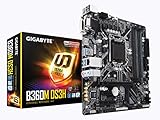
- Best Value: GIGABYTE B360M DS3H (LGA1151/Intel/Micro ATX/USB 3.1 Gen 1 (USB3.0) Type A/DDR4/Motherboard)
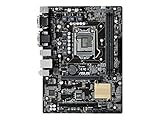
- Premium Choice: Asus Micro ATX DDR4 LGA 1151 Motherboard H110M-C/CSM
Best 1151 socket motherboard advice is useless without one detail first: this socket exists in two electrically incompatible revisions that share the same name and physical shape. Getting that wrong wastes money, so this guide sorts the boards by which processors they actually accept.
As an Amazon Associate we earn from qualifying purchases at no extra cost to you.





As an Amazon Associate we earn from qualifying purchases at no extra cost to you.
By Ryan Cole, PC hardware writer at NVIDIA Review.
How to Choose the Best 1151 Socket Motherboard
Compatibility comes before every other consideration here. Four checks, worked through in order, will identify the best 1151 socket motherboard for your processor and prevent the mistake that generates most returns on these boards.
Identify Which Revision Your CPU Needs
The first revision pairs with 100 and 200-series chipsets, meaning H110, B150, B250, Z170 and Z270. These accept 6th Gen Skylake and 7th Gen Kaby Lake processors such as the i5-6600K, i7-7700K and their locked equivalents.
The second revision uses 300-series chipsets: H310, B360, B365, Z370 and Z390. These accept 8th Gen Coffee Lake and 9th Gen chips including the i5-9600K and i9-9900K. Neither revision will run the other generation’s processors.
Decide Whether You Need a Z-Series Chipset
Z270 and Z390 unlock CPU multiplier overclocking and memory XMP tuning. If your processor ends in K and you intend to push it, that capability is the whole reason to pay the premium over a B-series board.
For locked chips the benefit largely disappears. B365 and B250 boards run the same processors at full stock boost behaviour, and the money saved is better spent on a decent power supply or a larger SSD.
H-series chipsets sit below both and cut further still, typically to two DIMM slots on Micro-ATX models and reduced rear connectivity. They function, but the saving over a B-series board rarely justifies the restrictions.
Weigh VRM Capability Against Core Count
Four-core chips from the first revision place modest demands on power delivery, so almost any board copes. Eight-core 9th Gen processors are a different matter and will expose weak VRMs quickly under sustained multi-threaded load.
Look for boards with heatsinks covering the power stages rather than bare components. On this generation that single visual check separates boards that hold clocks under load from those that quietly throttle after a few minutes.
Case airflow compounds the difference. A lightly cooled VRM in a sealed case with one exhaust fan behaves very differently from the same board behind two front intakes, so plan cooling and board choice together.
Accept the Platform’s Age Honestly
Expect PCIe 3.0 throughout, DDR4 memory, gigabit Ethernet on most models and one or two M.2 sockets. None of that prevents good gaming performance, but a Gen4 NVMe drive will run at roughly half its rated speed.
Availability is the other constraint. Production ended years ago, so listings mix remaining retail stock with open-box and used units, and prices fluctuate more with seller inventory than with any underlying market logic.
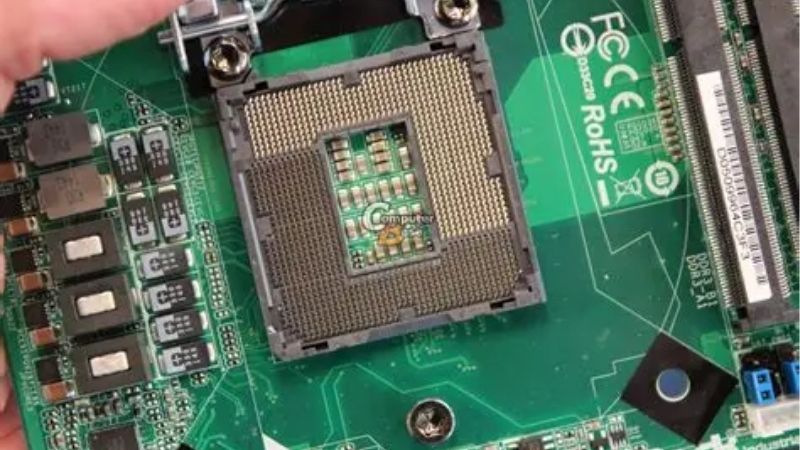
Check socket photographs carefully on used listings. Bent pins are the most common fault on second-hand boards from this era, and they are the one problem that is genuinely difficult to fix without specialist tools.
Top Picks: Best 1151 Socket Motherboard Options by Revision
The best 1151 socket motherboard for you is determined by your CPU generation, so these six are grouped accordingly across both revisions. Specifications come from manufacturer documentation; stock varies enormously by retailer and region on a discontinued platform.
| Model | Chipset | CPU Generations | Overclocking | Form Factor |
|---|---|---|---|---|
| Gigabyte Z390 AORUS Pro WiFi | Z390 | 8th and 9th Gen | Yes | ATX |
| ASUS ROG Strix Z370-E Gaming | Z370 | 8th Gen (9th with BIOS) | Yes | ATX |
| MSI Z370-A PRO | Z370 | 8th Gen (9th with BIOS) | Yes | ATX |
| ASRock B365M Pro4 | B365 | 8th and 9th Gen | No | Micro-ATX |
| ASUS Prime Z270-A | Z270 | 6th and 7th Gen | Yes | ATX |
| Gigabyte GA-B250M-DS3H | B250 | 6th and 7th Gen | No | Micro-ATX |
Gigabyte Z390 AORUS Pro WiFi
For a 9th Gen build this is among the most complete options. A digital VRM with proper heatsinking, four DDR4 slots, two M.2 sockets with thermal guards, integrated wireless and a reinforced graphics slot cover an i9-9900K properly.
Onboard Wi-Fi is genuinely useful on a platform where most boards omit it. The drawback is second-hand pricing, since well-specified Z390 boards retained value and can cost close to a modern entry-level board and CPU combination.
ASUS ROG Strix Z370-E Gaming
Z370 arrived first in the second revision and this remains its strongest consumer board. Heavy power delivery, four DDR4 slots, dual M.2 sockets, integrated wireless and a capable audio section make it well equipped for an unlocked i7.
Nine-generation support requires a BIOS update, which is the important caveat. If the board ships with older firmware and you have no 8th Gen chip to boot with, updating becomes considerably more awkward than it should be.
MSI Z370-A PRO
This is the plain, functional Z370 option and it does exactly what it promises. Four DDR4 slots, memory overclocking support, one M.2 socket and a clean layout make it a reasonable host for a 8600K or 8700K.
It is usually the cheapest route into an overclocking-capable second-revision board. The compromises are real: modest VRM heatsinking, a single M.2 socket and no wireless, so it suits mid-tier chips rather than eight-core processors.
ASRock B365M Pro4
When the processor is locked, B365 removes cost without removing capability. This Micro-ATX board supports 8th and 9th Gen chips, four DDR4 slots and two M.2 sockets, which is more storage flexibility than many boards at this level.
For an office machine or a budget gaming build it is entirely sufficient. The limitations are no memory or CPU overclocking, gigabit networking and a power delivery best matched to six-core processors rather than a 9900K.
ASUS Prime Z270-A
For a 6th or 7th Gen system this is the sensible first-revision choice. Four DDR4 slots with XMP support, dual M.2 sockets, solid power delivery and ASUS BIOS conventions make it a comfortable board for an i7-7700K.
It remains a capable platform for 1080p gaming with a modern graphics card. The honest limitation is the CPU ceiling: four cores and eight threads is the maximum here, which shows in newer titles that assume six cores or more.
Gigabyte GA-B250M-DS3H
This is the budget end of the first revision and it makes sense only in specific circumstances. It supports 6th and 7th Gen processors, offers four DDR4 slots and an M.2 socket, and keeps costs to an absolute minimum.
As a repair board for an existing Skylake system it does the job. The drawbacks are considerable though: no overclocking, minimal VRM cooling and a platform that is now two full CPU generations behind the second revision.
Where This Socket Sits in the 2026 Market
Two market conditions determine whether the best 1151 socket motherboard is a sensible purchase for you or whether the budget belongs on a newer platform entirely.
Reusing DDR4 Is the Main Financial Argument
DRAM contract pricing climbed steeply through 2026, with further increases forecast into the fourth quarter and no significant new capacity expected before late 2027. DDR5 has absorbed the largest portion of that increase.
That makes an existing DDR4 kit genuinely valuable. If you own the memory and the processor already, replacing only a failed board is dramatically cheaper than a platform migration at current component prices.
There Is No Upgrade Path From Here
Both revisions of this socket are finished, so whichever chip you fit is the last one. AMD confirmed at Computex 2026 that AM5 accepts new processors through 2029, which is a stark contrast worth weighing before spending much.
Practically, that means setting a spending ceiling. If a used board costs as much as an entry-level modern board, the modern platform is the better decision even though it requires new memory and a new processor.
Budget Boards Are Thinner on the Ground
Motherboard sales fell more than a quarter and manufacturers shifted production toward mid and high-tier models, with promotional pricing policies withdrawn in February 2026. Discontinued platforms feel that supply squeeze first.
The practical consequence is inconsistent pricing rather than uniformly higher prices. Comparing several listings over a week usually reveals a wide spread, so patience is worth more here than it is on current-generation hardware.
Frequently Asked Questions
These questions come up constantly because of the socket revision confusion, which trips up experienced builders as often as newcomers.
Why do two different boards both say LGA 1151?
Intel reused the socket name and physical dimensions while changing the pin assignments for power delivery. The mechanical fit is identical, which is exactly why the incompatibility catches people out so frequently.
Can a BIOS update make an older board accept 9th Gen?
No. The limitation is electrical rather than firmware-based, so no update will bridge the two revisions. Within the second revision, however, a BIOS update is often required for Z370 boards to accept 9th Gen chips.
Is the best 1151 socket motherboard worth buying new?
Only if you find genuine remaining retail stock at a sensible price. Most listings are now open-box or used, so factor in the absence of a manufacturer warranty when comparing against a current entry-level platform.
Do these boards support NVMe boot drives?
Yes, on 200 and 300-series chipsets with an M.2 socket. Drives run at PCIe 3.0 speeds, so a modern Gen4 SSD works but delivers roughly half its rated throughput, which matters for file transfers more than for gaming.
See More:
- Best MSI motherboard
- Best motherboard processor combo for gaming
- Best B550 motherboard
- Best CPU for streaming
- What is the best AM4 CPU for gaming
Final Thoughts
The best 1151 socket motherboard is whichever one matches your processor’s revision, and everything else follows from there. Z390 and Z370 serve 8th and 9th Gen builds, B365 covers locked chips cheaply, and Z270 or B250 remain viable for Skylake and Kaby Lake systems you already own.











Write Your Review
No reviews yet. Be the first to share your experience!