
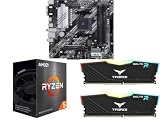
- Top Pick: NEWEGG Motherboard CPU Memory Combo -B550M Motherboard Bundle with Ryzen 5 5500 6-Core 3.6 GHz Socket AM4 65W CPU and 16GB (2 x 8GB) 288-Pin PC RAM DDR4 3200 Desktop Memory
- Best Value: MICRO CENTER AMD 5500 Processor with ASUS TUF Gaming A520M Plus Motherboard
- Premium Choice: MICRO CENTER AMD 9900X Processor with ASUS ROG Strix B650A WiFi Motherboard
Best CPU and motherboard combo for gaming is decided by two things sitting outside the combo itself: your monitor and your graphics card. Spend more than those two components justify and the extra money produces no additional frames at all, however impressive the specification sheet happens to look.
As an Amazon Associate we earn from qualifying purchases at no extra cost to you.




As an Amazon Associate we earn from qualifying purchases at no extra cost to you.
By Ryan Cole, PC hardware writer at NvidiaReview
How to Pick the Best CPU and Motherboard Combo for Gaming
Choosing the best CPU and motherboard combo for gaming works backwards from the display. Three things decide it: what resolution and refresh rate you play at, which graphics card the combo will feed, and whether cache or core count matters more for the games you actually run.
Start With Resolution and Refresh Rate
At 4K the graphics card does almost all the work, so a mid-range processor rarely limits anything. At 1080p with a high refresh monitor the reverse applies, and the processor becomes the constraint far more often, which is why competitive players benefit from spending more on the chip.
1440p sits between the two and is where most gaming builds land. There, a strong eight-core processor with plenty of cache pairs well with a mid to high tier graphics card, and moving beyond that combination produces diminishing returns unless you also upgrade the display.
Do Not Outspend Your Graphics Card
A useful rule is that the processor and board together should rarely exceed what the graphics card costs in a gaming build. Frames come from the card first, and a machine with an expensive combo feeding a modest card will underperform a balanced build at the same total price.
This is the mistake that flagship motherboard marketing encourages. A board with USB4, dual chipsets and a twenty-phase power design changes nothing in games, and that money moved into the graphics card or the memory kit produces a measurable difference you can see on screen.
Cache Versus Core Count for Games
Games respond disproportionately well to a large L3 cache, which is why eight-core processors with stacked cache regularly outperform higher-core-count chips in most titles. Simulation games, large open worlds and heavily modded titles benefit most from that extra cache.
Core count matters when something else runs alongside the game, such as capture software, a browser with many tabs or a second monitor running video. Six cores remains adequate for pure gaming, eight is comfortable with background tasks, and beyond that the gains shift to production work.
Top Picks: Best CPU and Motherboard Combo for Gaming Builds
These five pairings for the best CPU and motherboard combo for gaming each target a different display and graphics card tier. All figures are vendor-published specifications and availability varies by retailer, so confirm both halves before ordering. Pricing tiers were checked in August 2026.
| Target | Processor | Motherboard | Platform | Pairs with |
|---|---|---|---|---|
| 1080p budget | Ryzen 5 5600 | Gigabyte B550 Aorus Elite AX | AM4 | Entry graphics cards |
| 1080p high refresh | Ryzen 5 7600X | Gigabyte B650 Gaming X AX | AM5 | Mid-range cards |
| Current-gen value | Ryzen 5 9600X | ASUS Prime B850M-A WiFi | AM5 | Mid-range cards |
| 1440p sweet spot | Ryzen 7 7800X3D | MSI MAG B650 Tomahawk WiFi | AM5 | Upper mid-range cards |
| High-end gaming | Ryzen 7 9800X3D | ASRock B850 Riptide WiFi | AM5 | Flagship cards |
Ryzen 7 7800X3D with MSI MAG B650 Tomahawk WiFi – Best for 1440p
Eight cores with 96MB of L3 cache remains one of the most effective gaming processors ever released, and the Tomahawk provides far more power delivery than its 162W package limit requires, along with four M.2 slots, 2.5GbE and firmware that handles EXPO kits without argument.
The chip is locked, so only Curve Optimizer undervolting is available, and both halves are previous generation, which means checking for a BIOS update before first boot. As a discounted pairing that still competes with current hardware in games, it is the value benchmark here.
Ryzen 5 7600X with Gigabyte B650 Gaming X AX – Best for 1080p High Refresh
Competitive play rewards clock speed and responsiveness rather than core count, and six cores boosting past 5GHz handles high refresh 1080p gaming comfortably. The Gaming X AX keeps board cost low while providing three M.2 slots, 2.5GbE and Wi-Fi 6E for a complete build.
Six cores gets tight if you add capture software or heavy background tasks, and the board’s VRM heatsinks are modest, so case airflow matters. For a machine built around frame rate in competitive titles rather than visual settings, the savings belong in the monitor instead.
Ryzen 7 9800X3D with ASRock B850 Riptide WiFi – Best High-End Pairing
This is the pairing for a flagship graphics card at 1440p or 4K. The 9800X3D adds an unlocked multiplier to the cache advantage, and the Riptide provides current B850 features including Wi-Fi 7 and PCIe 5.0 storage without the flagship chipset premium that changes nothing in games.
The processor runs warm because of its stacked cache and needs a proper dual-tower cooler rather than a bundled one. ASRock firmware updates arrive slightly later than rivals. Beyond this combination, spending more on either half produces no measurable gain in any game.
Ryzen 5 9600X with ASUS Prime B850M-A WiFi – Best Current-Generation Value
Six current-generation cores paired with a plain Micro-ATX board keeps platform cost down while landing on a socket supported through 2029. That upgrade path is the point: the board can host a much faster processor in a few years without replacing the memory or the case.
It gives up the cache advantage that makes the X3D chips so strong in games, so frame rates in demanding titles sit below the pairings above. The board is plain with no lighting. As a starting point you intend to upgrade rather than replace, it is a sensible foundation.
Ryzen 5 5600 with Gigabyte B550 Aorus Elite AX – Best Budget Pairing
On AM4 with DDR4, this pairing costs a fraction of a current-generation equivalent while still delivering six cores at up to 4.4GHz within 65W. The B550 Aorus Elite AX provides PCIe 4.0, dual M.2 slots and Wi-Fi, which covers everything an entry gaming build needs.
AM4 has reached the end of its life, so the only upgrade available is a Ryzen 5000 series chip, and DDR4 pricing has risen alongside everything else this year. For a first gaming machine on a strict budget, it still frees the most money for the graphics card.
What the 2026 Market Means for Gaming Combos
Where the money goes in a gaming build has shifted this year, and the best CPU and motherboard combo for gaming is usually the easiest place to economise sensibly. Three market factors should shape the budget split before you order either half.
The Product Calendar Is Empty Until CES 2027
AMD’s Zen 6 processors and Intel’s Nova Lake have both slipped to CES in January 2027. If you have been waiting for a new generation before committing to a combo, nothing significant arrives before then, and retail availability at sensible prices usually lags a launch by months.
That stability helps. Current platforms are mature, memory compatibility is well documented and firmware is stable, so assembly is considerably more predictable than it was during the platform’s first year. Buying now carries little risk of immediate obsolescence.
AM5 Support Runs Through 2029
AMD confirmed at Computex 2026 that socket AM5 will receive new processors until the end of 2029, while Intel’s next generation moves to a different socket. For a gaming combo, that turns the board into a longer-lived purchase than the chip currently sitting in it.
It is also the strongest argument against an AM4 pairing for a new machine, however good the value looks. AM4 remains an excellent upgrade for an existing DDR4 system, but as a starting point it commits you to replacing board and memory when the processor eventually falls behind.
Memory Pricing Squeezes the Whole Budget
DRAM prices have climbed sharply through 2026, with further increases forecast and no meaningful new capacity before late 2027. A 32GB DDR5 kit now takes a far larger share of a gaming build than it did, which forces harder choices across the rest of the parts list.
Absorb that on the motherboard rather than the processor or graphics card. A mainstream board runs any gaming chip at full speed, so the money moved into a 6000 MT/s EXPO kit with tight timings buys measurable performance that extra board features never will.
Frequently Asked Questions
The questions gamers ask most when buying both core parts together: how many cores are genuinely needed, whether the board affects frame rates at all, how much to spend relative to the graphics card, and whether a previous-generation pairing counts as a mistake.
How many cores do I need for gaming?
Six remains adequate for pure gaming and eight is comfortable when something runs alongside the game. Beyond eight, the benefit shifts to production work rather than frame rates. Cache size matters more than core count in most titles, which is why X3D chips lead in games.
Does the motherboard affect frame rates?
Barely. The best CPU and motherboard combo for gaming and a much cheaper one produce results within measurement noise, given the same memory and graphics card. The board matters indirectly, through how reliably it runs your memory at rated speed and how well it cools power delivery under long sessions.
How should the budget split against the graphics card?
In a gaming build, the processor and the board together should rarely exceed what the graphics card itself costs. Frames come from the card first, so a balanced build outperforms one with an expensive combo feeding a modest card, even when both cost exactly the same in total.
Is a previous-generation pairing a mistake?
Not while the socket still has life. A 7800X3D on a discounted B650 board remains competitive with current hardware in games and sits on a platform supported until 2029, which makes it one of the better value combinations available rather than a compromise.
See More:
- Best thermal compound paste
- Thermal paste at Best Buy
- Graphics card at Best Buy
- Best AM4 CPU for gaming
- Best motherboard for 9800x3d
Final Thoughts
The best CPU and motherboard combo for gaming is the one matched to your monitor and your graphics card. The 7800X3D with a discounted B650 board covers 1440p brilliantly, the 9800X3D on a B850 board suits flagship cards, and a 7600X handles high refresh 1080p for far less. Keep the combo below your graphics card budget.











Write Your Review
No reviews yet. Be the first to share your experience!