
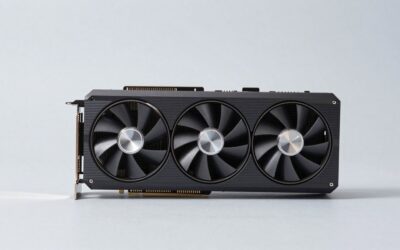
- Top Pick: GPVHOSO RTX 2060 8GB Super Graphics Card 256Bit GDDR6,
- Best Value: EVGA GeForce GTX 1080 Ti SC Black Edition Gaming, 11GB GDDR5X, iCX Cooler & LED, Optimized Airflow Design, Interlaced Pin Fin Graphics Card 11G-P4-6393-KR (Renewed)
- Premium Choice: NVIDIA GEFORCE GTX 1080 Ti – FE Founders Edition (Renewed)

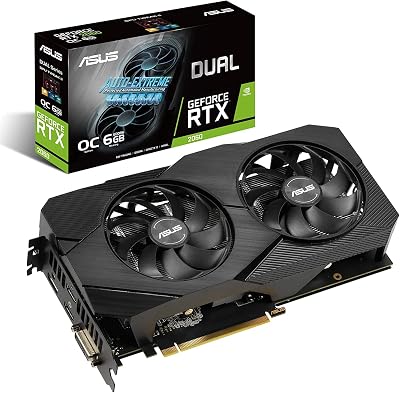

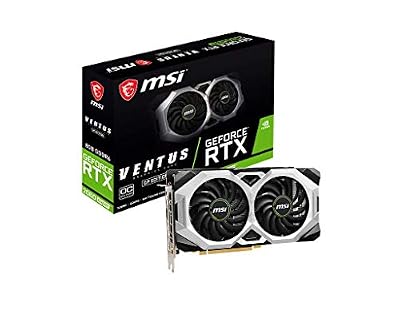

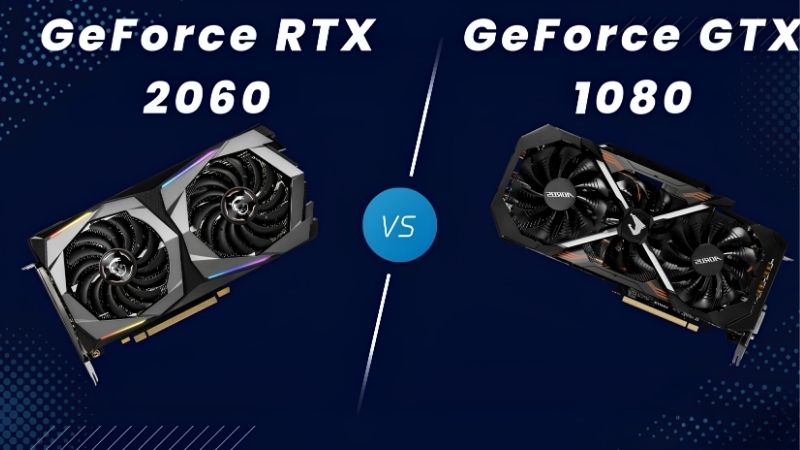
rtx 2060 vs gtx 1080 is usually decided in about two minutes, on a phone, while a marketplace listing sits open in another tab. So here is the answer first and the reasoning after. The GTX 1080 is faster in raw raster — roughly 5% to 12% — and carries 8 GB of VRAM against the RTX 2060’s 6 GB. The RTX 2060 has DLSS, which the 1080 can never have, and that flips the result in any supported title. Both are used-market cards now, which means the condition of the specific unit matters more than the model. Here is the table, the fair prices, and the three checks to run before you send the money.
The Quick Verdict on RTX 2060 vs GTX 1080
Take the GTX 1080 if the prices are similar. It is faster in raster, has 2 GB more VRAM, and a wider 256-bit bus. Take the RTX 2060 only if it is meaningfully cheaper, or if you specifically want DLSS in modern titles. Both are ageing hardware where the seller’s honesty matters more than the spec sheet — and the checks in the third section are the part that actually saves you money.
As an Amazon Associate we earn from qualifying purchases at no extra cost to you.







Take the GTX 1080 If
Take the 1080 for raw performance at any resolution above 1080p. Its 256-bit bus and 8 GB of GDDR5X give it more headroom than the 2060’s 192-bit and 6 GB, and at 1440p that gap widens rather than closes.
Take it also if you mostly play older or esports titles, where DLSS support does not exist and raw raster is the only metric. In that library the 1080 is simply the better card and there is nothing more to weigh.
Take the RTX 2060 If
Take the 2060 if you play modern single-player titles with DLSS support. The 1080 has no Tensor Cores — this is silicon, not software, and no driver will ever change it. With DLSS Quality enabled, the 2060 renders at a lower internal resolution and reconstructs, typically gaining 30% to 50%. That erases the 1080’s raster lead and then some.
Take it also if power or heat matter. 160W against 180W is modest, but Turing runs cooler and quieter in practice, and the 2060 fits more compact builds.
And take it if it is simply cheaper. On the used market these two often sit within $30 of each other, and at that point the 6 GB versus 8 GB question becomes the deciding factor rather than the price.
RTX 2060 vs GTX 1080 Spec Comparison Table
Scan the VRAM, bus, and Tensor Core rows. Those three lines contain the entire decision.
| Specification | GTX 1080 | RTX 2060 6GB |
|---|---|---|
| Architecture | Pascal (2016) | Turing (2019) |
| CUDA Cores | 2,560 | 1,920 |
| RT Cores | None | 30 (1st gen) |
| Tensor Cores | None — no DLSS | 240 (2nd gen) |
| VRAM | 8 GB GDDR5X | 6 GB GDDR6 |
| Memory Bus | 256-bit | 192-bit |
| Bandwidth | ~320 GB/s | ~336 GB/s |
| Board Power | 180W | 160W |
| Power Connector | 1x 8-pin | 1x 8-pin |
| Recommended PSU | 500W | 500W |
| AV1 Decode | No | No |
| Launch MSRP | $599 (2016) | $349 (2019) |
| Fair used price | $110-150 | $100-140 |
Bandwidth is nearly identical despite the bus difference, because GDDR6 on 192-bit roughly matches GDDR5X on 256-bit. The real gap is capacity: 8 GB against 6 GB, and 6 GB is genuinely tight in 2026.
Deep Dive Face-Off: Raster Versus DLSS
Aggregated across published benchmark suites, these two produce one of the cleanest split results available — one card wins on brute force, the other wins on software it has the hardware to run.
Raster Performance at 1080p and 1440p
At 1080p high settings the GTX 1080 leads the RTX 2060 by roughly 5% to 12% across a mixed suite. Both sit comfortably in the 60 to 100 fps range in most titles at high settings, and both are still perfectly usable 1080p cards.
At 1440p the 1080’s lead extends to roughly 10% to 18%, and the reason is the frame buffer rather than the shaders. 6 GB starts to bind at 1440p with high textures; 8 GB does not, quite. Neither is a comfortable 1440p card in demanding modern titles, but the 1080 gets closer.
So without upscaling, the older card wins. That is worth sitting with — a 2016 flagship beating a 2019 mid-range card is the same pattern the 1080 Ti shows against modern budget cards, and it is a statement about product segmentation rather than about engineering.
DLSS Reverses It in Supported Titles
Switch to a DLSS-supported title and the result inverts. At 1080p Quality preset the 2060 renders internally at roughly 720p and reconstructs, typically gaining 30% to 50%. Against the 1080’s 5% to 12% raster lead, that is not close.
The 2060 also received the transformer-based DLSS model, which reached Turing cards and improved image quality on hardware that shipped years earlier. That is the kind of post-purchase improvement the 1080 has never had access to and never will.
The honest limit: DLSS support is not universal, and it is thinnest in exactly the older library where a card of this class often lives. If your games are mostly pre-2019, DLSS is a feature you will rarely trigger, and the 1080’s raster advantage is the number that matters.
The Used-Buying Checks That Actually Matter
This is the section worth reading before you message the seller, because on nine-year-old hardware the condition of the specific unit swings the outcome more than the model choice does.
Ask three questions. First: was it used for mining? A card that ran 24/7 under sustained load has degraded thermal pads and fan bearings near end of life — the silicon is usually fine, but the cooler is not. Second: what is the hotspot temperature under load? Ask for a screenshot of a monitoring overlay during a game. Above 95°C means degraded thermal interface material. Third: are the fans quiet at idle and free of rattle? Bearing noise is audible and it does not improve.
None of these are dealbreakers if the price reflects them. A 1080 with a tired cooler at $90 is a better buy than a pristine one at $150 — repasting a card of this age is straightforward and the highest-return maintenance in PC hardware. Budget for a tube of quality thermal paste and a set of replacement thermal pads either way, because on a card this old you will need them.
And check your own PSU before you buy. Both want 500W and one 8-pin PCIe connector. If your unit is an unbranded one from a prebuilt, the instant-reboot-under-load fault people blame on a bad used card is usually the power supply, not the GPU.
Pros, Cons and What to Buy Instead
Here is the plain ledger, and an honest note on whether either card is the right purchase at all.
GTX 1080: Pros and Cons
Pros: 8 GB of VRAM against 6 GB — a real advantage in modern titles. 256-bit bus. Faster in raster by 5% to 12% at 1080p and more at 1440p. Was a flagship, so build quality and cooling on partner designs are generally better than a mid-range card’s. Cheap and plentiful on the used market. One 8-pin, 500W PSU.
Cons: No Tensor Cores, so no DLSS — permanently. No RT cores. No AV1 decode, so modern streaming sites lean on your CPU. Pascal is in legacy driver status and new game optimisations will thin out. Ten years old, with degraded thermal materials near-certain. 180W.
RTX 2060: Pros and Cons
Pros: DLSS support, which gains 30% to 50% in supported titles and reverses the raster result. Received the transformer DLSS model years after launch. RT cores exist, technically. 160W and cooler operation. GDDR6 gives it slightly more bandwidth despite the narrower bus. Three years newer, so more driver runway. Compact designs available.
Cons: 6 GB of VRAM is genuinely tight in 2026 and will stutter at 1440p. 192-bit bus. Slower in raster. Ray tracing is present but unusable in anything demanding. No AV1 decode. DLSS support is thin in older libraries. Turing is also approaching legacy status.
The Alternative: Should You Buy Either?
Honest answer: at roughly $110 to $150 for either, these are reasonable stopgaps and poor investments. Both are near end of driver life, both lack AV1 decode, and both will need a repaste. If you can stretch to roughly $250, an RTX 3060 12GB or an Intel Arc B580 doubles your VRAM, adds AV1, and buys you years of driver support rather than months.
If the budget is genuinely fixed, spend the money elsewhere first. A quality 550W power supply, 16 GB of RAM, or a 144 Hz monitor will each do more for how your machine feels than choosing between these two cards will. That is not a deflection — it is what the numbers say.
If you are buying one of these anyway, take the 1080 at equal money and budget separately for thermal paste and pads. Worth checking current pricing on a decent PSU and a paste kit before you commit to the card, because those two determine whether it works at all.
Why the Used Market Is This Expensive
Nine-year-old cards holding $120 is not normal, and it is not sentiment. Three market forces explain it.
Component Prices Are Still Trending Up
The broad direction for laptops and PC components remains upward, and memory is the driver. AI infrastructure is consuming DRAM and GDDR at a scale consumer hardware cannot outbid, and that cost lands in every new card’s price.
Used prices are anchored to new prices, not to age. When the cheapest sensible new card climbs, everything below it is dragged up with it — which is why a GTX 1080 that should be worth $60 on merit is worth $130 on scarcity. You are not being gouged by sellers; you are seeing the floor of the new market pushing up from underneath.
The practical read: do not wait for used prices to fall to what these cards are worth. They will not, because the thing setting them is not the card.
The Good News Is Real, But Weak and Distant
Prices have at least stopped climbing at the pace they set through late 2025. Framework, which publishes unusually candid supply commentary, has reported a stretch of relative stability while still warning that volatility has not ended. The steep climb flattened. Nothing reversed.
For a used buyer that is genuinely useful: the listing you are looking at is priced at roughly what the next one will be. There is no correction coming that rewards hesitating, and marketplace listings at fair prices disappear in hours rather than weeks.
New Memory Supply Arrives in 2027 at the Earliest
Fresh capacity is genuinely opening up. OEMs can increasingly source DDR5 from Chinese suppliers such as CXMT, and Micron is building two fabs in Idaho. Both are real and substantial. Neither runs before 2027 or 2028.
So relief exists, but it is weak and years away. Waiting for the used market to normalise means waiting for the new market to normalise first, and that is a 2028 story at best.
Which makes the plan clear. Buy the better of the two at a fair price, budget for a repaste, and accept it as a bridge rather than a destination.
See More:
Final Verdict and Recommendation
The rtx 2060 vs gtx 1080 answer is short enough to act on from your phone: at similar prices, take the GTX 1080. It is 5% to 12% faster in raster, has 8 GB against 6 GB, and a wider 256-bit bus — and at 1440p the gap grows rather than shrinks. Take the RTX 2060 instead if it is meaningfully cheaper, or if your library is modern enough that DLSS triggers regularly, because DLSS gains 30% to 50% in supported titles and the 1080 has no silicon to run it.
Then run the three checks before you pay, because they matter more than the model: ask whether it was mined on, ask for a hotspot temperature screenshot under load, and listen for fan rattle. Above 95°C hotspot means degraded thermal paste — negotiate the price down rather than walking away, since repasting is cheap and effective. Fair money is roughly $110 to $150 for a 1080 and $100 to $140 for a 2060. Both are bridges, not destinations: if you can reach $250, an RTX 3060 12GB is the card that actually solves the problem. With used prices anchored to a new market that is flat but high and no memory relief before 2027, waiting saves you nothing. Check pricing on a quality thermal paste kit and a decent 550W PSU alongside whichever card you take — those two decide whether it runs properly at all.
Frequently Asked Questions
Which is faster in raw rasterisation?
The GTX 1080 is generally 10 to 20 percent ahead of the 6GB RTX 2060 in traditional rendering, and it holds that lead better at 1440p thanks to 8GB of VRAM on a 256-bit bus. The RTX 2060 closes the gap or wins outright in newer engines that lean on its improved shader scheduling.
Does DLSS make the RTX 2060 the better buy?
Often yes. DLSS is supported on Turing, so the RTX 2060 can run modern titles at a lower internal resolution and reconstruct detail, which frequently outweighs the GTX 1080 raw advantage. The GTX 1080 has no tensor cores and must rely on FSR, which looks softer at the resolutions these cards target.
How is driver support for each card now?
Turing still receives current Game Ready drivers. Pascal, which the GTX 1080 uses, has moved to legacy status with no new feature branches and only critical security updates for a limited window. That means the RTX 2060 keeps getting day-one game optimisations while the GTX 1080 gradually falls behind on new title support.
Is 6GB of VRAM enough on the RTX 2060?
It is the main compromise. Several modern games exceed 6GB at 1080p ultra with high texture packs, forcing you to drop textures a notch. The GTX 1080 8GB handles those settings more gracefully, so if you play heavily modded or texture-rich titles, the extra memory is a genuine advantage.
What should I check before buying either used?
Ask for a photo of the card running a benchmark with temperatures visible, check for mining history, and inspect the fans and backplate for wear. Budget for repasting and new thermal pads on any card this old. On power, the GTX 1080 needs around 180W and the RTX 2060 about 160W, so a 500W supply covers both.
Ready to decide? Our #1 pick for 2026 is the Architecture.
Live price & availability on Amazon.






Write Your Review
No reviews yet. Be the first to share your experience!