
- Top Pick: msi Gaming GeForce RTX 3060 Ventus 2X 12G OC V1 Graphics Card – 15 Gbps GDRR6 Boost Clock: 1807 MHz 192-Bit HDMI/DP PCIe 4 Torx Twin Fan Ampere
- Best Value: GIGABYTE GeForce RTX 3060 WINDFORCE OC 12G (rev. 2.0) Graphics Card, 2X WINDFORCE Fans, 12GB 192-bit GDDR6, GV-N3060WF2OC-12GD Rev2.0 Video Card
- Premium Choice: NVIDIA GeForce RTX 3060 Ti Founders Edition 8GB GDDR6 PCI Express 4.0 Graphics Card (Renewed)


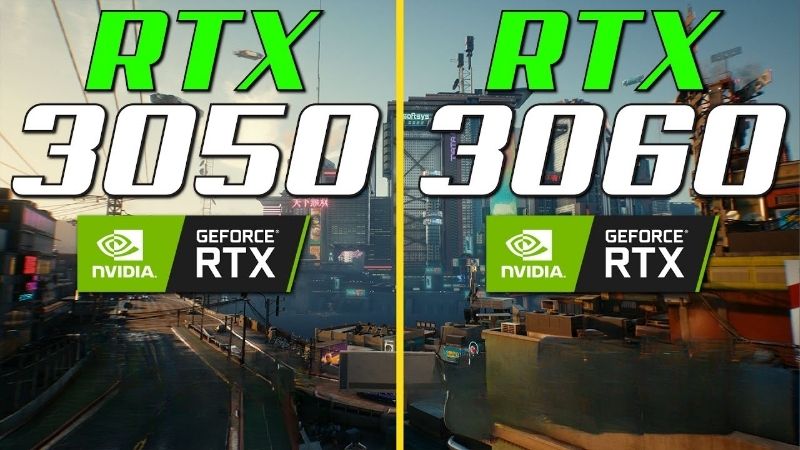
rtx 3050 vs rtx 3060 deserves a thirty-second answer, not a twenty-minute video, because the decision is genuinely simple once you see two numbers side by side. The 3060 is roughly 25% to 35% faster and carries 12 GB of VRAM against the 3050’s 8 GB, for roughly $50 to $80 more. That is a rare case where the more expensive card is also the better value. The only real reason to buy the 3050 is a physical one, and it has nothing to do with performance. Here is the full comparison, with the verdict first.
The Quick Verdict on RTX 3050 vs RTX 3060
Buy the RTX 3060 12GB. It is faster by a margin you will notice, it has 50% more VRAM, and the price gap is small enough that the performance-per-dollar maths favours it outright. Buy the 3050 only if your power supply cannot feed a 3060 — that is the whole exception, and for a surprising number of people it is the deciding factor.
As an Amazon Associate we earn from qualifying purchases at no extra cost to you.








Why the RTX 3060 Wins on Value
Run the arithmetic. At roughly $220 for a 3050 8GB and roughly $280 for a 3060 12GB, you pay about 27% more money for about 30% more performance plus 50% more VRAM. Performance per dollar is effectively identical, and you get the memory capacity for free.
That is unusual. Normally the step up in a product stack costs disproportionately more for diminishing gains — this is the whole story of the 5090 comparison elsewhere on this site. At this tier, the curve runs the other way.
The 12 GB is the part that ages. A 3060 bought today will still be loading modern texture packs in three years. An 8 GB card will be dropping settings to avoid stutter.
The One Real Reason to Buy the RTX 3050
Power. The 3060 draws 170W and wants a 550W PSU with a spare 8-pin PCIe cable. The 3050 8GB draws 130W. And the 3050 6GB draws just 70W with no auxiliary power connector at all — it runs entirely off the PCIe slot.
If you are upgrading a pre-built Dell, HP, or Lenovo with a 300W proprietary power supply and no spare cables, that is not a preference, it is a hard physical limit. The 3060 will not go in. The 3050 6GB will.
Everyone else — anyone with a standard ATX PSU of 550W or more and a free 8-pin — should stop reading and buy the 3060.
RTX 3050 vs RTX 3060 Spec Comparison Table
The memory bus row explains most of the performance gap. 192-bit versus 128-bit is a 60% bandwidth advantage before a single core clock is compared.
| Specification | RTX 3050 6GB | RTX 3050 8GB | RTX 3060 12GB |
|---|---|---|---|
| Architecture | Ampere | Ampere | Ampere |
| CUDA Cores | 2,304 | 2,560 | 3,584 |
| RT Cores | 18 | 20 | 28 |
| Tensor Cores | 72 | 80 | 112 |
| VRAM | 6 GB GDDR6 | 8 GB GDDR6 | 12 GB GDDR6 |
| Memory Bus | 96-bit | 128-bit | 192-bit |
| Bandwidth | ~168 GB/s | ~224 GB/s | ~360 GB/s |
| Board Power | 70W | 130W | 170W |
| Power Connector | None needed | 1x 8-pin | 1x 8-pin |
| Recommended PSU | 300W | 550W | 550W |
| DLSS | Yes | Yes | Yes |
| Encoder | NVENC 7th gen | NVENC 7th gen | NVENC 7th gen |
| Launch MSRP | $179 | $249 | $329 |
Note that all three support DLSS and share the same seventh-generation NVENC encoder. If you stream or record, that is not a differentiator — the 3060’s advantage is purely speed and memory.
Deep Dive Face-Off: What the Extra $50 Buys
Aggregating published benchmark data across a 1080p and 1440p suite gives a consistent result, and the gap widens exactly where you would predict from the bandwidth figures.
Frame Rates at 1080p and 1440p
At 1080p high settings the 3060 leads the 3050 8GB by roughly 25% to 35%. In practical terms, a title running at 65 fps on the 3050 runs at 82 to 88 fps on the 3060 — the difference between compromising on settings and not having to.
At 1440p the gap grows to roughly 30% to 40%, because bandwidth pressure rises with resolution and the 3050’s 128-bit bus runs out of road first. The 3060 is a usable 1440p card at medium-to-high with DLSS. The 3050 is not, in anything modern.
Against the 3050 6GB the margin is larger still — roughly 45% to 55% — because that model’s 96-bit bus and 168 GB/s leave it barely ahead of a decade-old GTX 1060 in raster. If a listing does not state which 3050 variant it is, assume the worse one and ask.
The 8GB VRAM Problem Is Real
This is the part average frame rate charts hide. When a game needs more VRAM than the card has, it does not slow down smoothly — it stutters. Textures swap over PCIe, frame times spike from 12 ms to 60 ms and back, and the result feels far worse than the average fps number suggests.
Several modern titles at 1080p high with ray tracing or high-resolution texture packs already push past 8 GB. At 1440p it happens more often. The 3060’s 12 GB simply removes this failure mode from your next three years.
The counter-argument deserves an airing: a 3050 owner can lower texture settings and stay inside 8 GB, and texture quality has a modest performance cost. That is true. It is also exactly the compromise the extra $50 exists to prevent.
Practical Fit: Check Your PSU Before You Decide
Open your case before you open a shopping tab. Three checks settle this comparison faster than any benchmark.
First, is there a spare 8-pin PCIe cable coming off the power supply? If yes, the 3060 is viable. If the PSU has no PCIe cable at all — common on office pre-builts — only the 3050 6GB will work without replacing the unit. Second, what is the PSU rated at? 550W is the sensible floor for a 3060 with a mid-range CPU. Third, length: 3060 partner cards run roughly 200 to 250 mm, most 3050s are 180 to 230 mm, and low-profile 3050 6GB versions exist for slim cases.
One thing worth pricing honestly: if your PSU is the blocker, a decent 550W or 650W 80+ Bronze unit costs roughly $60 to $80. Adding that to a 3060 still lands close to the price of a 3050 plus a future regret. If you are going to keep the machine for a few years, replacing a weak power supply is usually the better spend — and it fixes problems you have not diagnosed yet.
Pros, Cons and a Card Worth Considering Instead
Here is the plain ledger for both, followed by the option that beats them both if you can stretch a little further.
RTX 3060 12GB: Pros and Cons
Pros: 25% to 35% faster at 1080p and more at 1440p. 12 GB of VRAM removes texture stutter and ages far better than 8 GB. 192-bit bus with ~360 GB/s of bandwidth. DLSS support. Seventh-generation NVENC. Genuinely usable at 1440p with upscaling. The 12 GB also makes it viable for light Blender and Stable Diffusion work, which the 3050 cannot do.
Cons: 170W draw needs a 550W PSU and a spare 8-pin — a hard blocker on many pre-builts. Physically larger. Ray tracing is present but not usable in demanding titles. Costs roughly $50 to $80 more. Ampere is now several generations old and driver priority will eventually thin.
RTX 3050: Pros and Cons
Pros: Cheaper. Low power draw and low heat. The 6GB variant needs no power connector and runs on a 300W PSU — the only realistic upgrade path for many office pre-builts, and that is a genuine niche nothing else fills. Compact, with low-profile versions available. Full DLSS and NVENC support. Quiet.
Cons: 8 GB is already marginal and will stutter in modern titles. The 6GB model’s 96-bit bus makes it barely faster than a GTX 1060 in raster. 128-bit bus limits 1440p viability. Poor value against the 3060 — you save 27% of the money and give up 30% of the performance plus a third of the VRAM. Not a 1440p card.
The Alternative: Intel Arc B580 or RTX 4060
If your budget can stretch past a 3060, the Intel Arc B580 is worth pricing. It carries 12 GB of VRAM, offers strong AV1 encode and decode, and typically outperforms a 3060 at 1080p and 1440p for similar money. Driver maturity has improved a great deal, though older DirectX 11 titles remain its weak point.
The RTX 4060 is the other contender — it matches or slightly beats the 3060 while drawing only 115W, and it adds DLSS 3 Frame Generation. But it carries just 8 GB on a 128-bit bus, which reintroduces exactly the problem the 3060’s 12 GB solves.
All four cards move on price weekly at this tier. Worth checking today’s listing for each before committing — the ranking flips on a single discount.
Why VRAM and Prices Are Connected in 2026
The 8 GB versus 12 GB question is not a coincidence of product design. It is a direct consequence of what memory costs right now, and understanding that tells you which way to buy.
Memory Cost Is Why 8GB Cards Exist
The broad direction for laptop and component prices remains upward, and memory is the driver. AI infrastructure is consuming DRAM and GDDR at a scale that budget graphics cards cannot outbid, and that cost flows straight into every board partner’s bill of materials.
Entry-level cards absorb this worst. On a $999 card a memory cost increase disappears into the margin. On a $250 card it is a large percentage, which is precisely why narrow-bus, low-capacity variants keep appearing at this tier — the RTX 3050 6GB’s 96-bit bus is a cost decision, not an engineering one.
Read that in reverse and it becomes buying advice. The 3060’s 12 GB on a 192-bit bus was specified when memory was cheaper. You are buying a card that would be more expensive to build today. That is exactly the kind of value that disappears from the market rather than improving.
The Good News Is Real, But Weak and Distant
Prices have at least stopped climbing at the pace they set through late 2025. Framework, which publishes unusually candid supply notes, has reported a period of relative stability while still cautioning that volatility has not ended. The steep climb flattened. Nothing reversed.
For a budget buyer that is genuinely useful: you are not being penalised for buying this month rather than last. It also means waiting a quarter is unlikely to reward you with anything except a thinner selection of remaining 3060 stock.
New Memory Supply Arrives in 2027 at the Earliest
Fresh capacity is coming. OEMs can increasingly source DDR5 from Chinese suppliers such as CXMT, and Micron is building two fabs in Idaho. Both are real and both are large. Neither runs before 2027 or 2028.
So relief exists, but it is weak and years away. Waiting for memory prices to make 12 GB standard at this tier means waiting through two more product generations while playing on whatever you have now.
Which settles the timing question. Buy the VRAM while it is still attached to a card in your price range, because the trend at this tier is toward less of it, not more.
See More:
Final Verdict and Recommendation
The rtx 3050 vs rtx 3060 comparison has an unusually clean answer: buy the 3060 12GB. You pay roughly 27% more and receive roughly 30% more performance plus 50% more VRAM, which makes performance per dollar a wash and hands you the memory capacity at no effective cost. The 12 GB is what keeps the card usable in three years, and the 192-bit bus is why it stays ahead at 1440p where the 3050’s 128-bit bus runs out of bandwidth.
The single exception is physical. If your pre-built has a 300W power supply with no spare PCIe cable, the RTX 3050 6GB is the only card here you can actually install, and it exists for exactly that machine. If you have a 550W unit with a free 8-pin, there is no case for the 3050. Open your case and check for that cable before anything else — it is a thirty-second job that decides this entirely. With prices flat but high and no memory relief before 2027, the 12 GB card at today’s price is the one to take. Check the current listing, confirm the variant is the 12GB model, and buy it.
Frequently Asked Questions
Is the extra fifty dollars for the RTX 3060 12GB worth it?
Yes, comfortably. The RTX 3060 is roughly 30 to 40 percent faster than the 8GB RTX 3050 and carries 12GB of VRAM on a 192-bit bus against 128-bit. That combination turns marginal 1080p ultra settings into consistently smooth ones and gives you real headroom for texture packs and light 1440p gaming.
Does 12GB of VRAM actually get used?
In games, rarely all of it, but it prevents the texture streaming stutter that 8GB cards hit in demanding titles with ray tracing. Outside gaming it is a genuine advantage for local AI image generation, small language models and video editing, where capacity is the hard limit rather than raw speed.
What power supply does each card need?
The RTX 3050 8GB draws about 130W with a single 8-pin, and the 6GB variant runs at roughly 70W with no power connector at all, making it ideal for prebuilt upgrades. The RTX 3060 needs around 170W and one 8-pin, so budget for a good 550W unit.
Which is better for ray tracing?
The RTX 3060, though neither is strong. Both have second generation RT cores and DLSS support, but the 3050 rarely holds 60fps with ray tracing enabled even at 1080p. On the 3060 you can enable medium ray tracing with DLSS quality in most titles and stay playable.
Do these cards fit small cases?
Both have plenty of compact options. The RTX 3050, particularly the 6GB no-connector version, comes in low-profile and single-fan designs suited to slim office prebuilts. RTX 3060 models are usually dual-fan and around 200 to 250mm, so verify your case GPU length before purchase.







Write Your Review
No reviews yet. Be the first to share your experience!