
- Top Pick: ASUS Dual GeForce RTX 3050 6GB GDDR6 OC Edition Gaming Graphics Card
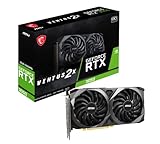
- Best Value: msi Gaming RTX 3050 Ventus 2X 6G OC Graphics Card (NVIDIA RTX 3050, 96-Bit, Boost Clock: 1492 MHz, 6GB GDDR6 14 Gbps, HDMI/DP, Ampere Architecture)
- Premium Choice: maxsun GeForce RTX 3050 6GB Graphics Cards GDDR6 Video Graphics Card GPU for Gaming PC Mini Small Form Factor SSF Slim Low Profile Design PCI Express 4.0, HDMI 2.1, DisplayPort 1.4a


Limited Time
msi Gaming GeForce GTX 1060 6GB GDDR5 DirectX 12 VR Ready (GeForce GTX 1060 Gaming X 6G)

Prime
Top Rated
EVGA GeForce GTX 1060 SC GAMING, ACX 2.0 (Single Fan), 6GB GDDR5, DX12 OSD Support (PXOC), 06G-P4-6163-KR (Renewed)

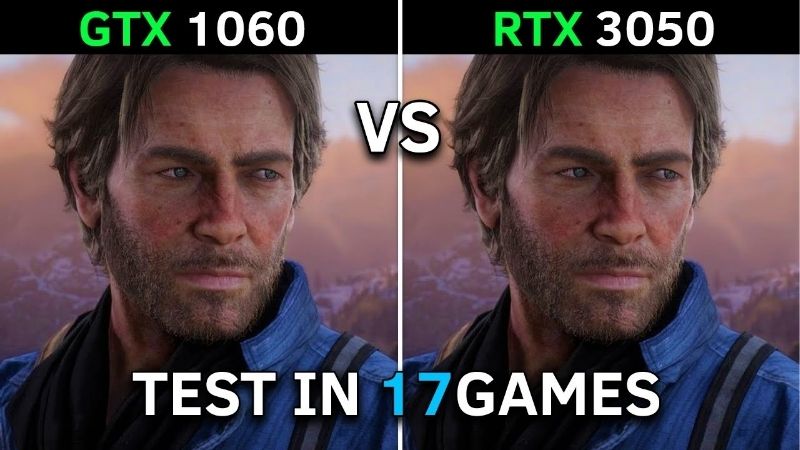
rtx 3050 vs gtx 1060 is the upgrade question that catches thousands of people out every year, because the honest answer is not the one you expect. In raw rasterised speed the RTX 3050 is only modestly faster than a card released a decade earlier — often by 10% to 20%. On that number alone the upgrade looks like a waste of money. But raw speed is now the least important part of the comparison, and there is a version of the 3050 that needs no power connector at all, which changes what is possible in a pre-built office machine. Here is the full picture, with the numbers and the connector details laid out plainly.
The Quick Verdict on RTX 3050 vs GTX 1060
Upgrade if you want DLSS, modern codec support, or 8 GB of VRAM. Do not upgrade if you are chasing raw frames per second — the gain does not justify the spend. And if your machine is a pre-built office PC with a small power supply, the RTX 3050 6GB is the specific card you should be looking at, for reasons that have nothing to do with performance.
As an Amazon Associate we earn from qualifying purchases at no extra cost to you.




When the GTX 1060 Is Still Fine
Keep your 1060 if you play esports titles — CS2, Valorant, League of Legends, Dota 2, Rocket League. At 1080p in those games the 1060 6GB still delivers well over 100 fps, and a 3050 will not change your life. Spend the money on a 144 Hz monitor instead; that is a bigger upgrade than the GPU.
Keep it also if your budget is genuinely tight. A 10% to 20% raster gain for $200-plus is poor value in isolation. The 1060 6GB remains a competent 1080p card in most titles at medium settings.
When the RTX 3050 Is the Right Move
Upgrade if you play modern single-player titles. This is where the comparison inverts. With DLSS Quality enabled, the 3050 renders at a lower internal resolution and reconstructs the image — producing frame rates the 1060 cannot approach by any means, because the 1060 has no Tensor Cores and cannot run DLSS at all. In supported titles the practical gap is 60% to 100%, not 15%.
Upgrade if you stream or record. The 3050 has seventh-generation NVENC with AV1 decode support; the 1060’s encoder is two generations behind and has no AV1 path at all.
And upgrade if you are running into VRAM walls. 8 GB versus 6 GB does not sound dramatic until a modern title starts swapping textures and your frame times turn to sawtooth. That stutter is not fixed by settings tweaks.
RTX 3050 vs GTX 1060 Spec Comparison Table
Read the power connector row carefully. For anyone upgrading a pre-built machine, it is the most consequential line here.
| Specification | GTX 1060 6GB | RTX 3050 8GB | RTX 3050 6GB |
|---|---|---|---|
| Architecture | Pascal (2016) | Ampere | Ampere |
| CUDA Cores | 1,280 | 2,560 | 2,304 |
| RT Cores | None | 20 (2nd gen) | 18 (2nd gen) |
| Tensor Cores (DLSS) | None — no DLSS | 80 (3rd gen) | 72 (3rd gen) |
| VRAM | 6 GB GDDR5 | 8 GB GDDR6 | 6 GB GDDR6 |
| Memory Bus | 192-bit | 128-bit | 96-bit |
| Bandwidth | ~192 GB/s | ~224 GB/s | ~168 GB/s |
| Board Power | 120W | 130W | 70W |
| Power Connector | 1x 6-pin | 1x 8-pin | None needed |
| Recommended PSU | 400W | 550W | 300W |
| Encoder | NVENC 6th gen | NVENC 7th gen | NVENC 7th gen |
| AV1 Decode | No | Yes | Yes |
| Launch MSRP | $249 (2016) | $249 | $179 |
The 3050 6GB draws 70W and needs no auxiliary power connector. It runs entirely off the PCIe slot. If your pre-built Dell, HP, or Lenovo has a 300W proprietary PSU with no spare cables — the exact machine most 1060 owners are trying to upgrade — this is the only card in the table you can physically install without replacing the power supply.
Deep Dive Face-Off: Where the Numbers Actually Land
Aggregating published benchmark data across a mixed 1080p suite produces a clear split. In raster the two cards are closer than a decade of progress should allow. Enable the features only one of them has, and the picture reverses.
Raw Raster Performance at 1080p
At 1080p high settings without upscaling, the RTX 3050 8GB leads the GTX 1060 6GB by roughly 10% to 20% across a typical suite. In a handful of older, bandwidth-sensitive titles the 1060’s 192-bit bus lets it draw level or even edge ahead — the 3050’s 128-bit bus is a genuine bottleneck.
The 3050 6GB is slower still. Its 96-bit bus and 168 GB/s of bandwidth put it roughly level with the 1060 6GB in pure raster, sometimes marginally behind. On this metric alone it is not an upgrade at all.
If you stopped reading here you would conclude the whole exercise is pointless. That conclusion is wrong, and the next section is why.
DLSS: The Feature That Decides This Comparison
DLSS requires Tensor Cores. The GTX 1060 has none. This is not a driver limitation or a marketing decision — the silicon does not exist on the die, and no update will ever change that.
In a DLSS-supported title at 1080p Quality preset, the 3050 renders internally at roughly 720p and reconstructs to 1080p using a trained model. The performance uplift is typically 40% to 70% with image quality that most people cannot distinguish from native in motion. Stack that on the 15% raster lead and the real-world gap becomes 60% to 100%.
Nvidia has also continued shipping improvements to existing hardware — the transformer-based DLSS model reached Ampere cards including the 3050, and driver-level DLSS Override can force newer models into older titles. A 1060 receives none of this. Buying into RTX is partly buying into a feature pipeline that keeps delivering after purchase.
Practical Fit: Power, Size and Your Existing PC
This is where most upgrades fail, and where a video cannot help you because it does not know what is inside your case. Open the side panel and check three things before you buy anything.
First, spare power cables. The 3050 8GB needs one 8-pin PCIe connector. Many pre-built office machines ship a PSU with no spare PCIe cable at all. If that is you, the 3050 6GB — 70W, slot-powered, no connector — is your card. Second, PSU wattage: 550W for the 8GB model, 300W is enough for the 6GB. Third, physical length and whether your case takes a full-height bracket or needs low-profile.
Both 3050 variants are compact, commonly 180 to 230 mm and dual-slot, with low-profile versions of the 6GB available. If you are replacing a 1060 in a mid-tower, clearance will not be a problem. If you are upgrading a small-form-factor office PC, measure first and check whether you need the low-profile bracket — it is usually in the box, but not always.
Pros, Cons and a Better Option
Here is the plain ledger for both cards, and then the card most people in this situation should genuinely consider instead.
RTX 3050: Pros and Cons
Pros: DLSS support transforms performance in supported titles. 8 GB of VRAM on the larger model removes texture stutter. Seventh-generation NVENC with AV1 decode. Ray tracing exists, technically. Modern driver support and ongoing feature updates. The 6GB variant needs no power connector and runs on a 300W PSU — the only realistic upgrade for many pre-built machines. Low power and low heat.
Cons: Raw raster gain over a 1060 is small — 10% to 20%. The 128-bit bus is a real bottleneck, and 96-bit on the 6GB model is worse. Ray tracing is present but not usable in any demanding title. The 6GB model is barely faster than the 1060 without DLSS. Poor value if judged on frames per dollar alone.
GTX 1060: Pros and Cons
Pros: Still delivers over 100 fps at 1080p in esports titles. 192-bit bus gives it more bandwidth than the 3050 6GB. Modest 120W draw and a single 6-pin connector. Already paid for. Widely available used and very cheap.
Cons: No Tensor Cores, so no DLSS — permanently. No RT cores. 6 GB of GDDR5 is increasingly marginal. No AV1 decode, which means modern streaming sites lean on your CPU. Pascal is now in legacy driver status, so new game optimisations will thin out. Nine-plus years old, and used units may have mining history.
The Alternative: RTX 3060 12GB or Intel Arc B580
If your PSU has a spare 8-pin and your budget can stretch, the RTX 3060 12GB is a materially better buy than either card here. It is roughly 50% to 60% faster than a 1060 in raster, has DLSS, and its 12 GB of VRAM ages far better than 8 GB. It needs 170W and a 550W PSU.
The Intel Arc B580 is the other option worth pricing — 12 GB of VRAM, strong AV1 encode and decode, and XeSS upscaling, usually at a lower price than a 3060. Driver maturity has improved substantially, though older DirectX 11 titles remain a weak spot.
Both are worth checking against current listings before you settle. The gap between a 3050 and a 3060 is often smaller in money than it is in performance.
Why Prices Should Push You to Decide Now
Budget buyers feel component inflation harder than anyone, because a $40 increase on a $200 card is a fifth of the purchase. Three market developments are shaping what you will pay.
Component Prices Are Still Trending Upward
The overall direction for laptops and PC components remains up, and memory is the reason. AI infrastructure is consuming DRAM and GDDR at a scale that budget graphics cards cannot outbid, and that cost flows straight into the price of every entry-level card.
Entry-level products absorb this worst. A board partner can pass a memory cost increase along on a $999 card without changing much. On a $199 card, the same increase is a much larger percentage — which is precisely why 6 GB variants with narrow buses keep appearing at this tier. The 3050 6GB’s 96-bit bus is a cost decision.
The practical read: budget cards are more likely to get quietly worse than cheaper. Compare against what is on shelves today, not against a launch MSRP from years ago.
The Good News Is Real, But Weak and Far Off
Prices have at least stopped climbing at the rate they did through late 2025. Framework, which publishes unusually frank supply commentary, has reported a period of relative stability while still cautioning that volatility has not ended. The steep climb flattened. Nothing reversed.
For a student or budget upgrader that is actually useful information: it means you are not being punished for buying today rather than last month. It also means waiting three months is unlikely to reward you.
New Memory Supply Arrives in 2027 at the Earliest
Fresh capacity is genuinely coming. OEMs can increasingly source DDR5 from Chinese suppliers such as CXMT, and Micron is building two fabs in Idaho. Both are real and both are large. Neither runs before 2027 or 2028.
So relief exists, but it is weak and years away. Waiting for the memory market to make GPUs cheap again means waiting through two more product generations — and your 1060 does not get faster in the meantime.
Which reframes the decision usefully. The question is not “should I wait for a better price?” It is “do I want DLSS and 8 GB of VRAM for the next three years, and does my PSU have a spare cable?” Both answerable today.
See More:
Final Verdict and Recommendation
The rtx 3050 vs gtx 1060 comparison has a counter-intuitive answer: judged on raw frames the upgrade is not worth it, and judged on features it clearly is. If you play esports titles at 1080p, keep the 1060 and buy a 144 Hz monitor — you will feel that far more than 15% more frames. If you play modern single-player games, the DLSS gap turns a 15% difference into 60% to 100% in supported titles, and no driver update will ever give a 1060 that capability.
Before buying anything, open your case and check for a spare 8-pin PCIe cable. If it is there, get the 3050 8GB — or stretch to a 3060 12GB, which is the better card. If there is no spare cable and you have a 300W pre-built PSU, the RTX 3050 6GB is the only realistic option, and it exists precisely for your machine. Component prices have flattened rather than fallen and new memory supply is a 2027 story, so waiting gains you nothing but lost frames. Check the current price and confirm the connector against your own PSU, then buy the version that actually fits.
Frequently Asked Questions
How much faster is the RTX 3050 than a GTX 1060?
The 8GB RTX 3050 is roughly 20 to 30 percent faster than a GTX 1060 6GB in rasterised games, which is a noticeable but not dramatic gap. The bigger difference comes from features rather than raw speed, since the RTX 3050 adds DLSS, hardware ray tracing and a modern video encoder.
Is DLSS enough to justify the upgrade?
For many players, yes. DLSS quality mode typically adds 30 to 50 percent more frames in supported titles, effectively doubling the real-world gap over the GTX 1060, which can only use FSR. In games without DLSS, the upgrade feels much smaller, so check whether the titles you play support it.
What about driver support for the GTX 1060?
Pascal has moved to legacy status, meaning no new Game Ready feature branches and only security updates for a limited period. New releases may launch without any driver optimisation, and some engines increasingly assume newer feature levels. The RTX 3050 uses Ampere, which remains on the current driver branch.
Do I need a bigger power supply?
No, and you may need less. The GTX 1060 draws about 120W and the 8GB RTX 3050 around 130W, both from one 8-pin connector. The 6GB RTX 3050 variant runs at roughly 70W with no power connector at all, which makes it an easy upgrade for locked-down office prebuilts.
Is 8GB enough, or should I spend more?
Eight gigabytes is adequate at 1080p with sensible settings, but it is the floor rather than comfortable headroom. If your budget allows another step, an RTX 3060 12GB, RTX 4060 or used RX 6600 XT delivers a far larger jump and better longevity than moving to an RTX 3050.
Ready to decide? Our #1 pick for 2026 is the Architecture.
Live price & availability on Amazon.






Write Your Review
No reviews yet. Be the first to share your experience!