
- Top Pick: MSI GeForce RTX 5060 Ti 16G VENTUS 3X OC Graphics Card – RTX 5060 Ti GPU, 16GB GDDR7 (28Gbps/128-bit), PCIe 5.0 – TRIPLE Fan Thermal Design (3 x TORX FAN 5.0) – HDMI 2.1b, DisplayPort 2.1b
- Best Value: MSI GeForce RTX 5060 Ti 16G Ventus 2X OC White – 16GB GDDR7 (28Gbps/128-bit), PCIe 5, Boost: 2602 MHz, HDMI 2.1b, DisplayPort 2.1b
- Premium Choice: ASUS Dual GeForce RTX 5060 Ti 16GB GDDR7 OC Edition Gaming Graphics Card

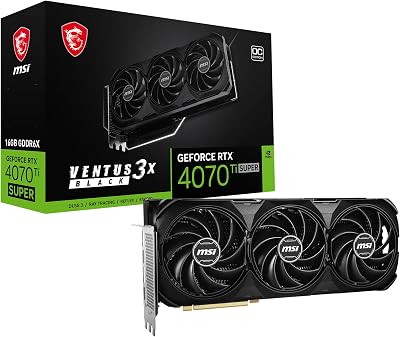


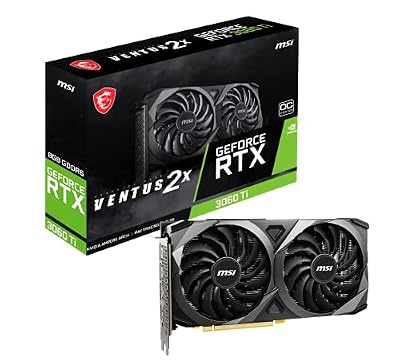
MSI Ventus GeForce RTX 5060 Ti 16GB review searches usually mean you have already chosen the chip and are now stuck inside MSI’s own catalogue. Ventus 2X OC. Ventus 3X OC. Shadow 2X OC Plus. Gaming Trio OC. Four names, one GPU, a $95 spread between cheapest and dearest, and no obvious way to tell what the extra money buys. This review answers that question specifically: which MSI variant to take, why the answer is not the expensive one, and what the 16GB is really for.
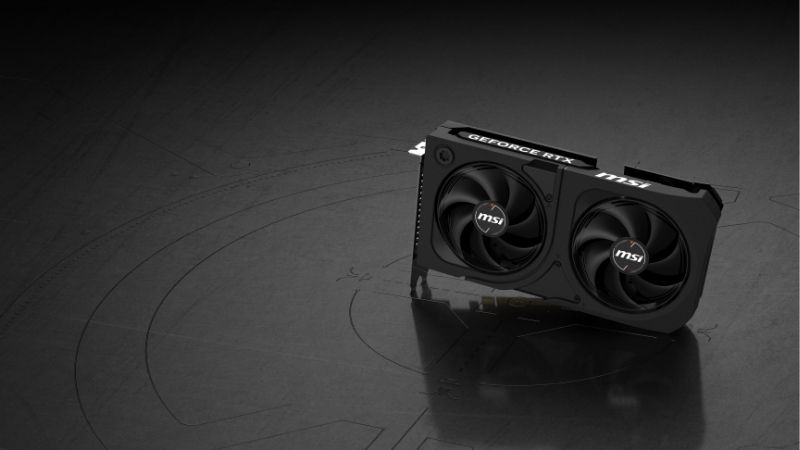
MSI’s RTX 5060 Ti Range Decoded
MSI runs a tiered naming system across its whole GeForce line, and once you know the order the catalogue stops being confusing. All of these cards carry identical silicon — the choice is cooler, clock, and price.
As an Amazon Associate we earn from qualifying purchases at no extra cost to you.



The Ladder, From Cheapest to Dearest
Shadow sits at the bottom: MSI’s value line, dual-fan, minimal aesthetics. Ventus is next — MSI’s volume line, available in 2X (dual-fan) and 3X (triple-fan) versions. Gaming and Gaming Trio sit at the top with the largest coolers, highest factory clocks, and the RGB.
As of July 2026, the spread across MSI’s 5060 Ti models has run roughly like this at major retailers:
| Model | Cooling | Typical street price | Position |
|---|---|---|---|
| Shadow 2X OC Plus | Dual fan | ~$364–$369 | Value line |
| Ventus 2X OC Plus | Dual fan | ~$399–$419 | Volume line, compact |
| Ventus 3X OC | Triple fan | ~$409–$419 | Volume line, larger |
| Gaming Trio OC | Triple fan, premium | ~$419–$459 | Top of MSI’s range |
What Actually Differs Between Them
Nothing that makes frames. Every one of these is the GB206 die at 4,608 CUDA cores, 36 fourth-generation RT cores, and 144 fifth-generation Tensor cores, with 16GB of GDDR7 on a 128-bit bus at 448 GB/s and a 180W total board power.
The factory clocks differ by a few tens of MHz across the range. On a card that is bandwidth-constrained rather than core-constrained — more on that below — that difference lands in low single digits and frequently inside run-to-run variance.
What genuinely differs is the cooler, the physical size, and the noise. Which matters, but not in the direction the pricing implies.
Why 180W Changes the Calculation
Here is the thing that decides this whole comparison. This is a 180W card.
Cooler quality matters enormously on a 360W RTX 5080, where a weak heatsink means throttling and a good one holds boost. At 180W, the thermal load is modest enough that a competent dual-fan design handles it without strain. There is not enough heat for a premium triple-fan cooler to distinguish itself.
So the premium you pay from Shadow to Gaming Trio — roughly $95 at the extremes — buys cooling headroom the card cannot use, plus RGB. That is a real product difference and a poor value proposition.
Ventus 2X or Ventus 3X?
Within the Ventus line the choice is dual-fan or triple-fan, and the prices sit close enough that most people flip a coin. There is a better basis than that, and it has nothing to do with performance.
The Case for the 2X
Size. The dual-fan Ventus is shorter, which matters more than it sounds for this tier’s actual market. RTX 5060 Ti buyers are disproportionately upgrading prebuilts and small cases — machines where a 300mm triple-fan card simply does not fit.
At 180W the 2X cools adequately. It runs a few degrees warmer than the 3X under sustained load and holds its clocks.
If your case is compact, or you are upgrading an OEM machine, this is the answer and there is nothing further to weigh.
The Case for the 3X
Noise, not temperature. Three fans moving the same heat spin slower than two, and slower fans are quieter. The 3X runs a little cooler and noticeably calmer under extended load.
If your case has room and the price gap is $10, take the 3X for the acoustics alone.
If the gap is $40 or more, it is not worth it — and this is where MSI’s pricing gets strange, because the Ventus 3X has sometimes listed below the Ventus 2X Plus. Check both before assuming the triple-fan costs more.
The Variant Nobody Mentions: Shadow
The Shadow 2X OC Plus has run around $364–$369 — roughly $40 below the Ventus 3X, on the same silicon, with a dual-fan cooler that handles 180W.
What you give up is aesthetics and a small amount of acoustic comfort. What you keep is $40, which on a $429-MSRP card is nearly 10%.
For a value-tier card, that is the honest pick. The reason it does not get recommended more is that it does not get reviewed — which is a fact about coverage, not about the product.
Pros and Cons of the RTX 5060 Ti 16GB Itself
Variant choice is secondary to whether this chip suits you at all. The VRAM figure has convinced a great many buyers of something that is not true.
Where This Card Is Genuinely Strong
1080p is its home ground. At that pixel load the 128-bit bus keeps up, and this is a strong card at high or ultra settings with ray tracing enabled — roughly 20–25% ahead of the RTX 4060 Ti in titles without frame generation, and considerably further ahead with DLSS 4.5 and Multi Frame Generation.
The 180W TBP is friendly. A quality 600W supply runs it, and it fits builds that could not take a 5070 Ti. For upgrading a prebuilt with a modest PSU, that combination is hard to replace.
And the 16GB is genuinely useful for non-gaming work — local AI inference, Stable Diffusion, video timelines — where 8GB restricts you and capacity rather than bandwidth is the binding constraint.
Where the 16GB Misleads People
The RTX 5070 Ti carries the same 16GB and costs $320 more at MSRP. On capacity alone this looks like the value of the generation. It is not.
The 5070 Ti runs a 256-bit bus at 896 GB/s. This card runs 128-bit at 448 GB/s — exactly half. The 16GB is achieved with eight 2GB GDDR7 modules in a clamshell arrangement, four on each side of the PCB, which adds capacity and nothing else.
A card can hold a 1440p Ultra texture set in 16GB and still stutter, because the memory subsystem cannot move data fast enough when the scene loads up. It shows in 1% lows rather than averages — which is why benchmark headlines flatter this card and extended play does not.
The Practical Trap: PCIe 5.0 x8
This card uses a PCIe 5.0 x8 link rather than x16. On a modern board that is fine. On a PCIe 3.0 motherboard — which describes many of the prebuilts this card is bought to upgrade — the narrower link costs measurable performance.
Check your motherboard’s PCIe generation before ordering. Wider cards do not have this problem, and it is the most common unpleasant surprise at this tier.
The Availability Problem You Should Know About
Normally a variant comparison ends with a recommendation. This one has to account for whether the 16GB models are on shelves at all.
What the End-of-Life Reports Say
At CES 2026, ASUS told Hardware Unboxed that Nvidia had stopped supplying GPUs for the RTX 5060 Ti 16GB and the RTX 5070 Ti, and had placed both into end-of-life status. Retailers across several regions reported the same. Nvidia responded publicly that all SKUs remain in production; ASUS subsequently called the reports incomplete.
The dispute is unresolved. The allocation shift is not. Nvidia’s supply has visibly moved toward 8GB parts — the RTX 5060 and RTX 5060 Ti 8GB remain readily available, while the 16GB has not.
The clamshell layout explains why this SKU specifically. Eight modules rather than four means double the GDDR7 exposure on a card with a mid-range margin. When memory contracts tighten, that is the first product a rational allocator drops.
Why Relief Is Years Away
Component pricing has continued trending upward, memory foremost. The good news is real but weak: the steep late-2025 climb has flattened, and Framework has reported a period of relative stability while still warning that volatility remains. New supply is opening — OEMs can source DDR5 from Chinese suppliers such as CXMT, and Micron is building two Idaho fabs — but neither produces until 2027–2028.
As of July 2026 this card carries a $429 MSRP and has traded roughly $470–$589 depending on retailer and week. There is no correction visible in the supply data.
What to Do
Buy the cheapest MSI variant that fits your case. On a 180W card the cooler premium buys headroom you cannot use, so Shadow or Ventus 2X is the honest pick and Gaming Trio is paying for RGB.
Buy it when you find it near $470 rather than waiting for better. The reports suggest what is on shelves is the last batch, and the usual advice to be patient is the wrong advice for this SKU.
And check the two things that actually cause regret: your motherboard’s PCIe generation, and whether you are buying this for 1440p. If you are, look at the RTX 5070 instead — it remains in normal production precisely because 12GB on a 192-bit bus uses fewer memory modules. It is worth comparing what is genuinely in stock across the 5060 Ti 16GB, the 5060 Ti 8GB, and the 5070 before committing.
One Check Before You Order Any of Them
MSI’s listings run to fifteen words and the models differ by two characters. “RTX 5060 Ti 16G VENTUS 3X OC” and “RTX 5060 Ti 8G VENTUS 3X OC” sit next to each other in search results, identical but for one digit, with a $50–$100 price gap that looks like a bargain rather than a different product.
Read the capacity in the listing body, not the title. It is the most common ordering mistake at this tier and the one least likely to be caught before the box arrives.
See More:
- Nvidia beta
- Nvidia CUDA 11.8
- Check CUDA version
- Nvidia GPU for gaming
- PNY GeForce RTX 5080 16GB OC review
Final Verdict on the MSI Ventus RTX 5060 Ti 16GB
The MSI Ventus GeForce RTX 5060 Ti 16GB review verdict is that the variant question is easier than it looks and the chip question is harder. Every MSI 5060 Ti carries identical GB206 silicon, and at 180W there is not enough heat for a premium cooler to earn its premium. Take the Ventus 2X if your case is compact, the 3X if the gap is $10 and you want quieter fans, and look hard at the Shadow at roughly $40 less — it does the same job and simply does not get reviewed.
The harder truth is the 128-bit bus. 448 GB/s makes this an excellent 1080p card and a compromised 1440p one, regardless of what the 16GB suggests — read the bandwidth column before the VRAM column. And board partners have declared this SKU end of life while Nvidia disputes it, which means if it fits what you play and it appears near list, that is the moment rather than the start of a shopping process.
Frequently Asked Questions
Is the 16GB version worth the premium over the 8GB model?
Yes, for most buyers. The GPU is identical, so raw performance matches at 1080p, but the 16GB buffer removes the frame time spikes that the 8GB card hits at 1440p with ultra textures and ray tracing. Given the card is capable at 1440p, pairing it with only 8GB is the configuration that ages worst.
Does the 128-bit bus hold the 16GB card back?
The bus is 128-bit but the memory is GDDR7, giving roughly 448GB per second, and Blackwell carries a large L2 cache that reduces trips to memory. Capacity and bandwidth solve different problems: the wide buffer prevents running out of room, while the cache and GDDR7 speed keep throughput adequate for the class.
What power supply does the Ventus need?
Board power is around 180W and Nvidia suggests a 600W system supply. MSI Ventus 5060 Ti cards use a standard 8-pin PCIe connector rather than a 12V-2×6, so you do not need an ATX 3.1 unit or an adapter. A quality 600W to 650W supply is comfortable with a mainstream CPU.
How does DLSS 4 multi frame generation change the value case?
Multi frame generation can insert several generated frames per rendered frame in supported titles, which lifts displayed smoothness considerably at 1440p. It needs a solid base frame rate to feel responsive and does not reduce input latency, so treat the marketing multipliers as a smoothness figure rather than a claim about real rendering performance.
Will it fit my case?
Ventus dual-fan and triple-fan 5060 Ti designs are moderate in size, generally in the 230mm to 250mm range and just over two slots thick. Measure your maximum supported GPU length and check clearance against front mounted radiators and drive cages, since the triple-fan variant is noticeably longer than the dual.











Write Your Review
No reviews yet. Be the first to share your experience!