
- Top Pick: Geforce Nvidia RTX 3060ti Founders Edition 8GB
- Best Value: nVidia GeForce RTX 3090 Founders Edition Graphics Card
- Premium Choice: Nvidia GeForce RTX 3090 Ti Founders Edition
The NVIDIA Game Ready Driver is the software that squeezes the best possible performance out of your GeForce card in the latest games, often on the very day they launch. If you have ever wondered why your framerate jumped after an update, or whether you should install a new driver before a big release, this guide is for you. We explain exactly what a Game Ready Driver is, what each update contains, how it differs from the Studio driver, how to get and update it safely, and whether you truly need every release. By the end you will know how to keep your NVIDIA card tuned for smooth, stable gaming without second-guessing every notification. Let us start with the basics.
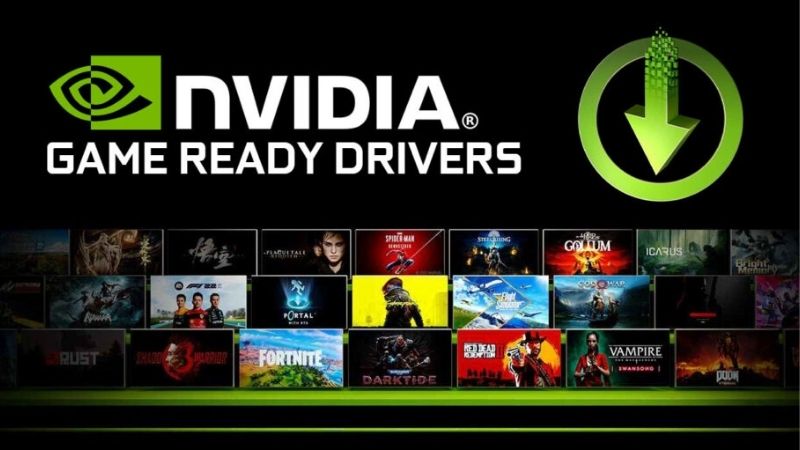
What Is an NVIDIA Game Ready Driver?
At its simplest, a Game Ready Driver is a version of NVIDIA’s graphics software optimized and tested for specific new games. It is the reason a freshly released title can run smoothly on launch day rather than months later. Understanding what it delivers helps you decide when an update is worth installing.
Day-One Optimization for New Games
The headline purpose of a Game Ready Driver is day-one readiness. NVIDIA works with game studios ahead of launch, then releases a driver tuned to deliver the best performance and stability for that title from the moment it goes live.
In practice, this can mean higher framerates, fewer crashes, and correct support for new features. Installing the matching Game Ready Driver before playing a major release is one of the simplest ways to avoid launch-day frustration and get the experience the developers intended.
This is why enthusiasts often check for a matching driver the night before a highly anticipated release. It is a small habit that turns a potentially rocky launch day into a smooth one, and it costs nothing but a few minutes of downloading in advance.
What Each Driver Update Contains
A Game Ready update is more than a single game fix. Each release typically bundles optimizations for one or more new titles, bug fixes, stability improvements, and sometimes support for new features or hardware.
Many updates also resolve issues found in previous drivers, so staying current keeps your system smoother overall. This is why even gamers who do not play the specific highlighted title still benefit from installing recent Game Ready Drivers.
Think of each release as general maintenance for your card, not just support for one game. Even if the highlighted title is not on your list, the accompanying fixes and stability improvements keep your whole system running better across everything you play.
How Often Game Ready Drivers Release
NVIDIA releases Game Ready Drivers regularly, often timed to major game launches or feature updates. During busy release seasons you may see several in a short span, while quieter periods bring fewer.
You do not need to install every single one, but keeping reasonably current ensures you have the latest optimizations and fixes. A good habit is to update before playing a big new release and to check periodically otherwise.
The NVIDIA App makes this rhythm effortless by notifying you when a relevant driver appears. Rather than tracking release schedules yourself, you can simply respond to prompts and stay current with minimal thought or effort.
Game Ready vs Studio Drivers: Which to Choose
NVIDIA offers two main driver branches, and picking the right one matters for your experience. The Game Ready Driver targets gamers, while the Studio Driver targets creators, and both come from the same base with different priorities. Here is how to decide which suits you.
The Game Ready Driver for Gamers
If gaming is your priority, the Game Ready Driver is the clear choice. It focuses on delivering the fastest, most stable experience in the newest games, with day-one optimizations that the Studio branch does not prioritize as aggressively.
For the vast majority of GeForce owners who mainly play games, this is the branch to install. It keeps your card tuned for the titles you are most likely to be playing at any given moment.
It also means you are first in line for performance improvements in popular competitive games, where even small framerate gains can matter. For anyone who plays a variety of titles, the Game Ready branch keeps the broadest range of games running at their best.
The Studio Driver for Creators
The Studio Driver targets professionals and creators who use applications like video editors, 3D tools, and design suites. It emphasizes stability and reliability in those apps over day-one game optimization.
Studio Drivers are validated for creative workflows, so if your work depends on rock-solid behavior in production software, this branch is the safer pick. It still runs games well, just without the immediate launch-day tuning.
For a hybrid user who edits video or renders during the week and games on weekends, the Studio branch is often the wiser default. It prioritizes the stability your work depends on while still handling games perfectly well outside of launch week.
Which Branch Is Right for You
The decision comes down to how you use your PC most. Pure gamers should choose Game Ready, while creators who occasionally game should lean Studio for workflow stability.
You can switch between branches during a driver install if your needs change, so the choice is not permanent. For a system that mixes both, pick the branch matching your most important or most frequent activity, and you will rarely go wrong.
If you are ever unsure, the Game Ready Driver is the safe default for the majority of home users, since most people game more than they create. You can always switch later if a creative workflow becomes central to how you use your PC.
How to Get and Update Game Ready Drivers
Installing and updating Game Ready Drivers is straightforward once you know your options. You can automate it, do it manually, or refresh cleanly when troubleshooting. Here is how to keep your driver current the easy way.
Using the NVIDIA App or GeForce Experience
The simplest route is NVIDIA’s own software, the NVIDIA App, which has succeeded GeForce Experience. It detects your card, notifies you of new Game Ready Drivers, and installs them with a click.
This automated approach is ideal for most users, since it removes the guesswork of finding the right file. It also lets you access game optimization settings and features in the same place, making it the most convenient way to stay current.
Setting it up once means updates become nearly automatic, with a simple prompt whenever a new driver is ready. For anyone who would rather not think about drivers at all, this hands-off approach is by far the easiest path to keeping a card optimized.
Downloading Drivers Manually
If you prefer control, you can download Game Ready Drivers directly from NVIDIA’s official website by selecting your exact GPU model. This is useful if you want a specific version or avoid running background software.
Always download from NVIDIA directly rather than third-party sites to stay safe. Manual installation gives you full control over timing and version, which some experienced users prefer for stability.
Keeping Drivers Current and Clean
Whichever method you use, keeping drivers reasonably current is the goal. For most, enabling update notifications strikes the right balance between staying optimized and avoiding constant installs.
When troubleshooting, choosing the clean install option during setup removes old files that can cause conflicts. This simple step resolves many issues that otherwise get blamed on a bad driver or failing hardware.
Features, Pros and Cons, and Common Questions
Beyond raw game performance, Game Ready Drivers unlock features and raise a few common questions worth answering. Here is what else they enable, an honest look at their trade-offs, and guidance on how often you really need to update.
Features Beyond Game Optimization
Game Ready Drivers do more than boost framerates. They enable technologies like DLSS upscaling and frame generation in supported titles, plus recording, streaming, and performance overlays through NVIDIA’s software.
Keeping the driver current ensures these AI-driven features work as intended and improve over time, since NVIDIA refines them across releases. For many gamers, this forward-looking technology is as valuable as the raw performance gains.
Pros and Cons of Game Ready Drivers
Here is the balanced view:
| Pros | Cons |
|---|---|
| Day-one optimization for new games | Frequent updates can feel constant |
| Regular bug fixes and stability gains | An occasional release may introduce a new issue |
| Unlocks and improves AI features | Less focus on creative-app stability |
For gamers, the pros clearly outweigh the cons, and the rare problematic release is easily handled by rolling back to a previous stable version.
Do You Always Need the Latest Update?
You do not have to install every Game Ready Driver, but updating before a major game launch is strongly recommended to get the intended experience. Outside of that, checking every few weeks is plenty.
If a current driver is running your games well, there is no urgent need to chase every release. The sensible approach is to update purposefully for new titles and fixes, rather than reflexively or never at all.
See More:
Conclusion
The NVIDIA Game Ready Driver is the key to getting the best from your GeForce card in the latest games, delivering day-one optimizations, regular fixes, and access to features like DLSS. Choose the Game Ready branch if you mainly game, or Studio if you create, and keep your driver reasonably current using the NVIDIA App or a manual download. You do not need every release, but updating before big launches pays off. Understand your NVIDIA Game Ready Driver and you will enjoy smoother, faster, more reliable gaming with almost no effort.
Frequently Asked Questions
What makes a driver Game Ready?
NVIDIA works with developers before a title ships, profiling it and adding optimisations, bug fixes and application profiles to the driver so the game runs correctly on launch day. The branch also carries settings presets used by the NVIDIA App for automatic per-game configuration on your specific hardware.
How is it different from a Studio driver?
Studio drivers come from the same code base but ship on a slower cadence with additional validation against creative applications such as Premiere Pro, DaVinci Resolve, Blender and Autodesk tools. Game Ready prioritises new game support; Studio prioritises stability for professional workflows where a crash costs real money.
Will installing it actually make my games faster?
Sometimes, but the gains are almost always specific to newly released titles rather than broad. Existing games typically see no change. The real value is avoiding launch-day crashes, rendering artefacts and missing features in the games being optimised, rather than a general frame rate uplift across your library.
Is it risky to always install the newest one?
Occasionally. New branches can introduce regressions in older titles or with specific overlay and capture software. If your system is stable and you are not playing a newly launched game, waiting a week and reading community reports before updating is a sensible, low-effort precaution.
How do I roll back if a Game Ready driver causes problems?
Download your previously working version from the NVIDIA driver archive first, then run Display Driver Uninstaller in safe mode and install the older package with the clean installation option. Disable automatic driver updates in Windows Update afterwards so it does not silently reinstall the problematic version.
As an Amazon Associate we earn from qualifying purchases at no extra cost to you.















Write Your Review
No reviews yet. Be the first to share your experience!