
- Top Pick: GIGABYTE GeForce RTX 5080 Gaming OC 16G Graphics Card, WINDFORCE Cooling System, 16GB 256-bit GDDR7, GV-N5080GAMING OC-16GD Video Card
- Best Value: ASUS TUF Gaming GeForce RTX™ 5080 16GB GDDR7 OC Edition Graphics Card
- Premium Choice: ASUS TUF Gaming GeForce RTX 5070 12GB GDDR7 OC EditionGaming Graphics Card

Prime
Best Seller
ASUS SFF-Ready Prime NVIDIA GeForce RTX 5070 Graphics Card (PCIe 5.0, 12GB GDDR7, HDMI/DP 2.1, 2.5-Slot, Axial-tech Fans, Dual BIOS), 3 Year Warranty
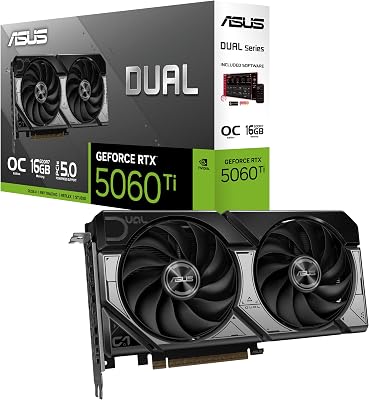
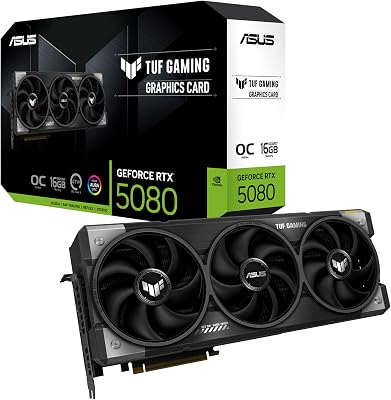
NVIDIA GPU shopping can feel overwhelming with so many models, so you want the whole lineup explained clearly and a straightforward way to pick the right one. You want to know what each tier offers, what sets these cards apart, and how to choose for your resolution and budget, without a long video. This guide lays out the range and the reasoning so you can find the right NVIDIA GPU and the best value fast.
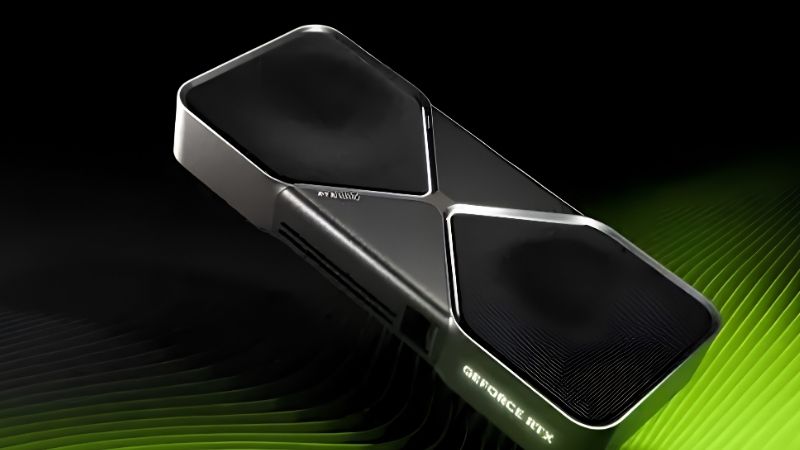
The NVIDIA GPU Lineup in 2026
Before choosing, you need the full range in front of you. This section maps the current NVIDIA GPU lineup, explains what sets these cards apart, and shows how to choose, so the rest of your decision rests on a clear picture rather than guesswork. With the lineup laid out, the right card usually becomes obvious once you know your resolution.
As an Amazon Associate we earn from qualifying purchases at no extra cost to you.


The RTX 50 Series Range
The current NVIDIA GPU range spans from budget to flagship, each tier aimed at a different resolution and budget. Here is the condensed lineup, with approximate reference pricing you should always confirm against the live listing. The reference figure sets your expectation, but the price you actually pay decides the value.
| Card | VRAM | Best resolution | Reference price |
|---|---|---|---|
| RTX 5060 | 8GB | 1080p | ~$299 |
| RTX 5060 Ti 16GB | 16GB | 1080p high-refresh, 1440p | ~$429 |
| RTX 5070 | 12GB | 1440p | ~$549 |
| RTX 5070 Ti | 16GB | 1440p high-refresh, 4K entry | ~$749 |
| RTX 5080 | 16GB | 4K | ~$999 |
| RTX 5090 | 32GB | 4K max, AI, creators | ~$1999 |
The lineup shows a clear progression, but the value is not spread evenly across it, which is why understanding each tier’s strengths matters so much. Two cards at nearby prices can offer very different value once you weigh memory and features.
What Sets NVIDIA GPUs Apart
The biggest differentiator for any NVIDIA GPU is its software, above all DLSS 4 with Multi Frame Generation, which multiplies frame output in supported titles and keeps cards relevant as games get heavier. Strong ray tracing performance is the other headline advantage. Together, upscaling and ray tracing are what give NVIDIA cards their reputation for staying current.
These features let NVIDIA cards deliver an experience that raw specifications alone would not, and they keep improving through driver updates. That forward-looking software is a large part of why buyers choose the brand. For many people, that software ecosystem is as important as the raw hardware itself.
Differentiator read: DLSS 4 and ray tracing are the standout NVIDIA GPU strengths, adding value beyond raw frames. Those features are the reason a mid-range NVIDIA card can feel a tier above its specifications.
How to Choose an NVIDIA GPU
The fastest way to choose is to start with your monitor, since resolution determines how much GPU you actually need. A 1080p player is well served by a 5060 or 5060 Ti, while a 1440p gamer wants a 5070 or 5070 Ti and a 4K gamer needs a 5080 or 5090. Aligning the card to your monitor is the single decision that saves the most money.
Buying above your resolution wastes money, while buying below it wastes your monitor, so matching the two is the key decision. Get that right and the rest of the choice largely falls into place. Once resolution narrows your options, budget and features settle the rest quickly.
Choosing read: pick the NVIDIA GPU tier your resolution needs, then shop that tier for the best value. Chasing the biggest number on the box is how buyers end up overspending for frames they never notice.
NVIDIA GPU Strengths and Trade-Offs
Every tier makes different trade-offs, and understanding them helps you avoid overpaying or underbuying. This section covers the feature advantage, the VRAM picture across the range, and the efficiency and build considerations that shape the NVIDIA GPU experience. Each of these factors can matter more than a few percent of raw speed depending on your build. Weighing them together is how you choose well rather than by spec sheet alone.
DLSS 4 and the Feature Advantage
DLSS 4 is the single strongest reason to choose a current NVIDIA GPU, since it multiplies performance in supported titles and makes demanding scenes far smoother. Combined with mature ray tracing, it gives even mid-range cards real staying power. That is why even affordable NVIDIA cards can remain viable for several years of gaming.
Because these features keep expanding through updates, an NVIDIA GPU often gains capability over its life rather than standing still. That software support is a meaningful part of the long-term value. A card that keeps gaining capability is quietly a better deal than its launch specs suggest.
Feature read: DLSS 4 and ray tracing are the core advantages that make NVIDIA GPUs age gracefully. These strengths are the core of the brand’s appeal across every price tier.
VRAM Across the Range
Memory is the trickiest part of the NVIDIA GPU range, since the entry 5060 ships with 8GB while higher tiers offer 12GB, 16GB, or 32GB. For 1080p the 8GB is livable, but for 1440p and beyond, more memory keeps the experience smooth. Running short on VRAM is one of the fastest ways for a card to start feeling dated.
Buyers who want longevity should favor the 16GB options where their budget allows, since VRAM demands only rise as games evolve. Matching memory to your resolution is one of the most important choices in the range. Get the memory right for your resolution and the card is far more likely to last.
VRAM read: aim for enough memory for your resolution, and lean toward 16GB tiers if you plan to keep the card for years. For a long upgrade cycle, that extra memory is cheap insurance against the near future.
Efficiency and Build
NVIDIA GPUs span a wide efficiency range, from the easy-to-power 5060 at around 145W to the demanding 5090 that needs a 1000W supply. Lower tiers are simple drop-in upgrades, while higher tiers require careful power and cooling planning. Skipping that planning is how buyers end up with a card their system cannot properly feed.
Choosing a card your power supply and case can handle is essential, especially at the high end where the flagship is large and hot. For most mainstream buyers, the mid-range tiers are easy to accommodate. That accessibility is a big reason the mid-range is where most buyers should focus.
Build read: match the NVIDIA GPU to your power supply and case, since requirements climb steeply toward the flagship. Budget for the power supply and case alongside the card, especially at the high end.
Pricing, Timing, and the Smart Buy
Choosing an NVIDIA GPU in 2026 is also a timing decision, because component prices have been volatile. This section covers the market so you can judge your buying window, a factor that shapes NVIDIA GPU value as much as the specs do. A card bought at a fair price in a calm week is simply a better deal than the same card grabbed in a spike. Timing, in other words, is part of value.
Why NVIDIA GPU Prices Are Elevated
Laptop and PC component prices have trended upward, and memory costs in particular have kept NVIDIA GPU prices high across the whole range. That is why judging each card by its live street price rather than its reference figure is so important. Judging by the live price rather than the announced one keeps you from overpaying.
This pressure hits every tier, so paying once for enough memory and performance can be cheaper than upgrading again sooner. The mid-stack tiers tend to best resist that trap. Those cards keep serving you well long after purchase, which is the whole point.
Practical read: elevated pricing rewards buying the NVIDIA GPU that fits your resolution and lasts, near its reference price. Aim for the tier your resolution needs and buy it near reference, and you will spend well.
The Supply Relief Coming in 2027-2028
There is genuine good news, but it is modest and it sits in the future. Prices have stopped climbing as steeply as they did at the end of 2025, and some hardware makers report a relatively stable stretch while still warning of continued swings. That mixed signal is exactly why locking in a fair price today beats gambling on a future that keeps shifting. Certainty has real value in a volatile market.
New supply is opening up too, with OEMs able to source DDR5 from Chinese suppliers such as CXMT and Micron building two plants in Idaho. The catch is that those fabs do not ramp until roughly 2027 to 2028, so meaningful relief for buyers is still a couple of years away. For a purchase you need now, that timeline is effectively irrelevant to your decision. Waiting years for relief is rarely a practical plan.
Timing read: prices have leveled rather than fallen, so a well-priced NVIDIA GPU today is worth taking rather than waiting for a crash. A well-priced card in front of you now beats an uncertain discount that may never arrive.
Pros and Cons of Buying Now
Here is the honest pros and cons view of buying an NVIDIA GPU in the current market, so you can act with clear eyes. Knowing the trade-offs in advance keeps a good listing from turning into an impulse you regret. It also helps you recognize a genuine deal when you see one.
Buying now pros: prices have stabilized, DLSS 4 makes today’s cards age well, and near-reference listings exist if you shop carefully. Cons: the market is elevated, so patience does not currently pay off much. Patience only helps when a genuine drop is on the horizon, and the signals point to stability instead.
The main risk is overpaying for a premium model that adds little real performance, so always measure a listing against reference pricing. Do that, and choosing an NVIDIA GPU becomes a confident decision rather than a gamble. Match the tier to your resolution, buy near reference pricing, and the choice becomes straightforward. That discipline is what separates a smart buy from an expensive one.
See More:
- RX 9060 XT vs RTX 4060
- NVIDIA Jetson price
- NVIDIA GeForce GTX 1650 driver
- Intel Iris Xe graphics driver
- 9060 XT 16GB vs 5060 8GB
Final Verdict on Choosing an NVIDIA GPU
The right NVIDIA GPU in 2026 is simply the one that matches your resolution and budget, from the efficient 5060 at 1080p to the flagship 5090 for 4K and AI work, all unified by the real advantages of DLSS 4 and strong ray tracing. Prioritize enough VRAM for your resolution, match the card to your power supply and case, and judge each by its live street price. With prices elevated but stabilizing, a well-matched purchase today is the smart move rather than an endless wait. Use the button below to check current live prices across the NVIDIA GPU lineup and lock in the best deal for your build.
Frequently Asked Questions
Which NVIDIA GPU tier should I buy for my monitor resolution?
Match the card to the panel, not the badge. A 5050 or 5060 class card suits 1080p high refresh, the 5060 Ti 16GB and 5070 target 1440p, the 5070 Ti and 5080 handle 1440p ultra or entry 4K, and only the 5090 comfortably drives 4K above 100fps with ray tracing enabled.
How much VRAM do I actually need in 2026?
Eight gigabytes is now the bare minimum and already forces texture compromises in several 2025 and 2026 releases at 1440p. Twelve gigabytes is comfortable for 1440p, and sixteen gigabytes is the safe long term target if you use ray tracing, frame generation overlays, high resolution texture packs, or local AI models.
What power supply does a modern GeForce card require?
Budget Blackwell cards such as the RTX 5060 draw about 145 watts and run fine on a quality 550 watt unit. The 5070 Ti pulls roughly 300 watts and wants 750 watts, while the 5090 draws 575 watts and needs a 1000 watt or larger ATX 3.1 supply with a native 12V-2×6 connector.
Do I need PCIe 5.0 to use a new NVIDIA GPU?
No. Every current GeForce card is backwards compatible with PCIe 4.0 and 3.0 slots. The caveat is that low end Blackwell parts such as the 5050, 5060, and 5060 Ti use only eight lanes, so pairing an 8GB model with an older PCIe 3.0 board can cost measurable frames when VRAM overflows.
Is DLSS 4 multi frame generation available on every RTX card?
No. The transformer based DLSS 4 upscaler and ray reconstruction run on all RTX 20, 30, 40, and 50 series cards, but multi frame generation that inserts up to three frames is exclusive to the RTX 50 series. RTX 40 cards keep single frame generation, and RTX 30 and older cards get upscaling only.











Write Your Review
No reviews yet. Be the first to share your experience!