
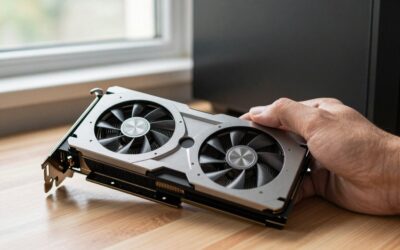
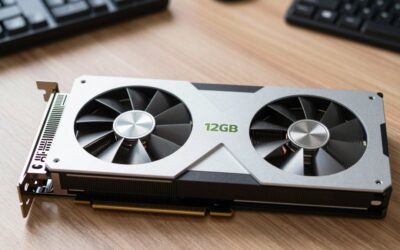
- Top Pick: GIGABYTE GeForce RTX 5070 Gaming OC 12G Graphics Card, 12GB 192-bit GDDR7, PCIe 5.0, WINDFORCE Cooling System, GV-N5070GAMING OC-12GD Video Card
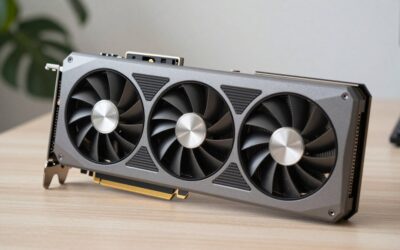
- Best Value: ASUS Dual NVIDIA GeForce RTX 3050 6GB GDDR6 OC Edition Gaming Graphics Card – PCIe 4.0, HDMI 2.1, DisplayPort 1.4a, 2-Slot Design, Axial-tech Fan Design, Steel Bracket, 3 Year Warranty
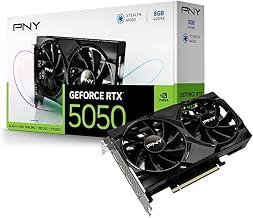
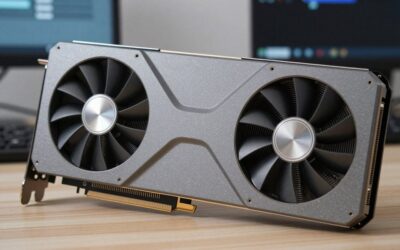
- Premium Choice: PNY NVIDIA GeForce RTX™ 5050 Dual-Fan Graphics Card | 8GB GDDR6, 128-bit, PCIe 5.0, HDMI/DP 2.1
Upgrading your graphics card is the single most impactful change you can make to a gaming or creative PC, but it is also where the most money gets wasted. Buy too much card for your monitor and you pay for frames you will never see; buy too little and you are back shopping in a year. The good news is that finding the best Nvidia card for your needs on Amazon is straightforward once you understand three things: your resolution target, your CPU’s limits, and how much VRAM your games actually use.
This 2026 guide walks you through choosing the right Nvidia GPU upgrade, from budget RTX and GTX cards to high-refresh 1440p and 4K performers. We cover compatibility checks that prevent expensive mistakes, how to read the model naming, and how to match a card to your real-world use. By the end you will know exactly which tier to buy and why. Let’s get you upgraded the smart way.
As an Amazon Associate we earn from qualifying purchases at no extra cost to you.




⚡ Save on Your Next PC — Amazon Prime
Prime members get fast free shipping on the systems above, plus early access to Prime Day & Black Friday PC deals. New members get a 30-day free trial.
Watch: Ultimate Guide to Upgrading Your GPU: Finding the Best Nvidia Card on Amazon — Video Review
Match the Card to Your Resolution
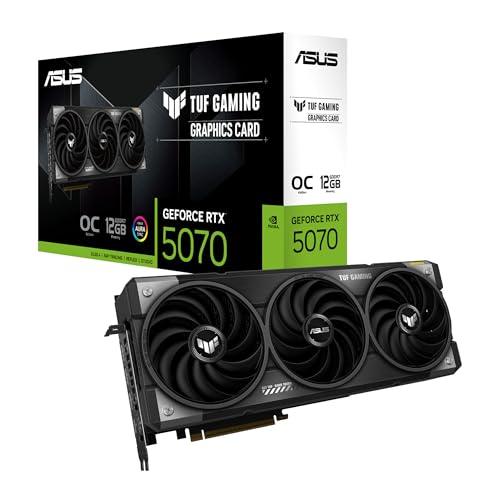
Resolution is the biggest driver of how much GPU you need. For 1080p gaming, a card like the RTX 5050 or RTX 3050 delivers smooth frame rates without overspending. Step up to 1440p and the RTX 5060 Ti or RTX 5070 hits the sweet spot of high frames and headroom. True 4K gaming demands the strongest cards you can afford. Buying a 4K-class GPU for a 1080p monitor is the most common upgrade mistake, your CPU and screen become the bottleneck long before the GPU breaks a sweat.
Check VRAM for Longevity
Video memory determines whether a card ages gracefully. Modern games at high textures increasingly want 12 GB or more, which is why cards like the RTX 5070 (12 GB) and RTX 5060 Ti (16 GB) are smarter long-term buys than 8 GB models for anyone above 1080p. If you keep a card for four or five years, err toward more VRAM, it is the spec that most often forces an early upgrade.
Verify Compatibility Before You Buy
Before adding anything to your cart, confirm three things: your power supply has the wattage and connectors the card requires, your case has the physical length clearance (modern cards are big), and your CPU is strong enough not to bottleneck the GPU. A powerful card paired with an old processor wastes much of its potential, especially at 1080p and 1440p.
Understand Nvidia’s Naming
Nvidia’s numbers tell a story: the first digits are the generation (50 for RTX 50-series, 30 for 30-series) and the last two are the performance tier (50 entry, 60 mainstream, 70 enthusiast, 80/90 high-end). A “Ti” suffix means a boosted version of that tier. Reading the name this way lets you compare a GIGABYTE RTX 5070 against an ASUS RTX 5060 Ti at a glance and know where each sits.
Tips
- Match your GPU tier to your monitor’s resolution and refresh rate, not to the most expensive card you can find.
- Prioritize 12 GB or more VRAM if you game above 1080p or plan to keep the card several years.
- Confirm PSU wattage, case length, and CPU strength before buying to avoid returns and bottlenecks.
- Consider a strong previous-gen card like the RTX 3050 or GTX 1080 if the price gap versus new is large.
Frequently Asked Questions
Which Nvidia card is best for 1440p gaming?
The RTX 5060 Ti 16GB and RTX 5070 12GB are excellent 1440p choices in 2026, offering high frame rates with enough VRAM for high textures and DLSS to smooth out demanding titles.
Do I need to upgrade my power supply too?
Often yes for a big jump. Check the card’s recommended PSU wattage and required power connectors before buying. Upgrading a GPU without adequate power leads to crashes or a card that will not run at all.
Is more VRAM always better?
Not always worth paying any price, but for gaming above 1080p or long-term use, more VRAM prevents the stuttering that happens when a game exceeds memory. 12 GB is the current comfortable target for mainstream builds.
Should I buy a used or older-generation card?
A previous-gen card like the RTX 3050 or GTX 1080 can be great value if the discount is significant and the VRAM is adequate. Just accept you will miss the newest DLSS features and use more power.
Conclusion
The best Nvidia GPU upgrade in 2026 is the one that matches your resolution, has enough VRAM to last, and fits your power supply and case. Nail those three checks and the naming scheme tells you the rest. Whether you land on a budget RTX 5050, a 1440p RTX 5070, or a value-driven previous-gen card, buy for your actual monitor and workload, and you will get every dollar of performance you pay for.

Write Your Review
No reviews yet. Be the first to share your experience!