
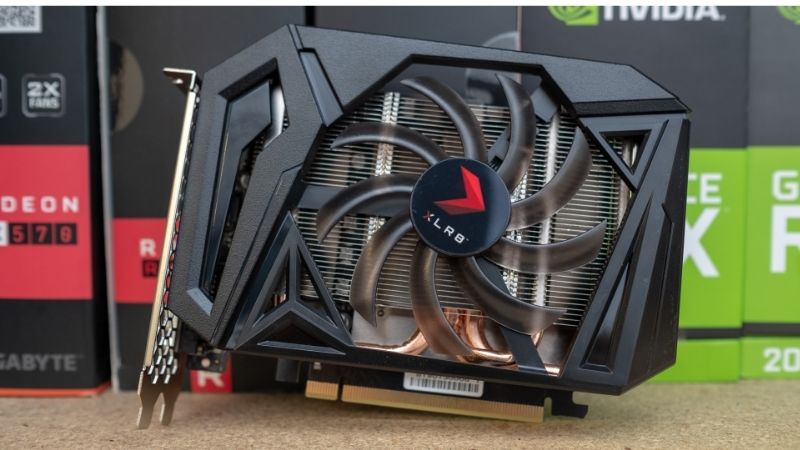
- Top Pick: ZOTAC Gaming GeForce GTX 1660 Ti 6GB GDDR6 192-bit Gaming Graphics Card Super Compact – ZT-T16610F-10L
- Best Value: 51RISC GeForce GTX 1660 Ti Graphics Card, 6GB GDDR6 192bit Video Card for Gaming GPU PCIe 3.0 x16 DP HDMI DVI 1080P 2K Game PC Card 1660ti 4K 8K Display (GTX 1660 Ti – Red)
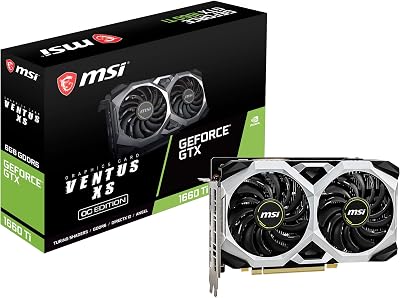
- Premium Choice: msi Gaming GeForce GTX 1660 Ti 192-bit HDMI/DP 6GB GDRR6 HDCP Support DirectX 12 Dual Fan VR Ready OC Graphics Card (GTX 1660 TI Gaming X 6G)
Nvidia GeForce GTX 1660 Ti driver update questions are common in 2026, because this popular 2019 card is still going strong in budget builds. The good news is that it remains supported, and keeping it updated is simple. This guide explains whether the 1660 Ti still gets new drivers, how to update it properly, and how to squeeze the most life out of an aging but capable GPU.


Is the GTX 1660 Ti Still Supported?
The first thing owners want to know is whether Nvidia has abandoned their card. The reassuring answer is no, and understanding the support timeline helps you plan how long the 1660 Ti will stay viable.
As an Amazon Associate we earn from qualifying purchases at no extra cost to you.


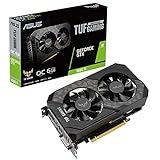


Still Getting Game Ready Drivers
It is worth appreciating how unusual this longevity is. A card released in early 2019 still receiving the same driver releases as brand-new hardware years later is a genuine strength of Nvidia’s support model, and it means 1660 Ti owners are not stuck patching an abandoned product the way owners of some rival cards eventually are.
The GTX 1660 Ti still receives current Game Ready drivers in 2026, the same releases that support the newest RTX cards. Nvidia has not cut it off, so you continue to get game optimizations, bug fixes, and security patches.
Nvidia’s driver support lifecycle for Turing-class GPUs, which includes the 1660 Ti, extends to around April 2027, with critical security updates continuing until then. There is no abrupt cutoff looming in the immediate future.
That means a 1660 Ti owner can keep updating normally for now, treating the card like any other supported GeForce GPU rather than a legacy product stuck on old software.
Where the 1660 Ti Stands Today
Setting expectations honestly is the key to enjoying the card. Approached as a capable 1080p machine for esports and mainstream titles at sensible settings, the 1660 Ti still satisfies; approached as a would-be 1440p or ray-tracing card, it will inevitably disappoint. Matching your ambitions to its class is what keeps it feeling good to use.
The 1660 Ti is a Turing card with 1,536 CUDA cores, a 192-bit bus, and 6GB of GDDR6, launched in February 2019. It remains a capable 1080p performer for esports and many mainstream titles at sensible settings.
Its key limitation is that it lacks the Tensor cores needed for DLSS, so it cannot use Nvidia’s AI upscaling. It also has no ray-tracing hardware, which rules out demanding ray-traced titles.
Even so, mature drivers have improved memory management and thermal behavior for Turing over the years, so the card runs modern games more smoothly than it did at launch, within its performance class.
Why Keep It Updated
There is also a security dimension that is easy to overlook. Graphics drivers occasionally receive patches for vulnerabilities, and applying them protects your whole system, not just your games, so even a user who rarely plays new releases has a good reason to keep the 1660 Ti’s driver reasonably current.
Updating an older card still pays off. New Game Ready drivers can add optimizations for recent games, fix bugs that affect the 1660 Ti, and deliver security patches that protect your system.
Driver updates also occasionally extend feature support in ways that benefit older cards, such as broader compatibility with newer upscaling technologies that do not require dedicated AI hardware.
Skipping updates entirely means missing these improvements and leaving known bugs unpatched, so even on an aging card, staying reasonably current is worthwhile rather than a waste of effort.
How to Update Your GTX 1660 Ti Driver
Updating the 1660 Ti uses exactly the same tools as any modern GeForce card. Here are the reliable methods, from the simplest to the most thorough.
Updating via the NVIDIA App
For owners maintaining an older or secondary machine, the removal of the mandatory login is a bigger deal than it sounds. Updating a rarely-touched system used to mean recovering forgotten account details first; now the whole task is a couple of clicks, which makes it far more likely you will actually keep the card current.
The easiest route is the NVIDIA App, which replaced GeForce Experience in 2026. It detects your 1660 Ti automatically, shows any available driver in the Drivers tab, and installs it with a single download.
Because the app no longer requires an account login for driver installs, updating is quicker than it was under the old software, which is a welcome change for anyone maintaining an older machine.
Choose Express for a straightforward update, or Custom if you want a clean install that clears previous settings. A restart afterward ensures the new driver loads properly.
Manual Download and Auto-Detect
Keeping a copy of the last driver that ran well is a smart habit on a card this mature. If a future release ever misbehaves on the aging hardware, you can reinstall your trusted version immediately rather than hunting for it, turning a potential afternoon of frustration into a quick, confident fix.
If you prefer, you can download the driver directly from Nvidia’s website by selecting the GTX 1660 Ti and your operating system, which gives you full control over exactly which version you install.
Nvidia’s browser-based auto-detect tool can also identify the card for you, which is handy on a fresh Windows install before the NVIDIA App is present. It links you straight to the correct driver.
Manual installs are also the way to grab a specific older driver if a new release ever causes an issue, letting you stay on a known-good version until a better one arrives.
Clean Install for Stability
Years of stacked driver updates leave more residue than people realize, which is why a clean install so often revives a long-serving card. If your 1660 Ti has been in the same system since launch, treating it to a full DDU wipe and fresh driver can restore smoothness you may have forgotten it once had.
If the card has had many drivers layered over the years, a clean install can resolve lingering quirks. Use Display Driver Uninstaller in Safe Mode to strip every trace of the old driver, then install fresh.
This is especially worthwhile if you are troubleshooting stutter, crashes, or odd behavior, since it clears the corrupt files and leftover settings behind many such problems on long-serving cards.
After a clean install and restart, the 1660 Ti effectively starts from a fresh software slate, which often resolves issues that repeated updates alone could not.
Getting the Most From an Aging Card
Beyond updates, a few strategies help the 1660 Ti punch above its age. Knowing them, and when to consider moving on, gets the best value from the card.
FSR as the DLSS Substitute
This is genuinely the most important tip for extending the card’s life. Because FSR asks nothing of the missing Tensor cores, it hands 1660 Ti owners much of the practical benefit DLSS gives newer cards, and enabling it wherever a game offers it is often the difference between a title feeling sluggish and feeling smooth.
Although the 1660 Ti cannot use DLSS, it fully supports AMD’s open-source FSR, including frame generation in games that offer it. This can lift average frame rates meaningfully, bridging part of the gap to newer cards.
In supported titles, enabling FSR upscaling and frame generation can raise frame rates by a substantial margin, which is the single most effective way to extend the 1660 Ti’s usefulness in demanding modern games.
Because FSR works at the game or driver level rather than needing dedicated AI hardware, it is the natural performance lifeline for Turing owners who miss out on Nvidia’s own upscaling.
Performance and Stability Tips
Dust and dried thermal paste are the quiet enemies of any card that has run for several years. A quick clean of the heatsink and fans, and in some cases fresh paste, can drop temperatures noticeably, which in turn reduces the stutter and throttling that make an old GPU feel slower than it really is.
To keep the 1660 Ti smooth, target 1080p at medium to high settings in demanding games, and lean on FSR where available. Competitive esports titles will run comfortably at high frame rates.
Good case airflow and a clean fan profile matter more on an older card that has run for years, since heat is a common cause of stutter and instability in aging GPUs.
Pairing the card with a modest, reliable power supply and keeping drivers current rounds out a stable setup that will serve for mainstream 1080p gaming a while longer.
Pros and Cons of Keeping vs Upgrading
At some point every 1660 Ti owner weighs holding on against upgrading. The table below lays out the pros and cons so you can judge whether your card still fits your needs.
| Keep the GTX 1660 Ti | Consider upgrading |
|---|---|
| Still fine for 1080p esports and mainstream games | You want ray tracing or DLSS |
| Fully supported with current drivers to ~2027 | You want to game at 1440p or higher |
| Zero extra cost; FSR extends its life | Modern titles struggle even with FSR |
| Low power, easy to run in older systems | You want DLSS 4 and much higher frame rates |
If your needs are modest 1080p gaming, the 1660 Ti still earns its place. If you crave ray tracing, DLSS, or higher resolutions, a newer card is the logical next step.
See More:
- TechPowerUp GPU
- Nvidia H200 GPU price
- RTX 5050 Mobile
- Nvidia competitors
- Nvidia Reflex low latency on or off
The Bottom Line on the GTX 1660 Ti Driver Update
An Nvidia GeForce GTX 1660 Ti driver update is easy through the NVIDIA App, and the card remains fully supported with Game Ready drivers into 2027, so keeping it current is well worth doing. But if updated drivers and FSR still leave you wanting more, or you crave DLSS and ray tracing the 1660 Ti simply cannot provide, that is the sign to upgrade — tap the link on our site to check today’s best GPU deals before you buy.
Frequently Asked Questions
Is the GTX 1660 Ti still supported by current drivers?
Yes. The 1660 Ti uses the Turing TU116 chip, and Turing remains on NVIDIA’s mainline driver branch alongside the RTX cards, unlike Maxwell and Pascal which have moved to legacy security-only support. That means the 1660 Ti continues to receive Game Ready releases, security patches and general bug fixes rather than being frozen on an old build.
Can the GTX 1660 Ti use DLSS?
No. Turing chips in the GTX 16 series omit the tensor cores that DLSS requires, so no version of DLSS Super Resolution or Frame Generation will run. You can use NVIDIA Image Scaling from the driver control panel, and in supported games AMD FSR or Intel XeSS running in its compatibility mode, both of which work on any modern GPU.
What are the power requirements for this card?
The 1660 Ti is rated at 120W and uses a single 8-pin PCIe connector, with a 450W power supply recommended. That makes it one of the easiest cards to fit into an older prebuilt system. If your machine is several years old, the ageing power supply is more likely to cause instability than the card itself, so check its condition before blaming drivers.
How do I fix stuttering that started after a driver update?
First roll back to the previous release using Display Driver Uninstaller in Safe Mode and a saved older installer. If stuttering persists, it is probably not the driver: check for a background Windows update, thermal throttling from dust-clogged fans, a shader cache that needs clearing, or power management set to a balanced profile that is downclocking the GPU under light load.
Does the 6GB frame buffer limit modern games?
Increasingly, yes. At 1080p with medium textures the card still delivers playable frame rates in many titles, but 6GB is now below the recommended capacity for several recent releases, producing texture streaming stutter rather than a clean performance drop. Lowering texture quality one step usually restores smoothness more effectively than reducing resolution or other settings.
Ready to decide? Our #1 pick for 2026 is the Still fine for 1080p esports and mainstream games.
Live price & availability on Amazon.











Write Your Review
No reviews yet. Be the first to share your experience!