
- Top Pick: GIGABYTE Radeon RX 9070 XT Gaming OC 16G Graphics Card, PCIe 5.0, 16GB GDDR6, GV-R9070XTGAMING OC-16GD Video Card
- Best Value: ASRock Radeon RX 9060 XT Challenger 16GB OC, RDNA 4, 3290MHz Boost, 16GB GDDR6 128-bit, PCIe 5.0, Dual Fans, 0dB Silent, LED Indicator, DisplayPort 2.1a, HDMI 2.1b
- Premium Choice: ASUS SFF-Ready Prime NVIDIA GeForce RTX™ 5070 OC Edition Graphics Card (PCIe® 5.0, 12GB GDDR7, HDMI®/DP 2.1, 2.5-Slot, Axial-tech Fans, Dual BIOS), 3 Year Warranty
When choosing between GDDR6 and GDDR7 for a gaming GPU, the real decision is not simply “older memory or newer memory.” It is whether your home setup benefits more from a lower purchase price and mature hardware, or from higher memory bandwidth and longer-term headroom. The right choice depends on your monitor, game resolution, case size, power supply, upgrade habits, and how much you want to spend today.
GDDR6 remains widely available and can deliver excellent 1080p and 1440p gaming, especially when paired with a GPU that has enough VRAM. GDDR7 is newer and generally faster, making it more attractive for high-refresh 1440p, 4K, ray tracing, and future graphics features. However, the memory type alone does not determine performance. GPU architecture, core count, cooling, VRAM capacity, and software support matter just as much.
As an Amazon Associate we earn from qualifying purchases at no extra cost to you.


Quick Verdict
Choose a GDDR6 graphics card if you want the best value for mainstream 1080p or 1440p gaming, already have a suitable power supply, or want a proven option with a broad selection of models. A 16GB GDDR6 card can be a particularly sensible choice for a long-lived gaming PC because extra VRAM can matter more than peak memory speed in demanding games and creative applications.
Choose GDDR7 if you are building a premium gaming PC, using a 4K display, targeting very high frame rates, or want newer memory technology for a system you expect to keep for several years. GDDR7 offers substantially higher bandwidth and improved efficiency, but cards using it commonly cost more and may require a stronger power supply.
Side by Side
| Factor | GDDR6 | GDDR7 |
|---|---|---|
| Comfort | Often quieter and easier to cool in midrange cards | Can support smoother high-resolution gaming, though premium cards may be larger |
| Durability | Mature technology with many established designs | Newer technology; quality depends heavily on the GPU and cooler |
| Price range | About $350–$850 for current gaming cards | About $550–$1,800 for current gaming cards |
| Maintenance | Usually straightforward dust cleaning and driver updates | Similar basic maintenance, but higher-end coolers can be more complex |
| Space needed | Typically 2–3 slots and about 10–13 inches long | Typically 2.5–4 slots and about 11–14 inches long |
| Look | Wide range of understated and RGB designs | More premium styling, RGB, and larger cooling hardware are common |
| Resale | Good demand when priced competitively, especially for 16GB models | Likely stronger early resale appeal, but newer standards can depreciate quickly |
| Best for | 1080p, 1440p, value-focused builds, and 16GB capacity | 4K, ray tracing, high refresh rates, and premium builds |
These are broad buying ranges rather than guarantees. Exact dimensions, weight, heat output, and power requirements vary by GPU model. Always compare the card’s specifications with your case clearance and power supply before ordering.
Where GDDR6 Wins
GDDR6’s biggest advantage is value. Manufacturers have used it for several generations, so there are many graphics cards, cooler designs, and price points to choose from. That competition can make it easier to find a card that fits a modest budget or a compact case.
For most 1080p gaming and a large portion of 1440p gaming, GDDR6 is fast enough. A card with 16GB of GDDR6 may also be more comfortable with high-resolution textures than a faster card with only 8GB or 12GB. VRAM capacity does not replace memory bandwidth, but insufficient capacity can cause stuttering, texture quality limits, or frequent data transfers.
Current examples show the value argument clearly. The GIGABYTE Radeon RX 9070 XT Gaming OC 16G uses 16GB of GDDR6 and is listed for under $800, while the ASRock Radeon RX 9060 XT Challenger 16GB OC is listed for under $600. Both illustrate why shoppers should compare the complete GPU, not just the memory generation. A 16GB GDDR6 card can be a strong fit for a 1440p home gaming setup where the budget also needs to cover a monitor, storage, or a better power supply.
GDDR6 cards can also be easier to integrate into an existing computer. Many midrange models use a recommended power supply around 650–750 watts, although the exact requirement depends on the GPU and processor. Their coolers are often substantial but not extreme, with two- or three-fan designs commonly measuring roughly 10 to 13 inches long and occupying two or three expansion slots.
Where GDDR7 for Gaming Gpus Wins
GDDR7 is designed for much higher data rates. GDDR6 commonly operates in the 14–20 Gbps range, while GDDR7 cards commonly reach approximately 28–32 Gbps. That can produce a major increase in memory bandwidth without requiring a dramatically wider memory bus. The result is more room for high-resolution rendering, ray tracing, large textures, and demanding frame-generation workloads.
The benefit is most noticeable when the GPU itself is powerful enough to use that bandwidth. Installing a GDDR7 card does not automatically double frame rates. At lower resolutions, the processor or graphics core may be the limiting factor. At 4K, however, bandwidth pressure is more common, so GDDR7 can make more sense alongside a high-end GPU and a fast display.
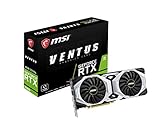
GDDR7 is also appealing for buyers who want a newer platform. The ASUS SFF-Ready Prime NVIDIA GeForce RTX 5070 OC Edition has 12GB of GDDR7, a PCIe 5.0 interface, and a listed price of under $900. A compact-ready design can be useful in a smaller home office, but “SFF-ready” still does not mean it will fit every small case; verify the card’s length, height, thickness, and required power connector.
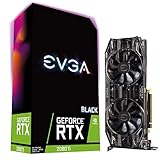
At the premium end, the ASUS TUF Gaming GeForce RTX 5080 16GB GDDR7 OC Edition is listed for under $1,800. That kind of purchase is aimed at buyers who already have a high-end monitor and supporting components. Expect many premium GDDR7 cards to weigh roughly 2.5–4 pounds, occupy three or more slots, and call for a power supply in the 850–1,000-watt range. Check the manufacturer’s recommendation rather than relying on the memory type alone.
Cost Over 5 Years
The five-year cost is more than the sticker price. A realistic budget should include electricity, possible accessories, and the chance that a small case or power supply will need replacing.
For example, suppose a GDDR6 card costs $520 and a comparable GDDR7 card costs $850. The initial difference is $330. If the GDDR7 system averages 40 watts more while gaming, and you play 10 hours per week, that is about 20.8 kilowatt-hours per year. At an electricity rate of $0.18 per kilowatt-hour, the added energy cost is approximately $19 per year, or $95 over five years. The combined difference would be about $425 before considering resale value.
Your actual result can be much lower or higher. Sleep, idle use, game settings, electricity rates, and gaming hours all matter. A more efficient GDDR7 card may narrow the gap, while a very powerful card can use considerably more energy regardless of memory type. Also budget $80–$250 for a suitable power supply if your current unit lacks the required capacity or connectors.
Resale can partly offset the purchase price. A newer GDDR7 card may attract more attention when sold, but a well-priced 16GB GDDR6 card can remain appealing for mainstream gaming. The best financial choice is usually the card that meets your performance target without paying for unused capability.
Which One for Your Home
Small apartment
Prioritize dimensions, noise, and heat. A GDDR6 card in the $500–$800 range may be the easier fit, especially if your PC sits beside a desk or in a media cabinet. Look for a two-slot or compact two-and-a-half-slot design, measure available GPU length in inches, and leave space for airflow. GDDR7 is reasonable if you use a 4K monitor, but avoid a very large card that turns a small room into a warmer, noisier space.
Family with kids or pets
Choose the complete card and cooling design rather than focusing only on GDDR6 versus GDDR7. A sturdy backplate, protected fan area, and dust filters can help in a busy household. Keep the computer off the floor when possible, and allow at least 4–6 inches of open space around major exhaust areas. A 16GB GDDR6 model can deliver strong value while leaving more of the budget for a reliable case and power supply.
Rental
Portability and low upgrade risk matter. A reasonably priced GDDR6 card is often the safer choice if you may move soon or cannot modify the room’s electrical setup. Confirm that your rental’s desk, shelving, and computer location can accommodate a card roughly 10–13 inches long. GDDR7 makes sense when you already own a suitable compact system and plan to keep the same setup through your next move.
Long-term home
If you are building a permanent gaming room with a 4K or ultrawide monitor, GDDR7 offers more forward-looking bandwidth. Pair it with sufficient VRAM, a capable processor, good ventilation, and a quality power supply. If your budget is limited, choosing a 16GB GDDR6 card and investing the savings in a better display or larger SSD may provide a more noticeable everyday improvement.
FAQ
Is GDDR7 always faster than GDDR6?
No. GDDR7 is faster memory technology, but overall gaming performance depends on the GPU architecture, memory capacity, bus width, cooling, drivers, and processor. A stronger GDDR6 GPU can outperform a weaker GDDR7 GPU.
Is 16GB of GDDR6 better than 12GB of GDDR7?
It depends on the game and resolution. The 16GB card has more capacity for large textures and future software, while the 12GB GDDR7 card has higher bandwidth. For 1440p value gaming, 16GB may be preferable; for high-end features and 4K, the faster GPU may matter more.
Does GDDR7 use less power?
GDDR7 is designed to improve performance and efficiency, but the graphics card’s total power is determined by the entire GPU. A fast GDDR7 card can still consume more electricity than a slower GDDR6 model.
Should I upgrade from GDDR6 to GDDR7 now?
Upgrade when your current card cannot maintain the resolution, frame rate, or visual settings you want. If your GDDR6 card already handles your monitor comfortably, wait until a GDDR7 model delivers a clear performance improvement at a price that fits your five-year budget.
Ready to decide? Our #1 pick for 2026 is the Comfort.
Live price & availability on Amazon.








Write Your Review
No reviews yet. Be the first to share your experience!