
- Top Pick: 2025 Advanced Thermal Camera with AI chip, 384 x 288 IR Resolution,5MP Visual,43.7° x 31.9° FOV Camera, Voice Annotation Infrared Imager with 3.5-Inch Touch Screen, -20°C to +550°C, WiFi
- Best Value: Thermal Master Thermal Camera for Android, 512×384 Super Resolution
- Premium Choice: TRYSEEKON TICAM2 Handheld Thermal Camera 32×32 LCD -4°F~1832°F
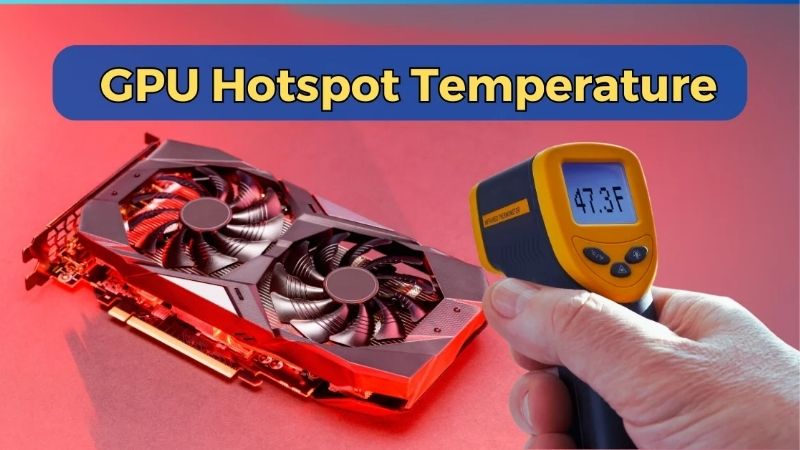
How to lower GPU hotspot temp is a more specific problem than general overheating, and it usually has a specific cause. The hotspot is the hottest point on your die, and when the gap between it and the core grows too large, the culprit is almost always degraded paste or an unevenly seated cooler. That means the fix is targeted: reseat and repaste, and on some cards refresh the pads. This guide shows you how to confirm the problem using the core-to-hotspot delta, then walks through the exact steps to restore proper contact and bring that hotspot temperature back into a healthy range.
What You Will Need to Lower GPU Hotspot Temp
This is a contact problem, so the tools are about measuring the gap and restoring even pressure on the die. A couple of items are free software, while the rest are inexpensive supplies. The list below covers everything you need to diagnose and fix a high hotspot without guesswork.
As an Amazon Associate we earn from qualifying purchases at no extra cost to you.



Monitoring Tools to Read the Hotspot
Start with software that reports both core and hotspot, such as HWiNFO or GPU-Z. You need both numbers to calculate the delta, which is the figure that actually tells you whether you have a problem.
Log them under a real gaming load, not at idle. A hotspot that sits far above the core only under sustained heat is exactly the pattern a contact problem produces.
The reason load matters is that contact issues only reveal themselves under heat. At idle the die barely warms, so a poor paste job can look fine; push the card hard and the heat concentrates wherever contact is weakest, widening the gap. That is exactly the behavior you are looking for to confirm the diagnosis.
Cleaning and Reseating Supplies
To restore even contact you will need 99% isopropyl alcohol, lint-free wipes, a precision screwdriver set, and a plastic spudger to separate the cooler safely. An anti-static wrist strap protects the card while you work.
These are basic supplies, and a good precision screwdriver set with a spudger included covers most of the job in one purchase. Keep a small tray for screws so nothing gets mixed up.
Take a few photos before and during disassembly as well. They cost nothing and serve as your map for reassembly, making sure every screw and cable returns to the right place. This habit is the easiest way to avoid the most common reassembly error of all, a stray screw left over at the end.
Fresh Paste and Pads
The core of the fix is fresh thermal paste, since dried compound is the usual cause of a high hotspot delta. Choose a quality non-conductive paste with good longevity so you are not back inside the card soon.
If your memory junction temperature is also high, add a matched-thickness thermal pad kit while you are inside, so one teardown solves both issues at once.
A multi-thickness pad kit is the safe default if you are unsure of your exact sizes, since it lets you match each location without a second order. Buying paste and pads together up front means you open the card once and emerge with both the core and memory running cooler, rather than discovering halfway through that you are missing a part.
Step-by-Step Guide to Lowering Hotspot Temperature
Work through these steps in order, confirming the problem before opening anything and verifying the fix after. The numbered process below targets the contact issue directly, which is what separates a lasting hotspot fix from a temporary one. Take photos as you go for easy reassembly.
Step 1 to 3: Measure the Core-to-Hotspot Gap
Step 1: Read both sensors under load. Run a demanding game with an overlay showing core and hotspot, and let it reach a steady state.
Step 2: Calculate the delta. Subtract the core from the hotspot. A gap of 10–15°C is normal; a gap above roughly 20°C points to a contact problem worth fixing.
Step 3: Decide whether to proceed. If the delta is normal, your hotspot is healthy no matter how high it looks, and you can stop. If it is large, continue to the reseat and repaste.
This measurement step is the most important part of the whole process, because it stops you opening a card that does not need it. A high hotspot with a normal delta is healthy and needs nothing; only a widened gap justifies the teardown. Spending two minutes here can save you an unnecessary repaste entirely.
Step 4 to 6: Reseat the Cooler and Repaste
Step 4: Remove the cooler. Power down, remove the card, and unscrew the cooler in a cross pattern. Separate it gently with the spudger, since old paste acts like glue.
Step 5: Clean and repaste. Wipe the die and cold plate spotless with isopropyl alcohol, then apply a small dot of fresh non-conductive paste. Too much paste hurts contact, so keep it modest.
Step 6: Reseat with even pressure. Lower the cooler straight down and tighten screws gradually in a cross pattern. Even pressure is what restores uniform contact and shrinks the delta.
Even pressure is the whole game here. The goal is for the cold plate to press uniformly across the die so heat spreads evenly instead of pooling at one corner. Tightening gradually in a cross pattern, a little on each screw in turn, is what achieves that, and rushing this step is the most common reason a repaste fails to close the gap.
Step 7 to 9: Replace Pads and Verify
Step 7: Replace pads if memory is hot. If your memory junction temperature was also high, fit a matched-thickness pad kit now while the card is open.
Step 8: Reassemble carefully. Reattach the cooler and backplate, keeping screws sorted by length, then reinstall the card.
Step 9: Re-test the delta. Run the same load and recheck the gap. A successful fix shows the hotspot tracking the core again with a normal 10–15°C offset.
If the delta has returned to normal, the job is a success and you are done. If it is still wide, the cooler likely seated unevenly, so it is worth removing it and reseating once more rather than living with the gap. A second careful attempt almost always lands it, since the cause is mechanical contact rather than anything more complex.
Pro Tips and Mistakes to Avoid
A hotspot fix lives or dies on even contact, so the tips here focus on getting that right and on the errors that leave the delta unchanged. This section covers the habits that make the repair stick and an honest look at whether the job is worth doing yourself. Small details make the difference.
Pro Tips for a Lasting Fix
Tighten the cooler screws gradually and evenly, alternating in a cross pattern rather than fully seating one corner at a time. Uneven pressure is the most common reason a repaste fails to shrink the delta.
Use a paste with good pump-out resistance so the fix lasts. Re-check the delta after the first few heat cycles, since some pastes settle slightly before reaching their final performance.
Keep your photos and notes handy until the test confirms success. If the delta has not improved, your record of how the cooler came apart makes a second reseat quick and painless, and you can compare your screw pattern and paste spread against what you did the first time to spot what went wrong.
Common Mistakes That Keep Hotspot High
Applying too much paste is a frequent error; it can ooze and actually worsen contact at the center of the die. Overtightening warps the cold plate, while undertightening leaves a gap, and both widen the delta you are trying to close.
Another mistake is chasing the raw hotspot number instead of the delta. If the gap is normal but both temperatures are high, the problem is overall cooling, not contact, and a repaste will not help.
Pros and Cons of a DIY Hotspot Fix
On the plus side, a reseat and repaste directly targets the cause of a high hotspot delta, costs little more than a paste tube, and usually restores a normal gap along with quieter operation. It is a high-value fix for an aging card.
On the downside, it means opening the cooler, which can affect warranty, and a careless reseat can leave the delta no better. The job takes care and patience the first time.
For an out-of-warranty card with a clearly widened delta, the fix is well worth doing. For a card within its normal range, there is no need to open it.
One honest caveat: if your card is still under warranty and the delta is only mildly elevated, the safer choice is to wait. Opening the cooler can void coverage, and a slightly high hotspot that is not throttling is not urgent. Reserve this fix for an out-of-warranty card where the gap is clearly costing you cool, quiet performance.
Lowering a high hotspot temperature is a targeted, affordable fix once you confirm the delta is the problem. Reseat the cooler, apply quality paste, and verify the gap is back to normal.
See More:
Conclusion
Learning how to lower GPU hotspot temp is really about reading the core-to-hotspot delta and fixing contact when it grows too large. Confirm the gap first, then reseat and repaste with even pressure, adding fresh pads if your memory also runs hot, and verify the delta returns to a normal 10–15°C. The job is affordable, high-value on an aging card, and lasting when done with care and a quality compound. Use the recommended paste and pads through the links above to bring that hotspot back into a healthy range and keep your card cool and quiet.
Top-Rated Picks


| Product | Brand | Rating | Reviews | Price |
|---|---|---|---|---|
| ARCTIC MX-4 (4 g) – Premium Performance Thermal Paste… | ARCTIC | ★ 4.8 | 104k | $4.99 |
| ARCTIC MX-4 (incl. Spatula, 4 g) – Premium Performanc… | ARCTIC | ★ 4.8 | 71.9k | $5.49 |
| Crucial 8GB DDR4 RAM 3200MHz (PC4-25600), Downclockab… | Crucial | ★ 4.8 | 62.8k | $74.99 |
| AMD Ryzen 5 5600X 6-core, 12-thread unlocked desktop … | — | ★ 4.8 | 30.2k | $177.60 |
| NVIDIA Shield Remote; Voice Search, Motion-Activated,… | — | ★ 4.7 | 10.6k | $25.99 |
Frequently Asked Questions
What hotspot temperature is actually a problem?
Hotspot, or junction temperature, normally runs ten to fifteen degrees Celsius above the core reading. Up to about ninety-five degrees is within spec for most modern cards. A delta above twenty to twenty-five degrees is the real warning sign, since it points to poor die contact rather than general heat.
Does a high hotspot delta mean I need to repaste?
Usually yes. A large gap between core and junction temperature indicates dried-out or pumped-out thermal paste, uneven cooler mounting pressure, or compressed thermal pads. Repasting with a quality non-conductive compound and retorquing the cooler screws in a cross pattern typically drops the delta back to single digits.
Will undervolting lower hotspot temperature?
Significantly, and it is the safest first step. Reducing voltage at a given clock cuts the heat generated at the die, often dropping hotspot by ten degrees or more with a one to three percent performance change. It requires no disassembly and does not void a warranty.
How much does case airflow matter?
A great deal. A card starved of intake recycles its own exhaust, and mesh front panels routinely beat solid glass ones by five to ten degrees. Ensure at least two intake fans, clear the front dust filter, and give a sagging triple-slot card breathing room above any bottom-mounted drive cage.
Is a more aggressive fan curve safe long term?
Yes, though it trades noise and bearing life for temperature. A sensible curve ramps from around forty percent at sixty degrees to eighty percent at eighty degrees, with hysteresis to avoid constant ramping. Cleaning dust from the fins first usually buys more headroom than any curve change.











Write Your Review
No reviews yet. Be the first to share your experience!