
- Top Pick: MSI Claw A1M Handheld Gaming Device, Intel Core Ultra Processor, Intel XeSS Technology
- Best Value: Xess
- Premium Choice: Xess
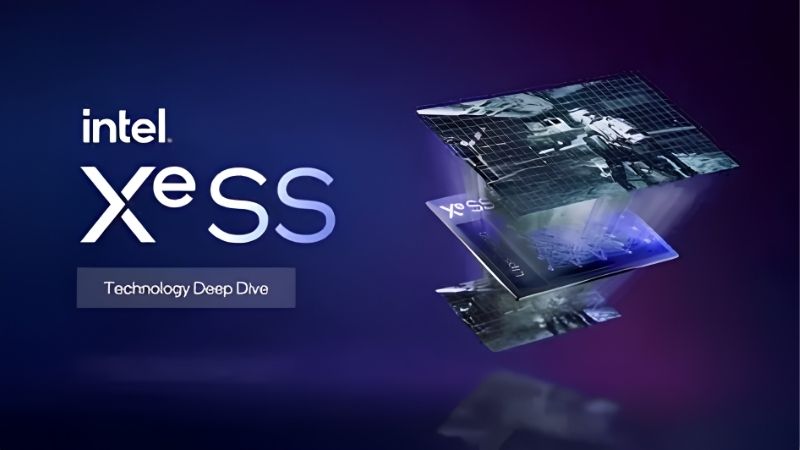
What is XeSS is a question more gamers are asking as Intel’s upscaling technology appears in a growing list of titles. In simple terms, XeSS, or Xe Super Sampling, is Intel’s AI-based upscaling that renders a game at a lower resolution and reconstructs a sharper, higher-resolution image, boosting frame rates with minimal loss in quality. Cleverly, it runs at its best on Intel Arc graphics cards but also works on cards from other brands through a compatible path. This guide explains how XeSS works, the difference between its two modes, how it compares to FSR and DLSS, and how to set it up for the best results.
Understanding What XeSS Is
Before enabling it, it helps to understand what XeSS does and how it manages to run across different hardware. XeSS is an AI upscaling technology designed to deliver more performance, and its clever two-path design is what lets it work on Intel and non-Intel cards alike.
As an Amazon Associate we earn from qualifying purchases at no extra cost to you.


How XeSS Upscaling Works
XeSS renders your game at a lower internal resolution and then uses a trained AI model to reconstruct a sharper image at your target resolution. The result fills your screen while requiring far less work to draw each frame.
Because the heavy rendering happens at a smaller resolution, the GPU is freed to produce more frames per second. The AI model aims to rebuild fine detail so the upscaled image stays close to native quality.
This AI-driven reconstruction is what allows XeSS to deliver strong performance gains while keeping image quality high, similar in concept to other modern upscalers but with Intel’s own approach. By learning how to rebuild realistic detail from a lower-resolution source, the model can recover much of what would be lost in a simpler scaling method, which is why a well-implemented XeSS image can look remarkably close to native at its higher quality settings.
The Two Paths: XMX and DP4a
XeSS is unusual in offering two ways to run. On Intel Arc cards, it uses dedicated XMX AI hardware for the highest quality and best performance, much like other AI upscalers use specialized units.
On graphics cards from other brands that lack that hardware, XeSS falls back to a DP4a path that runs the AI model on more general hardware. This is slightly lower in quality and performance but keeps XeSS broadly compatible.
This dual-path design is the key to XeSS’s appeal, since it offers Intel users a premium experience while still working on a wide range of other cards, unlike upscalers locked to one brand. It lets Intel showcase the strength of its Arc hardware without shutting out the much larger group of gamers who use other graphics cards, which has helped XeSS spread into a growing number of games despite arriving after its rivals.
XeSS vs Native Resolution
Compared with native rendering, XeSS trades a small amount of image quality for a meaningful gain in frame rate. At its higher quality presets, the difference from native is often difficult to notice during normal gameplay.
At more aggressive presets, the image softens more as the AI reconstructs from a lower base resolution. This is the trade-off you balance when selecting a quality mode for your needs.
For most players, a higher-quality XeSS preset hits a sweet spot, delivering a solid frame-rate boost while keeping the image close enough to native that the performance feels essentially free.
Why XeSS Matters for Gaming
XeSS is only worth using if it improves your experience, so let us look at what it delivers. Its mix of AI quality and broad compatibility makes it a valuable third option alongside the more established upscalers, giving you another way to gain frames whatever graphics card sits in your system.
The Performance Boost XeSS Delivers
In supported games, XeSS can raise frame rates substantially, with the exact gain depending on the quality mode, resolution, and whether your card uses the XMX or DP4a path. The benefit is largest at higher resolutions.
This makes XeSS especially useful for pushing into 1440p or 4K on hardware that would otherwise struggle, or for reaching high frame rates on a fast monitor. It effectively extends what your card can do.
For everyday gamers, the result is smoother gameplay and the ability to enable higher settings or resolutions than raw performance alone would allow, all from a single option in the menu.
The Pros and Cons of XeSS
XeSS is a capable upscaler, but it has trade-offs worth understanding before relying on it.
Pros:
- AI-based reconstruction delivers strong image quality, especially on Intel Arc.
- Works across many graphics cards thanks to its DP4a fallback path.
- Provides a large free performance boost in supported games.
Cons:
- The DP4a path on non-Intel cards is lower in quality than the XMX path.
- Available in fewer games than the most established upscalers.
- Aggressive performance presets soften the image noticeably.
XeSS vs FSR and DLSS
XeSS sits between AMD’s FSR and Nvidia’s DLSS in the upscaling landscape. Like FSR, it works across multiple brands, but like DLSS, it uses an AI model, giving it a blend of compatibility and quality.
On Intel Arc cards using the XMX path, XeSS image quality is competitive with the best, while on other cards the DP4a path is closer to FSR in approach. DLSS still tends to lead on Nvidia RTX hardware.
For gamers, the practical point is that XeSS gives you another strong option, and many games now offer all three, letting you test which looks and performs best on your particular card. Because results can vary from game to game, having three upscalers to choose from is genuinely useful, since the one that looks cleanest or runs fastest in one title may not be the same in another, and switching between them takes only a moment.
How to Use XeSS for the Best Results
Getting the most from XeSS comes down to a few simple choices in your game settings. Enabling it is straightforward, and choosing the right quality mode shapes the balance between frames and clarity. Here is the practical approach.
Enabling XeSS in Your Games
XeSS options usually appear in a game’s graphics or display settings, listed alongside other upscalers. Turning it on and selecting a quality mode activates the AI upscaling immediately.
If you have an Intel Arc card, XeSS automatically uses the higher-quality XMX path, while other cards use the DP4a fallback. Keeping your graphics drivers updated ensures you get the latest version and improvements.
You usually do not need to choose between the two paths manually, since XeSS detects your hardware and selects the best available option on its own. If a game lists multiple XeSS versions, picking the newest one generally gives the best image quality. As with other upscalers, it is worth checking whether the game separates upscaling from any optional frame generation feature, so you can enable exactly the combination that suits your priorities for clarity and frame rate.
Choosing the Right XeSS Quality Mode
XeSS offers several modes that trade quality against performance. Quality mode renders from a higher base resolution for the sharpest result with a solid frame-rate gain, making it a great starting point for most players.
Balanced and Performance modes render from lower base resolutions for bigger frame-rate boosts at the cost of some clarity. These help when you need more frames or are pushing a very high resolution.
The best approach is to begin with Quality and only move to a more aggressive mode if you need extra frames, settling on the balance that looks and feels right in your specific games. Since the ideal choice depends on your resolution, your monitor, and how much image softness you notice, trying a couple of modes in a game you know well is the quickest way to find the setting that gives you smooth performance without sacrificing clarity you care about.
Hardware Tips and When to Use It
XeSS is most valuable when you want higher resolutions or frame rates than your card delivers natively, and it shines most on Intel Arc hardware thanks to the XMX path. On other cards, it remains a useful option through DP4a.
If you are choosing a new graphics card and value the best XeSS experience, an Intel Arc card unlocks the premium path, though XeSS support is a bonus on any card. To find a card that fits your resolution and budget, compare current options and their verified prices through the links on this page.
For most buyers, XeSS is best viewed as a welcome extra rather than a deciding factor on its own. If you are already considering an Intel Arc card for its value, the high-quality XMX path is a genuine plus. If you own or buy a card from another brand, XeSS still gives you another upscaler to try alongside FSR, letting you pick whichever looks best in each game rather than being limited to a single option.
See More:
Final Thoughts on XeSS
To wrap up, XeSS is Intel’s AI-based upscaling technology that renders games at a lower resolution and reconstructs a sharper image, boosting frame rates while keeping quality high. Understanding what is XeSS shows why its two-path design lets it run at its best on Intel Arc while staying compatible with other cards, and how it compares to FSR and DLSS. Start with a higher-quality preset, keep your drivers current, and you will gain smoother gameplay and higher settings from the hardware you already own, with another strong upscaler in your toolkit. With three options to choose from in many modern games, you can always pick whichever delivers the best mix of clarity and frames on your particular card.
Top-Rated Picks


| Product | Brand | Rating | Reviews | Price |
|---|---|---|---|---|
| ARCTIC MX-4 (4 g) – Premium Performance Thermal Paste… | ARCTIC | ★ 4.8 | 104k | $4.99 |
| ARCTIC MX-4 (incl. Spatula, 4 g) – Premium Performanc… | ARCTIC | ★ 4.8 | 71.9k | $5.49 |
| Crucial 8GB DDR4 RAM 3200MHz (PC4-25600), Downclockab… | Crucial | ★ 4.8 | 62.8k | $74.99 |
| AMD Ryzen 5 5600X 6-core, 12-thread unlocked desktop … | — | ★ 4.8 | 30.2k | $177.60 |
| NVIDIA Shield Remote; Voice Search, Motion-Activated,… | — | ★ 4.7 | 10.6k | $25.99 |
Frequently Asked Questions
Does XeSS work on non-Intel graphics cards?
Yes. XeSS runs its best quality path on Intel Arc using XMX matrix engines, and falls back to a DP4a code path on Nvidia and AMD cards that support it. The fallback is slightly lower quality and slower than the XMX version, but it remains a genuine cross-vendor option.
How does XeSS compare with DLSS and FSR?
On Arc hardware XeSS is close to DLSS in temporal stability and generally ahead of older FSR versions. On non-Intel cards the DP4a path usually lands between FSR 2 and DLSS. If you own an RTX card, DLSS remains the better choice where both are offered.
Which quality preset should I use?
Ultra Quality and Quality are the safe presets at 1440p, while Performance becomes viable at 4K where the internal resolution is still high. XeSS 2 added more granular presets, and the newest versions noticeably improved the reconstruction of fine detail and disocclusion around moving characters.
Does XeSS include frame generation?
XeSS 2 introduced XeSS Frame Generation and the Xe Low Latency feature, which pair upscaling with interpolated frames much like DLSS and FSR do. Frame generation support is currently focused on Arc hardware and a smaller set of titles than the upscaler itself.
How many games support XeSS?
Well over one hundred and fifty titles now integrate it, a smaller list than DLSS or FSR but growing steadily, helped by Intel providing a straightforward SDK. Many engines expose all three upscalers together, so you can compare them directly in the same scene.











Write Your Review
No reviews yet. Be the first to share your experience!