
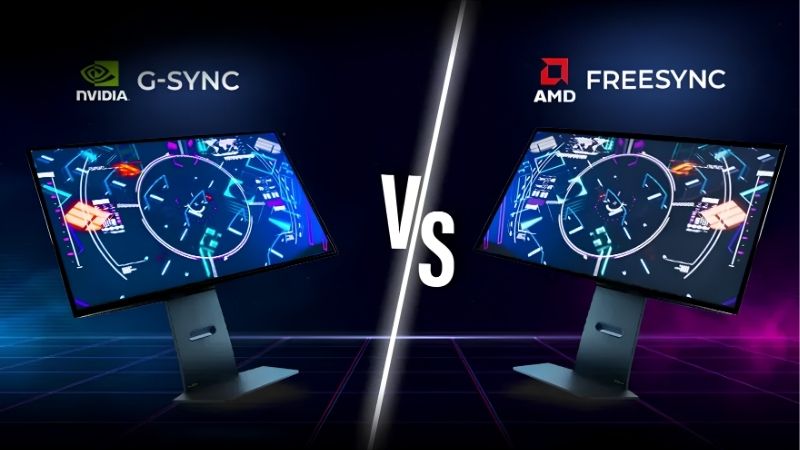
G-Sync vs FreeSync explained is exactly what gamers want when choosing a monitor that stops screen tearing without breaking the bank. Both are variable refresh rate technologies that sync your display to your graphics card for smoother, tear-free motion, but they take different paths: G-Sync is Nvidia’s tightly controlled standard, while FreeSync is AMD’s open, royalty-free approach. The right pick depends on your graphics card, budget, and how much you value guaranteed validation. This 2026 comparison breaks down the real differences in performance, compatibility, and price so you can choose the right variable refresh rate technology for your setup with confidence.
G-Sync vs FreeSync: The Quick Verdict
If you only read one section, here it is. FreeSync wins on value and broad compatibility, while G-Sync offers rigorously validated, top-tier performance at a higher price. For most gamers, a quality FreeSync or G-Sync Compatible monitor delivers an excellent tear-free experience for less, while enthusiasts wanting guaranteed top performance may prefer a dedicated G-Sync module. The fastest way to decide is to match the monitor to your graphics card and budget, and this is the natural spot to grab a display that fits. The table below sums up the key differences at a glance before we dig into each factor in detail.
| Factor | G-Sync | FreeSync |
|---|---|---|
| Standard | Nvidia, often dedicated module | AMD, open and royalty-free |
| Cost | Higher, especially module tiers | Lower, very affordable |
| Compatibility | Broadened via G-Sync Compatible | Wide, AMD and many Nvidia cards |
| Validation | Rigorous Nvidia testing | Varies by monitor |
| Best for | Guaranteed top-end performance | Value and broad availability |
When G-Sync Is the Better Choice
G-Sync makes the most sense when you want guaranteed, rigorously tested performance and own an Nvidia graphics card. The dedicated-module tiers undergo strict validation, ensuring smooth behavior across the full refresh range.
If you are an enthusiast building a high-end system and want the assurance that your variable refresh rate works flawlessly without any guesswork, a dedicated G-Sync monitor delivers that confidence. The premium tiers also target top-quality high-refresh displays.
For buyers who prioritize a validated, no-compromise experience and are willing to pay for it, G-Sync remains the gold standard, especially when paired with a powerful Nvidia card.
When FreeSync Makes More Sense
FreeSync is the smarter choice for most gamers thanks to its low cost and wide availability. Because it is open and royalty-free, it appears on a huge range of affordable monitors, delivering tear-free gaming for less.
It is also the natural pick if you own an AMD graphics card, though modern Nvidia cards can use FreeSync monitors too through the shared adaptive sync standard. This flexibility keeps your options open across brands.
For anyone who wants excellent tear-free performance without paying a premium, FreeSync delivers the core benefit at a fraction of the cost, which is why it dominates the mainstream market.
The Short Answer on Value
The core trade-off is straightforward. G-Sync offers validated, guaranteed performance at a higher price, while FreeSync offers excellent value and broad compatibility with slightly more variation between monitors.
So the right answer depends on your priorities and graphics card rather than one being universally better. Match the technology to your hardware and budget, and either can deliver the smooth, tear-free gaming you are after.
It is worth stressing that the gap between the two has narrowed dramatically over the years. What was once a stark choice between a costly proprietary technology and a cheaper open one is now closer to two flavors of the same underlying idea, with the main practical differences being price, the breadth of monitor choice, and how strictly each display has been validated to perform well.
G-Sync vs FreeSync Deep Dive: Face-Off
Now we compare the two by the criteria that actually shape your experience rather than judging them in isolation. Across performance, compatibility, and price, the gap has narrowed considerably, but real differences remain worth knowing before you commit your money to one approach or the other.
Performance and Compatibility
In day-to-day gaming, both technologies deliver the same core benefit of tear-free, smooth motion. On a quality monitor, the difference in the actual experience between the two is often very small.
Where they differ is validation and range. G-Sync’s dedicated-module monitors guarantee a wide variable refresh range and rigorous testing, while FreeSync quality varies, with budget models sometimes offering a narrower range.
Compatibility has converged, since modern Nvidia cards can use FreeSync monitors and Nvidia certifies many as G-Sync Compatible. This means your graphics card brand no longer locks you to one technology as strictly as it once did, opening up a much wider range of monitors to almost every gamer regardless of whether they run an Nvidia or AMD card in their system.
Price and Monitor Selection
Price is where FreeSync holds a clear advantage. Because it is royalty-free, FreeSync monitors are typically cheaper and far more numerous, giving you a wider selection at every budget.
Dedicated G-Sync module monitors carry a premium for their validation and hardware, which can be worth it for enthusiasts but is more than many gamers need. G-Sync Compatible displays narrow this price gap considerably.
For most buyers, the sheer choice and affordability of FreeSync and G-Sync Compatible monitors mean you can find an excellent variable refresh rate display without stretching your budget. The savings can then go toward a better panel, a higher refresh rate, or a stronger graphics card, all of which tend to improve your experience more than paying extra purely for a dedicated sync module would.
Pros and Cons of Each
Here is the balanced view of both, based on how each performs in real monitors, so you can match them to your priorities.
G-Sync pros: rigorously validated performance, wide refresh range, top-tier quality. G-Sync cons: dedicated-module monitors are pricier, fewer options than FreeSync.
FreeSync pros: affordable, very widely available, works across AMD and many Nvidia cards. FreeSync cons: quality varies by monitor, budget models may have a narrower range.
G-Sync vs FreeSync: Making the Choice
Choosing between them means matching the technology to your graphics card, budget, and how much you value guaranteed validation. A little thought about your priorities, and the shared standard that links them, helps you decide with confidence rather than getting lost in the marketing around each name.
The Alternative: Adaptive Sync and Compatibility Modes
The most important thing to know is that both now build on the same underlying adaptive sync standard, which blurs the old hard line between them. Many monitors support adaptive sync that works with both AMD and Nvidia cards.
This means you are rarely forced into one camp anymore. A G-Sync Compatible monitor is essentially an adaptive sync display that Nvidia has tested, and many FreeSync monitors carry that certification too.
So rather than agonizing over the label, focus on the monitor’s actual variable refresh range, quality, and price, since a good adaptive sync display will serve you well regardless of which brand name it carries. The branding tells you who tested or marketed the feature, but it is the underlying panel and its refresh range that determine how smooth your games actually look in practice.
Matching to Your GPU and Budget
Start with your graphics card. If you own an Nvidia card and want guaranteed performance, a G-Sync or G-Sync Compatible monitor is a natural fit, while AMD owners gravitate toward FreeSync, though both work across brands now.
Then set your budget. FreeSync and G-Sync Compatible monitors offer the best value, while dedicated G-Sync modules suit enthusiasts willing to pay for validation. Let your card and budget narrow the field before comparing specific models.
Once you have a shortlist, the deciding details are the monitor’s variable refresh range, panel quality, refresh rate, and resolution rather than the sync label on the box. A display that gets those fundamentals right will deliver smooth, tear-free gaming whether it wears a G-Sync or FreeSync badge, so let those concrete specifications, not the branding, make your final decision for you.
Final Verdict and Recommendation
The recommendation comes down to value versus guaranteed validation. Choose FreeSync or a G-Sync Compatible monitor if you want excellent tear-free gaming at a great price, which suits the vast majority of gamers across both graphics card brands.
Choose a dedicated G-Sync module monitor if you are an enthusiast who wants rigorously validated, top-tier performance and you have an Nvidia card to match. To make the choice easy, compare current monitors and graphics cards and their verified prices through the links on this page and pick the combination that fits your hardware and budget today.
Whichever way you lean, remember that the most important thing is simply having a quality variable refresh rate display paired with a graphics card strong enough to feed it. Get that pairing right and the difference between the two standards becomes a minor detail, because both will give you the clean, fluid, tear-free motion that makes modern games look and feel their best.
See More:
Final Thoughts on G-Sync vs FreeSync
To close, the G-Sync vs FreeSync explained verdict is that both deliver smooth, tear-free gaming, with FreeSync winning on value and broad availability while G-Sync offers rigorously validated, top-tier performance for a premium. Thanks to the shared adaptive sync standard, your graphics card brand no longer locks you in as strictly as before, so the smart move is to focus on a monitor’s variable refresh range, quality, and price. Match the display to your card and budget, and either technology will give you the fluid, tear-free experience you want, leaving the old G-Sync versus FreeSync rivalry as little more than a footnote in your final buying decision.
Top-Rated Picks

Save $10.00


| Product | Brand | Rating | Reviews | Price |
|---|---|---|---|---|
| Sceptre Prime Curved 30-inch Gaming Monitor 200+Hz Fr… | SceptreInc | ★ 4.6 | 255 | $175.97 |
| INNOCN 49" Curved Gaming Monitor 144Hz Ultrawide 32:9… | INNOCN | ★ 4.5 | 244 | $499.96 |
| Kado Trio Monitor 3-Pack 27" Curved 1500R 1920×1080 7… | Kado | ★ 4.7 | 61 | $299.89 |
| Kado 3-Pack Trio 27" Curved 1500R 1920×1080 75Hz FHD … | Kado | ★ 4.4 | 65 | $289.89 |
| ASUS TUF Gaming Series 5 24.5” 1080P Gaming Monitor (… | — | ★ 4.5 | 27 | $199.00 |
Frequently Asked Questions
What is the real hardware difference between them?
Full G-Sync monitors contain a dedicated Nvidia hardware module that handles variable refresh, overdrive tuning and variable overdrive. FreeSync uses the royalty-free VESA Adaptive-Sync standard built into the DisplayPort or HDMI scaler, so it costs manufacturers nothing extra. That price gap is why FreeSync appears on far more panels at every budget level.
Can I use a FreeSync monitor with an Nvidia card?
Yes. Nvidia drivers support Adaptive-Sync on any modern GeForce card, and monitors that pass Nvidia validation are branded G-Sync Compatible. On unvalidated panels you can still enable it manually in the Nvidia Control Panel, though you may see flickering in dark scenes or a narrower usable refresh range.
Do AMD cards work with G-Sync monitors?
Newer G-Sync Compatible and G-Sync Ultimate displays also expose standard Adaptive-Sync, so Radeon cards work fine over DisplayPort. Older monitors built around the original proprietary module, however, only accept variable refresh from Nvidia GPUs. Check the specification sheet for VESA Adaptive-Sync support before buying if you plan to switch brands.
What is Low Framerate Compensation and why does it matter?
LFC repeats frames when your frame rate drops below the monitor minimum refresh, keeping the picture smooth instead of tearing or stuttering. It needs a maximum refresh at least twice the minimum, such as a 48 to 144Hz range. Cheap panels with a narrow 48 to 75Hz window often lack it entirely.
Which should I buy for gaming today?
For most buyers a FreeSync Premium or G-Sync Compatible panel with a wide refresh range, LFC and good overdrive tuning delivers the same experience for less money. Reserve full G-Sync Ultimate modules for high-end HDR displays where variable overdrive genuinely reduces ghosting across the whole variable refresh range.






Write Your Review
No reviews yet. Be the first to share your experience!