
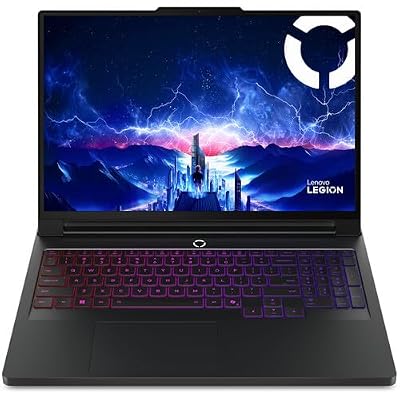
- Top Pick: Lenovo Legion Pro 7i Gen 10 w/Ultra 9, NVIDIA GeForce RTX 5080, OLED
- Best Value: Lenovo Legion 9i Gen 10 18" Gaming Laptop (2026 Model) Intel Core Ultra 9 275HX 24C, NVIDIA GeForce RTX 5080 16GB, 32GB RAM, 1TB Gen5 NVMe SSD, 18.0" 4K 520 nits 240Hz, Windows 11 Home
- Premium Choice: msi Vector A18 HX 18” 240Hz QHD+ Gaming Laptop: AMD Ryzen 9-9955HX, NVIDIA Geforce RTX 5080, 32GB DDR5, 1TB NVMe SSD, Type C, Wi-Fi 7, Win 11 Home: Cosmo Gray A9WIG-065US


![EXCaliberPC [2025] MSI Raider A18 HX A9WIG-082US (AMD Ryzen 9 9955HX3D, 32GB DDR5 RAM, 2TB NVMe SSD, NVIDIA GeForce RTX 5080, 18" UHD+ 120Hz, Windows 11 Pro) Gaming Laptop](https://m.media-amazon.com/images/I/31NznkpvipL._SL400_.jpg)
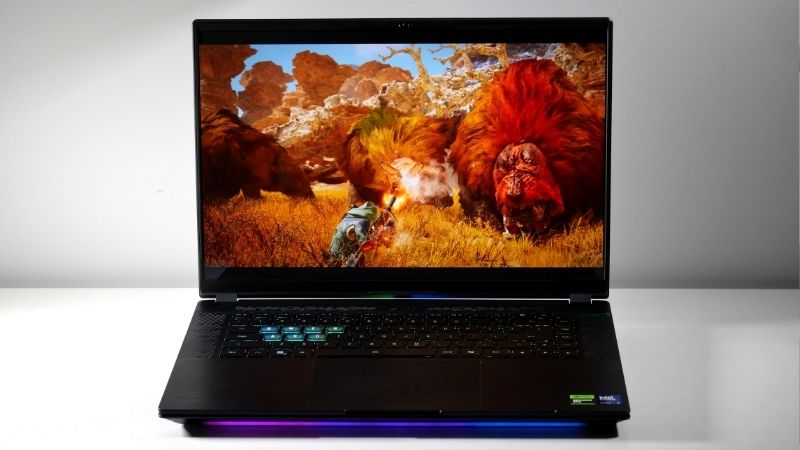
RTX 5080 laptop is Nvidia’s premium Blackwell mobile GPU short of the flagship, combining 7,680 CUDA cores with 16GB of GDDR7 and full DLSS 4 support. It targets enthusiasts who want maxed 1440p and serious 4K without paying 5090 money. This review uses owner feedback and benchmark data to determine whether it is the smart premium choice for 2026.
What The RTX 5080 Laptop Brings To High-End Gaming
This chip sits just below the flagship, and its specifications explain why it is the premium sweet spot for many buyers. A close look at the hardware shows where its advantages over the 5070 Ti concentrate.
As an Amazon Associate we earn from qualifying purchases at no extra cost to you.



![EXCaliberPC [2025] MSI Raider A18 HX A9WIG-082US (AMD Ryzen 9 9955HX3D, 32GB DDR5 RAM, 2TB NVMe SSD, NVIDIA GeForce RTX 5080, 18" UHD+ 120Hz, Windows 11 Pro) Gaming Laptop](https://m.media-amazon.com/images/I/31NznkpvipL._SL160_.jpg)


Specifications And Memory Bandwidth
The RTX 5080 laptop features 7,680 CUDA cores, 16GB of GDDR7, 1,334 AI TOPS, and a TGP from 80W to 150W. Nvidia cites roughly twice the performance of the 4080 laptop and a substantial memory bandwidth increase, which benefits both gaming and creation.
The 16GB buffer is a key strength, matching the previous flagship and eliminating VRAM constraints even at 4K with ray tracing. This is a configuration built to avoid compromise.
4K Benchmarks And DLSS 4 Performance
At 1440p the RTX 5080 laptop is effortless, routinely exceeding 100 FPS maxed out. At 4K it sustains 60 FPS or better in most AAA titles before upscaling, and DLSS 4 with Multi Frame Generation pushes demanding ray-traced games to high, fluid frame rates.
Owners describe it as a genuine 4K-capable mobile GPU. The combination of raw power and DLSS 4 makes desktop-class gaming feel realistic on a laptop.
Thermals And The Cooling Requirement
Drawing up to 150W, the 5080 generates real heat, and cooling quality is decisive. Reviews of well-built chassis like the MSI Vector 16 HX praise sustained clocks, while noting fans get loud under full load.
The guidance is firm: this GPU belongs in a strong thermal design. In an under-cooled chassis, throttling erodes the premium performance you are paying for.
The Real-World RTX 5080 Laptop Experience
Premium silicon must still fit your life, and daily ownership reveals the tradeoffs that come with this much power. The RTX 5080 laptop is a performance-first machine with creator credentials.
Available Laptops And Required Pairings
The 5080 appears in premium rigs like the MSI Vector, Lenovo Legion Pro 7i, and ASUS ROG Strix Scar, with configurations starting around $2,199. These machines pair the GPU with high-refresh QHD panels and serious cooling.
To avoid bottlenecks, owners recommend a flagship Core i9 or Ryzen 9 and at least 32GB of RAM. Strong pairings ensure the GPU’s considerable power is fully realized.
Power, Heat And Portability
This is not an efficiency leader. Battery life under load is short, and even light-use endurance trails lower tiers, typically around 4 to 5 hours despite Advanced Optimus.
The chassis are larger and heavier, usually 16 inches with thick cooling. If portability leads your priorities, this tier asks for compromise; if performance leads, it rewards you.
Who Should Choose This GPU
The RTX 5080 laptop suits the enthusiast who wants maxed 1440p, real 4K, and the latest DLSS 4 features, plus creators who benefit from 16GB of VRAM and strong encoders. It is a capable mobile workstation.
Buyers on tighter budgets get most of the experience from the 5070 Ti. Only those who demand a 4K ceiling and maximum AI performance need to climb to the 5090.
Pros, Cons And The 2026 Value Question
At premium pricing, value scrutiny is essential. Balancing the 5080’s strengths against its costs, and against today’s market, decides whether it is the right high-end investment.
The Pros And Cons That Matter
The pros are strong: a roomy 16GB GDDR7 buffer, excellent 4K performance, full DLSS 4 with Multi Frame Generation, and creator-grade versatility. Owners praise its ability to span resolutions without compromise.
The cons concern cost and practicality: a high price, weak battery life, bulky and hot chassis, and the usual Multi Frame Generation latency tradeoff in competitive play. Some buyers also note lower-TGP versions narrow the gap to the 5070 Ti, so wattage remains critical. These are the realities of premium mobile gaming.
How Laptop Pricing Trends Shape The Choice
The market makes timing meaningful. Premium gaming laptops have kept trending more expensive, with tight memory supply as the main driver, and high-end GPUs feel that pressure first. Encouragingly, the steep late-2025 climb has eased, and some makers report a phase of relative stability, while still warning that prices could move again.
Real relief, though, is distant. Additional DDR5 capacity is coming from suppliers like CXMT and from two Micron plants under construction in Idaho, but those will not ramp until 2027 to 2028. The practical conclusion is that prices have plateaued rather than fallen, so an RTX 5080 laptop is unlikely to get cheaper by waiting through 2026.
Future-Proofing And The Verdict
With a 16GB buffer and growing DLSS 4 support, the 5080 has excellent longevity, well equipped to handle demanding games and creative workloads for years. Each new DLSS 4 integration extends its edge further.
If you want near-flagship power with creator versatility, this GPU delivers. Ready to invest while pricing holds steady? Compare current RTX 5080 laptop configurations through the links on this page and choose a high-TGP, well-cooled model.
Frequently Asked Questions
As Blackwell’s premium chip below the flagship, the RTX 5080 laptop raises these common questions among high-end buyers.
Is the RTX 5080 laptop good for 4K gaming?
Yes, the RTX 5080 laptop is strongly 4K-capable, backed by 7,680 cores, 16GB of GDDR7, and DLSS 4 Multi Frame Generation.
Its large, fast buffer and AI features let it sustain smooth frame rates even in demanding ray-traced titles.
How much VRAM does the RTX 5080 laptop have?
It features 16GB of GDDR7, matching the flagship capacity of the previous-generation 4090 but with faster memory.
That generous buffer gives it excellent headroom for 4K gaming and creative workloads alike.
Does the RTX 5080 laptop support DLSS 4?
Yes, it fully supports DLSS 4, including Multi Frame Generation in compatible games.
This Blackwell-exclusive feature can lift frame rates well beyond what older DLSS 3 cards achieve.
Is the RTX 5080 laptop worth it over the 4090?
The 5080 trades some raw cores for GDDR7 bandwidth, DLSS 4, and improved efficiency, often matching or beating the 4090 in supported titles.
Buyers who value the newest features will prefer the 5080, while those chasing maximum native frames may still consider a discounted 4090.
Is the RTX 5080 laptop good for ray tracing?
Yes, the RTX 5080 laptop excels at ray tracing across 1440p and 4K, backed by 16GB of GDDR7 and DLSS 4 Multi Frame Generation. The combination keeps heavy effects smooth.
For ray-traced single-player titles, the 5080 delivers a premium experience with the AI features active.
Real-World Performance Expectations
Seeing what the RTX 5080 laptop delivers in practice clarifies its premium position. This breakdown frames expectations across the most demanding scenarios.
High-Refresh 1440p Gaming
At 1440p the 5080 pushes well beyond 120 frames per second in most AAA titles at ultra settings, backed by 16GB of GDDR7. The generous, fast buffer eliminates memory bottlenecks at the resolution.
With DLSS 4 Multi Frame Generation, ray-traced titles run exceptionally smoothly, making it a superb match for high-refresh 1440p displays.
Strong 4K Performance
The 5080 is a capable 4K card, holding 60 frames per second and beyond in many titles, with DLSS 4 lifting the heaviest games further. Its 16GB buffer feeds the resolution comfortably.
For buyers who want 4K gaming without the absolute flagship price, the 5080 delivers a confident experience.
Professional Creative And AI Tasks
The 5080’s 16GB of GDDR7 suits serious creative pipelines, from 4K editing to GPU rendering and AI workloads that demand large memory. It performs as a strong mobile workstation.
As a current Blackwell card, it gains the most from Nvidia’s newest optimizations and DLSS 4 expansion, securing excellent long-term relevance.
Smart Buying Tips For The RTX 5080 Laptop
An RTX 5080 laptop is a premium purchase, so pairing it with fitting hardware protects that investment. These tips help you assemble a balanced, future-ready machine.
Demand A High-Tier CPU
Pair the 5080 with a flagship Core i9 or Ryzen 9 processor to keep the powerful GPU fed across gaming and creative tasks. A mismatched chip can bottleneck performance in CPU-heavy scenes.
At 1440p and 4K the GPU does the heavy lifting, but a strong CPU still preserves high minimum frame rates.
This pairing matters most for buyers who push demanding titles or run professional workloads.
Invest In A Premium High-Refresh Display
The 5080 deserves a high-refresh 1440p panel at minimum, and ideally a 4K mini-LED or OLED display that reveals its fidelity. A modest screen wastes the card’s headroom.
Pairing a premium GPU with a premium panel is the only way to experience the performance you are paying for.
With DLSS 4 active, even a demanding 4K panel stays comfortably driven in supported titles.
Insist On Strong Cooling And Memory
Choose a chassis built for heavy thermal loads, since the 5080 runs many cores at high wattage and benefits from sustained clocks. A thin design may throttle under extended play.
Equip the machine with at least 16GB of RAM, ideally 32GB for creators, to complement the 16GB of GDDR7.
Confirming the laptop’s TGP rating is essential, as cooling can separate two machines carrying the same GPU.
The Bottom Line
The RTX 5080 laptop is a confident premium choice: maxed 1440p, strong 4K, a roomy 16GB buffer, and full DLSS 4 features. It demands a high price and a larger chassis in return, but for enthusiasts who will use the headroom, it is one of the most capable mobile GPUs of 2026, especially while prices stay flat rather than climbing.











Write Your Review
No reviews yet. Be the first to share your experience!