
The GTX 780 is rated at about 250 watts of board power and uses a six-pin plus an eight-pin PCIe connector, with NVIDIA suggesting a system power supply of roughly 600 watts. That is the short answer to “GTX 780 wattage maximum,” but the full picture includes the difference between rated power, connector capacity and what an overclocked card can actually pull.
- Core Specifications
- Understanding the Power Numbers
- Sizing a Power Supply
- Thermals and Cooling
- Memory: 3 GB and Where It Stops Helping
- Features and Driver Context
- 780 vs 780 Ti vs Titan: Same Chip, Different Settings
- Where the Card Fits Today
- Reading Power Readings From Monitoring Software
- Who Should Use It or Skip It
- Installation Safety Checklist
- Frequently Asked Questions
- Related Guides
This specification guide covers the memory, core count, power behavior, thermal limits and outputs of the GTX 780, and then places the card in context. As of late 2026 it is a legacy product, so the useful question is less “how fast is it” than “what does it need to run safely and what can it still do.”
Core Specifications
| Specification | GTX 780 |
|---|---|
| Architecture and chip | Kepler, GK110 |
| Launch | May 2013 |
| CUDA cores | 2304 |
| Video memory | 3 GB GDDR5 on most models; some partner cards carry 6 GB |
| Memory interface | 384-bit |
| Board power | Around 250 W |
| Power input | One 6-pin and one 8-pin PCIe connector |
| Suggested system supply | Around 600 W |
| Bus interface | PCIe 3.0 x16 |
| Typical reference outputs | Two DVI, one HDMI, one DisplayPort |
For exact clocks, check NVIDIA’s archived specification page or the sticker on your specific partner card, since factory-overclocked models differ.
Understanding the Power Numbers
Board power is a design target for sustained load, not a hard cap. On the plain 780 it sits near 250 watts. The connectors offer headroom beyond that: the PCIe slot supplies up to 75 watts, a six-pin adds up to 75, and an eight-pin adds up to 150, which gives a nominal in-specification ceiling of 300 watts. That does not mean the card will draw 300 watts at stock, but it explains why overclocked partner cards with raised power limits remain within electrical specification.
In practice, actual draw depends on workload, clocks and temperature. Games usually pull less than synthetic stress tests. Boost behavior raises clocks until it hits a power or temperature limit, so a cool, clean card may boost higher and draw more than a dusty one. Overclocking tools could raise the allowed power target by a modest percentage, which would push draw above the rated figure.
Sizing a Power Supply
The 600-watt suggestion from NVIDIA assumed a typical system of the era. Modern buyers should consider these points instead of only matching a number:
- Connector availability: The card needs both a six-pin and an eight-pin lead. Do not use adapters from old four-pin peripheral connectors unless you know the rail can handle the load.
- Rail quality: A reputable supply with stable 12-volt output matters more than the headline wattage printed on the label.
- Processor and drives: Add the rest of the system. A power-hungry older processor can consume as much as the graphics card under combined load.
- Age of the supply: Capacitors age, so a ten-year-old unit may not deliver its rated output.
Thermals and Cooling
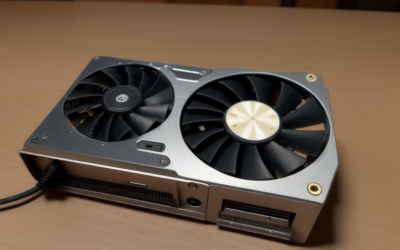
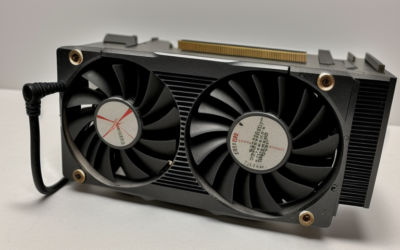
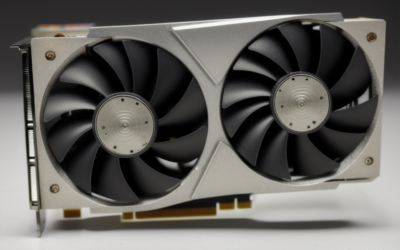
The reference cooler uses a blower design that exhausts heat out of the back of the case, which suits cramped cabinets but can be loud under sustained load. Partner models with open-air coolers run quieter but dump heat into the case, so airflow matters. The card throttles clocks as temperatures approach its upper limit, which is in the range of the mid-90s Celsius; check the exact figure for your model. A card that throttles often usually needs fresh thermal paste, dust removal or better airflow.
Memory: 3 GB and Where It Stops Helping
The 384-bit bus was a strength in 2013, giving the card strong memory bandwidth for 1080p and 1440p. The capacity, however, is the limitation today. Many recent games want more than 3 GB for textures even at 1080p, and exceeding the pool causes stutter or forces low texture quality. The 6 GB partner variants delay that problem for older titles, but the core remains the bottleneck for newer engines.
Features and Driver Context
Kepler supports DirectX 11 and operates at lower DirectX 12 feature levels. There is no ray tracing, no DLSS and limited modern video codec support. NVIDIA moved Kepler cards to legacy driver support, so no new game optimizations arrive. Check NVIDIA’s legacy driver notes to confirm the latest branch for your operating system before you build around the card.
780 vs 780 Ti vs Titan: Same Chip, Different Settings
The power figure you read for a 780 only partly carries over to its relatives. The GTX 780 Ti uses the same GK110 chip with more units enabled and also sits near a 250-watt board power, which means NVIDIA squeezed more performance into a similar envelope. The original Titan, launched earlier in 2013, used the same chip family with a very large memory pool aimed at compute users. All of these share the six-pin plus eight-pin power layout, so a supply that suits one will generally suit the others.
When you read a forum post claiming a specific wattage at the wall, remember that the number includes the whole computer. Measured at the outlet, a gaming system with a 780 will show a figure far above the card’s own rating once the processor, drives, fans and power supply losses are added in. That is why a total system estimate, not the card figure alone, should drive your power supply decision.
Where the Card Fits Today
The GTX 780 fits older games at 1080p, retro builds and spare machines. Compared with newer entry-level cards, it consumes several times the power for similar or lower performance in current titles, and it lacks the memory capacity and features those cards offer. Its place is a niche one.
Reading Power Readings From Monitoring Software
Utilities that show GPU power may report it as a percentage of the card’s power target rather than in watts, and some older cards do not expose a precise reading at all. If your software shows a number above 100 percent, the card is operating above its default target, usually because of a raised limit on an overclocked partner model. Watching that value alongside temperature and clock speed in a long gaming session tells you more than any single peak reading. A card that holds clocks steadily at a moderate percentage is healthy, while one that bounces off its limit and drops clocks repeatedly is being held back by heat or supply trouble.
Who Should Use It or Skip It
The Retro System Builder
A 780 matches the era of its processor and chipset and looks the part. Pair it with a quality power supply and keep expectations focused on older games.
The Small-Form-Factor or Quiet-PC User
Skip it. A 250-watt card with a large cooler is the opposite of what compact and quiet systems need. Modern efficient cards are better matched.
The Person Inheriting an Old PC
If the machine already has a working 780, check the power cabling, clean the cooler and use it until a replacement makes sense. Do not buy new parts just to support it.
Installation Safety Checklist
- Confirm the case has room for the full length of your model.
- Connect both the six-pin and eight-pin leads firmly.
- Use a power supply with solid 12-volt capacity and spare connectors.
- Clean heatsinks and check that all fans spin.
- Monitor temperatures after the first long gaming session.
- Save a legacy driver installer before wiping the system.
Frequently Asked Questions
What is the maximum wattage of a GTX 780?
Rated board power is around 250 watts, and the connectors allow a nominal 300 watts in specification. Actual draw depends on the model, clocks and workload.
Can I run it on a 500-watt power supply?
NVIDIA suggested roughly 600 watts for a typical system, so 500 watts is tight and depends on the rest of your hardware. A quality unit with enough 12-volt capacity is more important than the label number.
Does the GTX 780 need both power connectors?
Yes. It uses one six-pin and one eight-pin connector, and it should not be run with only one connected.
Is 3 GB enough for games today?
For older titles, yes. For many modern games it is limiting, even at 1080p, and forces reduced texture settings.
Related Guides
- GTX 1630 Review: Low-Profile Budget GPU Worth Buying?
- GTX 1070 Review 2026: Still a Great Budget Used GPU?
- GTX 1080 Review 2026: Is This Used GPU Still Worth It?
- GTX 1650 Review: Is It Still the Best Budget GPU in 2026?

Write Your Review
No reviews yet. Be the first to share your experience!