
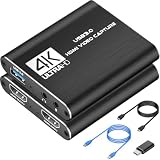
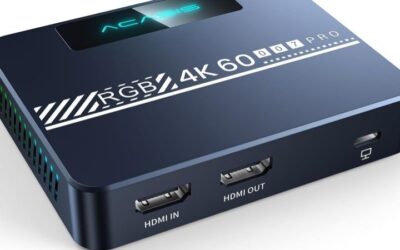
- Top Pick: Capture Card, 4K HDMI Video Capture Card, Game Capture Card, 1080P 60FPS Video Capture Device, HDMI to USB 3.0 Capture Card for Streaming, Work with Camera/Xbox/PS4/PS5/PC/OBS
- Best Value: Guermok Video Capture Card, 4K USB3.0 HDMI to USB C, 1080P 60FPS & 2K 30FPS
- Premium Choice: XIIXMASK Video Capture Card, Audio Video Capture Card, USB 3.0 Capture Card 4K HDMI Loop-Out, 1080P 60FPS/2K 30FPS Video Game Capture for Streaming Works for PS5/Switch/Camera/PC/OBS(Black)
Best Capture Card for Nintendo Switch depends on which console you own. The original system outputs 1080p60 when docked, while the newer model goes up to 4K60, and buying capture hardware for the wrong one wastes either money or quality.
As an Amazon Associate we earn from qualifying purchases at no extra cost to you.







As an Amazon Associate we earn from qualifying purchases at no extra cost to you.
By Ryan Cole, hardware writer at NVIDIAReview.
How to Choose the Best Capture Card for Nintendo Switch
Capture hardware is straightforward once you know what the source actually sends. The best capture card for nintendo switch matches the console’s output, your recording software and how you intend to watch while playing. Four checks decide it.
Match Capture Resolution to Your Console
The original console outputs 1080p at 60 frames per second in docked mode and nothing higher, so a 1080p60 capture device captures everything it can produce. Paying for 4K capture adds nothing on that system.
The newer console outputs up to 4K60 when docked, which is where a 4K capture device earns its price. If you record at 4K and publish at 1080p, downscaling in the editor still produces a visibly cleaner image.
Handheld play is a separate matter. Neither console outputs video without a dock, so capturing handheld sessions means docking the system and playing with a controller instead.
Frame rate is worth confirming alongside resolution. A device advertising 4K capture at 30 frames per second is a different product from one capturing 4K at 60, and the difference is obvious in fast-moving footage.
Passthrough Determines How You Play While Recording
Passthrough sends the signal straight to your television so you can play without lag while the capture device feeds the computer. Check the passthrough specification separately from the capture specification, since they often differ considerably on the same device.
Consider where the device sits physically as well. A box between the dock and the display adds two cables to the setup, so short runs and a tidy position behind the desk save frustration later.
A card that captures 1080p60 may pass through 4K60, which is fine for a Switch but relevant if you share the same card with another console. Look for VRR passthrough if other systems will use it.
Internal Cards Versus External Boxes
External devices connect by USB, work with laptops and move easily between machines. They depend on the port they are plugged into, so a proper USB 3 connection is required rather than a hub.
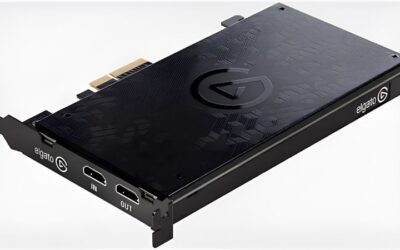
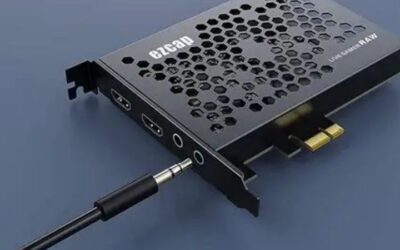
Internal cards slot into a desktop and generally offer the lowest latency and the most stable throughput, particularly at 4K. They are only an option if you have a spare slot and a machine that stays put.
Check what the slot costs you as well. On a board where the second expansion slot shares lanes with storage, adding an internal card can reduce an M.2 slot to fewer lanes or disable it entirely.
Software, Audio and the HDCP Question
Nintendo games are not protected by HDCP on the video output, so capture works without the workarounds some other consoles require. Streaming video applications on the console may still be protected.
Audio routing is the part people underestimate. Plan how game audio, microphone and any chat audio reach your recording software before buying, since mixing them afterwards is far more work.
Storage planning is the other overlooked step. High-bitrate capture fills a drive quickly, so a dedicated recording drive with plenty of free space avoids dropped frames during longer sessions.
Top Picks for the Best Capture Card for Nintendo Switch
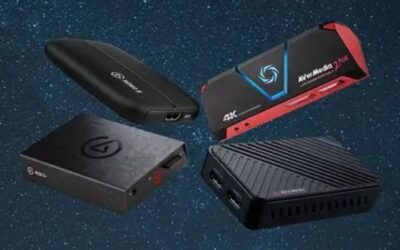
Options for the best capture card for nintendo switch run from 1080p external devices to internal 4K cards. Specifications are manufacturer-listed, and retail pricing at the time of writing in August 2026 changes weekly.
| Device | Type | Capture | Passthrough | Notes |
|---|---|---|---|---|
| Elgato HD60 X | External USB | 1080p60 | Up to 4K60 HDR | Best value for original Switch |
| Elgato Game Capture Neo | External USB-C | 1080p60 | Up to 4K60 | Compact, no power adapter |
| Razer Ripsaw HD | External USB | 1080p60 | Up to 4K60 | Simple plug and play |
| Elgato 4K X | External USB-C | Up to 4K60 HDR | Up to 4K144 | Suits the newer console |
| AVerMedia Live Gamer Ultra 2.1 | External USB-C | Up to 4K60 HDR | Up to 4K144 | Strong alternative at 4K |
| Elgato 4K60 Pro MK.2 | Internal PCIe | Up to 4K60 HDR | Up to 4K60 | Lowest latency option |
Elgato HD60 X
For the original console this remains the sensible answer. It captures everything the system outputs, passes 4K60 through to your television for other devices, and works reliably with common streaming software.
It caps at 1080p capture, so it is the wrong purchase if you have moved to the newer console and want its full output. The device also needs a genuine USB 3 port rather than a hub to hold its bitrate.
Elgato Game Capture Neo
The Neo is the compact option, drawing power over USB-C with no separate adapter and taking up almost no desk space. Capture quality at 1080p60 matches the larger devices in the range, so nothing is lost on an original Switch.
Feature set is deliberately basic and there is no high-resolution capture, so it suits a straightforward recording setup rather than a multi-console studio. Cable length is short enough to plan around.
Razer Ripsaw HD
A simple, well-built external device that captures 1080p60 with minimal configuration and passes 4K60 through. Audio inputs for a microphone and headset mixing are built in, which simplifies a small setup.
The software ecosystem is thinner than Elgato’s, and it relies on third-party recording applications for most features. It is also an older design, so check current pricing against newer alternatives.
Elgato 4K X
If you own the newer console, this captures its full 4K60 output with HDR and passes through at much higher refresh rates for other devices sharing the same display. It is the future-proof choice in this group.
It costs considerably more than the 1080p devices and requires a fast USB-C connection plus a computer capable of handling 4K streams. On the original console, none of that capability is used.
AVerMedia Live Gamer Ultra 2.1
AVerMedia’s 4K device matches the Elgato closely on capture and passthrough specifications, and it is worth comparing on price since the two frequently trade positions depending on region.
The bundled software is less polished than the competition, and some users report needing specific USB controllers for stable 4K capture. Check compatibility notes for your motherboard before buying.
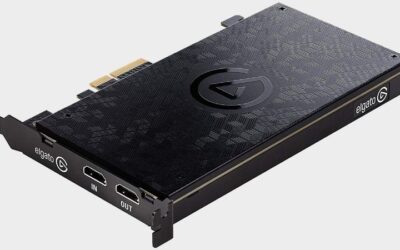
Elgato 4K60 Pro MK.2
An internal card avoids USB bandwidth issues entirely and offers the lowest latency here, which makes it the pick for a permanent desktop setup capturing multiple consoles at 4K.
It requires a free PCIe slot and a desktop that stays in one place, so it is useless for laptop-based recording. Installation and driver setup take more effort than plugging in a USB box.
What 2026 Conditions Mean for Capture Buyers
The console release calendar rather than component pricing shapes when to buy the best capture card for nintendo switch. Three points are relevant.
The Q4 Console Calendar Is Driving Demand
A major open-world title arrives on 19 November for consoles only, with no PC version announced, and previous entries in that series took well over a year to reach PC. Console play is the only route for now.
That has pushed a lot of PC gamers toward capturing console footage on their existing setup, which is exactly what these devices are for. Expect stock on popular models to tighten toward November.
Buy for the Console You Own, Not the One You Might
If you only own the original Switch, a 1080p device captures everything it produces. Upgrading to 4K capture matters only when the source can actually output it.
If you expect to add the newer console or another 4K system within a year, the higher-tier device saves buying twice, since capture hardware tends to stay in service far longer than the consoles it records.
Nothing New Arrives Before CES 2027
Capture hardware follows the same annual cycle as the rest of the industry, with new models announced at CES in January 2027. Current devices are mature, with firmware and software issues largely settled.
If you are recording now, buying now is reasonable. If you can wait until after the new year, expect refreshed models rather than significantly cheaper ones.
Frequently Asked Questions
These come up most often once someone has picked the best capture card for nintendo switch and starts planning the setup.
Can I capture handheld gameplay?
Not directly, since the console only outputs video through the dock. Recording handheld sessions means docking the system and playing with a separate controller.
Do I need passthrough if I play on the monitor anyway?
Only if you want zero added latency. Playing from the capture preview on your computer introduces a delay that is fine for slow games and distracting in anything requiring precision.
Will a USB hub work for an external card?
Usually not reliably. These devices need sustained bandwidth, so a direct connection to a USB 3 port on the machine is strongly preferable to any hub or extension.
Is 4K capture worth it if I publish at 1080p?
It can be, since downscaling from a higher resolution produces a cleaner final image and leaves room to crop or zoom in editing. It only applies if your console actually outputs 4K in the first place.
See More:
- What Is the Best Thermal Paste
- Best PC Case Fans 120mm
- Thermal Paste Best Brand
- Best Thermal Paste Brands
- Best CPU Cooler Reddit
Final Thoughts
The best capture card for nintendo switch is a 1080p60 external device if you own the original console, and a 4K60 device if you own the newer one or plan to record other 4K systems. Confirm passthrough separately from capture, use a direct USB 3 connection, and plan your audio routing before the first recording session.

Write Your Review
No reviews yet. Be the first to share your experience!