
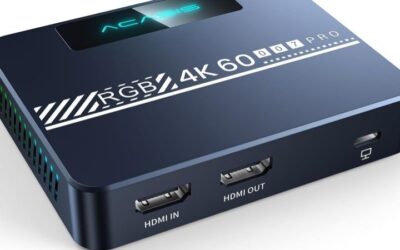
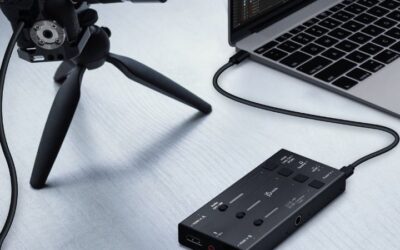
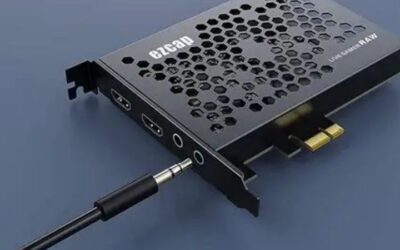
- Top Pick: Guermok Video Capture Card, 4K USB3.0 HDMI to USB C, 1080P 60FPS & 2K 30FPS
- Best Value: Capture Card, 4K HDMI Video Capture Card, Game Capture Card, 1080P 60FPS Video Capture Device, HDMI to USB 3.0 Capture Card for Streaming, Work with Camera/Xbox/PS4/PS5/PC/OBS
- Premium Choice: XIIXMASK Video Capture Card, Audio Video Capture Card, USB 3.0 Capture Card 4K HDMI Loop-Out, 1080P 60FPS/2K 30FPS Video Game Capture for Streaming Works for PS5/Switch/Camera/PC/OBS(Black)
Picking the best capture card for Mac is mostly a question of software rather than hardware. A device that needs no driver keeps working across every macOS update, while one that depends on manufacturer software can stop cooperating the week after you upgrade the operating system. That reliability is what most Mac setups are really buying here.
As an Amazon Associate we earn from qualifying purchases at no extra cost to you.








As an Amazon Associate we earn from qualifying purchases at no extra cost to you.
By Ryan Cole
How to Choose the Best Capture Card for Mac Workflows
Start from the application you intend to use rather than from the device specification. These four considerations decide whether the hardware disappears into your workflow or becomes something you troubleshoot before every recording session. The best capture card for Mac is chosen around software, not specifications.
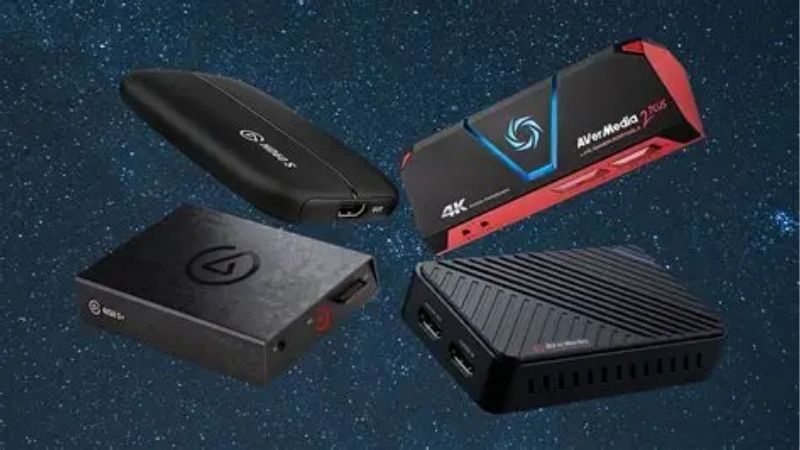
Driver-free operation is worth paying for
Devices built to the USB Video Class standard present themselves to macOS as an ordinary camera, so they work immediately in OBS Studio, QuickTime, video calls and anything else that accepts a camera input. No installation, no permissions dialog, no version checking.
That reliability compounds over time. Every major macOS release breaks something for driver-dependent hardware somewhere, and manufacturers eventually stop updating older products, which quietly turns a working device into an expensive paperweight after a routine system update.
Thunderbolt versus USB for your use case
USB connections carry compressed video and are sufficient for streaming and general recording, which covers the overwhelming majority of home setups. Thunderbolt provides far more bandwidth and is used by professional devices that handle uncompressed video or several inputs at once.
Thunderbolt hardware generally requires a driver package, which reintroduces the compatibility question. Unless you are working with professional video equipment or editing uncompressed footage, a class-compliant USB device is the more sensible foundation for a Mac setup.
How it fits OBS, QuickTime and Final Cut
OBS Studio is the standard tool for streaming and scene composition, and it accepts both class-compliant devices and most driver-based hardware. QuickTime records directly from any camera-class input, which is often enough when you simply need a clean file.
For editing, check what codec the device delivers to the application. Footage that needs transcoding before it can be edited smoothly adds a step to every project, which matters far more over a year of use than a small difference in capture specification does.
Ports, hubs and Apple silicon
Many Macs provide a limited number of ports, and capture devices need genuine bandwidth rather than a shared connection. Running one through a hub alongside external storage and a display is the most common cause of dropped frames in an otherwise capable setup.
Apple silicon machines handle capture and encoding comfortably, but they depend on software being compiled for the platform. Class-compliant hardware sidesteps that question entirely, which is another reason it dominates recommendations for Mac users specifically.
Top Picks: Best Capture Card for Mac Setups
These five are ordered by how little they ask of your system, starting with completely driver-free options. Check the ports on your Mac before ordering, since several of these require USB-C with adequate bandwidth to operate at their rated specification. Stock was checked in August 2026 against current listings.
| Device | Driver needed | Capture | Best for |
|---|---|---|---|
| Elgato Cam Link 4K | None | Up to 4K30 / 1080p60 | Cameras and video calls |
| AVerMedia Live Streamer CAP 4K | None | Up to 4K30 | Console capture with passthrough |
| Blackmagic ATEM Mini | None | 1080p as a webcam | Multiple sources and switching |
| Elgato HD60 X | Manufacturer software | 1080p60, up to 4K30 | Console streaming |
| Blackmagic UltraStudio Recorder 3G | Blackmagic driver | Up to 1080p60 | Editing workflows |
Elgato Cam Link 4K
As a class-compliant device the Cam Link needs nothing installed, which makes it the most dependable option for putting a proper camera into video calls, OBS or QuickTime. It has remained a default recommendation for Mac users for exactly that reason.
There is no passthrough, so it is a poor fit for gaming where you need to watch the feed while playing. Capture tops out at 4K30 or 1080p60, and the stick design can obstruct neighbouring ports on machines with tightly spaced connectors.
AVerMedia Live Streamer CAP 4K
This device combines driver-free operation with genuine HDMI passthrough, which is an unusually practical pairing for Mac console setups. It captures up to 4K30 and passes 4K60 through to your display, connecting over USB-C without any software installation.
Capture is limited to 30 frames per second at 4K, so 1080p60 is the setting most people will use. Build quality is functional rather than premium, and the supplied cable is short enough that a longer HDMI lead is usually needed for a living room arrangement.
Blackmagic ATEM Mini
The ATEM Mini accepts four HDMI sources and presents the switched result to your Mac as a standard webcam, requiring no drivers at all. For anyone running a console alongside a camera, it replaces a capture device and a video mixer in one piece of hardware.
The output is limited to 1080p, and the unit is far larger and more expensive than a simple capture stick, with an external power supply to accommodate. It is a production tool rather than a straightforward capture device, and it is priced accordingly.
Elgato HD60 X
Where you need 60 frame per second console capture on a Mac, the HD60 X is the common answer, recording 1080p60 while passing 4K60 HDR to the television. Elgato supports macOS with its own capture application as well as working inside OBS Studio.
It depends on manufacturer software rather than class compliance, so verify current macOS support before buying and expect occasional waits after major system updates. The unit also runs warm during long sessions and caps 4K capture at 30 frames per second.
Blackmagic UltraStudio Recorder 3G
For editing rather than gaming, this Thunderbolt device accepts HDMI and SDI input at up to 1080p60 and integrates directly with DaVinci Resolve. In a Mac-based post-production setup it is the most natural fit of anything listed here.
It requires Blackmagic’s driver package, so compatibility depends on that being kept current for your macOS version. There is no passthrough, no gaming focus, and the SDI input is irrelevant unless you work with professional video equipment regularly.
What Q4 2026 Means for Mac Streamers
This quarter has an unusual release schedule that pushes more people toward capture hardware, and the timing affects availability more than it affects price. Both matter more for stock levels of the best capture card for Mac than for the price you pay.
Console exclusives drive the demand
Call of Duty Modern Warfare 4 arrived on 23 October and GTA 6 follows on 19 November as a console release with no confirmed computer version. Historically, ports from that studio have taken more than a year to appear after the original console launch.
Mac users who want to stream those titles have no software route, so a capture device connected to a console is the only option. Demand for the models listed here rises around those dates, and popular units become harder to source in the following weeks.
Pricing and stock this year
Capture hardware sits outside the memory pricing pressure that has kept storage and system memory elevated through 2026, so genuine reductions around 27 November are plausible. Prices quoted here reflect August 2026 and should be confirmed against the current listing.
Availability is the real constraint. If one specific device matches your workflow and your ports, buying ahead of the seasonal rush is the safer decision, since a discount is worth nothing on a model that has sold out everywhere. Buying ahead of the rush is usually the safer decision for a specific model.
Where the rest of the budget belongs
No new hardware generation is due before CES in January 2027, so a capture device bought now will remain current. That makes it reasonable to spend the remainder of a budget on the parts of the setup that actually limit output quality.
For most Mac users that means storage and cabling rather than a more capable capture device. Recordings consume space quickly, and a poor HDMI cable causes far more dropped signals and handshake problems than an inexpensive capture device ever will.
Frequently Asked Questions
Common questions from readers setting up capture on macOS, covering software choice, Apple silicon, hubs and recording quality. They come up most from readers setting up the best capture card for Mac alongside an existing console or camera.
Does OBS work well on macOS?
Yes. OBS Studio is actively maintained on macOS, runs natively on Apple silicon, and handles both class-compliant and driver-based capture hardware. Pairing it with the best capture card for Mac gives a setup that survives operating system updates without attention.
Do I need Elgato software on a Mac?
Only for devices that require it. Class-compliant hardware works directly in OBS or QuickTime with nothing installed, which is precisely why those devices are recommended so consistently for Mac users who want a setup that stays working.
Can I run a capture device through a hub?
It often works, but a hub shared with external storage or a display is the most frequent cause of dropped frames. Connecting the capture device directly to the machine removes the most common variable when troubleshooting an unreliable recording.
Is 1080p60 enough for streaming?
For almost every platform, yes. Streaming services cap bitrate well below what higher resolutions require, so 1080p60 with a solid bitrate looks better in practice than 4K compressed heavily to fit within the same bandwidth allowance.
See More:
- best CPU cooler for Ryzen 5 5600X
- best small form factor CPU cooler
- best SFF CPU cooler
- best CPU cooler for i9-14900K
- What is the best AIO CPU cooler
Final Thoughts
The best capture card for Mac is usually the one that needs no driver at all, since that is what survives years of operating system updates. Match the device to your software workflow first, then check passthrough and ports before you order.

Write Your Review
No reviews yet. Be the first to share your experience!