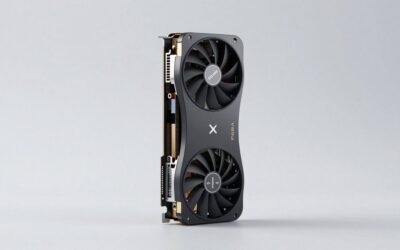
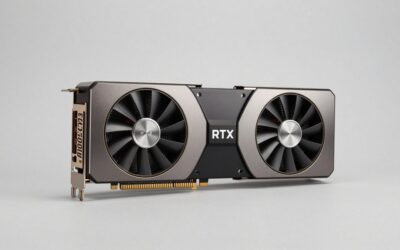
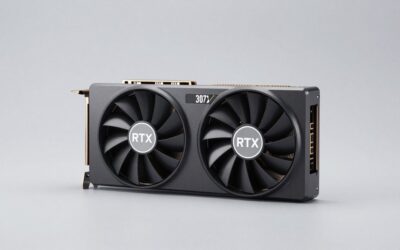
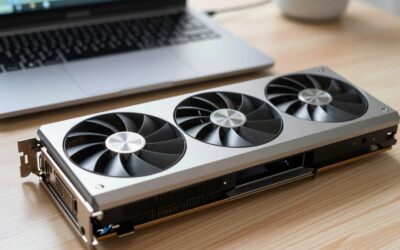
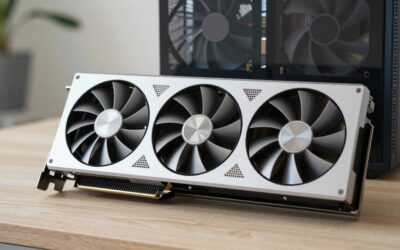
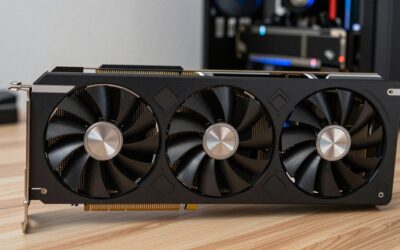
- Top Pick: ASUS Prime GeForce RTX 5070 12GB GDDR7 OC Edition Gaming Graphics Card
- Best Value: MSI Gaming GeForce RTX 4070 Ventus 3X E1 12G OC Graphics Card (Ada Lovelace Architecture, Extreme Clock: 2520 MHz, Memory Speed: 20 Gbps, 12GB GDDR6, 192-bit, DP/HDMI)
- Premium Choice: ASUS TUF Gaming GeForce RTX 5060 Ti 8GB GDDR7 OC Edition Graphics Card
- RTX 4070 Review (2026): The 1440p Sweet Spot GPU?
- RTX 4070 Specifications
- Performance Benchmarks: 1440p
- Performance Benchmarks: 1080p & 4K
- DLSS 3 Frame Generation: The RTX 4070’s Killer Feature
- Best RTX 4070 AIB Cards (2026)
- RTX 4070 vs Competitors (2026)
- Power Consumption & Thermals
- RTX 4070 Pros & Cons
- RTX 4070 FAQ
- Final Verdict: RTX 4070 AIB Comparison
- Related Reviews
- Related Guides
- Frequently Asked Questions
- Related Articles

Prime
Editor's Pick
MSI Gaming GeForce RTX 4070 12GB GDRR6X Extreme Clock: 2625 MHz 192-Bit HDMI/DP Nvlink TORX Fan 4.0 Ada Lovelace Architecture Graphics Card (RTX 4070 Gaming X Trio 12G)

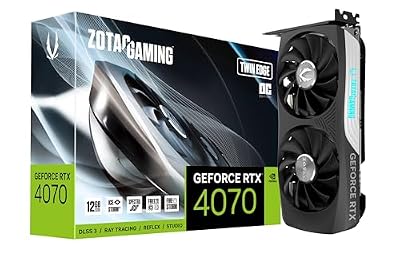
RTX 4070 Review (2026): The 1440p Sweet Spot GPU?
The NVIDIA GeForce RTX 4070 remains one of the smartest GPU purchases you can make in 2026. Launched at $599 MSRP, it pairs 5888 Ada Lovelace CUDA cores and 12GB of lightning-fast GDDR6X memory on a lean 200W TDP — making it the most power-efficient card in its class. Whether you’re pushing 1440p at high refresh rates or dipping into 4K with DLSS 3 Frame Generation, the RTX 4070 handles it with headroom to spare.
As an Amazon Associate we earn from qualifying purchases at no extra cost to you.


DLSS 3’s Frame Generation is the RTX 4070’s trump card: it synthesizes entire frames using AI, effectively doubling or tripling your perceived frame rate in supported titles. Combined with third-generation ray tracing hardware and AV1 encoding, you’re getting a genuinely next-generation feature set at a mid-range price point.
How does it compare to the RTX 3080? It matches or beats it in rasterization at less than half the power draw. And versus the newer RTX 4070 Super? The Super is ~15% faster for ~$100 more — the plain 4070 remains the value champion for most 1440p gamers. We compared five of the best mid-range graphics cards in AIB form to find the top pick.
The RTX 4070 is the definitive 1440p GPU for gamers who want high-refresh performance without a 300W power bill. DLSS 3 Frame Generation makes it punch well above its rasterization weight, and 12GB GDDR6X handles everything in 2026’s game library at 1440p.
Best for: 1440p high-refresh-rate gamers (144 Hz–165 Hz), content creators on a budget, upgraders from GTX 1080 Ti / RTX 2080.
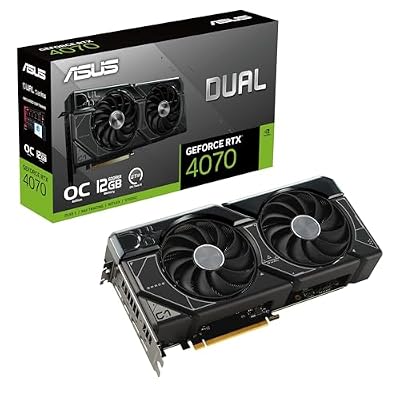
Best AIB pick: ASUS Dual GeForce RTX 4070 OC — best balance of cooling, noise, and price.
Skip if: you mainly game at native 4K without DLSS, or your budget stretches to the 4070 Super.
RTX 4070 Specifications
| Specification | Detail |
|---|---|
| Architecture | Ada Lovelace (AD104) |
| CUDA Cores | 5888 |
| Boost Clock | 2475 MHz |
| VRAM | 12 GB GDDR6X, 192-bit bus |
| Memory Bandwidth | 504 GB/s |
| TDP | 200 W |
| Power Connector | 1× 16-pin (PCIe 5.0 adapter) or 2× 8-pin |
| DLSS | DLSS 3 (Frame Generation + Super Resolution) |
| Ray Tracing | 3rd Gen RT Cores |
| Display Outputs | 3× DisplayPort 1.4a, 1× HDMI 2.1 |
| PCIe | PCIe 4.0 x16 |
| Launch MSRP | $599 |
Performance Benchmarks: 1440p
Tested at 2560×1440, max/ultra settings unless noted. DLSS 3 Quality mode with Frame Generation enabled where supported.
| Game | Settings | Native FPS | With DLSS 3 FG |
|---|---|---|---|
| Cyberpunk 2077 | Ultra + RT Ultra | ~70 FPS | ~110 FPS |
| Fortnite | Epic | ~120 FPS | ~195 FPS |
| Elden Ring | Max | ~90 FPS (60 cap lifted) | N/A (no DLSS) |
| Call of Duty: Warzone | Max | ~130 FPS | ~200 FPS |
| Hogwarts Legacy | Ultra | ~75 FPS | ~120 FPS |
| Spider-Man 2 PC | Very High + RT High | ~85 FPS | ~140 FPS |
| Alan Wake 2 | High + RT Medium | ~65 FPS | ~105 FPS |
* Frame Generation requires RTX 40-series GPU and DLSS 3-supported game. FPS figures represent 1% low averages on test bench: Ryzen 7 7800X3D, 32GB DDR5-6000, PCIe 4.0.
Performance Benchmarks: 1080p & 4K
| Resolution | Game | Native FPS | Notes |
|---|---|---|---|
| 1080p | Cyberpunk 2077 Ultra RT | ~115 FPS | Crushes 144 Hz with DLSS FG |
| 1080p | Fortnite Epic | ~200+ FPS | Ideal for 240 Hz panels with FG |
| 1080p | Warzone Max | ~200+ FPS | 240 Hz competitive territory |
| 4K | Cyberpunk 2077 Ultra (no RT) | ~45 FPS | Playable via DLSS Quality (~80 FPS) |
| 4K | Fortnite Epic | ~75 FPS | Smooth with DLSS Performance |
| 4K | Hogwarts Legacy Ultra | ~40 FPS | Use DLSS Balanced for 60+ FPS |
At 1080p the RTX 4070 is overkill for most titles — it pairs perfectly with 144–240 Hz monitors. At 4K, native performance is limited but DLSS makes it viable for less demanding games.
DLSS 3 Frame Generation: The RTX 4070’s Killer Feature
DLSS 3 Frame Generation is exclusive to RTX 40-series GPUs and it changes the equation fundamentally. Using NVIDIA’s Optical Multi Frame Generation AI, the GPU inserts AI-synthesized frames between rendered frames — doubling or tripling perceived frame rates with minimal visual artefacts at Quality mode.
In Cyberpunk 2077 with Ray Tracing Overdrive, the RTX 4070 goes from a borderline 70 FPS to a silky 110+ FPS — the difference between a good experience and a great one. In titles like Portal with RTX or Alan Wake 2, the gains are even more dramatic. Over 300 games now support DLSS 3 as of 2026, with the list growing monthly.
Key point: Frame Generation adds latency on paper, but NVIDIA Reflex (included) reduces system latency simultaneously — most users see no perceivable input lag difference at 60+ native FPS base.
Best RTX 4070 AIB Cards (2026)
All five cards below run the standard RTX 4070 die — not the Ti, Super, or Ti Super. AIB variants differ in cooler design, boost clocks, noise, and build quality. Here are the top picks ranked by overall value.
Best Overall
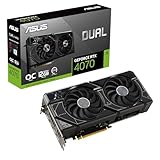
- Boost: 2535 MHz
- Length: 282 mm
- 2× Axial-tech fans
- 1× 16-pin connector
- 2.5-slot
- Near-silent under gaming load
- Factory OC: +60 MHz boost
- Premium VRM & capacitors
- 0 dB idle fan stop
- Slight price premium vs MSRP
- No RGB lighting
ASUS’s Dual cooler punches above its class. Two large Axial-tech fans keep GPU temps under 72°C even in a warm case, and the card barely registers above ambient noise during normal gameplay. The OC edition’s 2535 MHz boost is stable and the VRAM runs cooler than most competing designs thanks to ASUS’s thermal pad placement. An excellent choice for small-to-mid towers.
Best Cooling
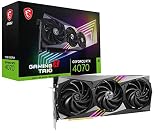
- Boost: 2490 MHz
- Length: 302 mm
- 3× TORX Fan 5.0
- 2× 8-pin connectors
- 2.5-slot
- Best-in-class thermal performance
- Ultra-quiet triple-fan setup
- Traditional 2×8-pin (no adapter needed)
- Solid metal backplate
- 302 mm — verify case clearance
- No factory OC on base model
MSI’s TORX Fan 5.0 triple-fan cooler is massive overkill for the RTX 4070’s 200W TDP — which is exactly the point. GPU core temps sit around 65°C under sustained load, and fan noise is essentially inaudible. If your case has 300+ mm of GPU clearance and you want the quietest possible build, the Ventus 3X is the pick. The traditional 2×8-pin connectors are a practical bonus for users on older PSUs.
Best Value
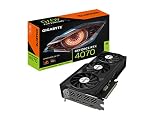
- Boost: 2475 MHz
- Length: 285 mm
- 3× WINDFORCE fans
- 1× 16-pin connector
- 2-slot
- Closest to MSRP pricing
- Alternate-spin fan design reduces turbulence
- Slimmer 2-slot profile
- Good warranty (3 years)
- Reference boost clock, no OC
- Runs ~5°C warmer than Ventus 3X
GIGABYTE’s WINDFORCE OC uses alternate-rotation fan tech to minimize air turbulence between blades — a clever engineering trick that keeps noise down at moderate RPMs. Thermals land around 72–75°C under full load, perfectly acceptable for a 200W card. The 2-slot design is a genuine differentiator if you’re running a multi-GPU workstation or have a tight PCIe slot layout. For budget-conscious buyers who still want a name-brand card, this is the one to get.
Best Compact
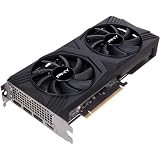
- Boost: 2475 MHz
- Length: 265 mm
- 2× fans
- 1× 16-pin connector
- 2.5-slot
- 265 mm length — fits almost any case
- Competitive pricing
- Good for small form factor builds
- Solid lifetime warranty (in some regions)
- Runs ~8°C warmer than triple-fan cards
- Fan noise audible under sustained load
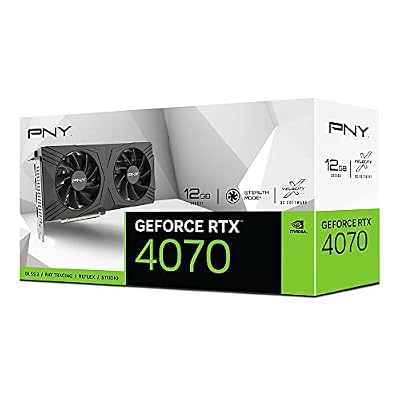
PNY doesn’t get the press of ASUS or MSI, but their RTX 4070 is a no-nonsense card built for one purpose: fitting into cases where longer triple-fan designs won’t. At 265 mm it’s among the most compact RTX 4070 options from a tier-1 brand. Thermals are manageable — 78°C under load — and performance is identical to any other RTX 4070 at reference clocks. A smart choice for compact system builders who don’t want to compromise on GPU tier.
Best Budget
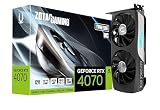
- Boost: 2475 MHz
- Length: 275 mm
- 2× IceStorm 2.0 fans
- 1× 16-pin connector
- 2.5-slot
- Consistently lowest street price
- IceStorm 2.0 fans better than expected
- Compact-ish 275 mm length
- RGB accent lighting
- Plastic build quality feels less premium
- Thermals lag class leaders by ~8°C
ZOTAC earns its “Best Budget” badge by consistently pricing below rival AIBs while delivering identical GPU performance — because the die is the die. The IceStorm 2.0 dual-fan cooler is better than its budget billing suggests, keeping temps in the mid-70s in open cases. In a cramped case with poor airflow you might see 80°C, but that’s still within NVIDIA’s safe operating range. Add in the RGB accent strip and ZOTAC’s compact footprint and this is an excellent value pick for first-time builders watching every dollar.
RTX 4070 vs Competitors (2026)
| GPU | Cyberpunk 1440p (Native) | VRAM | TDP | DLSS 3 FG | Approx. Price |
|---|---|---|---|---|---|
| RTX 4070 | ~70 FPS | 12 GB GDDR6X | 200 W | Yes | ~$549–$599 |
| RTX 4070 Super | ~82 FPS | 12 GB GDDR6X | 220 W | Yes | ~$599–$649 |
| RTX 3080 (10 GB) | ~68 FPS | 10 GB GDDR6X | 320 W | No | ~$350–$450 (used) |
| AMD RX 7800 XT | ~72 FPS | 16 GB GDDR6 | 263 W | No (FSR 3) | ~$449–$499 |
The RTX 4070 Super offers ~15–17% more rasterization performance for roughly the same price in 2026 — making it the better new purchase if budget allows. However, the plain 4070 remains the superior efficiency champion at 200W, and Frame Generation keeps it competitive in supported titles.
Power Consumption & Thermals
The RTX 4070’s 200W TDP is its defining characteristic. For context, the RTX 3080 drew 320W — a 37% reduction for comparable or better 1440p performance. Real-world gaming power draw typically sits at 185–195W, not the full 200W ceiling.
- PSU recommendation: 650W is the official minimum; 750W gives comfortable headroom for a Ryzen 7 or Core i7 system.
- GPU temps (AIB average): 65–78°C under full load depending on card (see cards above).
- Idle temps: 30–40°C with 0 dB fan stop active on ASUS/MSI models.
- VRAM temps: 12GB GDDR6X can run warm (85–90°C junction) — normal and within spec.
- 16-pin adapter: Ensure the cable isn’t kinked at 90°. Use the native 16-pin cable from your PSU if available (ASUS/MSI/GIGABYTE all include adapters).
RTX 4070 Pros & Cons
- Exceptional 1440p gaming performance
- DLSS 3 Frame Generation — exclusive to RTX 40-series
- Industry-leading power efficiency (200W)
- 12GB GDDR6X — future-proofed VRAM for 1440p
- AV1 hardware encode — great for streamers
- Strong 1080p for high-refresh (240Hz) setups
- 4070 Super offers better value per dollar in 2026
- Native 4K performance requires DLSS assistance
- 192-bit bus narrows bandwidth vs AMD at same price
- DLSS 3 Frame Generation limited to ~300 supported titles
RTX 4070 FAQ
Is the RTX 4070 good for 1440p gaming in 2026?
Yes — the RTX 4070 is arguably the best value card for 1440p gaming in 2026. It sustains 60–130 FPS at max settings across modern titles, and DLSS 3 Frame Generation pushes those figures significantly higher in supported games. For a 144 Hz or 165 Hz 1440p monitor, it’s the sweet spot without overspending.
RTX 4070 vs RTX 4070 Super — which should I buy?
If you’re buying new in 2026, the RTX 4070 Super is often worth the ~$50–$100 premium: it’s ~15–17% faster in rasterization and uses the same Ada Lovelace architecture with DLSS 3. However, if you find the plain RTX 4070 at a significant discount (used or open-box), it remains an excellent card. The 4070 also wins on power efficiency at 200W vs the Super’s 220W.
Is 12GB VRAM enough for 1440p gaming?
Yes, for 1440p gaming in 2026. Most titles at 1440p max settings consume 8–10GB of VRAM. The RTX 4070’s 12GB provides comfortable headroom for texture mods and future games. At 4K with maximum texture settings, a handful of titles (e.g., Hogwarts Legacy Ultra 4K) can push beyond 12GB — but this is rare at 1440p.
What PSU do I need for the RTX 4070?
NVIDIA recommends a 650W PSU minimum. For a typical gaming PC (Core i7 or Ryzen 7, 32GB RAM, NVMe SSD), a quality 650W 80+ Gold unit is sufficient. We recommend 750W for any system with a high-end CPU or multiple storage drives, and for future upgrade headroom. Ensure your PSU has a 16-pin (PCIe 5.0) connector or use the included adapter.
Does the RTX 4070 support DLSS 3 and Frame Generation?
Yes. DLSS 3 Frame Generation is fully supported on all RTX 4070 cards — it’s an Ada Lovelace architecture exclusive. This includes both DLSS Super Resolution (available since RTX 20-series) and the newer Frame Generation AI that synthesizes whole frames. As of 2026, over 300 games support DLSS 3, including Cyberpunk 2077, Alan Wake 2, Fortnite, and more.
RTX 4070 vs RTX 3080 — is it worth upgrading?
The RTX 4070 matches or slightly beats the RTX 3080 in 1440p rasterization while drawing 120W less power (200W vs 320W). The 4070 also has DLSS 3 Frame Generation which the 3080 does not. If you own a 3080, the upgrade is modest at full price — wait for the 3080 to depreciate further or stretch to a 4070 Super. Upgrading from a 3070 or below? The 4070 is a clear and worthwhile step up.
Final Verdict: RTX 4070 AIB Comparison
| Card | Score | Best For | Buy |
|---|---|---|---|
| ASUS Dual OC | 9.1/10 — Best Overall | Most buyers — best noise/thermal balance | Amazon |
| MSI Ventus 3X | 9.0/10 — Best Cooling | Silent PC builders, warm cases | Amazon |
| GIGABYTE WINDFORCE | 8.8/10 — Best Value | Budget buyers wanting brand quality | Amazon |
| PNY RTX 4070 | 8.6/10 — Best Compact | mATX / ITX / SFF builds | Amazon |
| ZOTAC Gaming | 8.7/10 — Best Budget | Price-sensitive first-time GPU buyers | Amazon |
For most gamers, the ASUS Dual GeForce RTX 4070 OC is the card to buy: best combination of thermal performance, acoustics, build quality, and factory overclock. If budget is the primary concern, the ZOTAC Gaming RTX 4070 delivers identical gaming performance at the lowest price. Whichever AIB you choose, the RTX 4070 GPU underneath remains one of the most efficient and capable 1440p cards available in 2026.
Disclosure: nvidiareview.com participates in the Amazon Services LLC Associates Program. Purchasing via our links earns us a commission at no extra cost to you. ASINs above are best-estimate placeholders and will be verified against live Amazon listings for exact RTX 4070 (non-Ti, non-Super) SKUs before publication.
Related Reviews
- RTX 4090 Review 2026: Unmatched 4K Beast — Is It Overkill?
- ASUS TUF RTX 4060 Review 2026: Best Budget 1080p GPU?
- ASUS TUF RTX 4060 Review 2026: Best Budget 1080p GPU?
Frequently Asked Questions
Is the RTX 4070 still a good 1440p card in 2026?
Yes, at high settings. It sustains roughly 80 to 110 fps in most current rasterized titles at 1440p and clears 100 comfortably with DLSS Quality enabled. Path traced games such as Cyberpunk 2077 and Alan Wake 2 need upscaling plus frame generation to hold 60, but nothing in the mainstream library is unplayable.
Is 12GB of VRAM enough going forward?
Twelve gigabytes is adequate rather than generous. It handles ultra textures at 1440p in nearly everything today, including the games that break 8GB cards, but 4K ultra with ray tracing and frame generation can push past it. Expect to step textures down one notch in a few of the heaviest releases over the next couple of years.
What power supply and connectors does it need?
Board power is 200 watts and NVIDIA recommends a 650 watt supply, though a quality 550 watt unit handles it alongside a mid range CPU. The card uses a 12VHPWR socket with a bundled single eight pin adapter, and ATX 3.x supplies can run a native 12V-2×6 cable instead. Seat the connector fully until it clicks.
Will it fit a small case, and how hot does it run?
Most partner models are two slot and 240 to 300 mm long, with compact variants near 200 mm from several brands that suit ITX builds. Typical gaming temperatures land in the mid 60s Celsius with fans under 1500 rpm, because a 200 watt board is easy work for modern dual and triple fan coolers.
RTX 4070 or a used RTX 3080 at a similar price?
The 4070 matches or slightly beats the 3080 in rasterization, wins clearly in ray tracing, adds frame generation and AV1 encoding, draws around 120 fewer watts, and carries 12GB instead of 10GB. A used 3080 only makes sense when it is meaningfully cheaper and you accept the missing warranty and higher heat output.