
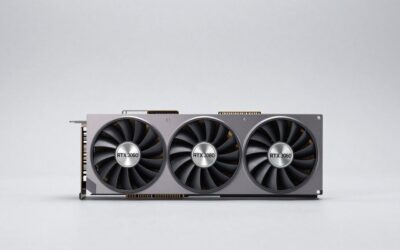
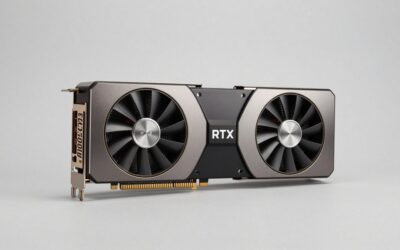
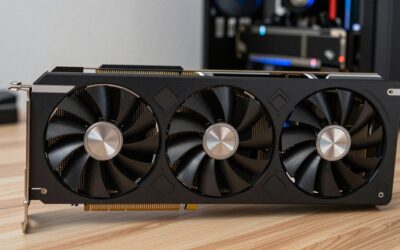
- Top Pick: ASUS Prime GeForce RTX 5070 12GB GDDR7 OC Edition Gaming Graphics Card
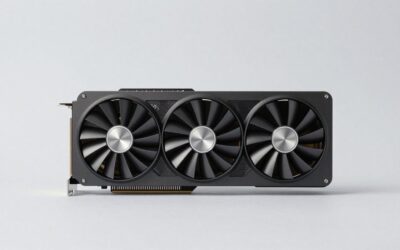
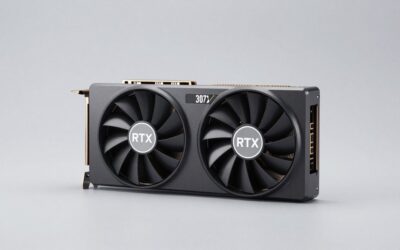
- Best Value: ASUS TUF Gaming GeForce RTX 5070 12GB GDDR7 OC EditionGaming Graphics Card | PCIe 5.0, HDMI/DP 2.1, 3.125-slot, Military-grade Components, Protective PCB Coating, Axial-tech Fans
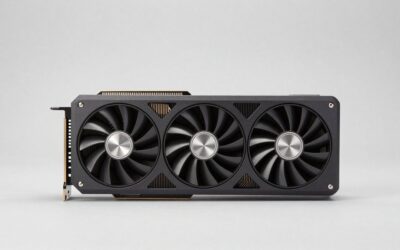
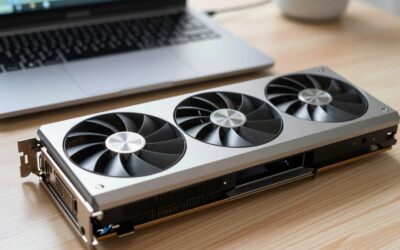
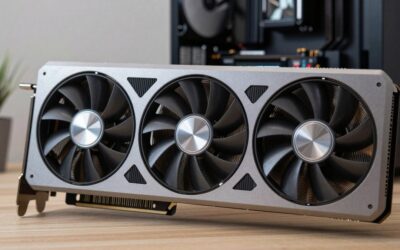
- Premium Choice: ASUS Dual GeForce RTX 5060 Ti 16GB GDDR7 OC Edition Gaming Graphics Card | PCIe 5.0, HDMI 2.1b, DisplayPort 2.1b, 2.5-slot, Axial-tech Fans, 0dB Technology, Dual BIOS
If your graphics card is a GTX 1070, GTX 1080, or RTX 2060, you have probably been told to upgrade for years, and every recommendation came with a catch. The RTX 5070 is one of the first cards in this price tier that gives a Pascal or Turing owner a clean jump: a $549 launch MSRP, 12GB of VRAM, a 250W rating, and a feature set that did not exist when your old card was new.
This guide is written for that upgrader, not for someone shopping among the latest flagships. We focus on what actually changes when you move from a 2016 to 2019 card to a 5070, what the 12GB capacity can and cannot do, and which neighboring cards are worth a look if the 5070 does not fit your plans.
As an Amazon Associate we earn from qualifying purchases at no extra cost to you.


What you gain, specifically
| Feature | GTX 1070 / 1080 | RTX 2060 | RTX 5070 |
|---|---|---|---|
| VRAM | 8GB | 6GB | 12GB |
| Board power | 150W / 180W | 160W | 250W |
| Launch MSRP | $379 / $599 | $349 | $549 |
| Ray tracing hardware | No | Yes | Yes |
| DLSS upscaling | No | Yes | Yes |
| Frame generation | No | No | Yes, including multi frame generation |
The prices shown for older cards are their launch MSRPs, listed so you can compare tier to tier. Check the current price on each listing for what you would actually pay today.
The practical meaning of DLSS 4 and multi frame generation
DLSS upscaling renders the game at a lower internal resolution and reconstructs a sharper image. Frame generation inserts extra frames between rendered ones. Multi frame generation, exclusive to the RTX 50 series, can insert more than one. The upshot for a GTX 1070 owner is that the 5070 is not only faster in raw terms, it can also present a much higher on-screen frame count in supported games.
There are limits. Generated frames do not reduce input latency, and some people notice artifacts. A game that is already running at a low base frame rate will feel sluggish even if the counter shows a large number. Treat multi frame generation as a smoothness tool, not as a replacement for a strong base frame rate. Reviews from Hardware Unboxed and Gamers Nexus discuss these trade-offs in detail, so look at their analysis for the games you play.
Is 12GB enough?
Compared with the 6GB on an RTX 2060 or the 8GB on a GTX 1070, 12GB is a major upgrade. At 1440p, most current titles fit. At 4K with the heaviest texture settings, some games will want more, and that is where the RTX 5070 Ti (16GB, 300W, $749 at launch) becomes attractive. The $200 gap between the 5070 and 5070 Ti buys you four extra gigabytes and a higher power budget.
If you stay at 1080p or 1440p and plan to replace the card in a few years, 12GB is a sensible fit. If you want to keep it for much longer and may move to a 4K display, think about the Ti.
Will your old platform hold it back?
CPU
A GTX 1070 often sits in a machine with an older quad-core or six-core processor. A fast new GPU paired with a weak CPU produces less improvement than expected, especially at 1080p. A Zen 3 5600X or an Intel 12th-gen chip is a comfortable partner; older Intel 6th and 7th-gen parts may limit performance in newer games. Check CPU-scaling tests from reviewers for similar combinations.
PCIe and resizable BAR
Older boards may offer only PCIe 3.0. Modern midrange cards generally work fine, but check the review for PCIe scaling data. If your BIOS supports resizable BAR, enabling it is worth trying.
Power supply
The 5070 is rated at 250W, notably above a 1070’s 150W. If your PSU is a basic 500W unit from several years ago, check the card’s spec page for the recommended wattage and connector type. A new quality PSU is a reasonable part of the upgrade.
Neighbors worth comparing
- RTX 5060 Ti 16GB: $429 launch MSRP, 180W, 16GB. A cheaper path with more memory and a lower power draw.
- RTX 4070 Super: 12GB, 220W, $599 at launch. No multi frame generation, but a strong card if the listing price is attractive.
- RX 9070: 16GB, $549 launch MSRP, AMD RDNA 4. Same price as the 5070 with more memory, but without NVIDIA’s DLSS feature set.
- RTX 5070 Ti: 16GB, 300W, $749 launch MSRP. A better long-term pick for higher resolutions.
Which is right depends on your games and your tolerance for the different upscaling technologies. Read the head-to-head reviews from TechPowerUp and Tom’s Hardware before committing.
A sensible upgrade plan
Buying in 2026 gives you time to be patient. Compare the listing price of the 5070 with its $549 MSRP, check whether a 5070 Ti or a 9070 is close in cost, and decide whether multi frame generation matters to you. If you play mostly older titles, you may not need it. If you want a card that handles new releases with lots of generated frames, the 5070 is the cheapest entry in the family.
Upgrader FAQ
Is the RTX 5070 a good upgrade from a GTX 1070?
Yes. It brings more memory, ray tracing, and the full DLSS feature set, though you should check CPU and PSU compatibility.
Do I need a new power supply?
Possibly. The 5070 is rated at 250W. Check the card’s spec page for the recommendation and connectors.
Is 12GB enough for 1440p?
Generally yes. Very high texture settings at 4K may exceed it.
5070 or RX 9070?
The 9070 has 16GB at the same $549 launch MSRP, while the 5070 offers DLSS and multi frame generation.
Ready to decide? Our #1 pick for 2026 is the VRAM.
Live price & availability on Amazon.

Write Your Review
No reviews yet. Be the first to share your experience!