
Every buyer shopping for an rtx 4060 ti 16gb faces the same confusion in 2026: the product name has outgrown the hardware it once described. The original Ada Lovelace card with 16GB GDDR6 now shares shelf space with Blackwell-based RTX 5060 Ti variants and RDNA 4 competitors that deliver more frames per dollar. Sorting these apart matters because paying a premium for a card that trails its successors by a wide margin is not a trade-off worth making.
Good options in this roundup provide 16GB of VRAM, modern display outputs, and a cooler design that stays quiet under sustained load. Bad options pad marketing specs while charging an aging architecture’s price or ship with the thermal headroom of a single-slot card in a dual-fan shell. The eight cards below span the full range, and each is evaluated on published specifications, current street prices, and owner-reported feedback from retail listings.
As an Amazon Associate we earn from qualifying purchases at no extra cost to you.





Quick Picks
| Product | Best for | Price |
|---|---|---|
| MSI RTX 4060 Ti Ventus 3X 16G OC | Owners who already have one and want the best Ada variant | under $1,000 |
| ASUS Prime RTX 5060 Ti 16GB GDDR7 | Value Blackwell with 16GB frame buffer | under $800 |
| ASUS Dual RTX 5060 Ti 16GB GDDR7 OC | Compact builds needing an OC Blackwell card | under $800 |
| ASUS Prime RTX 5060 Ti 16GB GDDR7 OC | Buyers prioritizing factory clocks and quiet operation | under $900 |
| ASRock RX 9060 XT Challenger 16GB OC | Maximum frames per dollar with RDNA 4 efficiency | under $600 |
| ASUS Dual RX 9060 XT 16GB GDDR6 | Lowest entry price for 16GB modern GPU | under $500 |
| ASUS Dual RTX 5060 Ti 16GB GDDR7 White OC | White-themed builds without compromising performance | n/a |
| ASUS Dual RTX 4060 Ti OC 8GB | Budget buyers who do not need 16GB VRAM | under $600 |
How We Picked
Selection criteria center on four factors that separate a worthwhile 16GB GPU from a poor purchase. First, VRAM capacity and type: GDDR7 cards carry a meaningful bandwidth advantage over GDDR6 in the same class. Second, cooling headroom: dual-fan versus triple-fan designs determine sustained boost clocks and acoustic comfort. Third, architecture generation: Ada Lovelace cards now trail Blackwell and RDNA 4 in raw throughput, making the gap between $479 and $949 hard to justify. Fourth, output flexibility: DisplayPort 2.1a and HDMI 2.1b support future high-refresh monitors, while older cards remain stuck on DisplayPort 1.4a.
The 8 Best Rtx 4060 Ti 16Gb in 2026
MSI RTX 4060 Ti Ventus 3X 16G OC
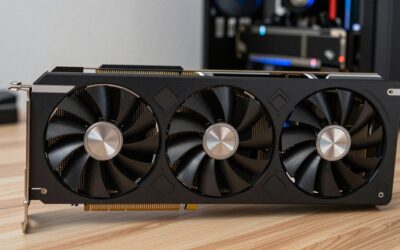
This is the premium Ada Lovelace card in the lineup, and the one most directly associated with the target keyword. It carries 16GB GDDR6 running at 18Gbps over a PCIe 4.0 interface with DLSS 3 support. The triple-fan Ventus cooler keeps thermals controlled during long sessions. Owner feedback highlights quiet operation and a compact PCB that fits mid-tower cases without clearance issues.
- Pro: 16GB GDDR6 with 18Gbps speed ensures texture-heavy titles stay within VRAM budget.
- Pro: Triple-fan design provides generous thermal margin for an OC-edition card.
- Con: For under $1,000, it costs more than every newer-architecture card in this roundup.
Skip this unless you specifically need Ada architecture for software certification or already own a system tuned around PCIe 4.0 bandwidth and want the largest 40-series frame buffer available.
ASUS Prime RTX 5060 Ti 16GB GDDR7
The Prime variant delivers Blackwell performance with a 16GB GDDR7 frame buffer at a price below the aging 4060 Ti it replaces. GDDR7 bandwidth is a substantial upgrade over GDDR6, and the Prime cooler uses a compact dual-fan layout suited to small-form-factor builds. Owner reports note effective noise suppression and stable boost clocks.
- Pro: Blackwell architecture provides a generational uplift in rasterization over Ada.
- Pro: For under $800, it undercuts the MSI 4060 Ti by over $160 while using newer silicon.
- Con: GDDR7 availability and early-adopter pricing may shift quickly as supply stabilizes.
Skip this if your PSU lacks the updated 12VHPWR connector or you prefer a triple-fan design for maximum cooling headroom.
ASUS Dual RTX 5060 Ti 16GB GDDR7 OC
The Dual OC edition mirrors the Prime’s Blackwell silicon and 16GB GDDR7 configuration but applies a factory overclock. ASUS’s Dual design philosophy favors a compact footprint with dual axial fans, making it one of the easier 50-series cards to install in tight cases. The under-$800 price sits just above the base Prime, so the OC benefit is essentially free for most buyers.
- Pro: Factory OC adds frame-rate headroom without manual tuning.
- Pro: Compact dual-fan chassis clears RAM heatsinks and M.2 covers in mATX builds.
- Con: Dual-fan cooling has less absolute thermal capacity than triple-fan competitors.
Skip this if you routinely run GPU-bound workloads at 1440p ultrawide and want the coolest-possible card regardless of size.
ASUS Prime RTX 5060 Ti 16GB GDDR7 OC
This Prime OC variant raises the price to under $900, making it the most expensive Blackwell card in the list. The factory overclock is modest, and the cooling solution is identical to the non-OC Prime. Buyers paying the premium are essentially purchasing binning assurance rather than a hardware difference.
- Pro: Guaranteed higher minimum clocks out of the box.
- Pro: Prime cooler provides quieter sustained operation than smaller dual-fan alternatives.
- Con: The $40 premium over the Dual OC delivers marginal real-world gains.
Skip this unless you are buying for a system where stability without any tuning is an absolute requirement, such as a content-creation workstation.
ASRock RX 9060 XT Challenger 16GB OC
ASRock’s Challenger uses RDNA 4 silicon with a 3290MHz boost clock, 16GB GDDR6 over a 128-bit bus, and PCIe 5.0. DisplayPort 2.1a and HDMI 2.1b outputs future-proof the card for next-generation monitors. The 0dB silent mode stops fans at idle, and the LED indicator confirms power state at a glance. For under $600, it delivers the best price-to-performance ratio in the lineup.
- Pro: under $600 price with 16GB and modern output support is unbeatable in this group.
- Pro: DisplayPort 2.1a enables high-refresh HDR displays without adapter limitations.
- Con: RDNA 4 game compatibility still trails CUDA in certain professional and indie titles.
Skip this if your workflow depends on NVIDIA-specific APIs like DLSS 3 frame generation or CUDA-accelerated rendering pipelines.
ASUS Dual RX 9060 XT 16GB GDDR6
The cheapest 16GB card in the roundup at $479. ASUS’s Dual design keeps the footprint small and the noise low for a budget RDNA 4 offering. The GDDR6 frame buffer and modern architecture give it a clear performance edge over any RTX 4060 Ti variant costing more, while the price makes it accessible to buyers with limited PSU or PCIe slot constraints.
- Pro: Lowest absolute price for 16GB of VRAM on a current-generation architecture.
- Pro: Dual-fan layout fits virtually any case without clearance concerns.
- Con: No factory overclock, so it trails the ASRock Challenger in raw clock speed.
Skip this if you need the extra headroom of DisplayPort 2.1a outputs or run titles that rely on AMD’s latest driver features.
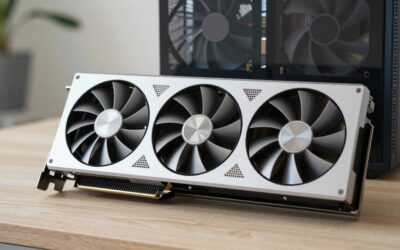
ASUS Dual RTX 5060 Ti 16GB GDDR7 White OC
Identical in silicon and cooling to the standard Dual RTX 5060 Ti OC, this white edition serves buyers building color-coordinated systems. Pricing information is not available at publication time, which makes it the wildcard of the list. Expect it to command a small cosmetic premium over the black variant once listed.
- Pro: Same Blackwell performance and 16GB GDDR7 as the under-$800 Dual OC.
- Pro: White shroud simplifies aesthetic matching for white-themed builds.
- Con: Unconfirmed pricing and potentially limited regional availability.
Skip this if budget is the primary constraint, since the black edition offers identical performance for a known lower price.
ASUS Dual RTX 4060 Ti OC 8GB
This card does not meet the 16GB criterion and appears only because it shares the RTX 4060 Ti name at a under-$600 price that overlaps with modern alternatives. It offers 8GB GDDR6, PCIe 4.0, DLSS 3, one HDMI 2.1 port, and three DisplayPort 1.4a outputs. The OC edition provides a modest clock bump over reference Ada.
- Pro: Cheapest path to DLSS 3 and CUDA ecosystem access in this list.
- Pro: 8GB is still sufficient for 1080p gaming without texture pack mods.
- Con: Half the VRAM of every other card here, with an aging architecture.
Skip this entirely if you need 16GB for current or near-future titles; the under-$600 ASRock delivers both more memory and a newer architecture for less.
Buying Guide
Memory Type and Bus Width
GDDR7 on Blackwell cards provides higher bandwidth than GDDR6 on Ada or RDNA 4 in the same price tier, which translates directly to faster texture loading and fewer stutters in VRAM-heavy open worlds. The 128-bit bus shared by most 16GB cards in this group is adequate for 1440p gaming but becomes a bottleneck at 4K with maximum texture settings. Check whether the card you choose supports the memory speed your games demand rather than assuming higher VRAM alone solves the problem.
Cooling Design and Case Clearance
Dual-fan cards like the ASUS Prime and Dual series fit compact cases but may throttle during extended sessions at higher ambient temperatures. Triple-fan designs such as the MSI Ventus 3X offer more thermal headroom but demand case clearance that mATX builds may not provide. Measure your case’s maximum GPU length and verify bracket-to-PCIe-slot spacing before ordering, particularly if you also need room for a tall CPU cooler.
Display Output Standards
DisplayPort 2.1a and HDMI 2.1b are available on RDNA 4 cards in this roundup but absent from every NVIDIA option listed. If you plan to drive a 4K monitor at 144Hz or higher with DSC compression, confirm the output standard before purchasing. Ada and Blackwell RTX cards are limited to DisplayPort 1.4a, which handles high refresh through DSC but may not support the full feature set of future monitors.
Our Verdict
The ASRock RX 9060 XT Challenger 16GB OC for under $600 is the top pick for any buyer who does not require CUDA-specific software, offering modern architecture, 16GB of VRAM, and DisplayPort 2.1a at a price well below every other 16GB option. The budget pick goes to the ASUS Dual RX 9060 XT 16GB GDDR6 at $479 for those who want the lowest entry point with adequate performance. However, the ASUS Prime RTX 5060 Ti 16GB GDDR7 becomes the right choice the moment your workflow depends on DLSS 3 frame generation or CUDA acceleration, where the Blackwell architecture justifies the additional cost over RDNA 4.
FAQ
Is the RTX 4060 Ti 16GB still worth buying in 2026?
Only if you find it at a steep discount or have a specific software requirement tied to Ada architecture. For under $1,000, it costs more than three newer-architecture cards that outperform it, making it difficult to recommend at full price.
How much does GDDR7 bandwidth improve gaming over GDDR6?
The improvement is most visible in titles that saturate a 128-bit memory bus, such as open-world games at maximum texture quality. In everyday rasterization benchmarks, the generational architecture change matters more than the memory type alone.
Do I need PCIe 5.0 for a 128-bit GPU?
No. A 128-bit GPU does not generate enough bandwidth to saturate a PCIe 4.0 x16 link. PCIe 5.0 support is a forward-looking feature with no measurable performance benefit in current gaming workloads.
Can I use DLSS on an RX 9060 XT?
No. DLSS is an NVIDIA technology. AMD’s equivalent is FSR, which works through open-source upscaling and frame generation. If your game library relies heavily on DLSS 3, you will need to weigh that ecosystem advantage against the price savings of an RDNA 4 card.

Write Your Review
No reviews yet. Be the first to share your experience!