
⚡ Key Takeaways
As an Amazon Associate we earn from qualifying purchases at no extra cost to you. Product prices and availability are accurate as of the date shown and are subject to change.




Get instant results in seconds — no signup.
- NVIDIA's RTX 5090 has a total board power (TBP) of roughly 575W on its own, before you account for your CPU, drives, fans, and the rest of the system.
- The standard advice is to choose a PSU with comfortable headroom above your total system draw, both for stability and for efficiency, since power supplies run most efficiently around 50% to 80% load.
- Beyond wattage, the connector is the other major consideration when deciding whether you need a new PSU for a new GPU.
- For example, a solid 850W ATX 3.0 unit will happily run an RTX 5080 or RX 9070 XT.
Upgrading your graphics card is one of the most rewarding PC upgrades you can make, but it raises an important question that’s easy to overlook: do you need a new PSU for a new GPU? The answer depends on your current power supply’s wattage, its age and quality, and which card you’re moving to. A modern flagship like the NVIDIA GeForce RTX 5090 draws far more power than a card from a few years ago, and it uses a newer power connector standard that your existing PSU might not support natively. Getting this right matters, because an underpowered or mismatched power supply can cause crashes, shutdowns, or in the worst case, damaged hardware.
This guide explains how to figure out whether your current PSU can handle your new GPU, what wattage you actually need for RTX 50-series and Radeon RX 9000-series cards, and how the new 12V-2×6 / 12VHPWR connector and ATX 3.0/3.1 standards factor into your decision. By the end, you’ll know exactly whether to reuse your existing unit or budget for a new one.
Why GPU Power Requirements Have Increased
Modern high-end GPUs are power-hungry. NVIDIA’s RTX 5090 has a total board power (TBP) of roughly 575W on its own, before you account for your CPU, drives, fans, and the rest of the system. That’s a dramatic jump from mid-range cards of the past. Even mid-tier cards have crept upward: the RTX 5080 sits around 360W, the RTX 5070 around 250W, and AMD’s RX 9070 XT around 304W. As GPUs deliver more performance, they demand more clean, stable power, and that puts real pressure on your power supply.
Crucially, a GPU’s power draw isn’t constant. It spikes in brief transient bursts that can momentarily exceed the rated TBP. A PSU that’s marginal on paper may trip its protections during these spikes, causing your system to reboot under load even though the average draw looks fine. This is why headroom matters and why simply matching the bare minimum wattage is risky.
How Much PSU Wattage Do You Need?
The standard advice is to choose a PSU with comfortable headroom above your total system draw, both for stability and for efficiency, since power supplies run most efficiently around 50% to 80% load. NVIDIA and AMD publish recommended PSU wattages for each card, and those recommendations already build in headroom for a typical system. Here’s a practical reference for the current generation.
| Graphics Card | Approx. TBP | Recommended PSU | Power Connector |
|---|---|---|---|
| RTX 5090 | ~575W | 1000W+ | 12V-2×6 (600W) |
| RTX 5080 | ~360W | 850W | 12V-2×6 |
| RTX 5070 Ti | ~300W | 750W – 850W | 12V-2×6 |
| RTX 5070 | ~250W | 750W | 12V-2×6 |
| RX 9070 XT | ~304W | 750W – 850W | 8-pin (PCIe) |
| RTX 5060 | ~145W | 550W – 650W | 8-pin / 12V-2×6 |
These figures assume a mainstream CPU. If you pair a high-end card with a power-hungry processor or plan to overclock, add another 100W to 150W of headroom. When in doubt, step up to the next wattage tier; a slightly larger PSU runs quieter and cooler and leaves room for future upgrades.
The 12VHPWR and 12V-2×6 Connector Explained
Beyond wattage, the connector is the other major consideration when deciding whether you need a new PSU for a new GPU. Most RTX 50-series cards use a single 16-pin power connector instead of multiple 8-pin PCIe cables. The original version of this connector was called 12VHPWR; the updated, more robust revision is 12V-2×6, which improves the contact design to reduce the risk of poor seating and overheating that affected some early implementations.
A single 12V-2×6 connector can deliver up to 600W, which is why a flagship like the RTX 5090 relies on it. Your decision hinges on which of these scenarios applies to you.
If Your PSU Is ATX 3.0 or 3.1
Newer ATX 3.0 and ATX 3.1 power supplies include a native 12VHPWR or 12V-2×6 cable, and they’re specifically designed to handle the large transient power spikes that modern GPUs produce. If you already own one of these and it has enough wattage, you can plug your new card straight in with no adapter needed. ATX 3.1 is the latest refinement and standardizes the safer 12V-2×6 connector. This is the ideal scenario.
If Your PSU Is Older (ATX 2.x)
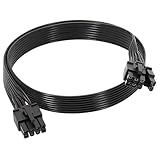
If your power supply predates these standards, it won’t have a 16-pin cable. RTX 50-series cards typically ship with an adapter that combines multiple 8-pin PCIe connectors into one 12V-2×6 plug, so a high-quality older PSU with enough wattage can still work. However, older units may not handle transient spikes as gracefully, and adapters add cable clutter and another point of potential failure if not seated firmly. For a top-tier card, many builders prefer to upgrade to a native ATX 3.1 unit for peace of mind. A good-quality replacement cable can also help; see our picks for the best GPU power supply cables.
When You Can Reuse Your Existing PSU
You can generally keep your current power supply if it meets all of these conditions: it has enough wattage with comfortable headroom for the new card and the rest of your system; it’s a quality unit from a reputable brand with an 80 PLUS rating; it isn’t excessively old (PSU components degrade over the years); and it either has the right connector natively or you’re comfortable using the included adapter. For example, a solid 850W ATX 3.0 unit will happily run an RTX 5080 or RX 9070 XT.
When You Should Buy a New PSU
Plan on a new PSU if your current unit falls short on wattage for your target card, if it’s a cheap or generic model you don’t trust under sustained load, if it’s many years old and may have degraded, or if you’re moving to a flagship like the RTX 5090 and want native ATX 3.1 support with a clean 600W 12V-2×6 cable rather than an adapter. Treat the PSU as the foundation of a stable system; it’s not the place to cut corners when feeding an expensive GPU. If you’re still choosing between cards, our best graphics cards comparison outlines power needs alongside performance, and 4K-focused buyers can consult the best GPU for 4K gaming guide.
How to Check Your Current PSU
Before buying anything, find out what you have. The wattage and 80 PLUS rating are printed on a label on the side of the power supply, which you can read by opening your case. Note the brand and model, then look up whether it’s ATX 3.0/3.1 and how many PCIe or 16-pin connectors it provides. Compare that against the recommended wattage and connector for your new card from the table above. This five-minute check tells you almost everything you need to know.
Top-Rated Picks


Dropped $0.02


| Product | Brand | Rating | Reviews | Price |
|---|---|---|---|---|
| ARCTIC MX-4 (4 g) – Premium Performance Thermal Paste… | ARCTIC | ★ 4.8 | 104k | $4.99 |
| ARCTIC MX-4 (incl. Spatula, 4 g) – Premium Performanc… | ARCTIC | ★ 4.8 | 71.9k | $5.49 |
| Crucial 8GB DDR4 RAM 3200MHz (PC4-25600), Downclockab… | Crucial | ★ 4.8 | 62.8k | $74.99 |
| AMD Ryzen 5 5600X 6-core, 12-thread unlocked desktop … | — | ★ 4.8 | 30.2k | $177.60 |
| NVIDIA Shield Remote; Voice Search, Motion-Activated,… | — | ★ 4.7 | 10.6k | $25.99 |
Frequently Asked Questions
Do I need a new PSU for a new GPU?
Not always. If your current power supply has enough wattage with headroom, comes from a reputable brand, isn’t too old, and supports the right connector (natively or via the included adapter), you can reuse it. You’ll need a new one mainly for big jumps in power draw, such as moving to an RTX 5090, or if your existing unit is low-quality or aging.
What wattage PSU do I need for an RTX 5090?
NVIDIA recommends a 1000W or higher power supply for the RTX 5090, which has a TBP of around 575W. A high-quality ATX 3.1 unit with a native 600W 12V-2×6 connector is the ideal pairing, giving you clean power delivery and headroom for transient spikes.
Can I use an 8-pin to 12VHPWR adapter safely?
Yes, when used correctly. RTX 50-series cards include an adapter, and it works fine with a quality PSU that has sufficient wattage. The key is seating the connector fully and firmly on both ends until it clicks. A native ATX 3.1 cable is cleaner and preferred for flagship cards, but a properly installed adapter is safe.
What is the difference between ATX 3.0 and ATX 3.1?
Both standards are built to handle modern GPU power spikes. ATX 3.1 is the refined version and standardizes the safer 12V-2×6 connector, which improves the pin and contact design over the original 12VHPWR to reduce the chance of poor connections and overheating. Either is suitable for RTX 50-series cards.
Does AMD’s RX 9070 XT need a special connector?
Generally no. Most RX 9070 XT models use traditional 8-pin PCIe power connectors rather than the 16-pin 12V-2×6, so a standard quality PSU around 750W to 850W with the right number of PCIe cables will run it without an adapter.
Conclusion
So, do you need a new PSU for a new GPU? It comes down to wattage, quality, age, and connector compatibility. Check your current unit’s label, compare it against your chosen card’s recommended wattage and power connector, and make sure you have comfortable headroom for transient spikes. A quality ATX 3.0 or 3.1 supply with enough watts and the right cable can power most upgrades, but stepping up to a flagship like the RTX 5090, or replacing an old or low-quality unit, is well worth the investment. A reliable power supply is the foundation that lets your new graphics card perform at its best, safely and for years to come.

Write Your Review
No reviews yet. Be the first to share your experience!