
Holding a huge game library on one machine creates two problems at once: the drive fills up, and long sessions push temperatures higher as the processor and graphics card work hard for hours. A liquid-cooled desktop answers the second problem directly, moving heat away from the processor through a closed loop instead of relying on a small fan in a crowded case. The question that matters is which liquid-cooled system also gives your library the storage, memory, and graphics headroom it needs.
This guide covers players with collections too large for a single modest drive, people who run long sessions in warm rooms, and anyone who values quiet operation during late-night play. Each desktop below was selected from the specifications and cooling descriptions on its Amazon listing, with the size of the liquid cooler, the storage capacity, and the graphics hardware weighed against the demands of a large library.
Quick Picks
As an Amazon Associate we earn from qualifying purchases
| Product | Best for | Key spec from title |
|---|---|---|
| CyberPowerPC Gamer Xtreme VR Liquid Cool (GXiVR8720A4) | A flagship library machine with top-tier graphics | Intel Core i9-14900KF with GeForce RTX 4070 Ti Super and 2TB PCIe Gen4 SSD |
| CyberPowerPC Gamer Xtreme VR Liquid Cool (GXiVR8760A4) | High-end play with a 2TB library drive | Intel Core i7-14700KF with GeForce RTX 4070 Super and 2TB PCIe Gen4 SSD |
| CyberPowerPC Gamer Supreme Liquid Cool (SLC8260A6) | An affordable liquid-cooled start for a big library | AMD Ryzen 7 3800X with GeForce RTX 3060 and 1TB NVMe SSD |
| iBUYPOWER Y40 PRO (Y40BA9N57T01) | A showcase tower with a 240mm liquid cooler | AMD Ryzen 9 7900X with GeForce RTX 5070 Ti and 2TB NVMe SSD |
How to Choose
The Cooler Itself: Radiator Size and Placement
Not every liquid cooler is equal, so read the listing for the radiator size rather than assuming any liquid loop performs the same. A 240mm radiator, like the one in the iBUYPOWER Y40 PRO here, gives the coolant more surface area to shed heat than a smaller 120mm unit, which helps during long sessions. Check where the radiator mounts and whether the fans draw in cool air or exhaust warm air, since that affects both processor and graphics temperatures. Also confirm that the case has room to add fans later, because airflow around the graphics card still depends on case fans even when the processor is liquid cooled.
Storage Capacity for a Library That Keeps Growing
A library of modern titles eats storage faster than most buyers expect, with several open-world games able to fill a 1TB drive between them. Before choosing, total up the install sizes of the games you keep installed, then add space for the next few releases on your wishlist. A 2TB solid-state drive suits players who hate uninstalling games, while a 1TB drive works for a focused rotation if the machine has a spare slot for a second drive later. NVMe drives deserve preference over older SATA drives, since faster storage shortens load screens and helps large open worlds stream textures without hitching.
Graphics Power Across Many Genres
A large library means many kinds of games, from competitive shooters that reward high frame rates to cinematic adventures that lean on detailed textures and lighting. Look for a dedicated GeForce RTX graphics card with enough video memory for high-resolution texture packs, and match it with a processor that will not bottleneck it during crowded scenes. The processor also handles downloads, updates, streaming software, and voice chat running in the background, so a modern multi-core chip keeps those tasks from interrupting play. A balanced pairing matters more than a single headline component, because a strong card held back by a weak processor wastes its potential.
Safe Setup: Ventilation, Power, and Coolant Care
Liquid cooling changes the safety checklist. The listings here describe their liquid cooling systems, and those descriptions tell you what to check: keep the radiator and fans free of dust, leave the vents unobstructed, and place the tower where air can move around it rather than inside a sealed cabinet. Check the power supply details in the listing and confirm it suits the graphics card, and plug the machine into a grounded outlet with a surge protector. Listen for new noises after moving the PC, since a rattling pump or fan can signal that something shifted during transport and needs a look before long sessions resume.
The 4 Best Options
CyberPowerPC Gamer Xtreme VR Liquid Cool (GXiVR8720A4)

This is the flagship option in this guide, built for players whose libraries are large and whose standards for frame rates are high. The Core i9-14900KF processor and RTX 4070 Ti Super graphics card handle demanding titles with room to spare, while 32GB of DDR5 memory keeps background downloads and chat apps from interfering with play. With 2TB of PCIe Gen4 storage, whole collections of large games can stay installed at once, and the liquid-cooled design keeps the system composed during marathon sessions.
Specs
- Processor: Intel Core i9-14900KF
- Graphics: NVIDIA GeForce RTX 4070 Ti Super 16GB
- Memory: 32GB DDR5
- Storage: 2TB PCIe Gen4 SSD
- Cooling: Liquid cooled
- Connectivity: WiFi Ready
- Operating system: Windows 11 Home
Best for: Players who want flagship graphics and 2TB of storage in a liquid-cooled library machine.
Watch out for: Confirm the case dimensions and vent clearance on your desk before ordering, since this is a full tower.
CyberPowerPC Gamer Xtreme VR Liquid Cool (GXiVR8760A4)

A step below the flagship yet still firmly high-end, this configuration pairs a Core i7-14700KF processor with an RTX 4070 Super graphics card for smooth play across a wide library. The same 32GB of DDR5 memory and 2TB of PCIe Gen4 storage appear here, so the practical difference for most players is graphics headroom rather than library space. Liquid cooling keeps the processor steady through long sessions, and the Wi-Fi-ready design suits rooms where running an Ethernet cable is awkward.
Specs
- Processor: Intel Core i7-14700KF
- Graphics: NVIDIA GeForce RTX 4070 Super 12GB
- Memory: 32GB DDR5
- Storage: 2TB PCIe Gen4 SSD
- Cooling: Liquid cooled
- Connectivity: WiFi Ready
- Operating system: Windows 11 Home
Best for: High-end gamers who want 2TB of library storage with an RTX 4070 Super.
Watch out for: Check the number of USB ports against your headset, controller, and external drive needs.
CyberPowerPC Gamer Supreme Liquid Cool (SLC8260A6)

This Gamer Supreme brings liquid cooling within reach of a smaller budget, and it fits players whose libraries are growing but whose hardware demands are moderate. The Ryzen 7 3800X processor and RTX 3060 graphics card with 12GB of video memory cover a broad range of popular titles, and the 1TB NVMe drive holds a respectable rotation of games. Liquid cooling at this level keeps the machine quieter than many air-cooled alternatives during extended play, which suits shared living spaces.
Specs
- Processor: AMD Ryzen 7 3800X
- Graphics: NVIDIA GeForce RTX 3060 12GB
- Memory: 16GB DDR4
- Storage: 1TB NVMe SSD
- Cooling: Liquid cooled
- Connectivity: WiFi Ready
- Operating system: Windows 11 Home
Best for: Budget-minded players who want liquid cooling and a 1TB library drive.
Watch out for: The 1TB drive fills up with large titles, so check for a spare slot before counting on future expansion.
iBUYPOWER Y40 PRO (Y40BA9N57T01)

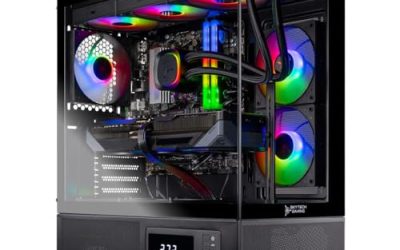
The Y40 PRO stands out in this guide for its showcase HYTE Y40 case and its 240mm AW4 liquid CPU cooler, a combination that suits players who want their library machine to look as good as it performs. Inside, a Ryzen 9 7900X processor and RTX 5070 Ti graphics card with 16GB of memory drive demanding titles, while 32GB of DDR5 RAM and a 2TB NVMe drive keep a large collection installed and ready. A keyboard and mouse come in the box, so the machine is ready to play once it is connected.
Specs
- Processor: AMD Ryzen 9 7900X, 12 cores
- Graphics: NVIDIA GeForce RTX 5070 Ti 16GB GDDR6
- Memory: 32GB DDR5 RGB 5200MHz
- Storage: 2TB NVMe SSD
- Cooling: 240mm liquid CPU cooling system
- Case: HYTE Y40 PRO Black
- Connectivity: Wi-Fi Ready, Bluetooth
- Operating system: Windows 11 Home
- Included: Keyboard and mouse
- Warranty: 1 Year Manufacturer
Best for: Players who want a showcase liquid-cooled tower with a 2TB library and 240mm cooling.
Watch out for: Measure the tower against your desk, since the Y40 case is wider than a standard mid-tower.
Which One Fits Your Situation
You Play Long Sessions in a Warm Room
Pick the iBUYPOWER Y40 PRO. Its 240mm liquid cooler and the airflow of the HYTE Y40 case handle sustained heat well, and the 2TB drive plus 32GB of memory mean your library stays installed through the longest sessions. The 32GB of memory and 2TB drive keep the whole collection ready, while the included keyboard and mouse mean the setup is complete once the tower is connected.
You Want the Strongest Graphics for Demanding Titles
Pick the CyberPowerPC Gamer Xtreme GXiVR8720A4. The i9-14900KF processor and RTX 4070 Ti Super graphics card give the most headroom in this guide, so demanding games in a large library run smoothly at high settings. The 32GB of DDR5 memory keeps background tasks from interrupting play, and the 2TB Gen4 drive holds a large collection with fast load times.
You Are Upgrading from an Older Air-Cooled PC
Pick the CyberPowerPC Gamer Supreme SLC8260A6. It introduces liquid cooling and a modern NVMe drive at a lower outlay, and the 12GB RTX 3060 handles a wide range of titles while your library grows toward a future storage upgrade. The liquid-cooled design runs quieter than many air-cooled machines in shared living spaces, and the Wi-Fi-ready setup suits rooms without an Ethernet cable nearby.
You Want High-End Specs Without the Flagship Graphics Card
Pick the CyberPowerPC Gamer Xtreme GXiVR8760A4. It keeps the 32GB of memory and 2TB of storage of the flagship model, with an RTX 4070 Super that covers demanding games while leaving budget for other parts of the setup. The RTX 4070 Super still covers demanding titles at high settings, and the Wi-Fi-ready design suits rooms where running an Ethernet cable is awkward.
Common Mistakes
- Assuming every liquid cooler performs the same without checking the radiator size in the listing.
- Buying a 1TB drive for a library that already needs more space, then uninstalling games every week.
- Placing a liquid-cooled tower inside a closed cabinet where the radiator cannot draw fresh air.
- Ignoring the power supply and outlet setup, then wondering why the machine behaves oddly under load.
- Pairing a strong graphics card with too little memory for background apps running alongside a game.
Frequently Asked Questions
Does liquid cooling make a gaming desktop last longer?
Liquid cooling can help a processor run at lower temperatures during long sessions, which reduces thermal stress over time. It does not replace basic care: vents still need clearing, dust still needs removing, and the machine still needs space to breathe. A well-maintained liquid-cooled desktop should serve a large library for years, just like a well-maintained air-cooled one.
How much storage should a liquid-cooled gaming desktop have?
For a large library, 2TB is the comfortable choice, since it holds many titles without constant uninstalling. A 1TB drive works when the library is focused or when the desktop has a spare slot for a second drive. Count the install sizes of the games you keep and choose the drive size that covers that total.
Is a liquid-cooled PC safe to move?
Yes, with care. Power the machine down fully, disconnect the cables, and carry it upright without shaking it. After a move, listen for rattling or gurgling from the pump area before starting a long session, and check that the fans spin freely. If anything sounds unusual, let the machine sit upright for a while and inspect it before playing.
Do I need to maintain a liquid cooler?
Closed-loop coolers need little routine work beyond what any desktop needs. Keep the radiator fins and fans free of dust, make sure the vents stay clear, and check occasionally that temperatures stay steady during play. If temperatures climb over time, cleaning the radiator and checking fan operation usually restores normal behaviour before anything more involved is needed.




Write Your Review
No reviews yet. Be the first to share your experience!